Cloud computing has become an essential part of today’s digital landscape. From running websites and storing massive amounts of data to powering mobile apps and machine learning, the cloud touches nearly every corner of technology. At the center of this transformation is Amazon Web Services (AWS), the industry’s most widely used and trusted cloud platform. For those new to the tech space or just beginning to explore the cloud, AWS offers an approachable and flexible environment to get started. This guide will walk you through the essentials of AWS, why it matters, and how to begin your cloud learning journey step by step.
What is AWS All About?
Amazon Web Services (AWS) is a platform that provides cloud-based computing services to individuals, startups, enterprises, and governments. These services are delivered over the internet and cover a wide range of needs from virtual servers and storage to machine learning and security. Since its launch in 2006, AWS has become a leader in cloud infrastructure, powering tech giants like Netflix, Pinterest, Spotify, and even NASA. The platform offers over 200 services, enabling users to build applications, manage data, scale globally, and innovate without the burden of managing physical infrastructure. The AWS Certification Course is designed to equip learners with in-demand cloud skills and prepare them for globally recognized AWS certification exams.
Why AWS is Perfect for Beginners
If you're stepping into cloud computing for the first time, AWS is a great place to begin. Here’s why:
- Industry-Recognized Skills: Knowledge of AWS is a highly valuable skill across IT and development roles.
- Beginner-Friendly Approach: AWS provides simplified tools and services to help you start without being overwhelmed.
- Flexible Learning Curve: You can start with the basics and gradually explore more advanced technologies like DevOps, AI, or big data.
- Global Infrastructure: With regions and data centers worldwide, AWS delivers high-speed, reliable performance.
- Zero-Cost Practice: AWS’s Free Tier allows you to learn and build without paying upfront. In short, learning AWS is a strategic first step into the broader cloud ecosystem.
Key AWS Concepts You Should Know
Before diving into actual projects, it helps to get familiar with some foundational AWS services and concepts:
- Regions & Availability Zones: AWS is divided into regions, each containing multiple zones where its data centers are located. This ensures high availability and reliability.
- Elasticity: One of AWS’s main strengths is the ability to scale resources up or down automatically, depending on demand.
- IAM (Identity and Access Management): This service controls who can access what in your AWS account, ensuring security and permission management.
- EC2 (Elastic Compute Cloud): Think of this as your virtual computer or server in the cloud.
- S3 (Simple Storage Service): A secure and scalable place to store files, images, videos, backups, and more.
- RDS (Relational Database Service): A managed database solution that supports MySQL, PostgreSQL, and other databases. These tools make up the foundation of most cloud projects on AWS.
Your First Steps on AWS
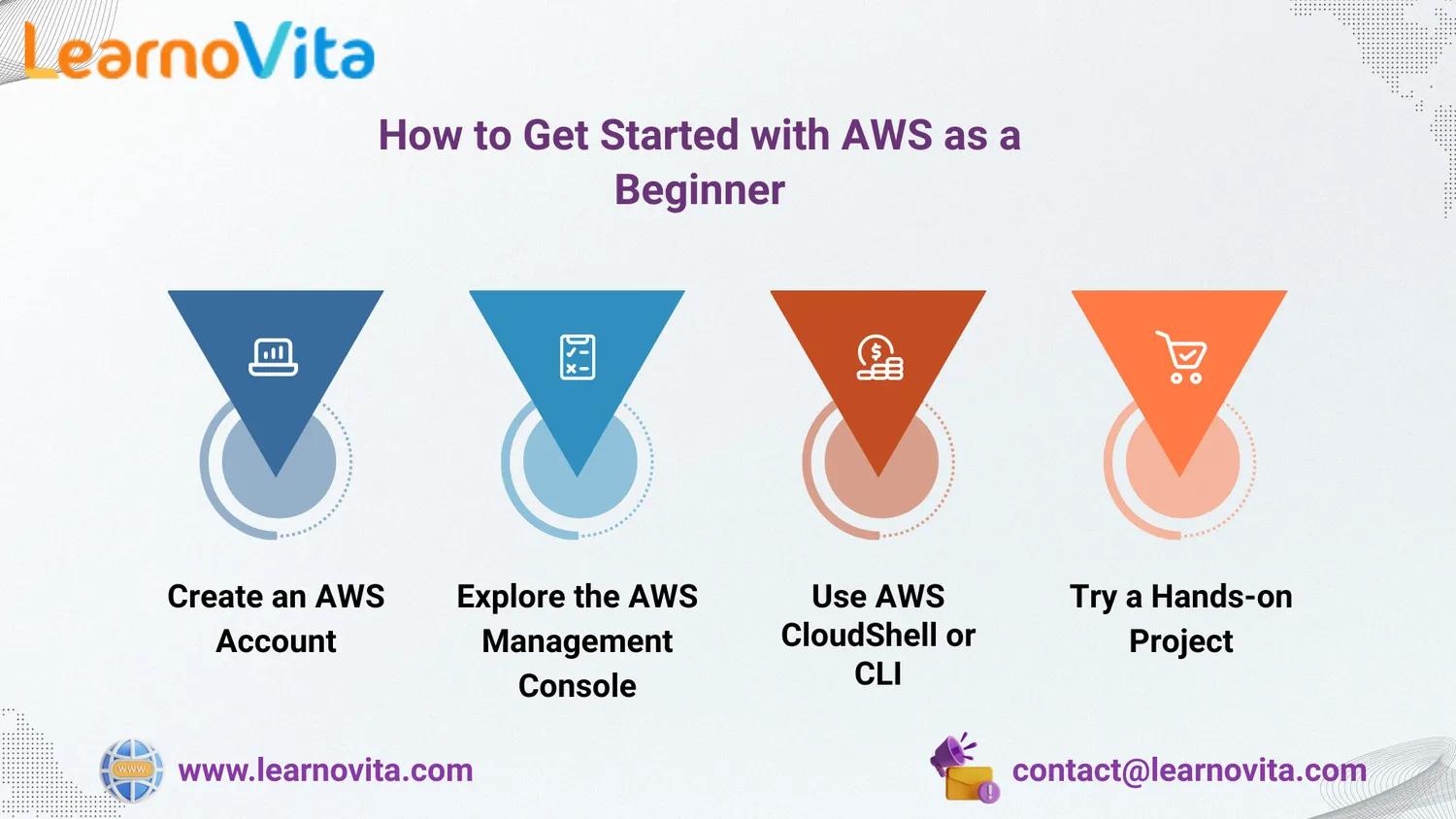
Getting started with AWS is easier than it might seem. Here’s how to begin:
1. Create Your AWS Account
Visit https://aws.amazon.com and sign up. AWS offers a Free Tier with access to core services at no cost for 12 months. You'll need a payment card to register, but you won’t be charged as long as you stay within the free usage limits.
2. Explore the AWS Console
Once you log in, you’ll land on the AWS Management Console your web-based control center for launching and managing AWS services. Here, you can:
- Launch a virtual server using EC2
- Create a storage bucket with S3
- Set up a Lambda function to automate tasks
The interface is visual and beginner-friendly, perfect for those new to cloud technology.
3. Use the Command Line (CLI) or CloudShell
For those who prefer using code or scripts, AWS provides the CLI (Command Line Interface) and CloudShell, letting you interact with services using text-based commands. These are useful as your skills grow and you look to automate tasks.
4. Work on Small Projects
Start building simple applications to gain hands-on experience. Some beginner projects include:
- Hosting a static website with S3
- Setting up a WordPress blog on EC2
- Creating a Lambda function to trigger email alerts
AWS also provides guided tutorials that walk you through these projects step-by-step. Our Best Training & Placement Program ensures hands-on learning and career support, guiding you from skill-building to securing your dream job.
Take Advantage of AWS Free Tier
The AWS Free Tier is an excellent resource for new learners. It includes:
- 750 hours/month of EC2 usage (t2.micro or t3.micro)
- 5 GB of storage space on S3
- 750 hours/month of managed databases on RDS
- 1 million free Lambda requests/month
This gives you the freedom to explore AWS services and test ideas without worrying about costs.
Where to Learn More?
AWS makes it easy to learn and grow. Here are some great resources for beginners:
- AWS Skill Builder: Official learning portal offering free cloud training courses.
- AWS YouTube Channel: Explainer videos, demos, and product announcements.
- AWS Documentation: Clear, example-rich documentation for every service.
- Online Learning Platforms: Courses from Udemy, Coursera, and A Cloud Guru. Start small and focus on consistency. Real growth comes from hands-on experimentation.
Conclusion
AWS opens the door to a world where you can build, scale, and innovate without investing in hardware or complex infrastructure. As a beginner, you have everything you need to succeed: an easy-to-navigate platform, a generous free tier, and endless learning resources. Whether your goal is to launch a tech career, earn certifications, or bring a new idea to life, AWS is the perfect launchpad. Dive in, explore, and start building your cloud skills today.