In the fast-paced world of business, precision and efficiency in financial management have become more critical than ever. Whether you're managing a startup, running a small business, or supervising the accounts of a growing firm, a dependable accounting solution is essential. Among the most widely trusted platforms is Tally, known for transforming traditional bookkeeping into a modern, digital experience. With its simplicity and robust feature set, Tally empowers users to take charge of their finances effortlessly. Created by Tally Solutions Pvt. Ltd., the software has come a long way from its humble beginnings as a basic accounting tool. The latest release, TallyPrime, goes beyond simple recordkeeping; it offers a comprehensive suite for accounting, inventory, taxation, and payroll management. Designed with ease of use in mind, it makes accounting accessible to professionals and newcomers alike. Enroll in a Tally course online to gain hands-on expertise in accounting, GST, inventory management, and financial reporting all from the comfort of your home.

What Makes Tally Stand Out
Tally is packed with features that simplify complex financial operations without overwhelming the user. From company creation to tax filings, the platform offers an intuitive interface that helps users navigate through tasks with minimal learning curve. Its ability to provide real-time financial data, manage inventory, support multi-company setups, and ensure statutory compliance has made it a favorite among businesses of all scales. Even those unfamiliar with accounting principles can get started with ease. Tally’s structured approach ensures that all financial activities from transactions to reports are automatically organized and instantly updated, promoting both accuracy and transparency.
Installing Tally and Creating Your First Company
To begin your Tally journey, you’ll first need to download TallyPrime from the official Tally Solutions website. A trial version is available for users looking to explore the features before purchasing a license. After installation, you’ll be guided through creating your first company profile, where you'll enter key details like your business name, address, financial year start date, and preferred currency. Once setup is complete, you’ll land on Tally’s main interface. This dashboard gives access to all core modules including Accounting, Inventory, Payroll, and Statutory Reports. Despite the comprehensive functionality, the layout remains beginner-friendly. Tooltips, contextual guides, and logical menu flow make it easy to explore the software without confusion.
Ledgers and Transaction Entry in Tally
In Tally, ledgers are the fundamental units that categorize financial data. Each ledger represents a specific account such as Sales, Cash, Rent, or Capital. These are grouped into broader categories like assets, liabilities, income, and expenses, allowing Tally to automatically generate structured reports. Daily business transactions are recorded through vouchers, which are templates customized to specific transaction types. For example, payments made to vendors use a Payment Voucher, while incoming receipts are entered through Receipt Vouchers. When transactions are entered, Tally immediately reflects the changes across all relevant ledgers and reports, minimizing the chance of errors and ensuring financial clarity at every step.
Common Voucher Types You’ll Work With
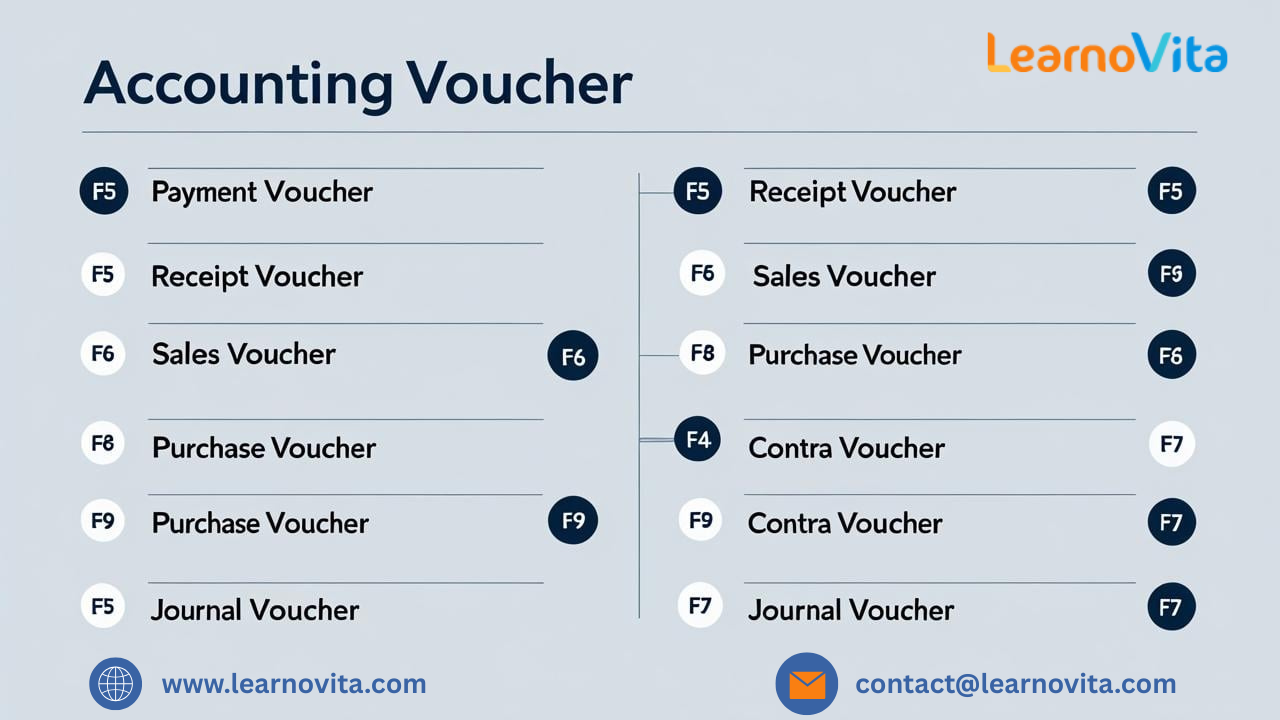
Here are a few key voucher types that form the core of everyday accounting in Tally:
- Payment Voucher (F5): Records outgoing payments like rent, bills, or supplier dues.
- Receipt Voucher (F6): Tracks money received from clients or other sources.
- Sales Voucher (F8): Used for documenting revenue from goods or services sold.
- Purchase Voucher (F9): Logs purchases of products or materials.
- Journal Voucher (F7): Handles adjustments or non-cash transactions like depreciation.
- Contra Voucher (F4): Used for internal transfers between cash and bank accounts.
Each voucher includes the date, ledger accounts involved, and transaction details, helping maintain a clean, auditable financial trail. With our Best Training & Placement Program, you’ll gain practical experience and dedicated career support helping you grow your skills and land your ideal job.
Powerful Reporting for Better Decision-Making
One of the most impactful features of Tally is its ability to generate real-time financial reports. Whether you're looking at a Balance Sheet, Profit and Loss Statement, or Cash Flow Report, Tally ensures your data is current and accurate the moment a transaction is entered. There’s no need to wait for month-end closings; everything updates instantly. Reports can be customized, filtered, and exported to formats like Excel and PDF. This not only makes internal reviews easier but also simplifies the process of sharing data with auditors, investors, or consultants. Advanced options like drill-down functionality and date-wise filtering allow deeper analysis without switching to another platform.
Managing Inventory with Confidence
For businesses that manage stock, Tally offers seamless inventory tracking alongside accounting features. You can define items, assign units, group products, and even track batch numbers or expiry dates. Each transaction that involves inventory whether it’s a sale, purchase, or return automatically updates both the stock position and the associated financial records. This synchronization ensures that your inventory valuation always aligns with your accounts. Businesses operating across multiple locations can even manage stock movement between warehouses or outlets, giving a unified view of all inventory activity in real time.
Smart Tips to Learn Tally Faster
If you're new to Tally, the learning process can be made smoother with a few simple practices:
- Start with Trial Entries: Practice entering sample data to get used to the interface.
- Use Official Learning Resources: Tally provides tutorials, webinars, and videos to guide beginners.
- Familiarize Yourself with Shortcuts: Keyboard shortcuts speed up tasks and boost efficiency.
- Regularly Back Up Your Data: Prevent accidental data loss by scheduling periodic backups.
- Review Reports Often: Understanding how each entry reflects in reports builds clarity and confidence.
By following these tips, users can transition from novice to proficient in a relatively short time.
Conclusion
Tally is more than just accounting software, it's a complete business management solution designed to grow with your organization. Its intuitive design, real-time processing, and robust reporting capabilities make it the ideal starting point for individuals and businesses looking to digitize their financial operations. From initial company setup to advanced report generation, Tally guides users through every phase of accounting with ease. For beginners, it removes the fear of complexity; for experienced users, it offers the depth and control they need. Over time, Tally becomes not just a tool but a trusted partner in your financial journey helping you make better decisions, stay compliant, and focus more on business growth.