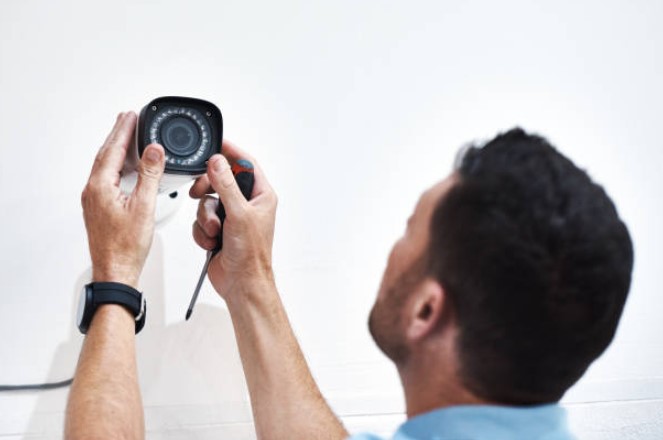
Installing CCTV cameras can greatly enhance the security of your home or business. With the advancements in technology, this process has become much simpler and more accessible, allowing anyone to set up their own surveillance system. In this article, we will guide you through the process of installing CCTV cameras in 5 easy steps.
Understanding the Basics of CCTV Cameras
Before diving into the installation process, it is essential to have a good understanding of CCTV cameras and how they work. CCTV stands for Closed Circuit Television, which means that the system is designed to transmit video footage within a closed circuit. This footage can then be monitored and recorded for later use.
When it comes to surveillance, CCTV cameras play a crucial role in capturing and documenting events. These cameras are strategically placed in various locations to monitor and record activities, ensuring the safety and security of both public and private spaces. Understanding the basics of CCTV cameras will empower you to make informed decisions when it comes to selecting and installing the right system for your needs.
Types of CCTV Cameras
There are various types of CCTV cameras available in the market, each with its own unique features and advantages. Some of the most common types include dome cameras, bullet cameras, and PTZ (Pan-Tilt-Zoom) cameras.
Dome cameras, as the name suggests, are shaped like a dome and are discreet in design. They can be easily mounted on ceilings, making them ideal for indoor surveillance. These cameras offer a wide viewing angle, allowing them to cover a larger area without the need for multiple cameras. Dome cameras are commonly used in retail stores, offices, and other indoor environments where a sleek and inconspicuous design is preferred.
Bullet cameras, on the other hand, are more visible and can be used for both indoor and outdoor surveillance. These cameras are cylindrical in shape and are often mounted on walls or poles. Bullet cameras are known for their long-range capabilities and are ideal for monitoring large outdoor areas such as parking lots, building entrances, and perimeters. Their visible presence also acts as a deterrent to potential intruders.
PTZ cameras offer the flexibility of controlling the camera's movement remotely. With the ability to pan, tilt, and zoom, these cameras can cover a wide area and focus on specific points of interest. PTZ cameras are commonly used in areas where real-time monitoring and tracking are required, such as casinos, stadiums, and large outdoor spaces. The ability to zoom in on specific details makes PTZ cameras an excellent choice for identifying individuals or capturing license plate numbers.
Key Components of a CCTV System
A CCTV system consists of several key components that work together to provide effective surveillance. Understanding these components will help you plan the installation process more effectively.
CCTV cameras are the primary component of any surveillance system. These cameras capture video footage and transmit it to the recording device. The quality and specifications of the cameras will vary depending on the specific requirements of the installation.
A Digital Video Recorder (DVR) or Network Video Recorder (NVR) is used to store and manage the recorded video footage. DVRs are typically used in analog CCTV systems, while NVRs are used in IP-based systems. These recording devices offer various storage capacities and can be configured to record continuously or based on motion detection.
Cables for power and data transmission are essential for connecting the CCTV cameras to the recording device. These cables ensure a stable and reliable connection, allowing the video footage to be transmitted without any loss in quality. It is important to choose the right type and length of cables based on the distance between the cameras and the recording device.
A monitor or display device is crucial for viewing the live and recorded footage from CCTV cameras, especially when implementing a Guard Tour System. This can take the form of a dedicated monitor or a computer screen connected to the recording device. The monitor serves as a window into real-time monitoring and playback of the recorded footage, offering security personnel and administrators valuable insights and evidence when required. Integrating a Guard Tour System with the monitor enhances surveillance capabilities, ensuring a more comprehensive and responsive security infrastructure.
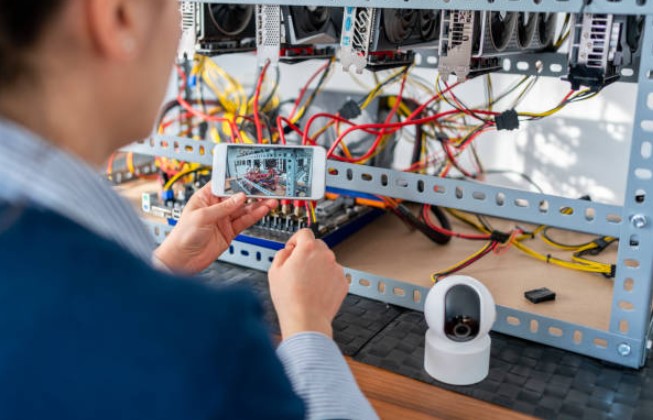
By understanding the types of CCTV cameras and the key components of a CCTV system, you are equipped with the knowledge to make informed decisions when it comes to planning and installing a surveillance system. Whether it's for your home, business, or public space, CCTV cameras offer a reliable and effective solution for enhancing security and peace of mind.
Pre-Installation Checklist
Before you start the installation process, it is important to go through a pre-installation checklist. This will help you ensure that you have all the necessary tools and equipment, and that you have selected the right location for your CCTV cameras.
Choosing the Right Location for CCTV Cameras
The location of your CCTV cameras plays a crucial role in their effectiveness. You should identify the areas you want to monitor and select suitable locations for your cameras. Consider factors such as visibility, coverage area, and potential obstructions. It is recommended to position the cameras high enough to avoid tampering or vandalism.
When choosing the right location for your CCTV cameras, it is important to consider the specific needs of your property. For example, if you are monitoring a large outdoor area, you may need cameras with a wider field of view and enhanced weather resistance. On the other hand, if you are monitoring a small indoor space, you may opt for discreet cameras that blend seamlessly with the surroundings.
Furthermore, it is essential to assess the lighting conditions in the areas you wish to monitor. If there are areas with poor lighting, you may need to install cameras with low-light capabilities or consider adding additional lighting to ensure clear footage.
Gathering Necessary Tools and Equipment
Before starting the installation process, gather all the necessary tools and equipment. This may include a ladder, screwdriver, drill, cable clips, and cables for power and data transmission. Make sure you have everything you need within reach to minimize interruptions during the installation process.
In addition to the basic tools and equipment, you may also need specialized tools depending on the complexity of your CCTV system. For instance, if you are installing multiple cameras and need to run cables through walls or ceilings, you may require fish tape or a cable puller to make the installation process smoother and more efficient.
It is also important to ensure that you have the appropriate cables and connectors for your CCTV system. Different cameras may require different types of cables, such as coaxial cables or Ethernet cables. Additionally, you may need connectors such as BNC connectors or RJ45 connectors to properly connect the cameras to the recording device.
Lastly, don't forget to have a power source nearby for your cameras. Depending on the location, you may need to install electrical outlets or use power over Ethernet (PoE) technology to provide power to your cameras.
Step-by-Step Guide to CCTV Camera Installation
Now that you have completed the pre-installation checklist, it's time to begin the actual installation process. Follow the step-by-step guide below to install your CCTV cameras:
Mounting the CCTV Camera
Start by mounting the CCTV camera in the chosen location. Use the appropriate mounting brackets or housings to secure the camera firmly in place. Ensure that the camera is positioned at the desired angle and provides optimal coverage of the area you want to monitor.
Connecting the CCTV Camera to a Power Source
After mounting the camera, connect it to a power source. Most CCTV cameras use a power adapter or can be wired directly to an electrical outlet. Make sure the power source is stable and provides the necessary voltage to operate the camera.
Connecting the CCTV Camera to the DVR
Next, connect the CCTV camera to the DVR using the appropriate cables. Depending on the type of camera and DVR, you may need to use coaxial cables or network cables. Follow the manufacturer's instructions to ensure proper connection.
Configuring the CCTV System
Once all the connections are in place, it's time to configure the CCTV system. This involves setting up the DVR/NVR, configuring the camera settings, and adjusting the recording settings. Refer to the user manual or follow the on-screen prompts to complete the configuration process.
Troubleshooting Common Installation Issues
While installing CCTV cameras, you may encounter some common issues that can hinder the performance of your surveillance system. Here are a few tips to troubleshoot and resolve these issues:
Dealing with Poor Image Quality
If you notice poor image quality or unclear footage, check the camera lens for dirt or smudges. Clean it gently using a microfiber cloth. Adjust the camera settings, such as brightness and contrast, to improve the image quality. Additionally, ensure that the camera is not obstructed and has a clear line of sight.
Addressing Connectivity Problems
If you experience connectivity issues between the CCTV camera and the DVR, check the cables for loose connections or damage. Replace any faulty cables if necessary. Ensure that the camera and DVR are on the same network or connected via correct cabling. Resetting the network settings on both devices can also help resolve connectivity problems.
Maintaining Your CCTV System
Once your CCTV system is up and running, it is important to maintain it regularly to ensure optimal performance. Here are some maintenance tasks to consider:
Regular Cleaning and Inspection
Periodically clean the camera lenses and housings to prevent dirt and dust buildup. Inspect the cables for any signs of damage and replace them if needed. Check the DVR or NVR for software updates and install them to stay updated with the latest features and security enhancements.
Updating the System Software
Manufacturers often release software updates for DVRs and cameras to improve performance and address any security vulnerabilities. Regularly check for firmware updates and install them to keep your system running smoothly.
When to Seek Professional Help
While installing CCTV cameras can be a DIY project, there may be instances where professional help is required. If you encounter any technical issues that you are unable to resolve, or if you need assistance with the system configuration, consider seeking help from a professional CCTV installer.
Follow these step-by-step instructions and maintenance tips to successfully install and maintain your CCTV cameras. With proper installation and regular maintenance, you can ensure the safety and security of your home or business.