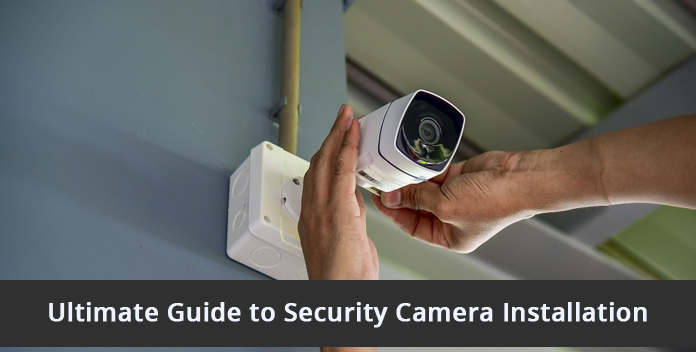
CCTV security cameras have become an essential part of modern-day security systems. Whether you are a homeowner or a business owner, installing CCTV cameras can provide you with peace of mind and a heightened sense of security. However, the installation process can be daunting if you are not familiar with the technical aspects. This guide aims to walk you through the steps of installing CCTV security cameras, ensuring a successful and effective surveillance system.
- Planning the Installation: Before diving into the installation process, it is crucial to plan your CCTV system strategically. Start by assessing your property's layout and identifying the vulnerable areas that require monitoring. Consider factors such as entrances, blind spots, and high-risk zones. This evaluation will help you determine the number of cameras needed and their optimal locations.
- Choosing the Right Cameras: Selecting the appropriate CCTV cameras is vital for achieving your desired surveillance goals. Different cameras serve various purposes, such as dome cameras for wide-area coverage or bullet cameras for long-distance viewing. Additionally, consider factors like resolution, night vision capabilities, weatherproofing, and connectivity options when choosing the cameras that suit your requirements.
- Selecting the Recording Device: A reliable recording device is essential for storing and accessing surveillance footage. The two main options are Digital Video Recorders (DVRs) and Network Video Recorders (NVRs). DVRs work with analog cameras, while NVRs are compatible with IP cameras. Ensure that the recording device has sufficient storage capacity and supports features like motion detection and remote access.
- Gathering the Necessary Equipment: Before beginning the installation, gather all the required tools and equipment. These may include CCTV cameras, cables, power adapters, a power supply unit, connectors, a monitor or a television, and mounting brackets. It is crucial to use high-quality equipment to ensure the longevity and reliability of your surveillance system.
- Installing the Cameras: Start by identifying the mounting locations for each camera based on your earlier assessment. Ensure that the chosen locations provide optimal coverage and minimize blind spots. Use mounting brackets or housings to securely fix the cameras in place. Pay attention to proper cable management to prevent any damage or interference.
- Establishing a Power Supply: CCTV cameras require a stable power source for continuous operation. Depending on your setup, you can choose between individual power adapters for each camera or a centralized power supply unit. Ensure that the power source is protected against power surges and adequately grounded for safety.
- Setting up the Recording Device: Connect your cameras to the recording device using the appropriate cables. For analog cameras, use coaxial cables, while IP cameras require network cables. Configure the recording device according to the manufacturer's instructions. This typically involves setting up network settings, enabling motion detection, and creating user accounts for remote access.
- Testing and Adjusting: After the installation is complete, thoroughly test your CCTV system to ensure everything is functioning correctly. Verify the camera angles, adjust the focus and zoom, and test the night vision capabilities. Check the recording device to ensure that it is capturing and storing footage as expected. Make any necessary adjustments to optimize the performance of your surveillance system.
- Remote Viewing and Maintenance: To enhance the functionality of your CCTV system, set up remote viewing capabilities. This allows you to access the live feed and recorded footage from anywhere using a computer, smartphone, or tablet. Regularly maintain your system by cleaning the cameras, checking cables for any signs of wear or damage, and updating firmware or software as needed.
- Legal Considerations: Before installing CCTV cameras, it is essential to familiarize yourself with the local laws and regulations regarding video surveillance. Respect individuals' privacy rights and ensure that your cameras are not positioned in private areas.