Snapmaker 3D printers have gained popularity for their versatility and high-quality prints. However, to maximize their potential, it is important to consider the benefits of using Snapmaker enclosures. In this article, we will explore the safety features and filament management advantages associated with Snapmaker 3D printer enclosures, highlighting their crucial role in creating a secure and efficient printing environment.
· Creating a Safer Printing Environment
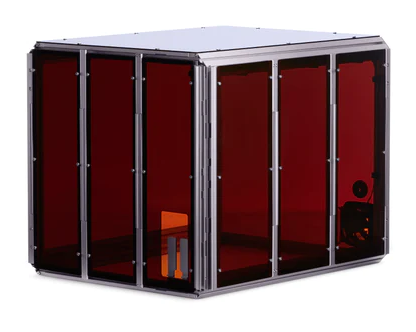
Snapmaker 3D printer enclosures provide an added layer of safety by minimizing the risk of accidents and injuries during the printing process. The enclosed structure prevents accidental contact with hot components, such as the heated bed or nozzle, reducing the chances of burns or other mishaps. Additionally, the enclosure acts as a barrier to protect against moving parts, ensuring that curious hands or objects do not interfere with the printing operation. By keeping the printer enclosed, users can have peace of mind knowing that their workspace is safer, especially when operating the printer in a home or educational setting.
· Optimizing Filament Management
Maintaining the ideal printing conditions for filament is crucial to achieving high-quality prints consistently. Snapmaker 3D printer enclosures contribute to effective filament management in several ways. Firstly, enclosures help regulate temperature and humidity levels, which are critical factors in preventing filament warping or moisture-related issues. The controlled environment within the enclosure minimizes the impact of external factors, ensuring the filament remains in an optimal condition throughout the printing process.
Furthermore, enclosures can be equipped with filament spool holders, allowing for organized and tangle-free filament feeding. These holders can be integrated within the enclosure, ensuring that the filament is protected from dust, dirt, or accidental tangling, which could compromise print quality. Some enclosures even incorporate humidity control mechanisms, such as desiccant compartments or dry boxes, to maintain low moisture levels and extend the shelf life of the filament.
Moreover, Snapmaker 3D printer enclosures can include filament feed systems that guide the filament smoothly into the extruder, minimizing the chances of filament jams or misfeeds. This streamlined filament path enhances printing reliability and reduces the need for constant monitoring during longer print jobs.
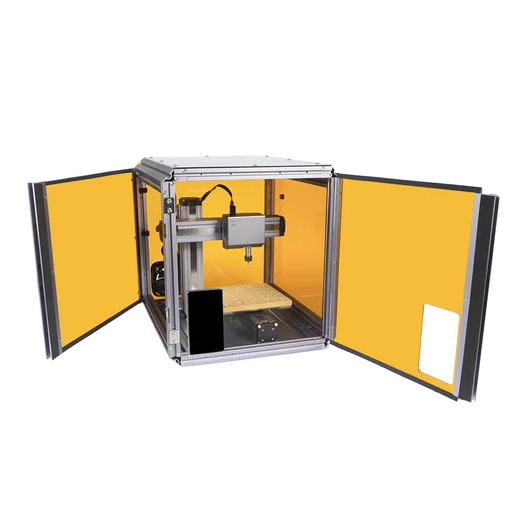
Snapmaker 3D printer enclosures offer significant advantages in terms of safety and filament management. By providing a secure printing environment and facilitating efficient filament handling, enclosures ensure a reliable and hassle-free printing experience. Whether you are a beginner or an experienced user, incorporating an enclosure with your Snapmaker 3D printer can help you achieve better print results while maintaining a safer workspace.
Visit here: https://www.youtube.com/watch?v=7NATt8uZvtk