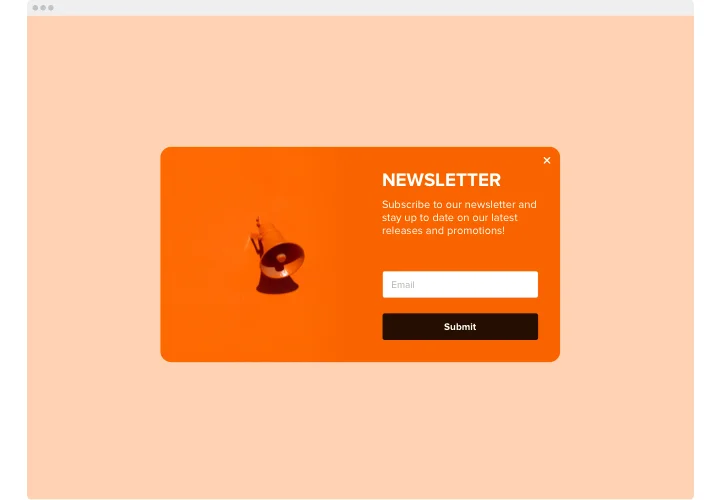
Why Add an Email Pop-Up on Shopify?
An email pop-up can help you in many ways, including:
Build Email List: It's an excellent way to capture email addresses of potential customers and build your email list for marketing purposes.
Boost Sales: By promoting your products and services through email, you can attract more customers and increase your sales.
Increase Engagement: Email marketing is a great way to engage with your customers and keep them updated about your products and services.
How to Create an Email Pop-Up on Shopify?
Let’s explore how to add email pop-up on shopify
To create an email pop-up on Shopify, follow these simple steps:
1. Go to your Shopify store and click on "Apps" from the sidebar.
2. Search for an email pop-up app and install it.
3. Customize the pop-up design according to your brand identity.
4. Add a compelling headline, offer or incentive to attract visitors to sign up.
5. Choose when and where to show the pop-up.
6. Preview and test the pop-up before publishing it.
Designing the Email Pop-Up
Designing a well-structured email pop-up is crucial for better engagement and conversions. Consider the following design elements:
· Use a clear and concise headline that communicates the value proposition.
· Add an image or video that supports your message.
· Use a simple form that asks for minimal information.
· Choose colors that complement your brand's aesthetic.
· Add a strong call-to-action that encourages visitors to sign up.
Integrating Email Pop-Up with Email Marketing Service
Integrating your email pop-up with an email marketing service will help you automate your marketing efforts and create personalized campaigns. Follow these steps to integrate your email pop-up with an email marketing service:
1. Go to the email marketing service dashboard and find the integration settings.
2. Choose Shopify as your e-commerce platform.
3. Connect your Shopify store to your email marketing service account.
4. Customize the email pop-up settings according to your campaign goals.
5. Test the integration to ensure everything is working correctly.
Testing and Analyzing Email Pop-Up Performance
To optimize your email pop-up performance, it's essential to test and analyze its effectiveness. Consider the following steps:
· Set up conversion tracking to measure the number of sign-ups.
· Test different variations of the pop-up to see which one performs the best.
· Analyze the performance metrics, such as conversion rate, bounce rate, and time on site.
· Use the insights to improve the pop-up design and messaging.
Conclusion:
Adding an email pop-up on Shopify is a straightforward process that can significantly impact your marketing efforts. By designing an attractive pop-up, integrating it with an email marketing service, and analyzing its performance, you can effectively capture email addresses, promote your products/services, and ultimately grow your business. With the steps outlined above, you'll be able to create a successful email pop-up on Shopify and see a positive impact on your email list and sales.
Don't hesitate to experiment with different design and messaging variations, as well as various integration and testing options to achieve the best possible results. By continuously improving your email pop-up, you'll be able to enhance your overall marketing efforts and achieve long-term success.