Wireless penetration testing (wireless pentesting) is the process of examining your network, focusing on the wireless assets acting as a gateway in exploiting the vulnerabilities. This can include your WiFi networks, wireless devices like keyboard and mice, laptops, smartphones, tablets, cellular network, wireless printers, and scanners, Bluetooth devices, etc. Your wireless network is the easiest entry point of compromise if not secured well. Hence, it’s essential to have your wireless penetration test done. Doing this will help you evaluate your security measures and propose solutions addressing the loopholes, deploying new IT architecture, and proposing new security policies for a more secure framework.
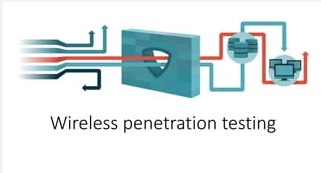
Steps to undergo a wireless penetration test:
Step: 1 Wireless Reconnaissance
Before conducting any test it is very important to gather the required information to run your test on concrete information.
Step 2: Identify Wireless Networks
This is the second important step, where the wireless networks are scanned for wireless traffic which will reduce your workload at the end of the scan exposing the parts that require remediation.
Step 3: Vulnerability Research
Once the access point is exposed, the next step is to identify the vulnerability.
Step 4: Exploitation
Once the vulnerability is identified, it is then exploited to check the severity of its exposure.
Step 5: Reporting
A detailed report is drafted of the findings and is handed over to the client for further remediation.
Step 6: Remediation & Security Controls
After the report is drafted, a proposal is crafted for the client according to the findings of the test for appropriate security measures.
Top tools used for wireless penetration testing:
1. Fluxion
2. Aircrack
3. Airmon-ng
4. Airgeddon
5. Kismet
6. Cain & Abel
Conclusion:
An attack is unexpected and undecided, hence following these countermeasures will help you to be less vulnerable when your network is compromised.
1. Do not download suspicious applications, do not visit untrusted sites.
2. Delete unclear or suspicious messages and messages from senders.
3. Use the password setting function and change password on a regular basis.
4. When configuring a router, the best security options are WPA3 Personal, WPA2/WPA3 Transitional, and WPA2 Personal (AES). Avoid TKIP, WPA, and WEP.
5. Use encryption.
6. Use anti-virus and anti-spyware software, and a firewall.
7. Turn off identifier broadcasting.
8. Change the identifier on your router from the default.
9. Change your router's pre-set password for administration.
10. Allow only specific computers to access your wireless network.