While Salesforce’s testing capabilities are sufficient for running small deliverability tests or previewing your emails, they may not be enough for inspecting and debugging emails in detail. Plus, some methods may bear the risk of spamming contacts with test emails.
That’s where Mailtrap Email Testing comes into play. And today, we’ll teach you how to execute various tests in Salesforce using Mailtrap.
What is Mailtrap Email Testing?
Mailtrap Email Testing is an Email Sandbox – a safe environment to inspect and debug emails in staging and development environments. It captures all the SMTP traffic and traps your test emails in a virtual inbox. Email Testing is part of the Mailtrap Email Delivery Platform.
Some of the features of Email Testing include
- A fake SMTP server to eliminate the risk of spamming users;
- HTML analysis to check how your emails will render in different email clients;
- Spam analysis for popular spam filters and blacklists;
- SMTP and API for easy integration;
- Ready-made code snippets for popular languages and frameworks;
- Multiple inboxes for different projects and stages.
When should you use Mailtrap Email Testing?
There are several use cases where you should opt for Mailtrap Email Testing. Let’s quickly discuss each of them below.
Avoiding spamming users with test emails
You can easily avoid annoying your recipients by using Mailtrap Email Testing. It will create sort of a barrier between Salesforce and your contacts. As a result, all your test emails will end up in a virtual inbox.
Testing email format and content
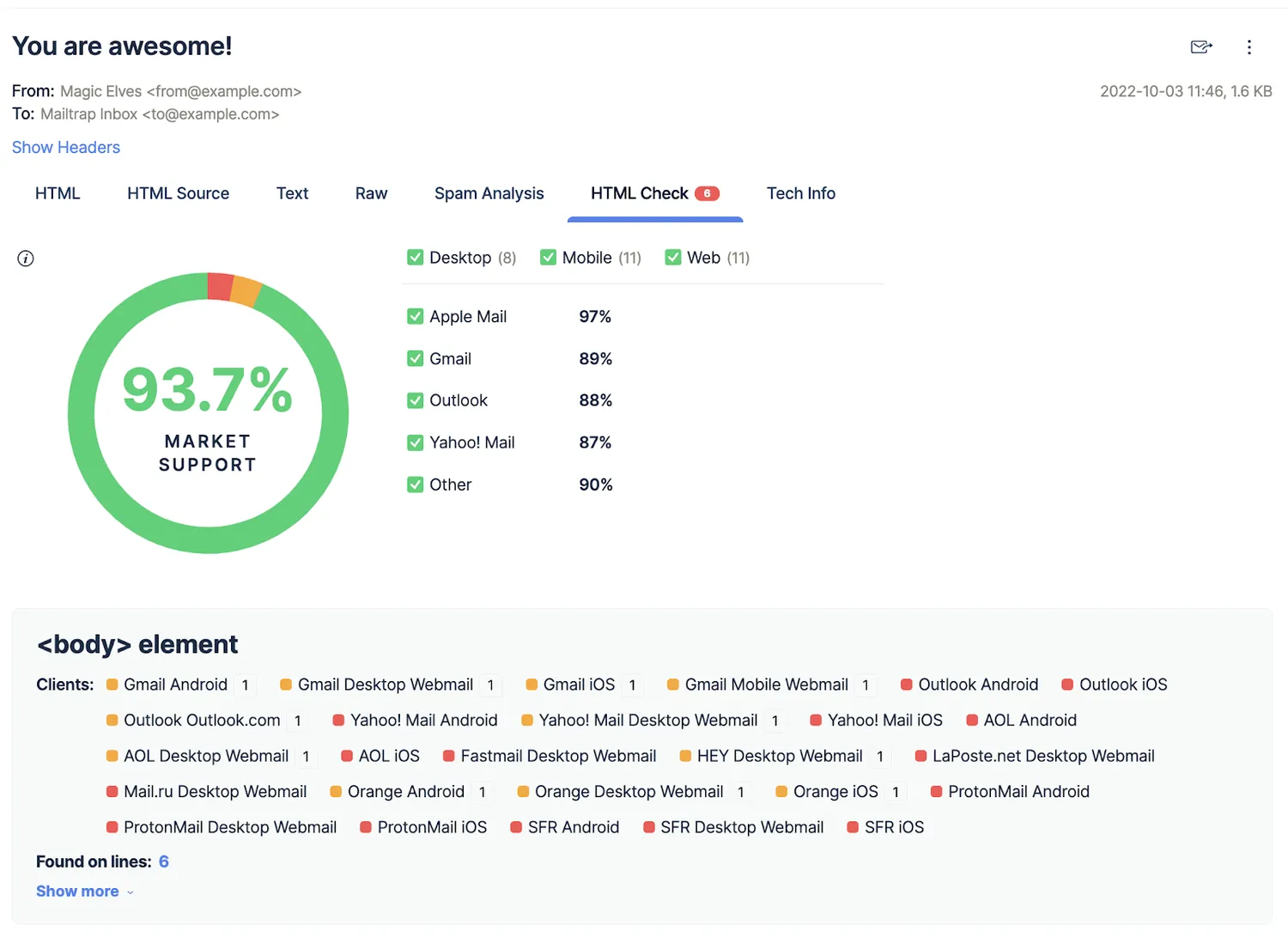
With Email Testing, you can easily check HTML/CSS in your templates for different email clients. You’ll see a detailed chart with problematic lines of code marked in red. Each problematic element has a description of the support level for each client
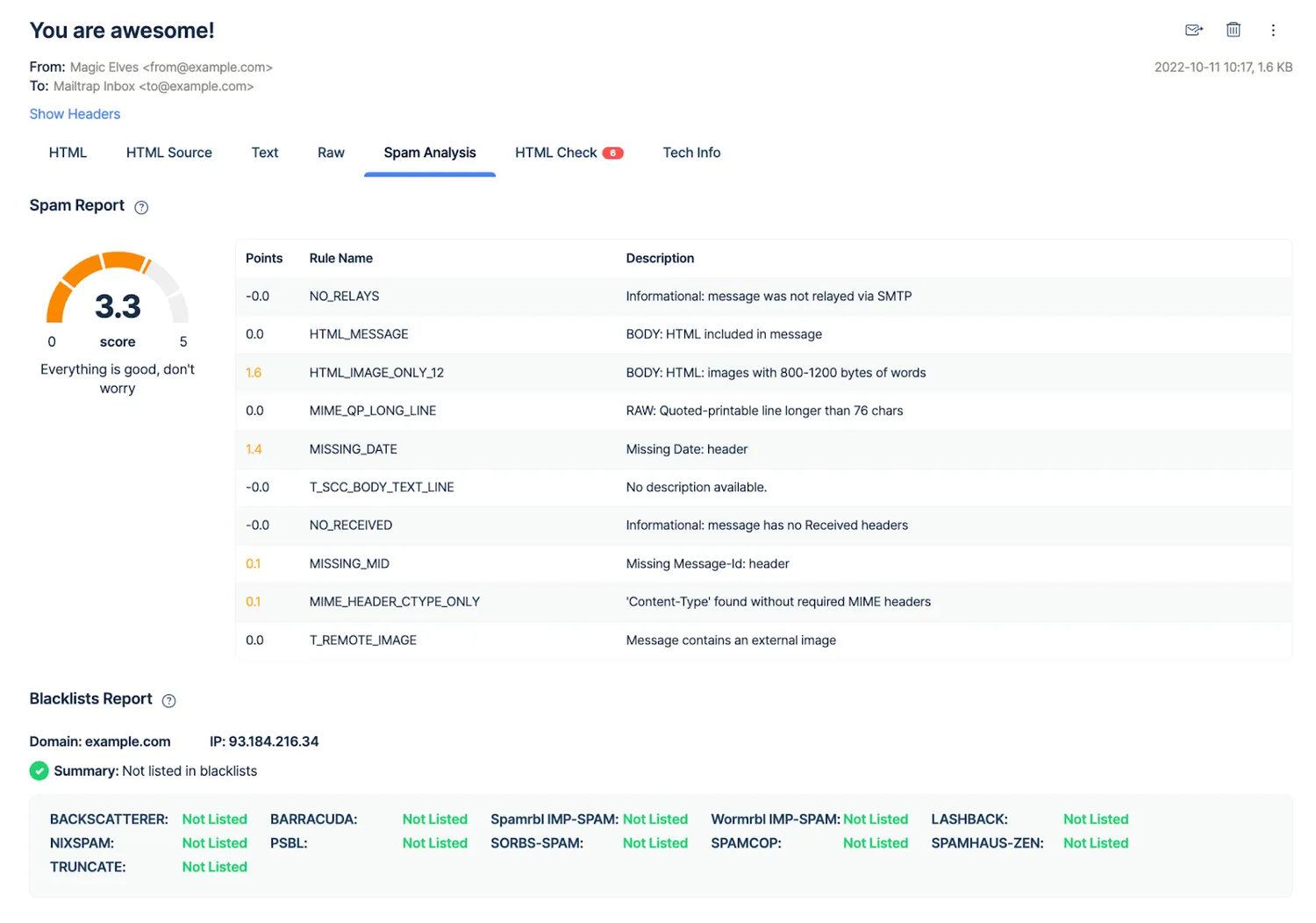
On top of that, Email Testing has a Spam Analysis feature.
The feature is particularly important for your deliverability and sender reputation. Why? The score gives you a clear indication if mailbox providers may automatically label your email template as spam. Plus, you get to see if your domain or IP appear in any of the blacklists.
That way, you’ll get the chance to make the emails less spammy in staging and protect your sender reputation in production.
Keeping all test emails in one place
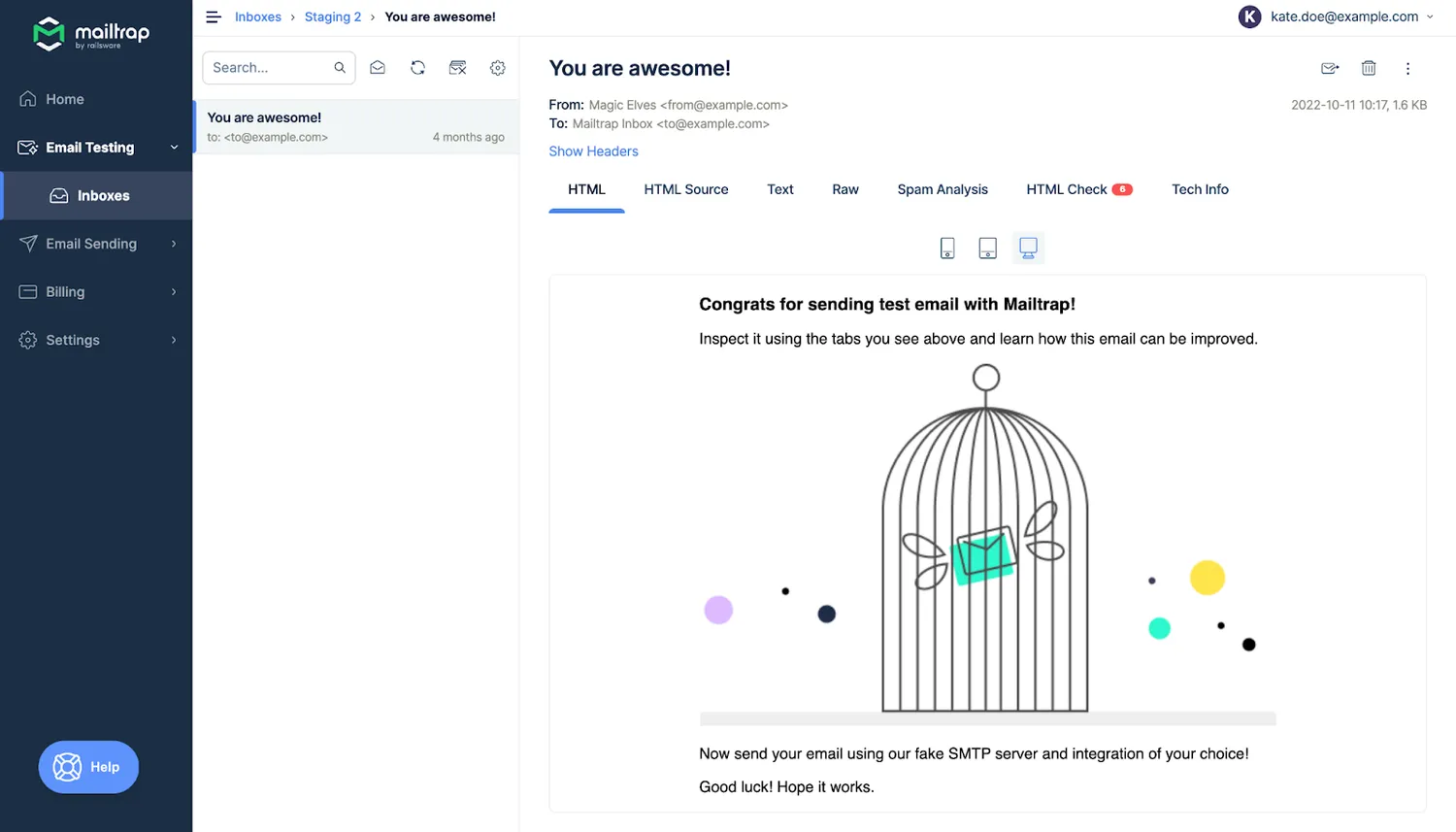
Email Testing captures all your outgoing Salesforce emails and keeps them organized in different inboxes for various projects and testing stages.
So, Email Testing and Salesforce create a robust combo for in-depth testing and debugging.
Thank you for reading a part of our guide on testing email deliverability in Salesforce with Mailtrap! If you want to discover more details about the Salesforce and Mailtrap integration. ;)