Email preview and rendering tools are an essential part of the workflow whether you’re a developer setting up email sending or a marketer crafting campaigns.
For about a month, I tested the most popular options on the market to find the best email preview tools. I split them into two segments: tools tailored to developers’ needs and tools created with marketers in mind.
Below I’ll share my findings and personal experience and add to that with valuable information gathered from other users.
Selection criteria for email rendering and preview tools
Based on the role, requirements for email rendering and preview tools will vary significantly. So, I decided to compile different criteria for developers and marketers.
Choosing email rendering tools for software engineers
To find the most functional email rendering tools for software developers, I used the following criteria:
- A wide selection of email clients. This is an absolute must, as recipients view emails from various webmail and desktop clients.
- Ease of integration. The ability to integrate the tool into an email-sending script or project for accurate and comprehensive testing.
- Automated testing. With this feature, the checks will be performed on every email before they are sent.
- The ability to test attachments, broken links, and loading speed.
- HTML code checking. This ensures the code will be rendered accurately across email clients.
- Mail merge testing. The ability to verify merge fields and ensure personalized variables are correct.
- Sandbox environment. A virtual environment that will capture your test emails and prevent them from reaching your recipients.
- Spam checker. This will locate parts of your email (be it body, headers, or SMTP transaction info) that can be seen as spammy and harm your email deliverability.
Choosing email preview software for marketers
Unlike developers, marketers are mainly concerned with email design. So, I mainly focused on that in my selection criteria:
- A wide selection of email clients. This one is common among the two groups.
- The ability to preview emails across different devices. Modern emails should be mobile, desktop, and tablet-optimized.
- Ease of integration. However, this time we’re looking for integration options that don’t require coding (plugins for Email Service Providers or CRM platforms, ready-made apps or platforms, etc.).
- Spam and blacklist checker. Ideally, this feature should check the email for common spam triggers, test it against popular spam filters, and provide information about blacklisted IP addresses.
- The ability to check the buttons and links.
- Value for money. We believe this criterion is more indicative of the products’ worth than affordability. It shows how many features are included in the set pricing and how many of them are limited to the higher-paying plans.
3 Email rendering tools for software engineers and QAs
Now it’s finally time to share my findings.
To run the tests, I needed an HTML template. So, I went straight to Mailtrap Email Sending’s transactional email templates feature. I found a great Welcome Email template created by one of my colleagues and got down to business.
Mailtrap
Mailtrap is an email delivery platform that has both Email Sending and Email Testing solutions. For the purposes of this article, I’ll be focusing on Email Testing.
Email Testing is an Email Sandbox that captures all the SMTP traffic and provides a safe environment to analyze and debug your emails.
Creating an account and getting started is super straightforward. You just sign up, verify your email, and then you’ve got access to the platform.
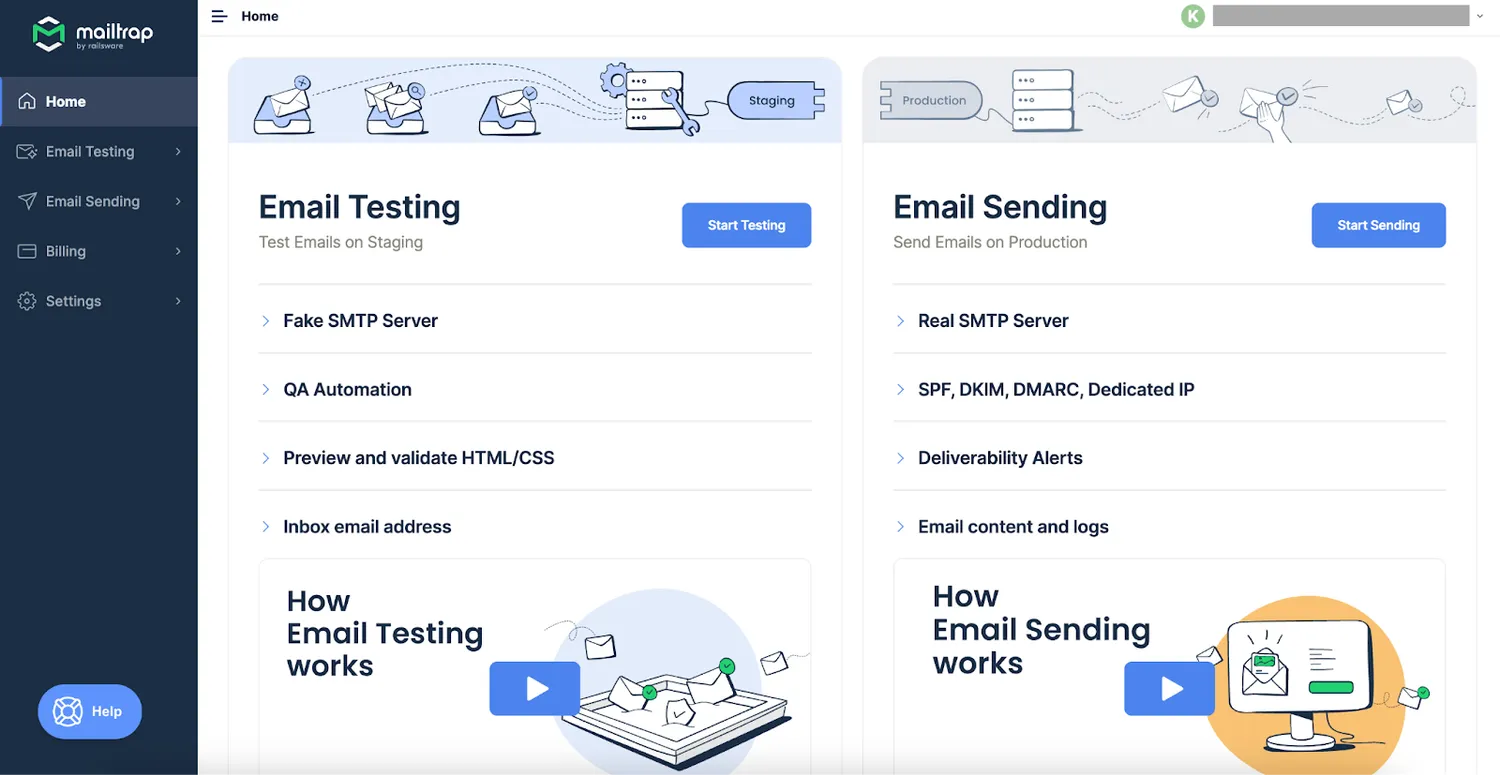
I then went to the Email Testing tab, accessed My Inbox, tweaked the cURL with the HTML template, and sent the email.
Within seconds, I had the email in the virtual inbox. I didn’t have to use dummy email addresses or borrow real ones from my friends. Since the tool leverages the fake SMTP server, sample emails were enough.
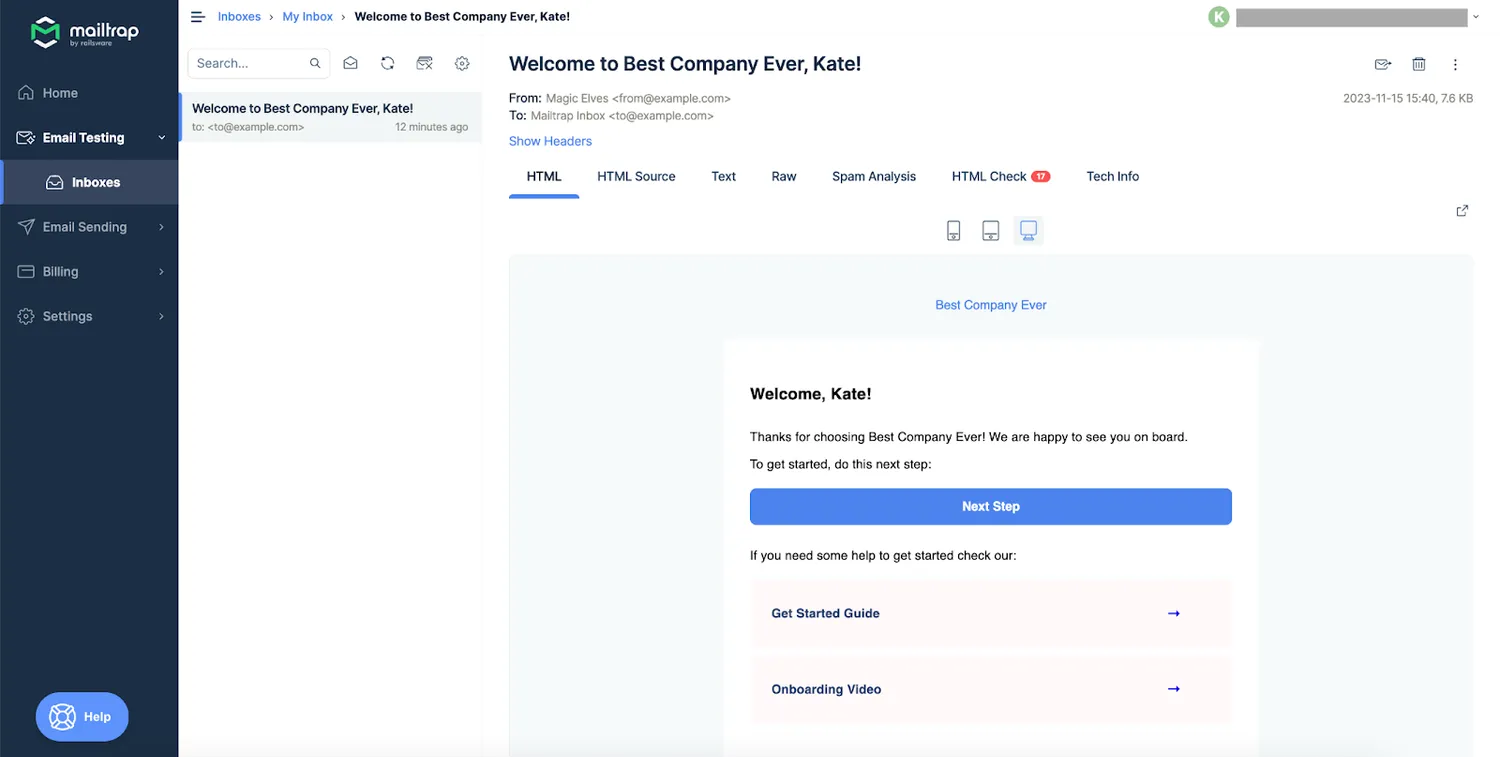
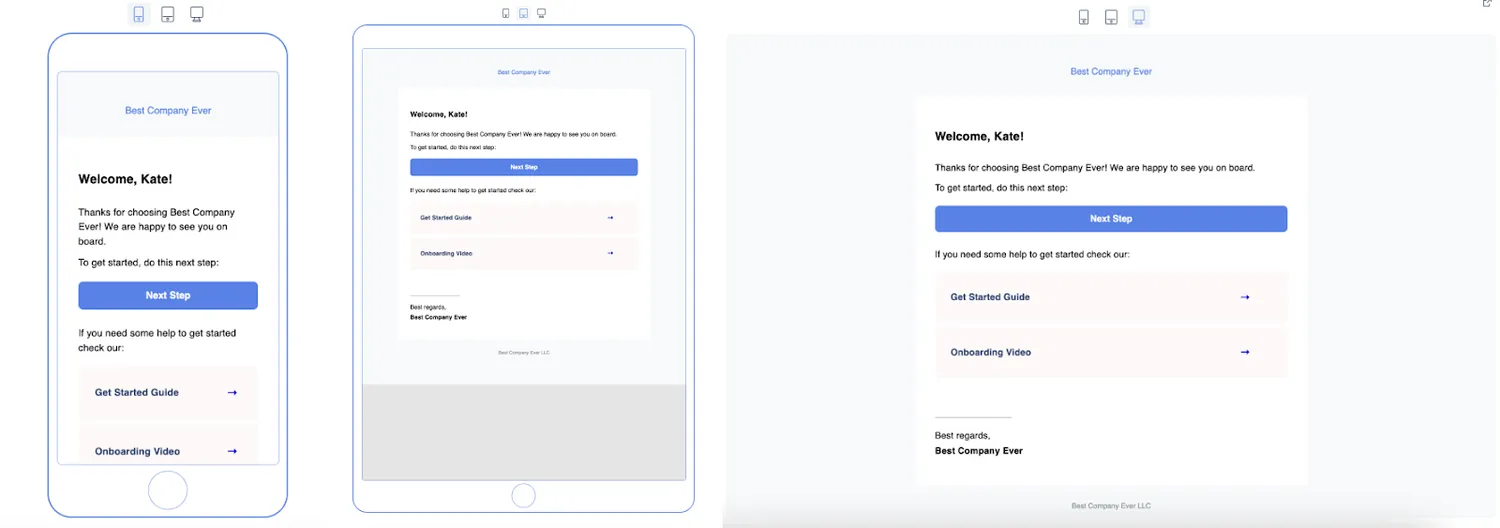
First, I checked mobile, desktop, and tablet previews to test how the email looks on these devices.
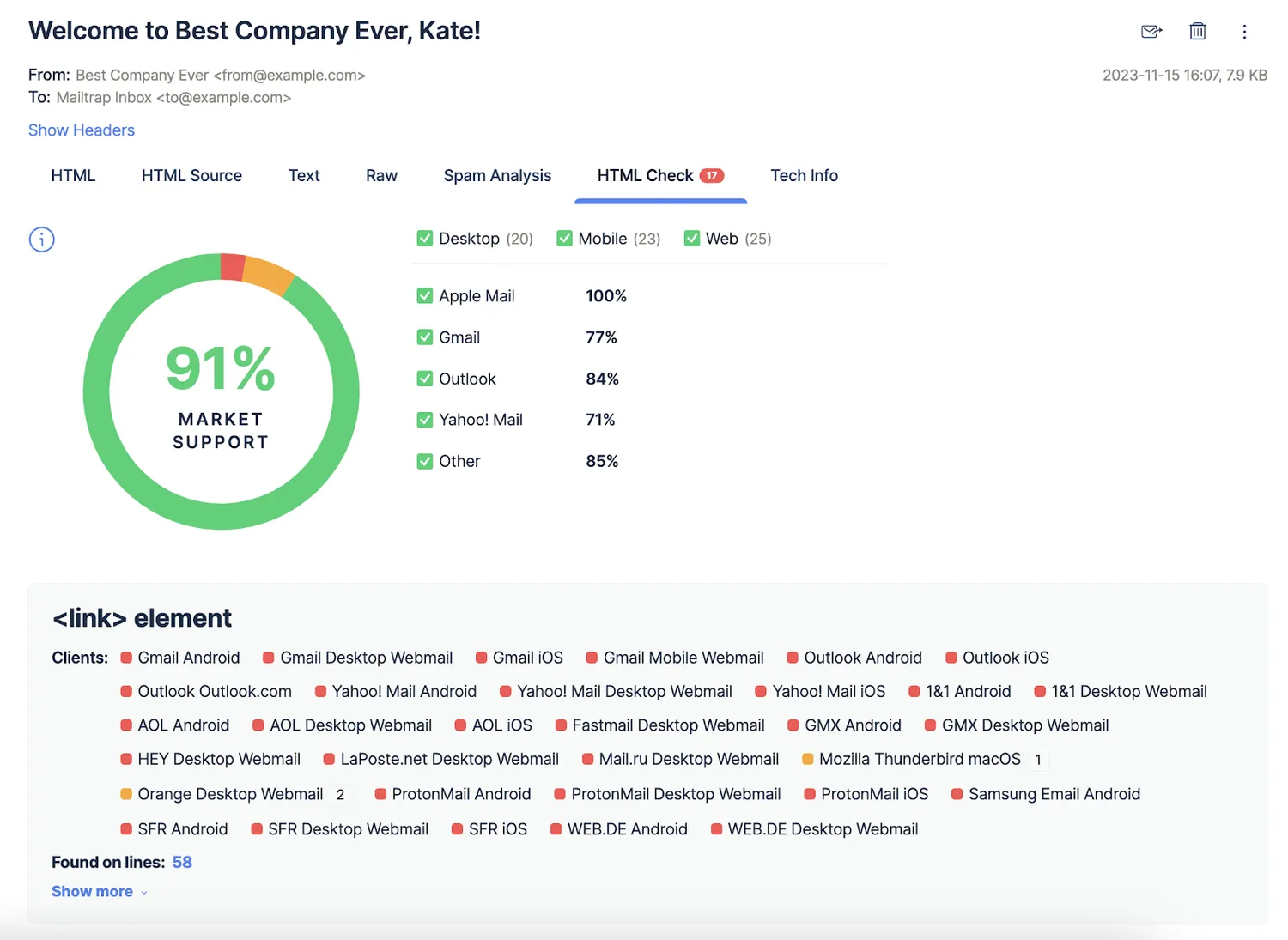
Then, I navigated to the HTML Source tab. I found that the HTML contained elements that some email clients wouldn’t support. To examine the client support level further, I opened the HTML Check tab.
In its original form, the recipients who used Apple Mail on Desktop, Mobile, or the Web would have no trouble accessing my emails (the support was 100%). But the client support level was 77% for Gmail, 84% for Outlook, 71% for Yahoo! Mail, and 85% for other email clients.
One last step of the HTML check was to compare the text and HTML versions of the email. In this case, they matched.
I was quite impressed with the results I got from the HTML checker.
I didn’t forget to click the buttons to ensure the links weren’t broken.
Finally, I headed over to the Spam Analysis tab. The score was 1.6, which meant I had nothing to worry about. I scrolled down to the Blacklist Report to verify that my IP wasn’t blacklisted.
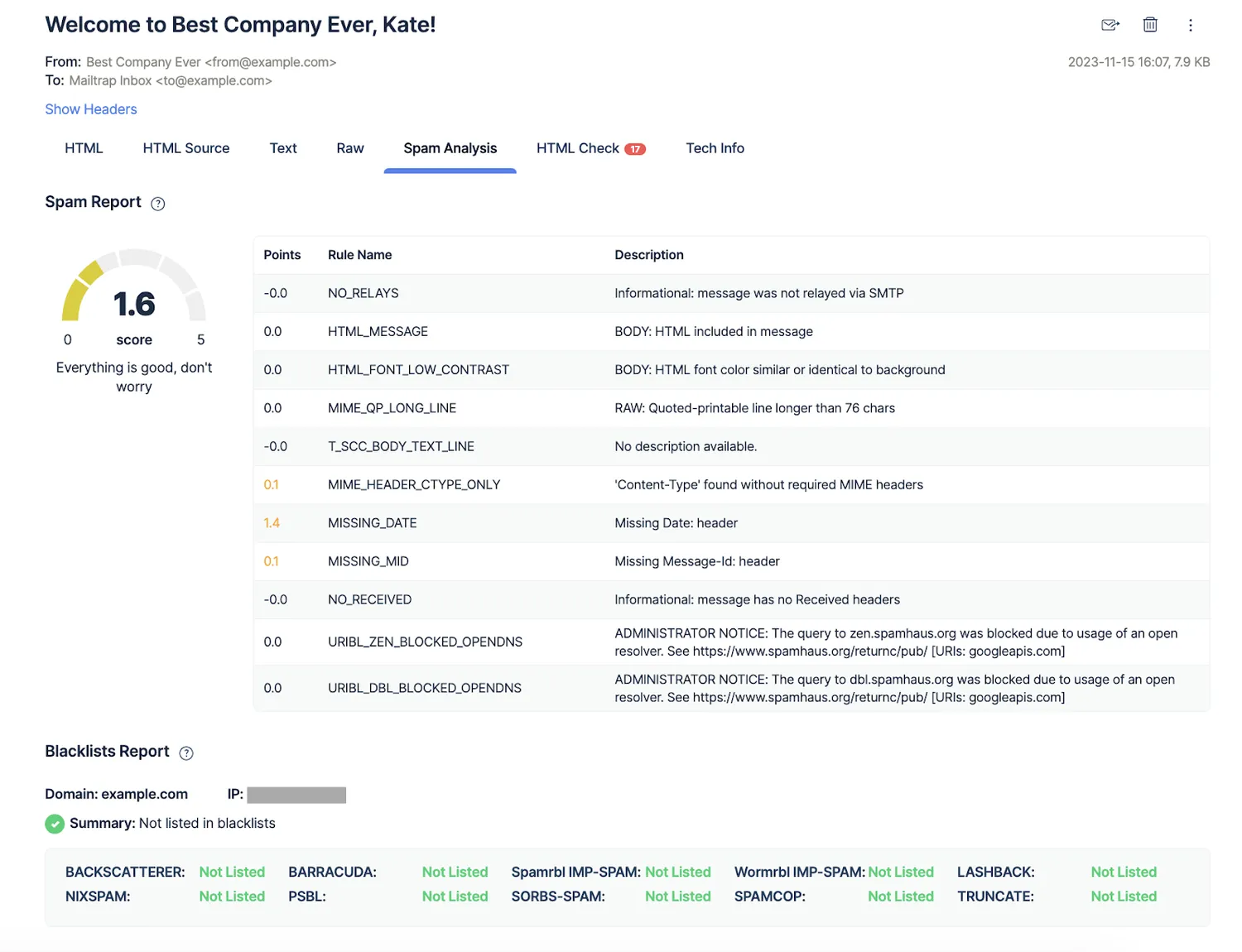
What I found particularly interesting was that apart from the email template, you can also test email app load, email forwarding, BCC, and message headers. It’s possible to use Email Testing API with popular automation testing tools and software, including Selenium, Cucumber, Protractor, etc.
Features
- HTML Check tab to check the emails for elements that won’t be supported (or be partially supported) by email clients
- Spam Analysis to view the spam score and check the Blacklist report
- SMTP and API integration options with code samples and official SDKs
- A custom inbox email address with the ability to create aliases to simulate sending emails to recipients and test email app load (available starting from the Business plan)
- Sandbox environment to avoid spamming recipients.
- The ability to check the links and attachments.
Pros
- Can easily be integrated with the most popular programming languages and frameworks
- The tool is well-documented, making it easier to get started
- Tests can be performed in bulk
- Makes it possible to not only analyze the template but also test email functionality
Cons
- Email previews are limited to mobile, desktop, and tablet. No client preview is available.
Pricing
Mailtrap Email Testing has a generous free tier with the ability to test up to 100 emails per month. The free tier includes 1 inbox, an inbox capacity of 50 emails, and a threshold of 5 emails per 10s.
Paid plans start from $14.99 (Individual plan) a month and provide access to advanced features and higher limits. You’ll find detailed pricing information here.
Access to customer support is equal for every user regardless of the plan they are using, while priority support is available starting from the Individual tier.
What other users think (based on G2 and Capterra)
Mailtrap has 4.8 stars on G2 and 5 stars on Capterra.
Most users found Email Testing easy to set up and use. They were satisfied with the available features and praised how supportive the customer service was.
Some users were displeased that inbox email addresses are limited to higher-paying plans, while others wished to see more storage capacity on free and lower-tier plans.
Thank you for reading this article! To read the full version and find out more email rendering tools as well as email preview tools for marketers click here!