No reason to beat around the bush. As the title suggests, I guide you through everything you need to know about Yahoo SMTP.
Let’s get straight to it.
What is Yahoo SMTP?
SMTP, or Simple Mail Transfer Protocol, is a mail server protocol for sending emails over the Internet. Yahoo SMTP allows users to send emails from their Yahoo Mail account through other email clients like Microsoft Outlook, Mozilla Thunderbird, or any other standard email application that supports SMTP.

From the technical side, here are the Yahoo SMTP settings to keep at hand:
- SMTP server address: smtp.mail.yahoo.com
- Ports: Either 465 (with SSL) or 587 (with TLS), depending on your email client’s capabilities and security preferences.
- Encryption: SSL or TLS based on the port you choose.
- Authentication: Necessary. Use your full email address and an app-generated password. This goes double if you have 2FA enabled.
Note: I’ll explain the app-generated password and all the setup flows in a later section. If you want to jump to it, click here.
Why should you use Yahoo as an SMTP server?
Assuming you’ll use this email server for a pet project, personal use, or just to see how Yahoo Mail SMTP works, there are a few reasons to do it.
- Wide compatibility: Yahoo SMTP is compatible with a broad range of email clients, making it easy to integrate into almost any system without special configuration. (You’ll see it soon, it’s often just a few clicks to have the outgoing mail and incoming mail up and running.)
- High deliverability: Yahoo has robust systems in place to ensure high deliverability rates for your emails, minimizing the risk of them being marked as spam. (Keep in mind that deliverability isn’t only on the email service side, it has a lot to do with the type of outgoing emails you send.)
- Account security: Yahoo supports secure connections via SSL/TLS, helping protect your data from interception during transmission.
- No cost for personal use: Yahoo provides SMTP services at no additional cost, which is beneficial for individuals or small businesses looking to minimize expenses. But the email provider does impose certain (I’d say stringent) limitations.
- Reliability: Yahoo is a long-established company with a reputation for reliable service. Using their SMTP server can lend credibility and stability to your email communications. Still, you shouldn’t be surprised if an occasional email lands in tabs or the spam folder with Outlook or Gmail.
- Simple setup: This is probably the biggest plus for me. Setting up Yahoo SMTP is straightforward, with clear documentation and support available, making it accessible even for those with minimal technical expertise.
How to configure Yahoo SMTP server settings?
I’ll start with creating the in-app password, then move to show you the email settings with Thunderbird.
Step #1
Create a dedicated app password, you can’t use the password you have for the Yahoo account. Do the following:
- Go to your Yahoo account (Note: Not the mail account but your general account info on Yahoo)
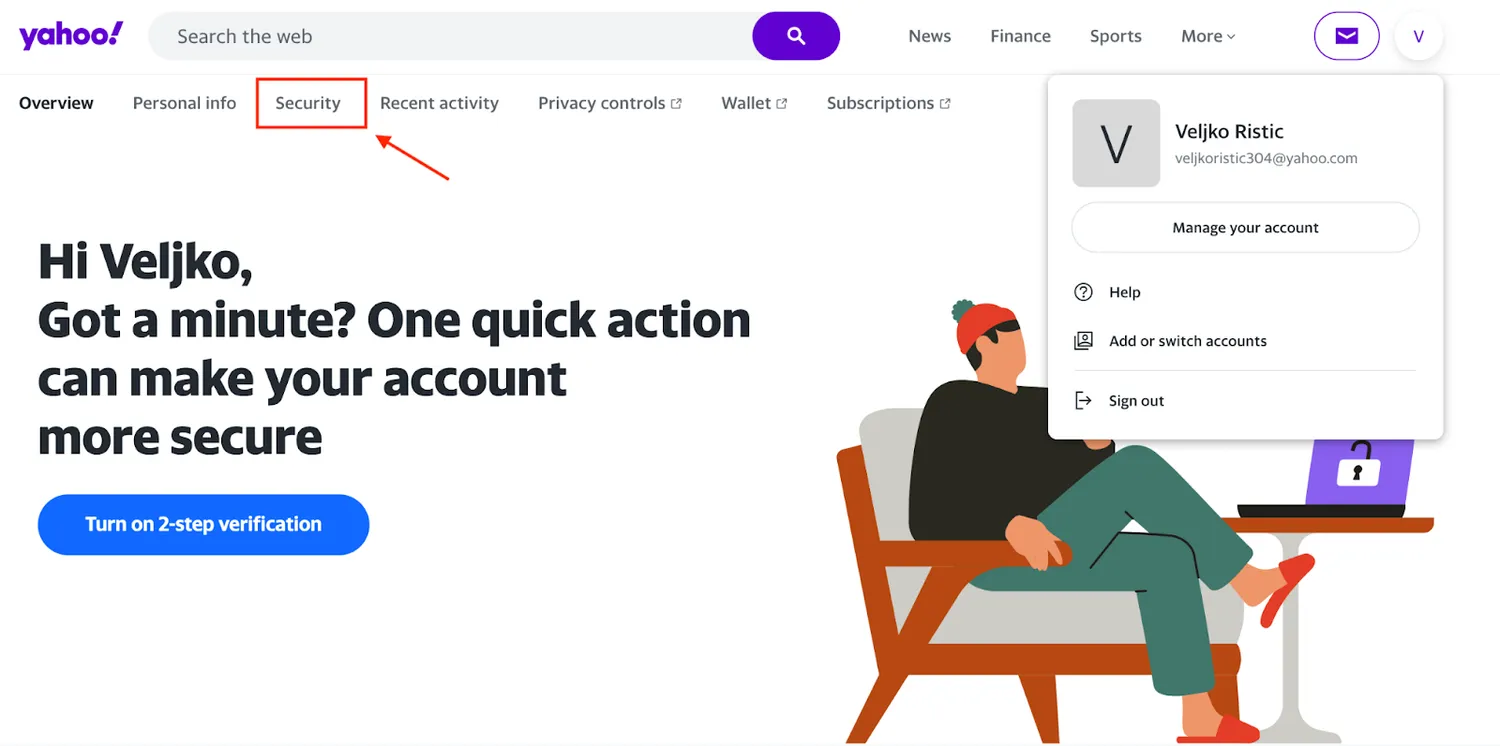
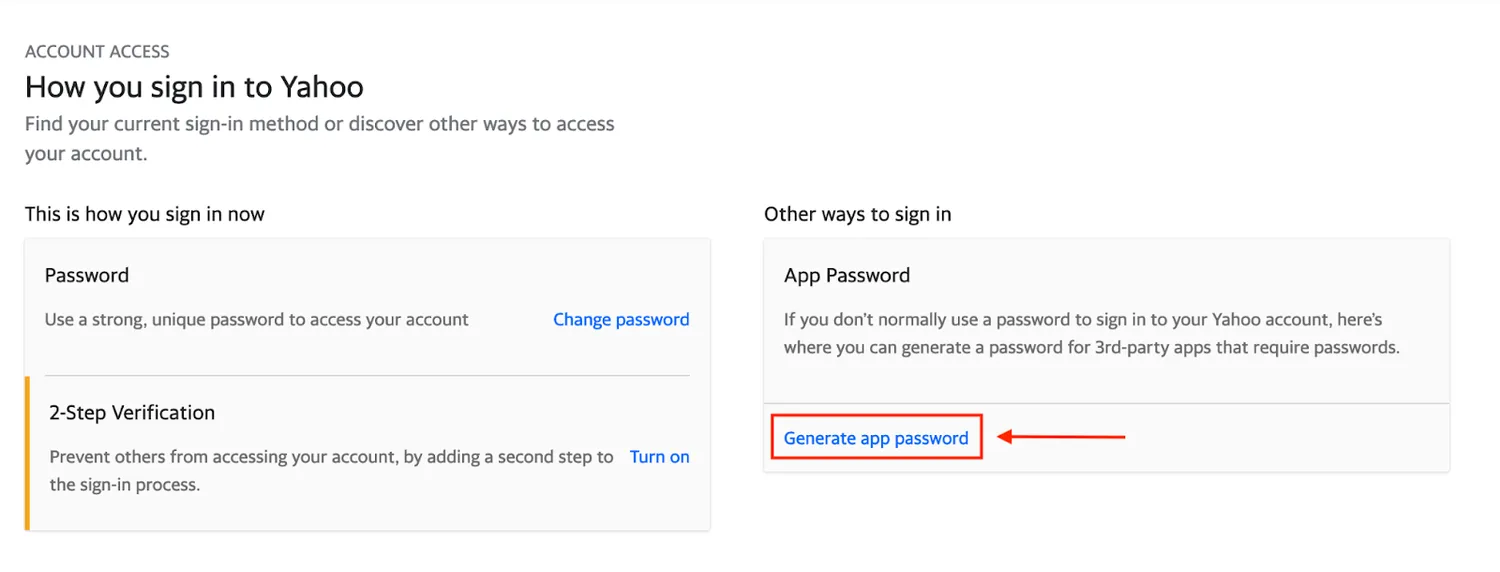
2. Select the Security tab, scroll down, and choose “Generate app password” under ‘App Password’ section. This generates a special SMTP password you can use for third-party integrations.
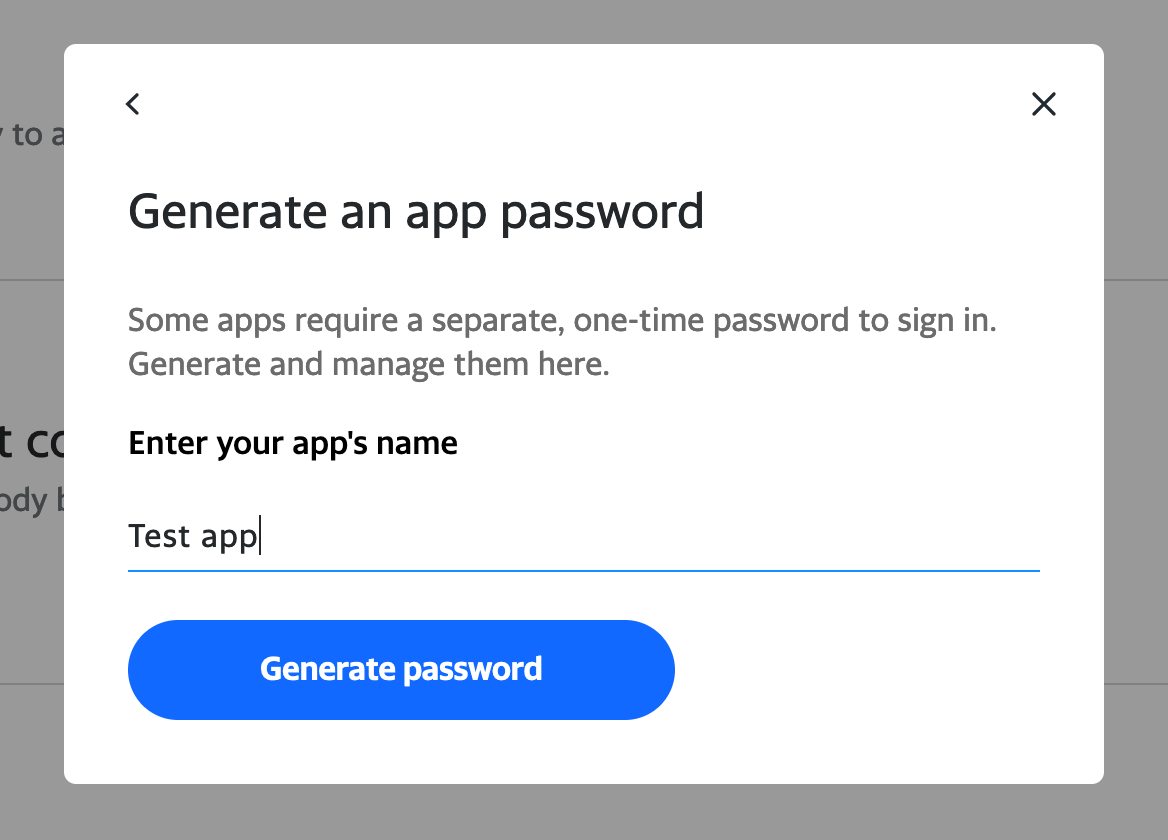
3. Follow the wizard, enter the app name, and confirm with the “Generate password” button.
4. The system will show you the password; copy-paste it somewhere safe for future reference.
Step #2
Now, access the email client you’d like to use and add the SMTP settings. For the purposes of this tutorial, I’ll use Thunderbird.
- In Thunderbird, click the Gear icon at the lower left corner, then choose Account Settings.
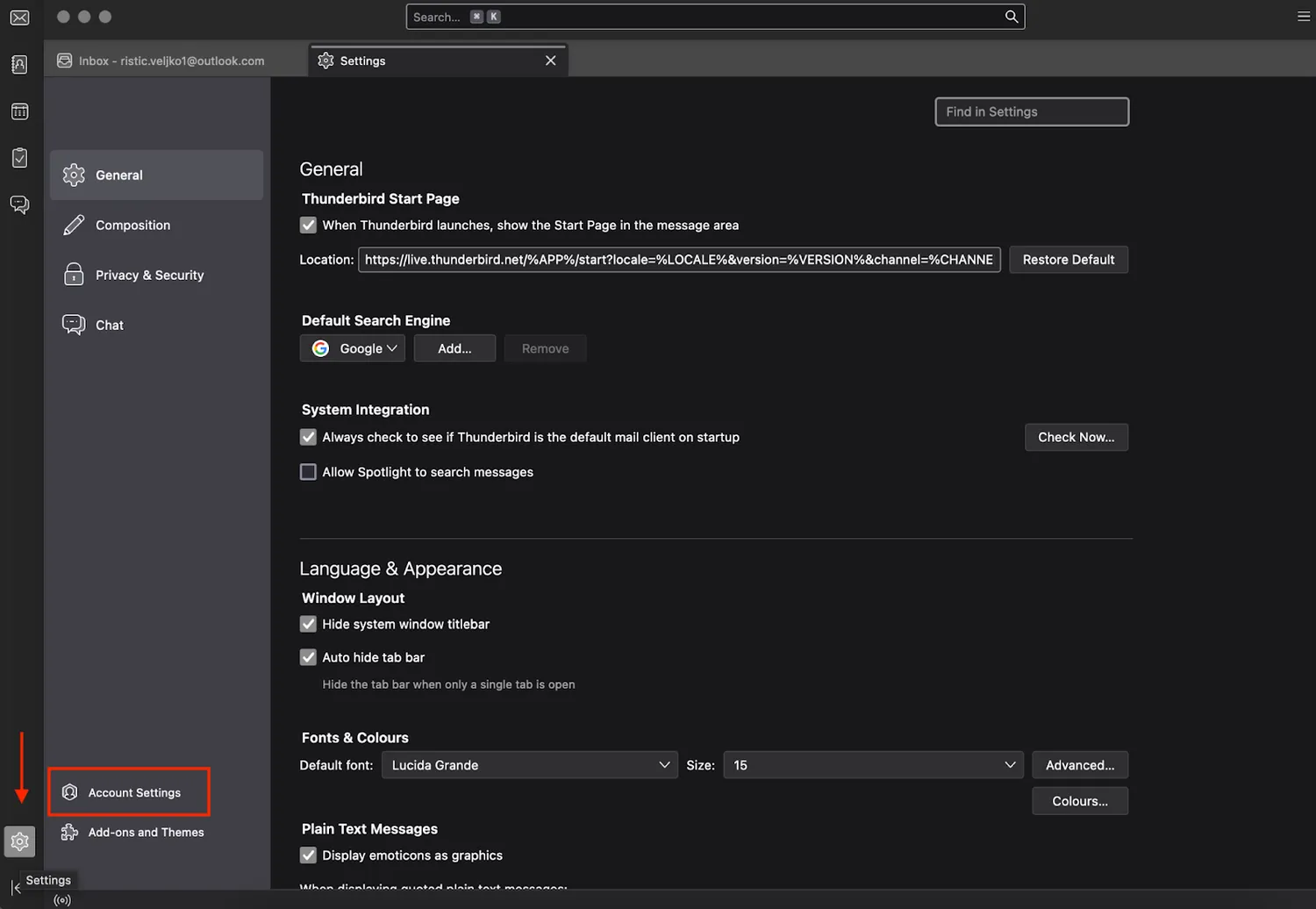
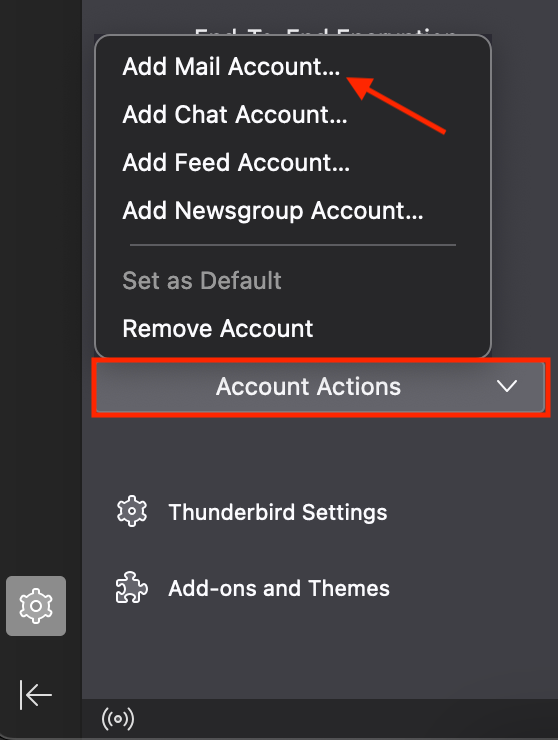
2. Click the “Account Actions” menu at the bottom left, then select “Add Mail Account” to add Yahoo SMTP.
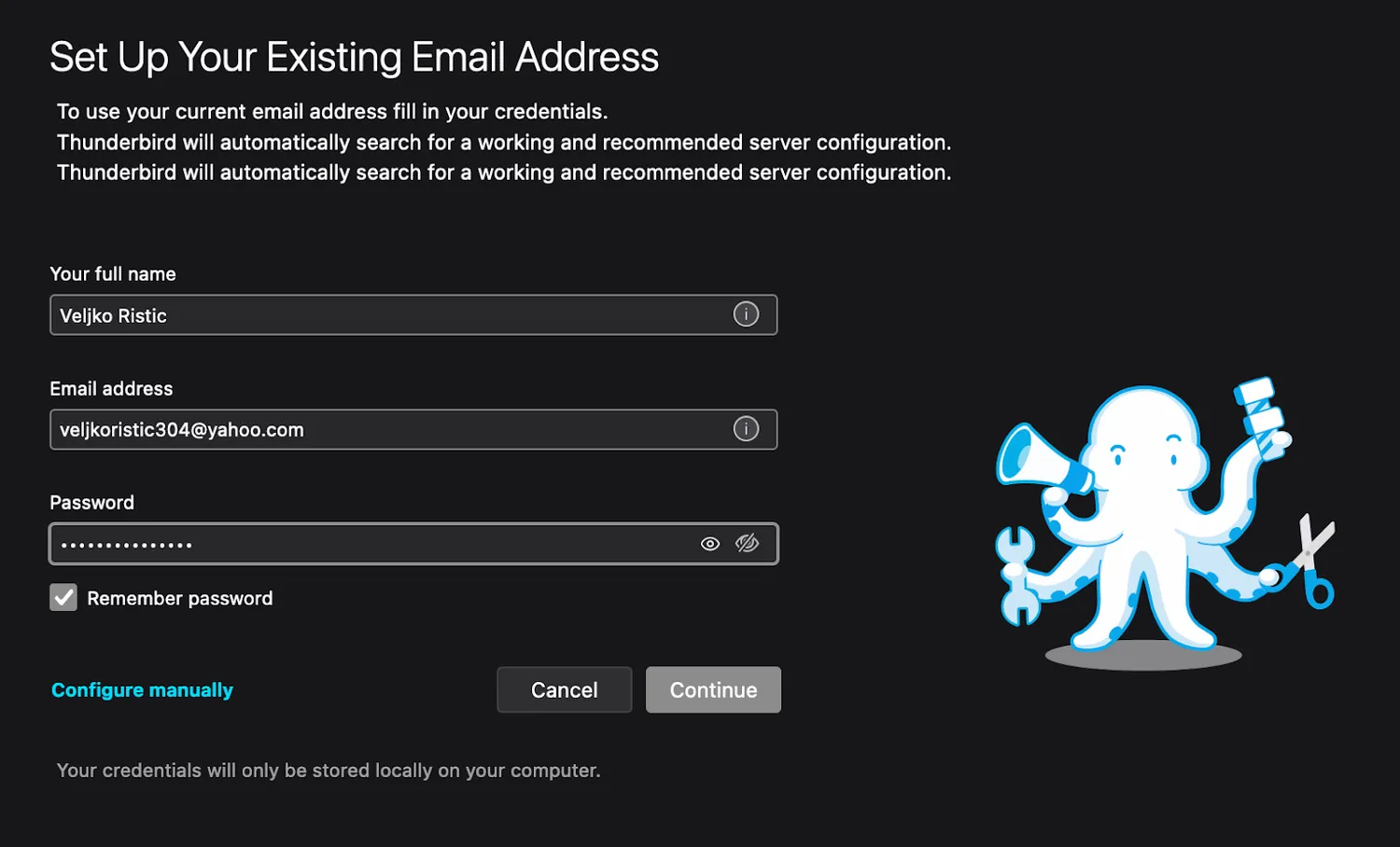
3. Type your Yahoo SMTP credentials into the designated fields. Make sure to use the app password you previously created, and hit Continue.
4. The wizard takes you to the Yahoo popup where you need to complete the authentication via login and 2FA. Proceed with it; once done, your account will immediately pop up in Thunderbird.
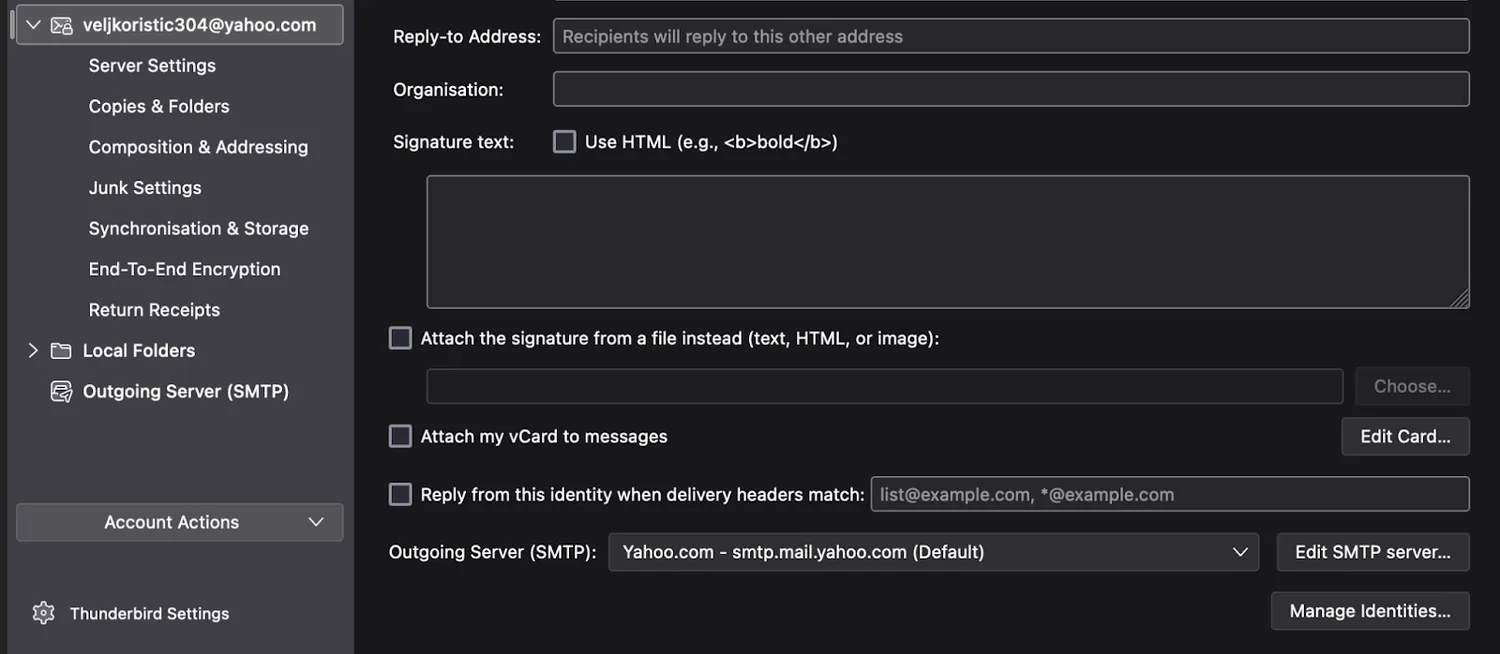
Important Notes:
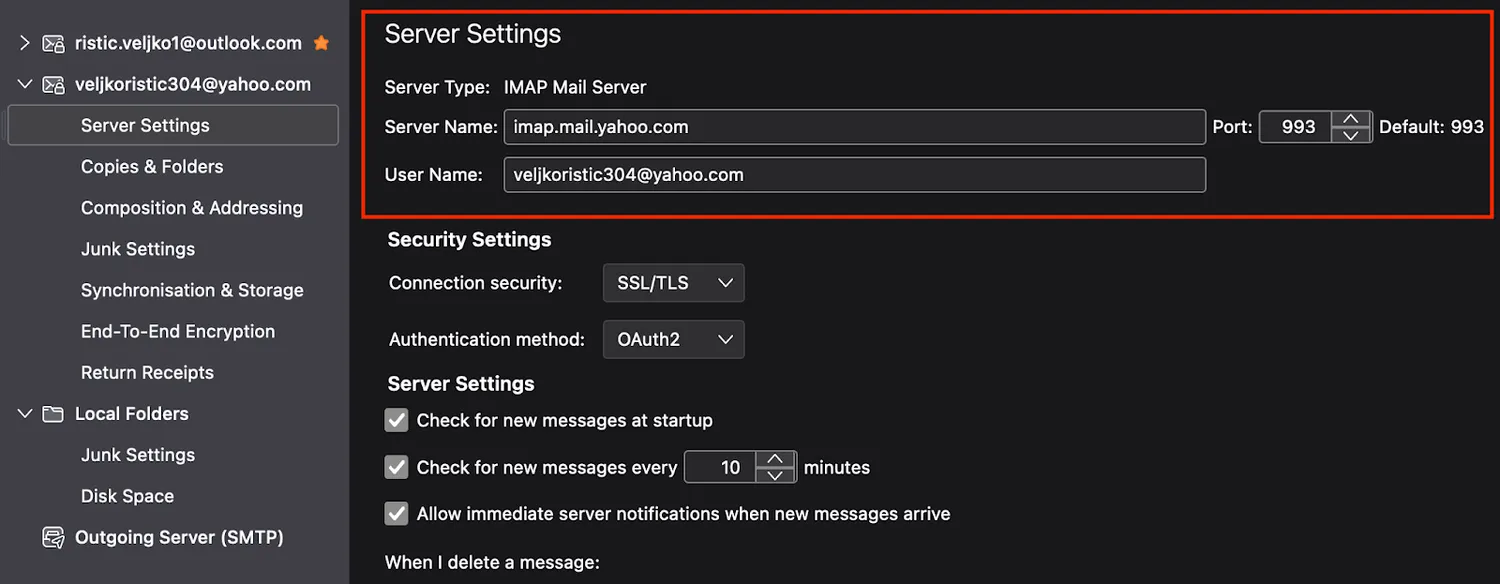
- Thunderbird allows you to automatically set up POP (Post Office Protocol) and IMAP (Internet Message Access Protocol), the later being selected by default. Feel free to proceed with that configuration, there’s no reason to do it manually with this client. But for the sake of this tutorial, I’ll show you the manual setup in the coming sections.
- Thunderbird bakes in the POP3 or IMAP settings (‘ON’ by default). You can update some of the credentials, however, there’s no option for manual setup after you add the SMTP. You’d need to re-add the SMTP and then choose “Manual setup”.
...
What is a reliable alternative to Yahoo SMTP?
Mailtrap Email API/SMTP is a reliable alternative to Yahoo SMTP. It’s part of the Mailtrap Email Delivery Platform that allows you to test, send, and control your email infrastructure in one place.
Hit play to see it in action.
More importantly, Mailtrap allows you to scale with ease and have access to all the advanced tools that help make your campaigns and email sending more effective.
Okay, I’ve been there to see Mailtrap grow to the platform that it is today, so I could be subjective. But let me break down the features for you to help you make an informed decision.
- In-depth analytics: You get a helicopter-view dashboard to assess the email performance at a glance. And there are drill-down reports where you can check the deliverability for different mailbox providers, email categories, and more.
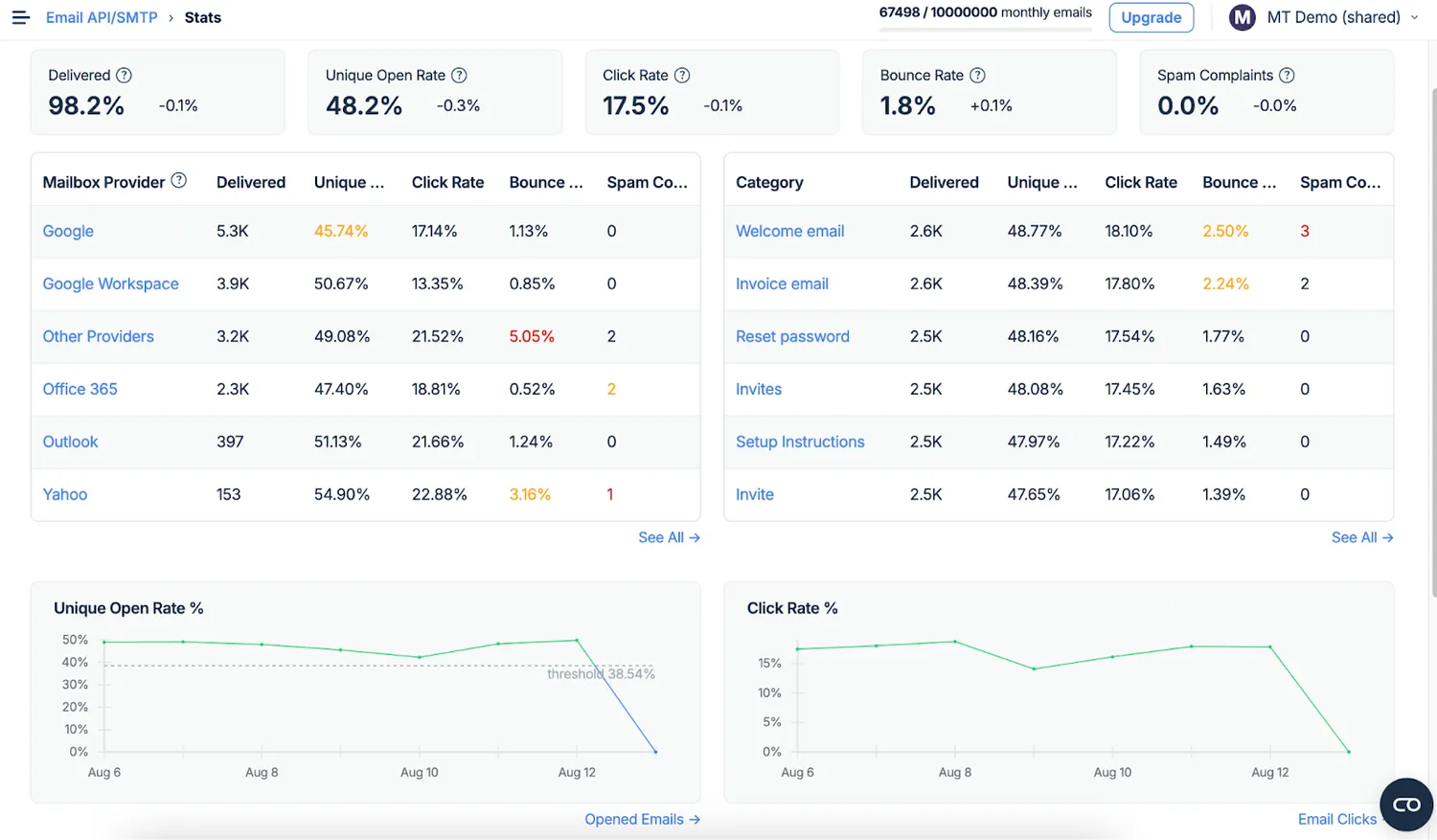
- 24/7 human support: Yes, there are real people to address your support tickets quickly. Plus, we have deliverability experts who can assist with any technical challenge you may encounter.
- Secure setup: All the DNS records are provided for you, and there’s an option to send setup instructions to a team member. And Mailtrap supports SSL and TLS.
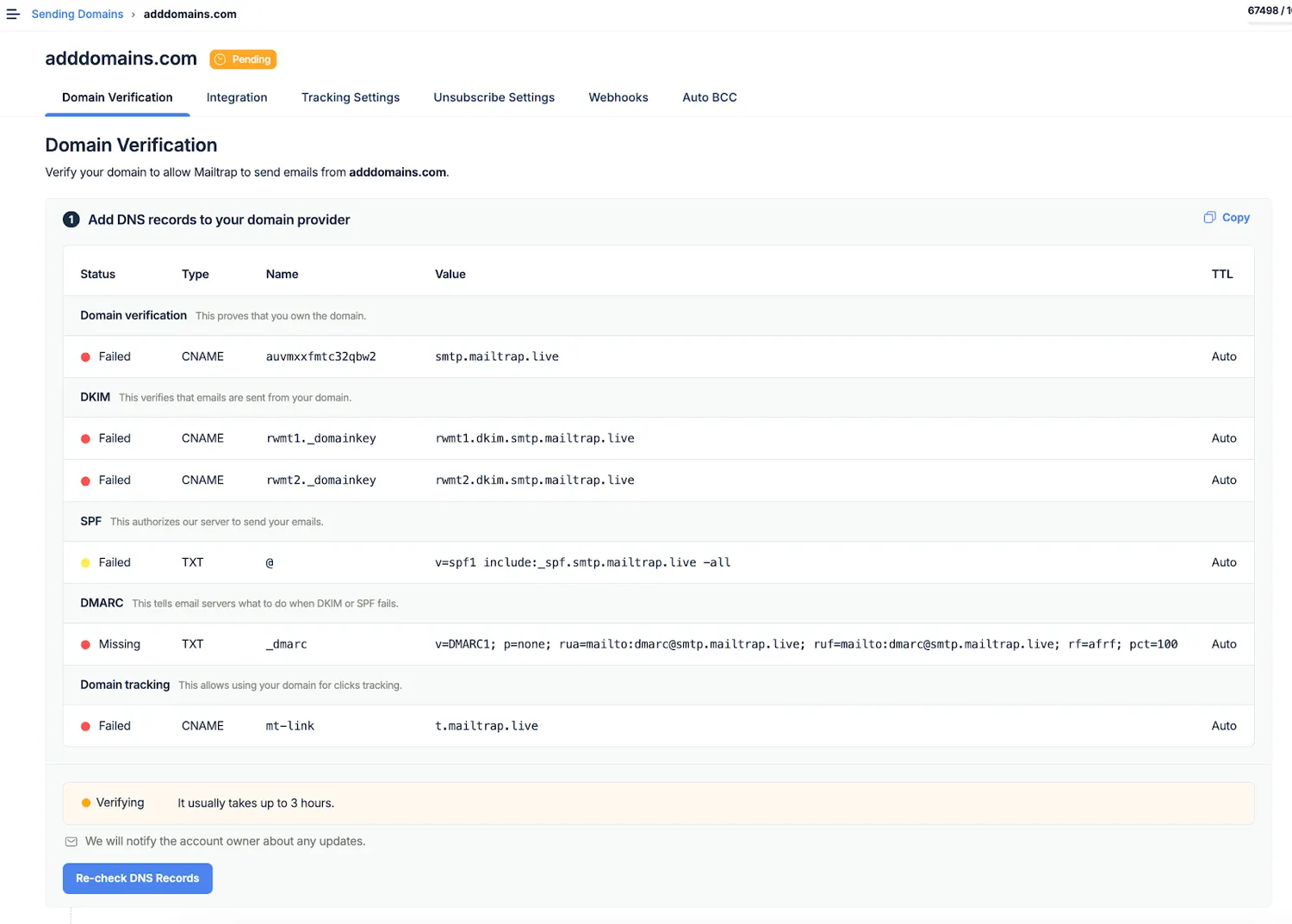
- SMTP and API: Even if you’re on a free plan, you get access to RESTful APIs and SDKs in major languages. This may be invaluable if you’re a dev and want to automate email-sending processes within your app or service.
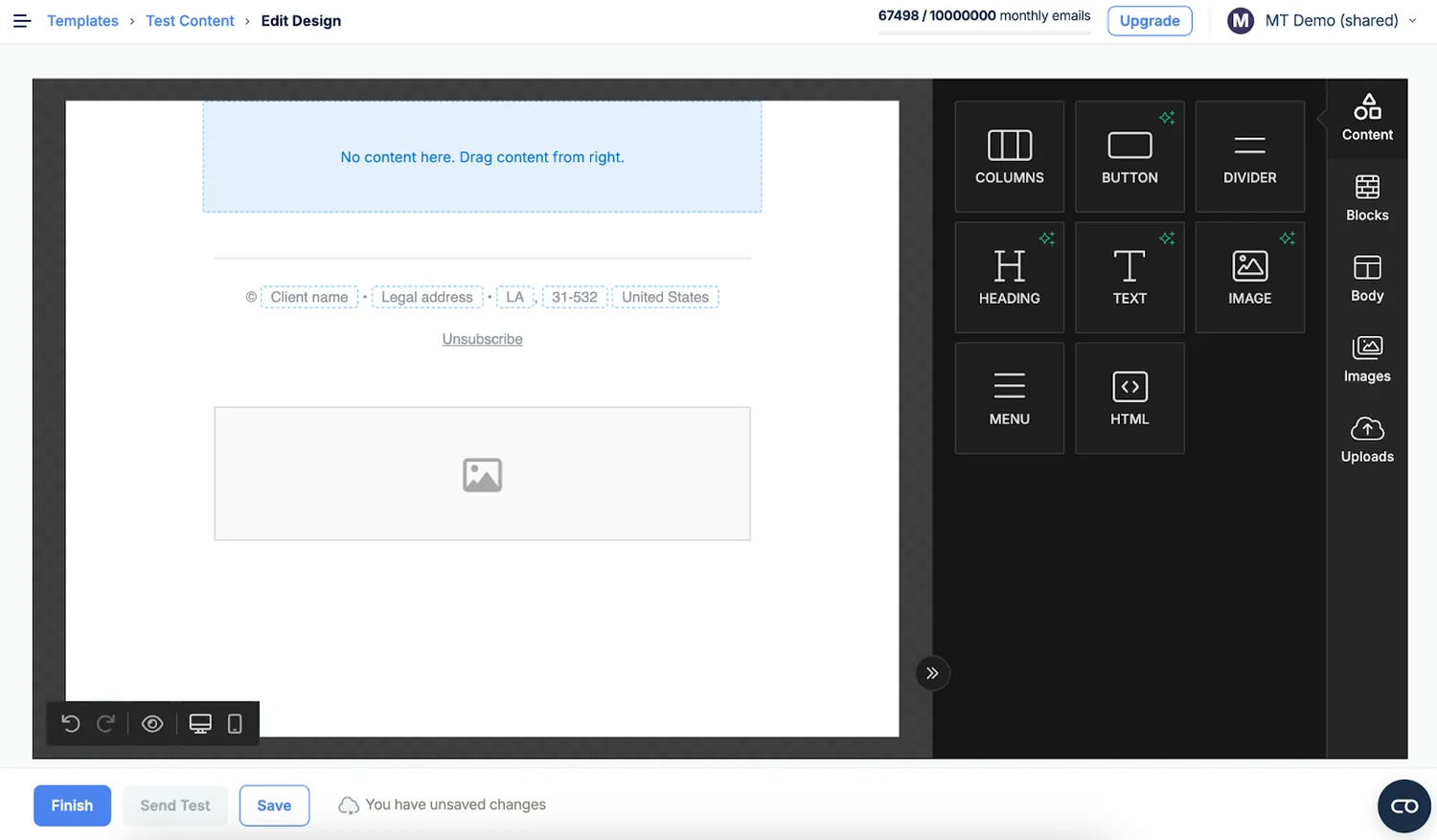
- Email templates: There’s a drag-and-drop interface to create visually appealing templates and accessible templates.
- Dedicated IPs: If you send more than 100K emails a month, you can get a dedicated IP for greater control over your deliverability and sender reputation.
- Email testing: Mailtrap email testing provides a fully-featured sandbox solution to check your emails without spamming real recipients.
Hope this gives you enough of a reason to give Mailtrap a try, so go on and hit the button below.
Try Mailtrap Email API/SMTP Now
Wrapping up
When all is said and done, Yahoo SMTP is an okay solution to get your feet wet with SMTP services. It’s super easy to set up, many of the processes have been automated, and email-sending is straightforward regardless of the client or app you use.
However, if you’re down for business, you’ll need to choose an SMTP provider with more features and much less limitations. Hopefully, it’ll be Mailtrap 😀.
We appreciate you chose this part of the article to know how to configure Yahoo SMTP server settings? To read the full article, click here!