Be it marketing or transactional emails, email address validation is a necessity, or you could risk the reputation of your email domain.
This tutorial covers the ins and outs of PHP email validation and is primarily designed for beginners. However, I assume you already got the basics of PHP programming skills.
Also, I’d like to stress the difference between email validation and verification. Validation is about the correct formatting of an email address, and it’s a part of verification. It can be done on the server and the client side and I’ll focus on the server side here (no JavaScript, HTML, etc).
So, let’s get to coding.
Note: The exemplary scripts are based on PHP 8.3.6, and may not work on PHP 7.x.y versions.
PHP email validation function: filter_var()
The filter_var() function is part of PHP’s filter extension, which provides a convenient way to perform validation and sanitization of various data types using a single function call.
For email validation, filter_var() offers a straightforward, reliable method to quickly assess whether an email address is valid according to PHP standards. For instance, you could integrate it with email form validation on your website.
Here, I won’t cover the frontend stuff, input fields, and all. I already created an extensive PHP form validation guide, so feel free to check it out.
Anyway, the FILTER_SANITIZE_EMAIL (as part of ‘filter_var’ function) is engineered to remove characters not permitted in email addresses. This includes, but is not limited to:
- Spaces,
- Commas
- Certain special characters (/, |, #, etc.)
The primary purpose of sanitizing email inputs is to ensure that the data is clean and safe to be processed or stored. This is important when the data gets displayed on a web page, or is included in database queries. The reason is that it helps prevent XSS (Cross-Site Scripting) and SQL injection attacks.
Here’s a practical example of how to sanitize an email input using filter_var():
<?php

// Example email input

$userInputEmail = "john.doe@example.com<script>alert('XSS');</script>";


// Sanitize the email input

$sanitizedEmail = filter_var($userInputEmail, FILTER_SANITIZE_EMAIL);


echo "Original: " . $userInputEmail . "<br>";

echo "Sanitized: " . $sanitizedEmail;

?>
In this example, the script tag would be removed from the email input, displaying the sanitized version as john.doe@example.com. It shows how FILTER_SANITIZE_EMAIL strips unwanted and potentially harmful characters from email inputs.
Following this, you would typically validate the sanitized email to ensure it meets the format standards for a valid email address, which I’ll discuss next using FILTER_VALIDATE_EMAIL.
Validating emails with FILTER_VALIDATE_EMAIL
The FILTER_VALIDATE_EMAIL checks whether the given string conforms to the format of a valid email address. It ensures the email address includes a valid username, an @ symbol, and a valid domain name with a domain extension.
Simply, FILTER_VALIDATE_EMAIL enforces proper email format standards. And here’s what the standards typically include:
- A username – can contain letters, numbers, dots, hyphens, and underscores.
- An @ symbol as a separator.
- A domain name that includes letters and may contain dots or hyphens.
- A domain extension, which must be at least two characters long and primarily contain letters.
While very effective for basic validation, the filter has some limitations:
- Unicode characters: It does not support email addresses with international characters outside of the basic Latin alphabet.
- Advanced formats: Certain valid email formats as per the Internet standards (RFC standards) may not be recognized by this filter, such as emails with quoted strings or certain special characters.
The limitations indicate that FILTER_VALIDATE_EMAIL may not suffice for applications requiring robust internationalization or adherence to the latest email address standards.
But no worries, I’ll tell you how to overcome that under the Email validation in PHP using API section. Here’s a practical example of how to use the filter for basic validation.
<?php

// Example email input

$userInputEmail = "john.doe@example.com";


// Validate the email input

if (filter_var($userInputEmail, FILTER_VALIDATE_EMAIL)) {

    echo "The email address '$userInputEmail' is considered valid.";

} else {

    echo "The email address '$userInputEmail' is considered invalid.";

}

?>
To wrap up, I’d like to give you some tips on how to handle verification failures without annoying your users.
- User feedback: Just an “Invalid email address” message won’t suffice. Provide clear and constructive feedback to users, helping them understand why their email was invalid and what they can do to correct it.
- Logging: Keep logs of failed validation attempts for debugging purposes or to identify potential misuse of the system.
- Alternative validation: Consider alternative methods of validation for special cases, such as allowing list-specific addresses or domain-specific addresses
Email validation as part of email testing
I won’t beat around the bush, here are four main reasons to validate addresses when testing emails.
1. Deliverability, deliverability, and always deliverability
By verifying that an email address is formatted correctly and is valid, you reduce the risk of sending emails to non-existent addresses, which can hurt your sender’s reputation and impact deliverability.
2. Spam compliance
Sending emails to invalid addresses frequently leads to higher bounce rates, which are monitored by Internet Service Providers (ISPs). Consequently, it can lead to blacklisting of your sending IP address. By ensuring that email addresses are valid, you avoid penalties associated with violating spam laws (CAN-SPAM and GDPR).
3. Improved quality of user data
Regular email validation as part of email testing helps maintain high-quality user data. Clean, validated email lists improve the effectiveness of email marketing campaigns and reduce the cost associated with managing undeliverable emails.
4. Automation
Automating email validation processes can significantly enhance the efficiency and reliability of your email testing strategies. Automation ensures that email validation checks are performed consistently, without manual intervention, making the processes scalable and error-resistant.
Of course, there are specific tools and techniques to automate email tests. First, I’ll cover Mailtrap Email Testing, part of Mailtrap Email Delivery Platform. Then, I’ll talk about dedicated validation services, custom scripts, and cron jobs.
Mailtrap Email Testing is an email sandbox to inspect and debug emails in staging, dev, and QA environments before sending them to recipients.
I need to stress that the sandbox doesn’t include email validation. However, you can run a custom validation script and a cron job in parallel with Mailtrap Email Testing. Or you could check the addresses just before sending the emails on production.
This is particularly useful if you use Mailtrap Testing API, which allows you to easily test templates and automate QA processes. Then, you can switch from sandbox to production environment and keep sending to valid addresses.
Aside from a reliable REST API, and a fake SMTP server, you also get the following:
- HTML/CSS check
- Spam score check
- API for QA automation
- Ready-to-use integrations in 20+ languages (Ruby, Python, PHP, Node.js, .Net, etc.)
- Emails preview
- Multiple inboxes for different projects and stages
- User management, SSO
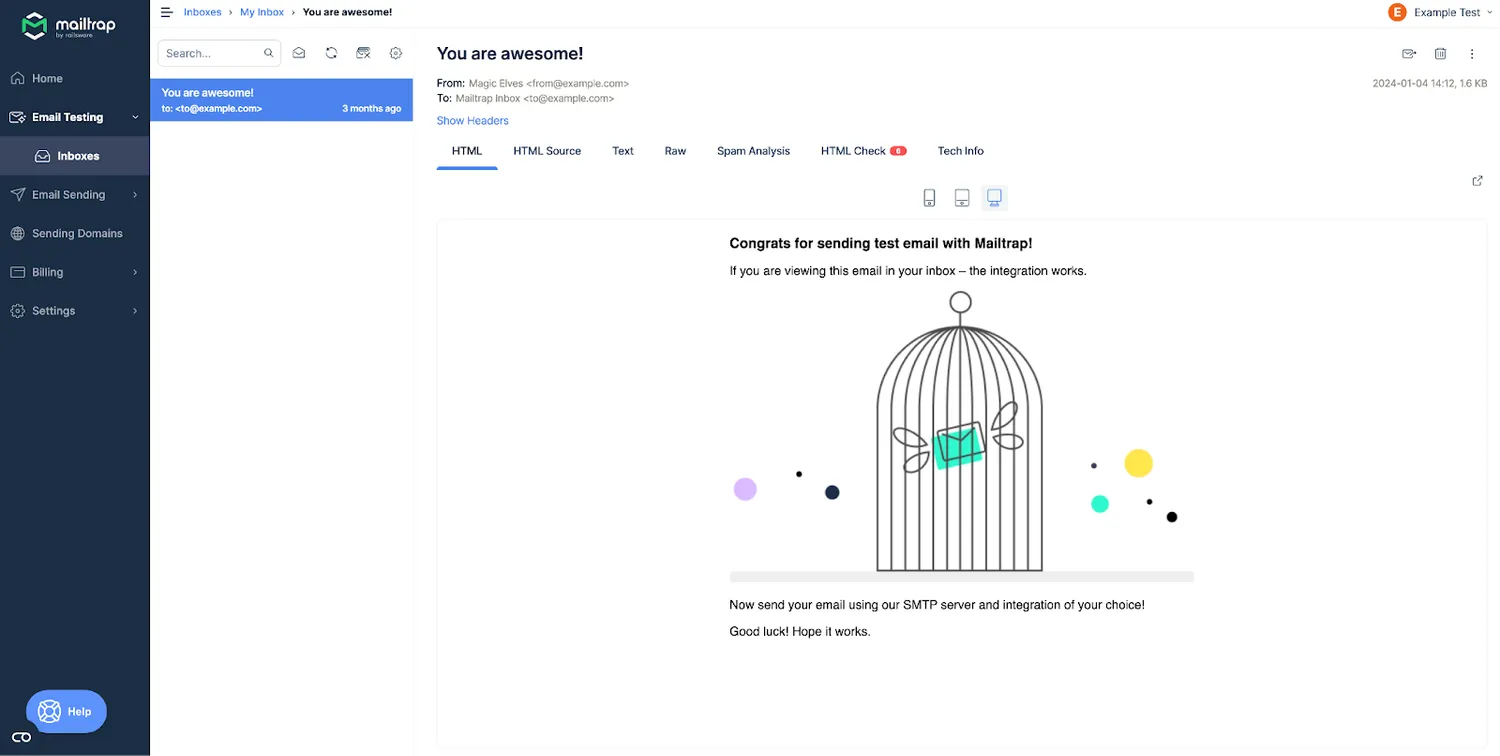
Lastly, the whole setup is straightforward, you just need to do the following:
- Sign up for Mailtrap
- Go to Email Testing > Inboxes > My Inbox
- Choose your preferred integration or copy-paste SMTP credentials to your project
- Run the code and get the test email in an instant
Now, here’s a custom PHP email validation script that can be run as a cron job to validate email addresses with a third-party API:
<?php

function validateEmail($email) {

    $apiKey = 'YOUR_API_KEY';

    $apiUrl = "https://api.emailvalidator.com/validate?apiKey={$apiKey}&email={$email}";


    $response = file_get_contents($apiUrl);

    if ($response !== false) {

        $data = json_decode($response, true);

        return $data['isValid'];

    }

    return false;

}


// Example email to validate

$email = 'test@example.com';

if (validateEmail($email)) {

    echo "Email is valid.\n";

} else {

    echo "Email is invalid.\n";

}

?>
Also, here’s how to automate the whole thing with a cron job on a Linux server.
0 1 * * * /usr/bin/php /path/to/your/script.phpThe job runs the script once a day at 1:00 AM.
Now, your task is to set up all the automation, sit back and relax knowing your domain and IP reputations are safe.
We appreciate you chose this piece of the article to know about PHP email validation. If you want to find out about email validation in PHP using API as well, click here!