Introduction
In today’s data-driven economy, customer experience is no longer owned by a single department—it’s shaped by sales, service, operations, and support working in sync. However, most organizations still operate with fragmented systems such as CRM, CMMS, ERP, and field service platforms that don’t communicate effectively.
This fragmentation prevents businesses from achieving a 360° customer view, leading to inconsistent service, delayed responses, and missed revenue opportunities.
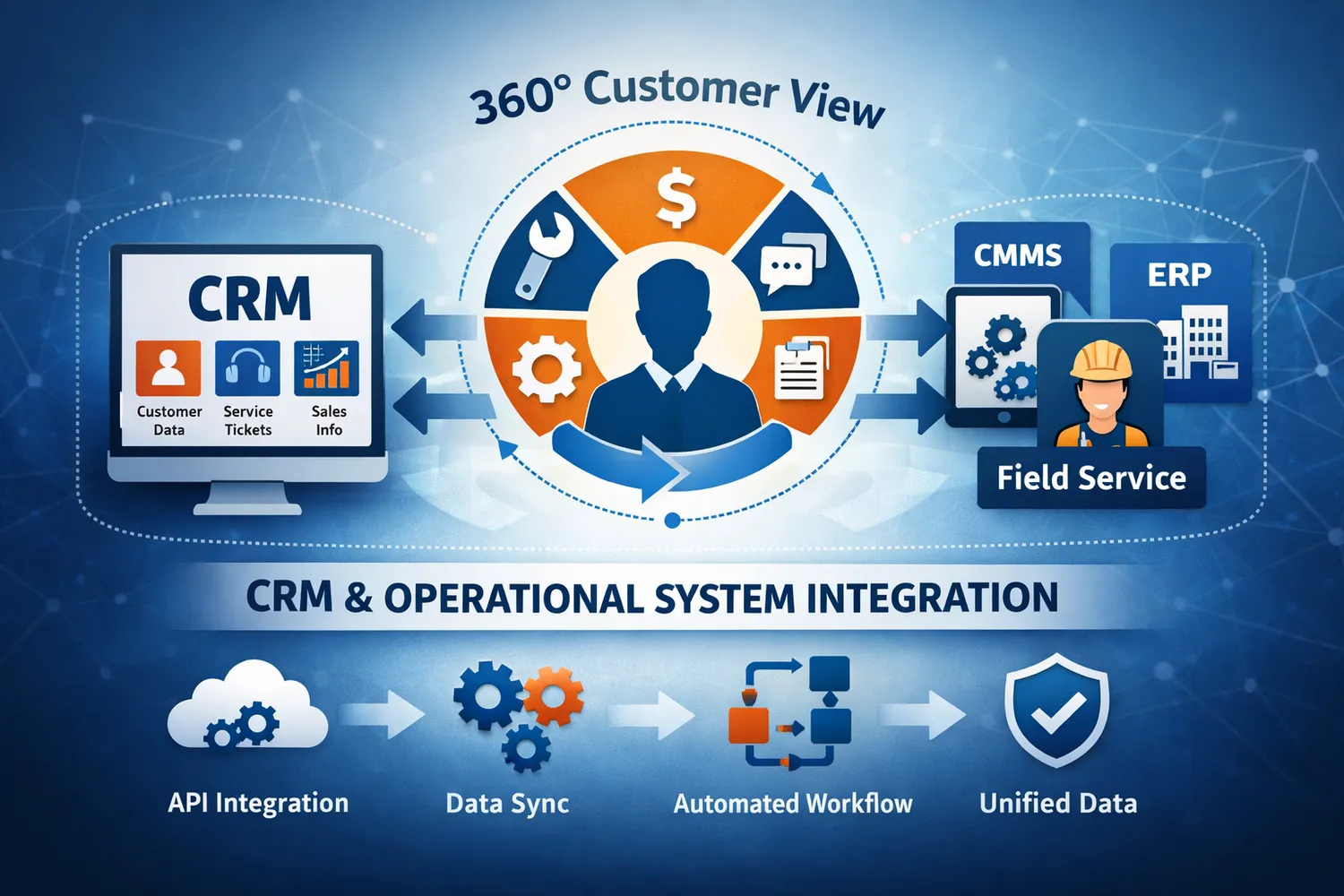
The solution lies in leveraging API integration tools, data integration platforms, and service provider automation software to unify CRM data with operational systems. By connecting these systems, businesses can create a single source of truth that empowers every team with real-time, actionable insights.
What is a 360° Customer View?
A 360° customer view refers to a unified, comprehensive profile of a customer that includes:
- Contact and account information (CRM)
- Service history and work orders (CMMS)
- Financial transactions (ERP)
- Support interactions and tickets
- Asset and maintenance data
Without integration, this data remains siloed, forcing teams to manually reconcile information across systems.
The Challenge: Disconnected CRM and Operational Systems
Most organizations face the following challenges:
1. Data Silos
CRM systems store customer interactions, while operational systems like CMMS manage service delivery. Without integration, these systems operate independently.
2. Manual Data Entry
Teams manually update multiple systems, leading to inefficiencies and errors.
3. Lack of Real-Time Visibility
Customer data is outdated or inconsistent across platforms.
4. Poor Customer Experience
Service teams lack context, resulting in delayed or generic responses.
How Integration Tools Solve This Problem
1. API Integration Enables Seamless Data Flow
At the foundation of modern integration is the integration of API.
API integration tools allow CRM systems to communicate directly with operational platforms such as CMMS, ERP, and field service systems.
Example
- A customer submits a service request in CRM
- API triggers a work order in CMMS
- Status updates flow back to CRM in real-time
This eliminates manual intervention and ensures data consistency.
2. Data Integration Platforms Create a Single Source of Truth
A data integration platform consolidates data from multiple systems into a unified view.
Key Capabilities
- Data mapping and transformation
- Synchronization across systems
- Centralized data orchestration
By unifying CRM and operational data, businesses can:
- Track complete customer lifecycle
- Identify service patterns
- Improve decision-making
3. Connecting CMMS and CRM Systems
One of the most impactful integrations is the ability to connect CMMS and CRM systems.
What This Enables
- Automatic creation of service requests from CRM
- Visibility of maintenance history within CRM
- Real-time updates on job status
- Better coordination between sales and service teams
Use Case
A service provider receives a complaint via CRM. The system automatically creates a work order in CMMS, assigns a technician, and updates the CRM with progress—without manual input.
4. Service Provider Automation Software Enhances Efficiency
Service provider automation software takes integration a step further by automating end-to-end workflows.
Core Functions
- Workflow automation across CRM and operations
- Scheduling and dispatching
- Automated notifications
- SLA tracking
This ensures that customer interactions are not just recorded but acted upon efficiently.
5. Real-Time Data Synchronization
Integration tools enable real-time data synchronization, ensuring all systems reflect the latest information.
Benefits
- Sales teams see up-to-date service status
- Support teams access complete history instantly
- Customers receive accurate updates
This is critical for delivering a seamless customer experience.
6. Automated Business Workflows
Integration tools support automated workflows that eliminate manual coordination.
Examples
- Lead conversion triggers onboarding workflows
- Service requests initiate maintenance schedules
- Invoice generation after job completion
Using modern API integration tools, these workflows can be designed without extensive coding.
7. Pre-Built Connectors Accelerate Integration
Most modern platforms offer pre-built connectors for:
- CRM systems
- CMMS platforms
- ERP systems
These connectors reduce implementation time and simplify integration.
8. Integration Monitoring and Reliability
To ensure consistent performance, integration tools provide:
- Monitoring dashboards
- Error handling mechanisms
- Alerts and notifications
This ensures that data flows remain uninterrupted and reliable.
Business Benefits of Unified Customer Data
1. Enhanced Customer Experience
Teams have complete visibility into customer history, enabling personalized interactions.
2. Improved Operational Efficiency
Automation reduces manual tasks and accelerates workflows.
3. Better Decision-Making
Unified data provides actionable insights across departments.
4. Increased Revenue Opportunities
Sales teams can identify upsell and cross-sell opportunities based on service data.
5. Reduced Errors
Automated data synchronization eliminates inconsistencies.
Industry Use Cases
1. Facility Management
- Integrate CRM with CMMS for work order management
- Track asset history and service performance
2. Field Service Providers
- Automate dispatch and service updates
- Provide real-time visibility to customers
3. Healthcare Services
- Use HIPAA compliant integration platforms
- Ensure secure and accurate data exchange
4. Property Management
- Connect tenant requests with maintenance workflows
- Improve response times and satisfaction
Best Practices for Implementing CRM-Operational Integration
1. Define Integration Goals
- Identify key workflows to automate
- Prioritize high-impact processes
2. Choose the Right Integration Platform
Look for:
- Strong API capabilities
- No-code or low-code interface
- Pre-built connectors
- Security and compliance features
3. Start Small and Scale
- Begin with a single integration (e.g., CRM + CMMS)
- Expand to additional systems
4. Ensure Data Governance
- Implement role-based access control
- Maintain audit logs
5. Monitor and Optimize
- Use dashboards to track performance
- Continuously refine workflows
Future Trends in Integration
The integration landscape is evolving rapidly with:
- AI-powered data mapping
- Predictive analytics
- Intelligent workflow automation
- Self-healing integrations
These advancements will further enhance the ability to deliver true 360° customer views.
Conclusion
Achieving a 360° customer view requires more than just a CRM—it demands seamless integration between customer-facing and operational systems.
By leveraging API integration tools, data integration platforms, and service provider automation software, businesses can unify data across CRM, CMMS, and ERP systems. This not only eliminates manual data entry but also enables real-time insights, improved efficiency, and superior customer experiences.
Organizations that invest in integration today will be better positioned to deliver connected, intelligent, and customer-centric operations in the future.