In the realm of cybersecurity, the evolution of authentication methods has led to the development of various types of security key.
These physical devices play a crucial role in safeguarding digital identities and sensitive information by providing an additional layer of protection beyond traditional passwords.
Understanding the different types of security keys and their functionalities is essential for individuals and organizations seeking to enhance their cybersecurity defenses.
1. USB Security Keys
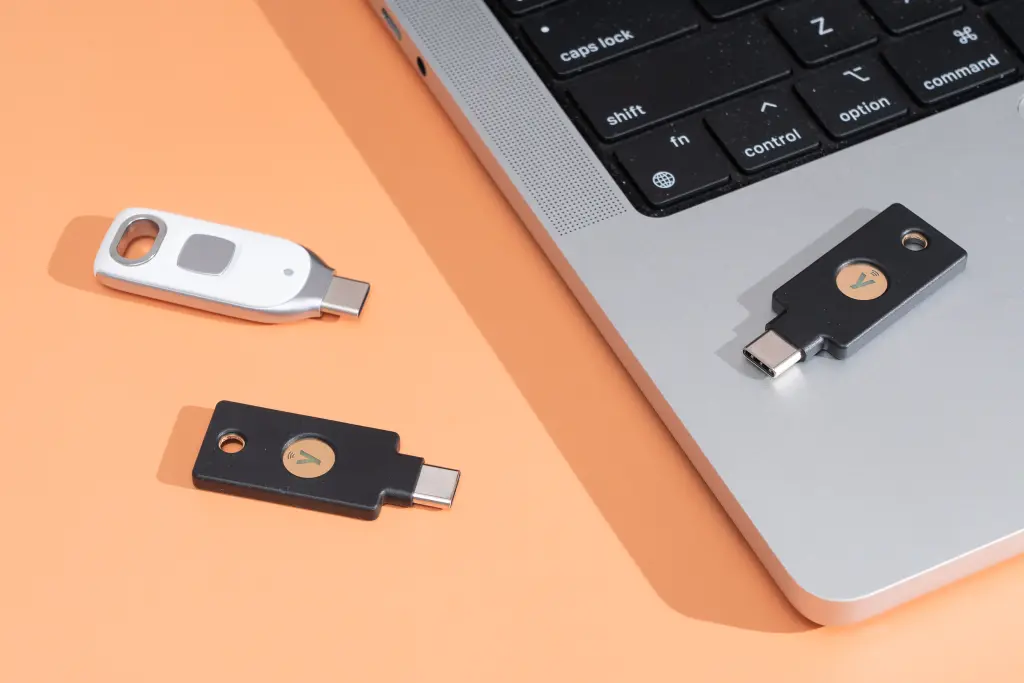
USB security keys, also known as USB tokens or hardware tokens, are perhaps the most common type of security keys available today. They are small, portable devices that connect to a computer or mobile device via a USB port. USB security keys typically contain a secure element such as a cryptographic chip and storage for encryption keys.
- Functionality: USB security keys generate cryptographic signatures for authentication purposes. When a user attempts to log in to a system or service, the key interacts with the device and provides a unique response to verify the user's identity.
- Examples: Popular USB security keys include YubiKey by Yubico, Google Titan Security Key, and Feitian MultiPass FIDO Security Key.
2. NFC Security Keys
Near Field Communication (NFC) security keys utilize NFC technology to establish a wireless connection with compatible devices, such as smartphones or tablets. NFC allows for quick and convenient authentication without the need for physical contact between the key and the device.
- Functionality: NFC security key operate similarly to USB keys but communicate via NFC protocols. Users can simply tap the NFC key against their device to authenticate securely.
- Examples: Some NFC security keys include YubiKey 5 NFC and Feitian ePass FIDO-NFC Security Key.
3. Bluetooth Security Keys
Bluetooth security keys leverage Bluetooth technology to establish wireless connections with devices, offering flexibility and convenience for users who prefer not to use physical connectors like USB ports.
- Functionality: Bluetooth security keys work by pairing with the user's device wirelessly. They provide the same cryptographic authentication capabilities as USB and NFC keys but with the added advantage of wireless connectivity.
- Examples: Examples of Bluetooth security keys include Feitian Bluetooth FIDO Security Key and Google Titan Bluetooth Security Key.
4. Biometric Security Keys
Biometric security keys integrate biometric authentication methods, such as fingerprint scanning or facial recognition, into traditional security key functionalities. These keys provide an additional layer of security by requiring a physical biometric trait to authenticate the user.
- Functionality: Biometric security keys capture and authenticate biometric data from the user, which is then used in conjunction with cryptographic protocols to verify identity.
- Examples: YubiKey Bio by Yubico combines fingerprint authentication with traditional security key features.
5. Smart Card Security Keys
Smart card security keys, also known as cryptographic smart cards, embed secure elements and cryptographic processors within a plastic card format. These keys are widely used in enterprise environments and government agencies for secure access to networks and sensitive information.
- Functionality: Smart card security keys require users to insert the card into a smart card reader, which communicates with the secure element to authenticate the user.
- Examples: Gemalto IDPrime Smart Cards and HID Crescendo Smart Cards are examples of smart card security keys.
Choosing the Right Security Key
Selecting the appropriate type of security key depends on factors such as user preferences, device compatibility, and security requirements. Here are some considerations:
- Security Standards: Ensure the security key complies with industry standards such as FIDO2 (Fast Identity Online) and U2F (Universal 2nd Factor) for robust authentication.
- Device Compatibility: Verify that the security key is compatible with the devices and operating systems you intend to use it with, whether it's PCs, Macs, smartphones, or tablets.
- Use Case: Consider whether you need a portable solution like USB or NFC keys, or if a smart card solution is more suitable for enterprise-level security needs.
Conclusion
In conclusion, the landscape of security keys offers a variety of options tailored to different security preferences and operational requirements. Whether you prioritize portability, biometric authentication, or integration with existing smart card systems, there is a security key solution available to meet your needs.
By leveraging these advanced authentication methods, individuals and organizations can significantly enhance their cybersecurity defenses against evolving threats in today's digital environment.
Choosing the right type of security key ensures not only enhanced security but also user convenience and compliance with regulatory standards, making it a vital component of a robust cybersecurity strategy.