OmniPage, developed by Nuance Communications, is a leading software solution renowned for its powerful optical character recognition (OCR) capabilities. It offers several versions tailored to different user needs, from individual users to large enterprises. Understanding the pricing and features of each version is crucial for selecting the right OmniPage product. This pricing guide aims to help you navigate the options available and make an informed decision.
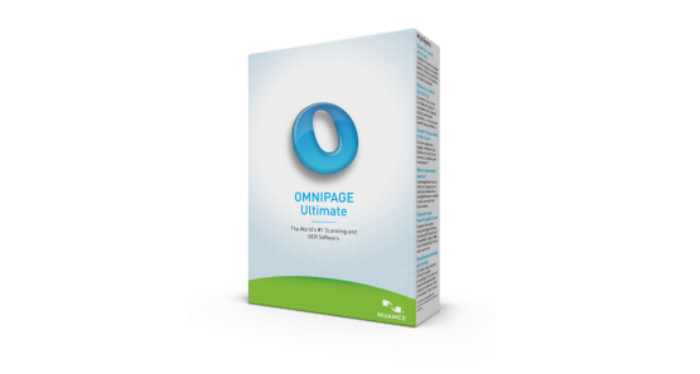
OmniPage Standard
OmniPage Standard is the basic version of the software designed for individual users and small businesses. It provides essential OCR functionalities to convert paper documents, PDFs, and images into editable and searchable files. Key features include:
- OCR Accuracy: Reliable OCR technology for accurate text recognition.
- Document Conversion: Convert documents from various formats into editable files (Word, Excel, PDF, etc.).
- PDF Editing: Edit and annotate PDF documents directly within OmniPage.
- Integration: Basic integration with cloud storage services like Dropbox and Google Drive.
Pricing: OmniPage Standard typically ranges from $149 to $199 for a perpetual license. Subscription options may also be available for users preferring a recurring payment model.
OmniPage Ultimate
OmniPage Ultimate offers advanced features catering to professionals and businesses requiring enhanced OCR capabilities and document management tools. It includes all features of OmniPage Standard with additional functionalities such as:
- Batch Processing: Process multiple documents simultaneously for increased efficiency.
- Automatic Workflow: Automate document processing tasks with customizable workflows.
- Forms Recognition: Extract data from forms and export to databases or spreadsheets.
- Connectivity: Integration with enterprise systems like SharePoint and ECM (Enterprise Content Management) solutions.
Pricing: OmniPage Ultimate is priced higher than OmniPage Standard, typically ranging from $499 to $599 for a perpetual license. Subscription options may also be available.
Choosing the Right Version
When deciding between OmniPage Standard and OmniPage Ultimate, consider the following factors:
- User Requirements: Evaluate your specific needs regarding OCR accuracy, document volume, and integration capabilities. If you require advanced features like batch processing and forms recognition, OmniPage Ultimate may be more suitable.
- Budget: Determine your budget constraints and whether a one-time purchase (perpetual license) or a subscription model aligns better with your financial strategy.
- Workflow Efficiency: Assess how each version supports your document processing workflows. OmniPage Ultimate's automation and batch processing capabilities may significantly streamline operations for larger-scale document conversion tasks.
- Future Scalability: Consider future growth and scalability needs. OmniPage Ultimate offers robust features for enterprise-level document management and integration, making it suitable for expanding business requirements.
Conclusion
OmniPage provides versatile OCR and document conversion solutions tailored to diverse user requirements, from individual users to large enterprises. By understanding the differences between OmniPage Standard and OmniPage Ultimate, along with their respective pricing structures and features, you can make an informed decision that optimally meets your document processing needs. Whether you prioritize cost-effectiveness for basic OCR tasks or require advanced capabilities for comprehensive document management, OmniPage offers a solution to enhance productivity and efficiency in handling paper and digital documents alike.