Crafting a Stellar Customer Support Policy: Your Business Needs This!
A customer support policy serves as your team's official guide, outlining exactly how they should handle customer questions, complaints, and more serious issues. It clearly defines expected response times, preferred communication methods, and the steps for resolving problems. Without this framework, you're looking at inconsistent customer experiences, missed service level agreements (SLAs), and unhappy customers left in the dark.
Let's face it, customers can tell when your support process is all over the place. One day they get a prompt reply; the next, they're waiting for ages. This inconsistency isn't just confusing, it actively erodes customer trust. A well-thought-out policy prevents this kind of confusion from arising in the first place.
Here’s why having a robust service policy is crucial:
- Boosts team clarity: Everyone knows precisely what to do in common situations, eliminating questions like, "How do I handle a billing inquiry?"
- Safeguards your brand's reputation: It guarantees every customer receives consistent, top-notch service. This kind of consistency is key for customer loyalty.
- Provides a foundation for growth: It's essential for training new employees and assessing performance. You can't improve what isn't documented.
- Supports regulatory compliance: Especially vital in regulated industries like finance or healthcare, where clear processes and an audit trail are non-negotiable.
Learning to develop a customer support policy isn't just about fulfilling a requirement; it's about building a practical system your team can genuinely follow.
Key Elements of an Effective Customer Support Policy
An effective customer support policy covers five core areas: communication channels, SLA response times, escalation protocols, knowledge base utilization, and after-hours support. It should also specify how your team manages sensitive information, refunds, and recurring problems. Think of it as the go-to manual for delivering reliable, consistent support.
Let’s break down the essential components:
- Channel rules: Define which contact methods (email, live chat, WhatsApp, etc.) are monitored and during what hours. Don't promise Instagram DMs if no one’s checking them overnight!
- SLA tiers: Specify that critical issues get a one-hour response, while standard questions have a 24-hour window. Be realistic about your team's capacity.
- Escalation triggers: Detail what happens when a ticket goes unanswered for too long or a customer asks to speak with a manager. Plan for these situations beforehand.
- Knowledge base integration: Every agent should consult your internal knowledge base before drafting a reply. Why reinvent solutions?
- After-hours protocol: Clearly define who handles overnight shifts and how urgent issues are flagged. Your team needs rest, but customers need assurance someone is available.
Top Practices for Global, Multi-Channel Support Teams
Managing global support means juggling different time zones, languages, and cultural expectations within a single system. Best practices include offering real-time translation, setting time-zone-aware SLAs, and using automation for routine, language-independent tasks. Your policy should explicitly state how multi-language tickets are handled and whether you use in-house translators or AI localization tools.
Here’s what truly works for teams spread across multiple time zones:
- Language management: Determine when to use translation tools versus hiring native speakers. AI translation is perfectly acceptable for basic inquiries.
- Time-zone routing: Direct tickets to the team members who are currently working for quicker initial responses. A New York customer's 3 AM call shouldn't land with a Singapore representative.
- Channel prioritization: Some channels, like live chat, require faster replies than email. Live chat is instant; email allows for more time.
- AI as a first line of defense: Allow AI to manage frequently asked questions, freeing up human agents for more complex interactions. It's about empowering your team, not replacing them.
- Cultural sensitivity guidelines: Provide brief instructions on appropriate tone and formality for different regions. A casual greeting might work well in one country but be inappropriate in another.
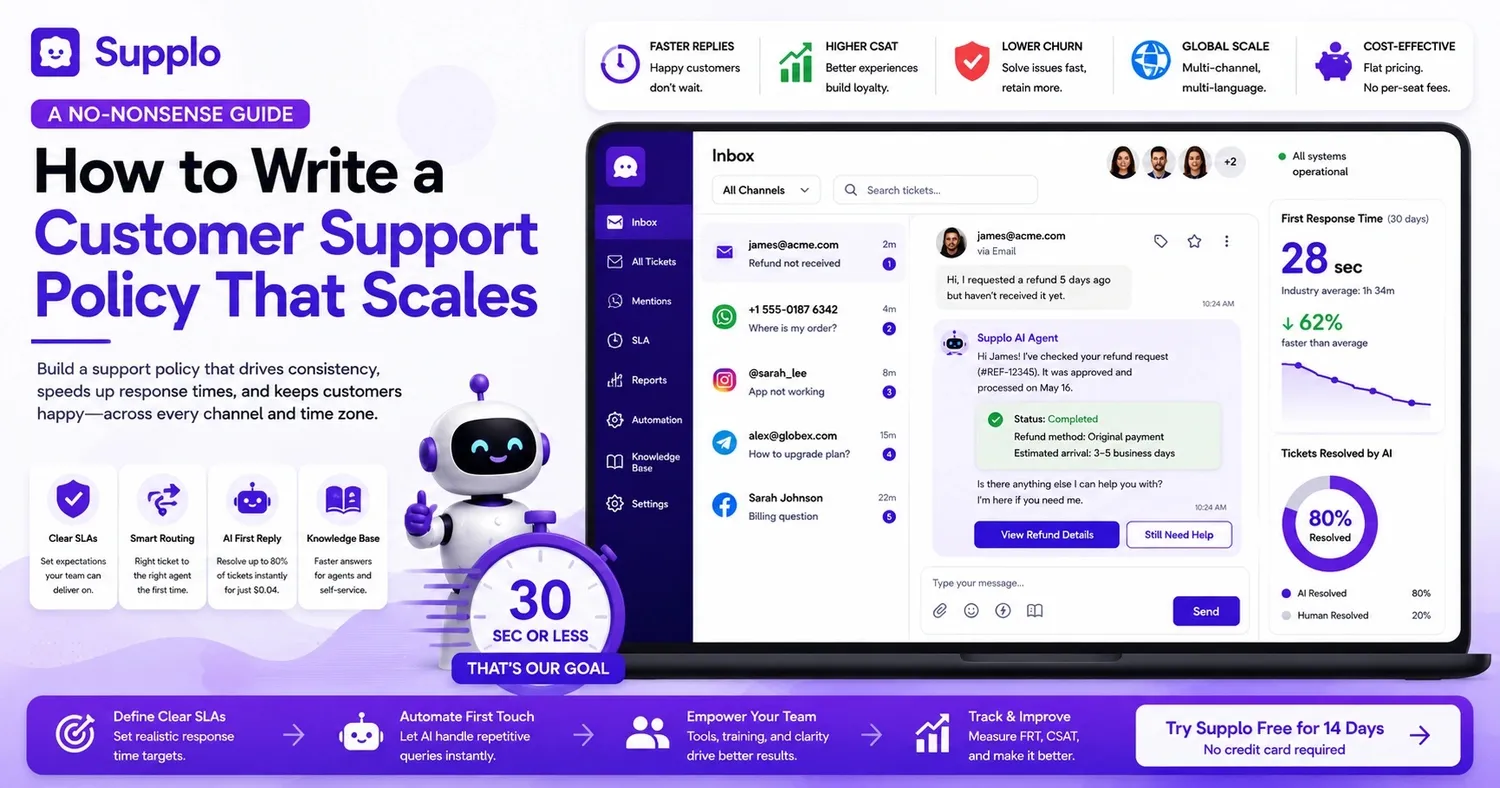
supplo brings all these channels together into a single workspace. This means your global team never misses a beat, whether interacting via WhatsApp, Instagram, or email.
Aligning Your Support Policy with Your Brand Voice
Your support policy should reflect your brand’s personality, not just feel like generic corporate speak. A playful brand, like a gaming app, can use informal language, while a B2B SaaS company needs to remain professional yet approachable. Define your brand's tone range—from "super serious" for emergencies to "friendly chatbot"—and provide examples so agents know how to adapt.
The key is making these guidelines actionable:
- Provide sample responses for various situations (e.g., happy, frustrated, confused customers). Show your team rather than just telling them.
- Create a "voice cheat sheet" with clear dos and don'ts (e.g., "Instead of 'Please be patient,' say 'I'm on it.'"). Simple phrasing changes can make a huge impact.
- Train your AI agent to embody your brand’s voice for automated messages. Nothing undermines trust faster than a robotic "We value your inquiry."
- Ensure the policy's language aligns with your internal culture. If your company is transparent and informal, write the policy that way. Avoid corporate jargon if you're a startup that embraces a casual environment.
Developing a Scalable Business Customer Support Strategy
A scalable support strategy begins with efficient triage: categorizing tickets by severity, type, and communication channel, then directing them to the right agent or automation. Your policy should define when AI handles initial queries and when a human needs to step in. Design your policy for your current team size, but write it to accommodate a tripling of your customer base.
Consider these foundational elements:
- Ticket categorization: Distinguish between bug reports, feature requests, billing issues, and general questions. Each requires a different approach.
- AI vs. human intervention thresholds: Define which tickets AI can fully resolve and which require human attention. Typically, simple FAQs go to AI, while emotionally charged complaints go to people.
- Capacity planning: Establish a general rule, such as one agent per 1,000 active users. While not perfect, it's a helpful starting point.
- Overflow escalation path: Determine what happens when all agents are busy. Should tickets queue up or automatically escalate?
- Reporting frequency: Track weekly metrics like resolution time, customer satisfaction scores (CSAT), and escalation rates. What gets measured undeniably gets improved.
supplo’s AI agent can manage a lot of this heavy lifting, automatically categorizing and routing tickets so your team focuses only on issues truly requiring their expertise.
Small Business Customer Support Policy: Keep It Simple, Keep It Human
Small businesses don't need an elaborate 50-page policy. Start with a concise one-pager covering operating hours, promised response times, and how customers can reach a human (or AI). The best small business policies are honest: if you can't provide 24/7 live support, clearly state this and guide customers to leave a message or use self-service options.
Here's a straightforward framework for a small business service policy:
- Maintain a human touch: Your policy should sound like it was written by a person, not a legal department. If you're a two-person operation, say, "We'll reply within 2 hours during business hours."
- Leverage automation: A simple AI agent can cover nights and weekends affordably. supplo's AI doesn't charge per seat, giving you 24/7 coverage without hiring more staff.
- Politely decline when necessary: If you can't help, explain why and offer an alternative. "We don't offer refunds after 30 days, but here's a credit for next month."
- Budget-friendly tip: Use a shared inbox (like supplo) to avoid per-seat pricing. Flat rates are a lifesaver when you're just starting out.
- Quarterly review: Your policy will evolve as your business grows. Don’t let it become outdated; a six-month-old policy is already halfway to being irrelevant.
Enterprise Customer Support Policy: Compliance, SLAs, and Audit Trails
Enterprise policies must address specific compliance standards (like GDPR, HIPAA, SOC 2), detailed SLAs with penalties for non-compliance, and transparent audit trails for every ticket. Your escalation matrix needs clear documentation, including roles, RACI charts, and notification processes. Enterprise clients will thoroughly review your policy during due diligence, so ensure it acts as a selling point rather than a drawback.
Enterprise buyers have distinct expectations. They require tangible proof, not empty assurances. Cover all your bases with:
- Compliance clauses: Explicitly state data retention, encryption, and the right to be forgotten.
- SLA tiers: Offer Gold, Silver, and Bronze tiers based on contract value or issue criticality. Your top clients should receive the fastest service.
- Audit trail requirements: Every action should be timestamped and linked to an agent ID. If it's not documented, it essentially didn’t happen.
- RACI matrix: Define who is Responsible, Accountable, Consulted, and Informed for each type of ticket. This clarity prevents blame games.
- Review cycle: Re-evaluate your policy every six months or whenever compliance regulations change. Add a reminder to your calendar now.
Defining Customer Support Escalation: The Escalation Matrix Framework
An escalation matrix precisely outlines who is notified at each severity level and within what timeframe. Typical levels include L1 (frontline support), L2 (specialist), and L3 (engineering/management). Your policy should define triggers, such as escalating after four hours without an update, when a VIP customer is involved, or when a security issue is reported.
Here’s a practical way to structure your matrix:
- Severity levels: P1 = system down, P2 = major feature affected, P3 = minor bug, P4 = general question. Be very specific about what constitutes "down."
- Time-based triggers: No response in X minutes? Automatically escalate to the next level. For example, 30 minutes for P1, four hours for P3.
- Role-based notification: L1 agent → L2 team lead → L3 manager → VP. Everyone understands their place in the chain of command.
- Cross-team escalation: Establish clear pathways to security, billing, or product teams as needed. Sometimes a ticket requires input from multiple departments.
- Clear matrix documentation: Use a flowchart or table to make it easy to follow, not just theoretical. A confusing PDF is less useful than no policy at all.
How to Write an Effective Escalation Policy
Your escalation policy addresses the "when and how" of your support strategy. Begin by defining the triggers: timeouts, customer demands, technical complexity, or safety concerns. Next, detail the routing instructions: who gets notified, via which channel (email, Slack, SMS), and the expected response time. Keep it straightforward: "If a ticket remains unhandled for two hours, escalate to L2."
Let's look at a practical example:
- Example trigger: A customer replies to a resolved ticket, stating, "I'm still experiencing the same problem." → Reopen the ticket and escalate it to the original agent. Never let a reopened ticket languish.
- Routing rules: Use tags or automation to direct tickets to the correct queue. supplo’s email ticketing automates this process.
- Communication protocol: Internal escalations should typically be silent to the customer, while external escalations require a proactive heads-up. "I've forwarded this to our senior team, and they'll follow up within the hour."
- Rule of over-communication: When in doubt, escalate rather than letting a ticket go unaddressed. Customers appreciate quick escalations; they won't forgive silence.
- Post-escalation review: After resolution, briefly note why the issue escalated and how to prevent similar occurrences. Continuous improvement is the ultimate goal.
Building Escalation Procedures Your Customer Service Team Will Actually Use
The most effective escalation procedures are integrated into your tools, not just static documents. Implement automated workflows to trigger escalations when SLAs are breached or a ticket is flagged. Agents should be able to escalate with a single click, with the next-level agent receiving instant notification. Conduct quarterly dry runs to test the process.
Practical steps to ensure adoption:
- One-click escalation: Make it effortless for agents to transfer a ticket without leaving their workspace. supplo’s unified thread-based inbox simplifies this process.
- SLAs for escalation responses: Define response times for escalated issues: L2 has 30 minutes to acknowledge, L3 has one hour. Ensure accountability at every step.
- Document known issues: If "error X" is common, create a macro response and an established escalation path. This saves your team from guesswork.
- Prevent escalation fatigue: Every escalation should lead to a learning opportunity. If the same issue escalates weekly, address the root cause, not just the symptom.
- Utilize reporting for pattern recognition: Frequent escalations on the same topic? Fix the underlying issue rather than simply treating the symptoms.
Implementation: Rolling Out Your New Policy Without Disruption
Implementing a support policy is more than just sending a memo; it's a change management exercise. Start with a pilot team, gather their feedback, and then refine the policy. Use your shared inbox or AI agent to automatically enforce the policy (e.g., auto-assigning tickets to the correct queue). Don't expect perfection immediately; give your team a 30-day grace period to adapt.
Here's a rollout plan that will resonate with your team:
- Soft launch: Test the policy with your top five agents for a week. Let these early adopters identify and smooth out any issues.
- Comprehensive documentation: Your policy should live in your knowledge base and be easily searchable. supplo's knowledge base integration makes this effortless.
- Engaging training sessions: Review real tickets and apply the policy collaboratively. Practical application is more effective than abstract theory.
- Feedback channels: Set up a Slack channel or weekly sync for policy-related questions. Create a safe space for your team to voice concerns like "This doesn't make sense."
- Monitor key metrics: Track first response time, resolution time, escalation rate, and CSAT. Let the data indicate if the policy is working effectively.
supplo is not affiliated with any app or website. Please adhere to each app's terms and local regulations.
Is your team consistently ignoring your escalation policy?
This often points to a tool issue, not a people problem. supplo's shared inbox makes escalating issues incredibly simple—no more lost tickets. See it in action in just 5 minutes. Try supplo for free →
The effectiveness of your customer support policy hinges on the tools that uphold it.
supplo integrates email, live chat, WhatsApp, Telegram, Instagram, and Facebook Messenger into one unified workspace, with AI that learns from your policy. Pricing is a flat rate per workspace, not per seat. Get started for free. Explore supplo’s flat pricing →
Key Takeaways
- Start with the essentials: Before anything else, define your communication channels, SLAs, and response times. Everything else builds from there.
- Develop an escalation matrix: Clearly map out severity levels (P1–P4) and precisely who gets notified at each stage. Don't leave critical decisions to chance.
- Empower AI to enforce rules: Use automation for routing tickets, tracking SLAs, and escalating when triggers are met. Your team will be grateful for the support.
- Maintain a living document: Review and update your policy every six months based on real ticket data. A continuously refined document is far more valuable than an outdated PDF.
FAQ
What is a customer support escalation matrix?
An escalation matrix is a structured chart that specifies who handles a ticket at each severity level (L1, L2, L3) and within what timeframe. It ensures that urgent or complex issues are quickly directed to the appropriate person, preventing disorganization.
How long should my customer support policy be?
The length depends on your business size. Small businesses might manage with a one-page policy, while enterprise teams often require 10–15 pages covering various SLAs, compliance, and detailed escalation protocols. Clarity is always more important than arbitrary length.
Do I need to include legal language in my support policy?
If you manage customer data or operate in regulated industries (e.g., healthcare, finance, or the EU), yes, you must include references to regulations like GDPR, HIPAA, or CCPA. For most small businesses, minimize legal jargon and prioritize practical service promises.
How often should I update my customer support policy?
Review it every six months or after any significant change, such as introducing a new communication channel, expanding your team, or updating compliance requirements. An outdated policy leads to confusion and erodes trust.
Can AI manage my entire support policy?
AI can effectively enforce the policy (auto-routing, SLA tracking, automated replies), but it should not be responsible for writing the policy itself. Your team should define the rules, and then AI can help execute them. supplo's AI agent can handle up to 80% of incoming tickets based on your established policy.
What is the biggest mistake businesses make when writing a support policy?
Creating it in isolation, without input from the actual support team. Your policy needs to be practical and user-friendly for the individuals who will apply it daily.
Should my support policy include a refund or chargeback process?
Only if you sell physical goods or digital products. For SaaS companies, include your cancellation and refund window (e.g., a 14-day money-back guarantee). Clearly document the steps customers need to take to request a refund.
Compliance statement: supplo is an independent entity and is not affiliated with any specific app or website mentioned. Users must adhere to each app's terms of service and all relevant local regulations.