Who It Is For
We've all been there: your inbox is overflowing, your team's feeling the burn, and that stack of unopened tickets just keeps growing. It's draining, for sure. However, a support ticket backlog doesn't have to be your constant reality. With the right strategy, artificial intelligence can help you clear your queue and prevent it from returning. This guide is perfect for anyone swamped with repetitive requests and looking for a smarter solution.
Quick Answer
- AI can independently resolve 60–80% of support tickets by learning directly from your knowledge base.
- Prioritize stopping repetitive inquiries, like password resets or order status checks, before they overwhelm your system.
- A unified inbox is crucial for preventing tickets from getting lost across various platforms, such as email, Instagram DMs, and website chat.
- Focus on meaningful metrics like backlog age and agent satisfaction, rather than just "AI response rate."
Why Your Support Ticket Backlog Keeps Growing and Why Humans Alone Can't Fix It
Let's be candid for a moment. Your backlog isn't growing because your agents are slacking off. It's happening because common, predictable questions arrive faster than anyone can answer them. Think about it: password resets, "Where's my order?" inquiries, or "Did my payment go through?" Each one seems minor on its own, but when you have 50 such requests, your team's entire day evaporates.
Here's a closer look at what's really happening:
- A backlog often starts small. One busy day turns into three, then a week. Suddenly, you're faced with hundreds of untouched tickets.
- Hiring more staff might seem like a solution, but it's costly and slow. Plus, it doesn't solve the core issue of recurring questions.
- There's also a significant psychological toll. Agents become demoralized answering the same questions repeatedly, which impacts speed and leads to burnout.
- Backlogs thrive on predictability. Product launches, holiday rush periods, and email marketing campaigns all trigger anticipated spikes in volume.
- The real solution? Stop assigning tasks to humans that a machine can complete in mere seconds.
What Is AI Ticket Backlog Automation? And What It Isn't
Let's clarify something important. AI ticket backlog automation involves using an AI agent to automatically handle straightforward, repetitive tickets—the ones that consume 80% of your team's time. This isn't about replacing your support staff. It’s about empowering them to focus on tasks that truly require human judgment, such as refund disputes, complex bugs, or sensitive escalations.
Effective automation looks like this:
- It resolves issues, not just replies to them. The AI fully completes the interaction, beyond just acknowledging it.
- It learns from your specific data. A smart system retrieves answers from your own knowledge base and past conversations, not just general internet information.
- It manages handoffs smoothly. If the AI can't help, the ticket moves to a human agent with all the necessary context. No one has to re-explain their problem.
- It doesn't charge per resolution like it's an outdated model. Some tools can charge up to $0.99 for each auto-answer, which actively penalizes you for higher automation.
Audit Your Ticket Inbox to Find the "Deflectable" 80%
Before you automate anything, you need to understand your current situation. Take your last 200 resolved tickets and categorize them: account issues, billing, shipping, product questions, and so on. Most likely, 60–80% of these will be the same 10 questions phrased differently. These are your "deflectable" tickets, perfect for a well-trained AI to handle instantly.
Here's your action plan:
- Utilize your support tool's tagging feature to export ticket categories based on volume.
- Look for any timing patterns. Do Monday mornings consistently spike after weekend orders?
- Identify tickets that your agents resolve in under 2 minutes; these are prime candidates for automation.
- Don't overlook DMs. Social platforms like WhatsApp and Instagram often contain tickets that aren't counted in your main system.
- Create a simple spreadsheet to track: question type, frequency, average handle time, and whether an existing knowledge base article addresses it.
Set Up a Self-Learning AI Agent That Actually Understands Your Customers
Your AI needs to genuinely understand what customers are asking, not just match keywords. A self-learning AI agent processes your knowledge base, chat transcripts, and documents, then uses this context to provide accurate, natural-sounding answers. It should also support multiple languages, as backlogs often grow when teams can't respond quickly in a customer's native tongue.
Start small and refine continuously:
- Begin with 5–10 common questions and your best agent responses. Use these to train the AI.
- Look for a tool with confidence scoring. If the AI isn't at least 95% sure, it should automatically escalate to a human.
- Ensure it can integrate with APIs to pull real-time data, like order status, for live answers.
- Test it thoroughly with edge cases: misspellings, slang, or partial questions ("track order 123" should still work).
- Remember: the goal isn't 100% automation. It's about achieving 100% accuracy for the tickets the AI does answer.
Deflect Repeat Tickets Before They Create a Backlog
The quickest way to shrink a backlog? Prevent tickets from ever accumulating. AI ticket deflection means interacting with a customer at their point of contact—whether it's your website chat, email, or social DM—and providing an immediate, accurate answer. If the question is simple, the AI resolves it right away. For more complex issues, the AI gathers information (like an order number or issue description) and creates a comprehensive ticket for a human review. This alone can save your agents 3–5 minutes per interaction.
Here's how deflection works:
- Maintain visibility everywhere. Your website chat widget, automated email responses, and WhatsApp greetings mean the AI is ready at every touchpoint.
- For example: a customer DMs "Where's my order?" The AI quickly checks the system and provides tracking information. Problem solved.
- If uncertain, the AI asks clarifying questions before escalating. "Can you share your order number?" helps gather necessary information for a human agent.
- Expect a 40–70% reduction in incoming volume, depending on your product and the quality of your existing knowledge base.
- Pro tip: always offer a "self-service path" first, like a link to an FAQ or a video, before offering a live agent.
Automatically Resolve Stuck Tickets with AI Ticket Resolution Automation
Stuck tickets—those sitting untouched for three or more days—are often the most frustrating part of any backlog. Maybe an agent got sidetracked, or the ticket simply fell through the cracks. Whatever the reason, AI can help here too. A capable system scans your unresolved queue, identifies tickets that match known solutions, and automatically applies the fix or sends the correct response.
Imagine a ticket that says "I forgot my password" which has been open for four days. The AI can instantly send a reset link and instructions. No human intervention needed. That piece of dead weight simply vanishes.
Configure it smartly:
- Program the AI to auto-process tickets older than 48 hours that align with a known solution pattern.
- Utilize time triggers: if a simple question hasn't been touched for 24 hours, auto-resolve it.
- Make sure the AI can handle multi-step requests, like "Cancel order #123 and issue a refund."
- Always have a fallback: if the confidence score is too low, reassign it to a senior agent and mark it as high priority.
- Monitor your auto-resolution rate weekly. A drop usually signifies that your knowledge base needs updating.
Unify Every Channel So Backlogs Don't Hide in DMs
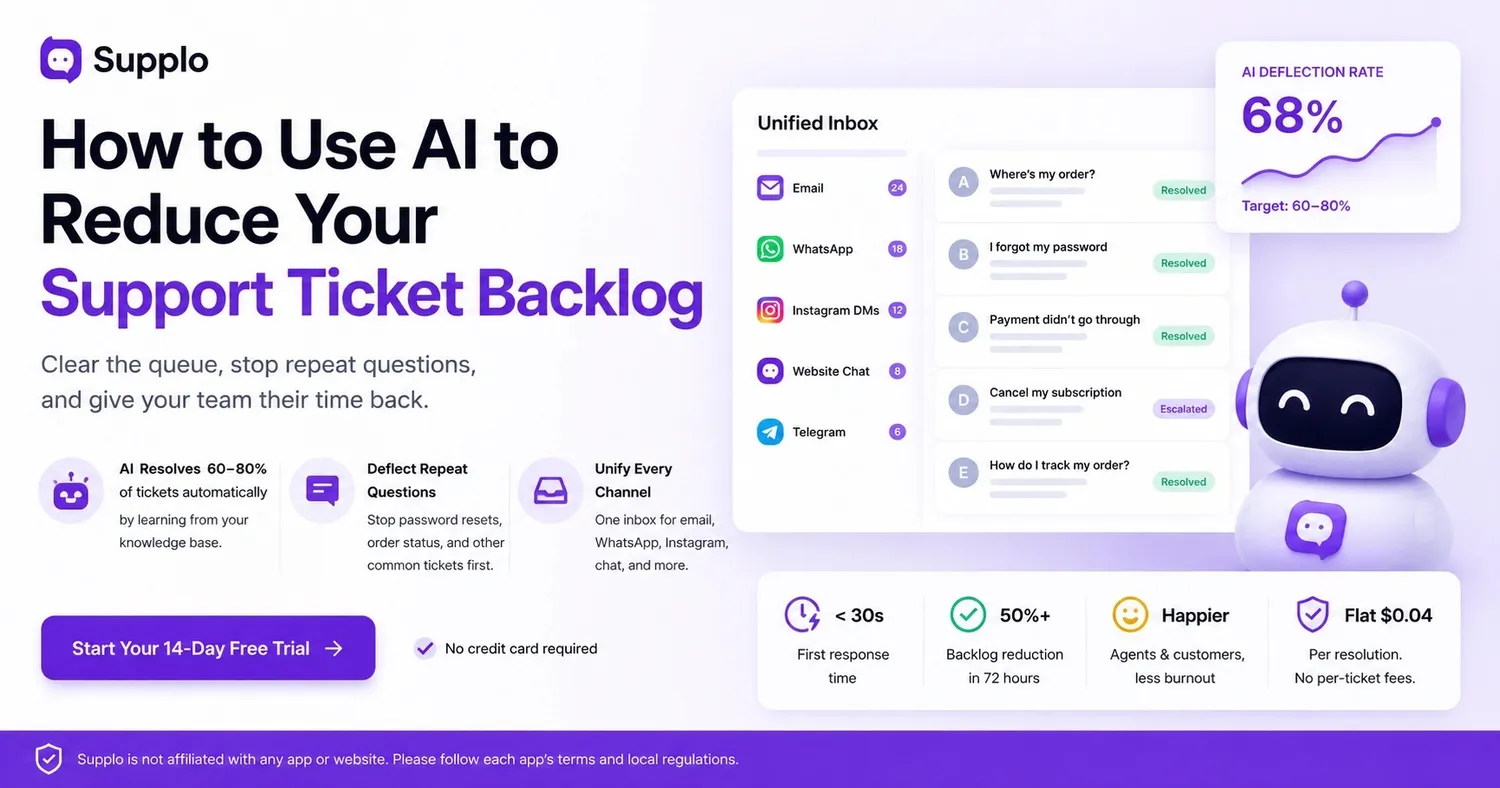
Here’s a little secret about backlogs: they often persist because tickets get scattered across different channels. Email, website chat, WhatsApp, Instagram DMs, Telegram—each has its own inbox. Agents might miss messages on less-monitored channels, causing your backlog to grow in silence. The solution is a unified inbox that brings every conversation into a single, chronological view.
This is critical because:
- Without unification, a customer might email and DM on WhatsApp, essentially creating two tickets for the same issue. Your queue size just doubled.
- A unified inbox de-duplicates by customer identity. One issue means one thread, regardless of the channel used.
- Social DMs are particularly tricky. They often lack traditional "ticket numbers" and can remain unread.
- The AI should handle all channels consistently. A WhatsApp question should receive the same quality of answer as an email inquiry.
- Multichannel support without a unified inbox isn't true multichannel support; it's just disorganized communication.
The Real Cost of a Backlog: Why $0.99/Resolution Tools Make It Worse
Here's an uncomfortable truth: some support tools charge up to $0.99 for each automated resolution. Think about this: if you deflect 80% of your tickets, you're paying nearly a dollar per ticket. This pricing model actually discourages automation, meaning the more tickets you deflect, the more you end up paying.
Supplo offers a different approach: a flat rate of $0.04 per resolution. This makes automation genuinely cost-effective, not just an appealing concept.
What this looks like in numbers:
- At $0.99 per resolution, handling 10,000 tickets would cost you $9,990.
- With Supplo's $0.04 rate, those same 10,000 tickets cost just $400.
- Flat per-workspace pricing ensures your bill doesn't skyrocket as your team expands or automates more tasks.
- Don't forget about hidden costs like complex tool training, seat-based pricing, and integration complexities.
- Choose a tool whose pricing structure genuinely supports your goal of reducing tickets, rather than increasing costs.
How to Measure AI Efficiency on Your Support Tickets
Stop tracking "AI response rate." That's a feel-good number. Instead, measure what truly impacts your backlog:
- Deflection rate: This is the percentage of tickets the AI fully resolves. Aim for 60–80%.
- First response time: For automated tickets, this should drop to under 30 seconds.
- Backlog size: Check daily. It should shrink, then stabilize at a manageable level (e.g., under 50 tickets).
- Customer satisfaction: Use a quick survey after AI-resolved tickets. This helps gauge customer sentiment.
- Agent handle time: For escalated tickets, this should decrease because the AI provides valuable context.
Here's your ultimate test: one week post-implementation, is your oldest ticket less than 24 hours old? And does your team feel less overwhelmed? If yes, your AI is performing as intended.
How to Clear Your Backlog in 48–72 Hours
You don't need a month for this, truly. Here’s a rapid-fire strategy:
Day 1: Audit your top 10 ticket types. Create a simple knowledge base for them—keep it brief for now; you can expand later.
Day 2: Connect all your channels (email, WhatsApp, website chat) to a unified inbox. Activate your AI agent to handle those initial 10 questions.
Day 3: Review your existing backlog. Manually clear the oldest 20% of tickets, as many are likely abandoned anyway. Allow the AI to manage newly arriving tickets.
Within 72 hours, you should see a 50%+ reduction in active tickets and a significant decrease in response times. A few extra tips:
- Start with just 5–10 FAQs. Pursuing perfection too early hinders progress.
- Use a free trial (Supplo offers 14 days) to test without commitment.
- Batch-resolve old, "stuck" tickets using a mass-response template that provides a solution or a self-service link.
- Instruct your team to focus exclusively on escalated tickets for the first 48 hours.
- After the first week, review what the AI handled incorrectly and update your knowledge base accordingly. This is where the fastest improvements happen.
Supplo is not affiliated with any app or website. Please adhere to each app's terms and local regulations.
Key Takeaways
- AI can automatically resolve 60–80% of support tickets by learning from your knowledge base.
- Prioritize deflecting common, repetitive questions (like password resets or order status) before they contribute to your backlog.
- Implement a unified inbox to ensure tickets don't get lost across email, social DMs, and chat widgets.
- Measure success based on metrics like backlog age and agent satisfaction, rather than just the "AI response rate."
FAQ
Can AI truly reduce my support ticket backlog without making customers angry?
Yes. When the AI is properly trained on your specific knowledge base and only answers questions it's confident about, customers often prefer an instant response over waiting 24 hours for human assistance.
How long does it take to see results from AI backlog automation?
Most teams experience a 40–60% reduction in active tickets within the first week, assuming your knowledge base is well-maintained and channels are properly unified.
What types of tickets should I NOT automate with AI?
Avoid automating refund disputes, complex technical issues, sensitive account security matters, or any situation requiring human empathy, such as cancellations due to personal tragedies.
Do I need a dedicated IT team to set up AI to address the ticket backlog?
No. Modern tools like Supplo require no coding expertise; you simply upload your knowledge base and connect channels through straightforward integrations.
Is it safe to use AI for customer support across WhatsApp and Instagram DMs?
Yes, provided you align with each platform's terms of service. Supplo is not affiliated with any app or website. Always follow each app's terms and local regulations.
What happens if the AI answers a customer incorrectly?
Customers should always have a clear option to connect with a human agent. A robust system logs every AI response, allowing you to audit and correct any mistakes in your knowledge base.
Can I try AI backlog automation for free before committing?
Yes. Supplo offers a 14-day free trial, providing full access to the AI agent and unified inbox features, including WhatsApp, Telegram, Instagram DMs, and email integration.