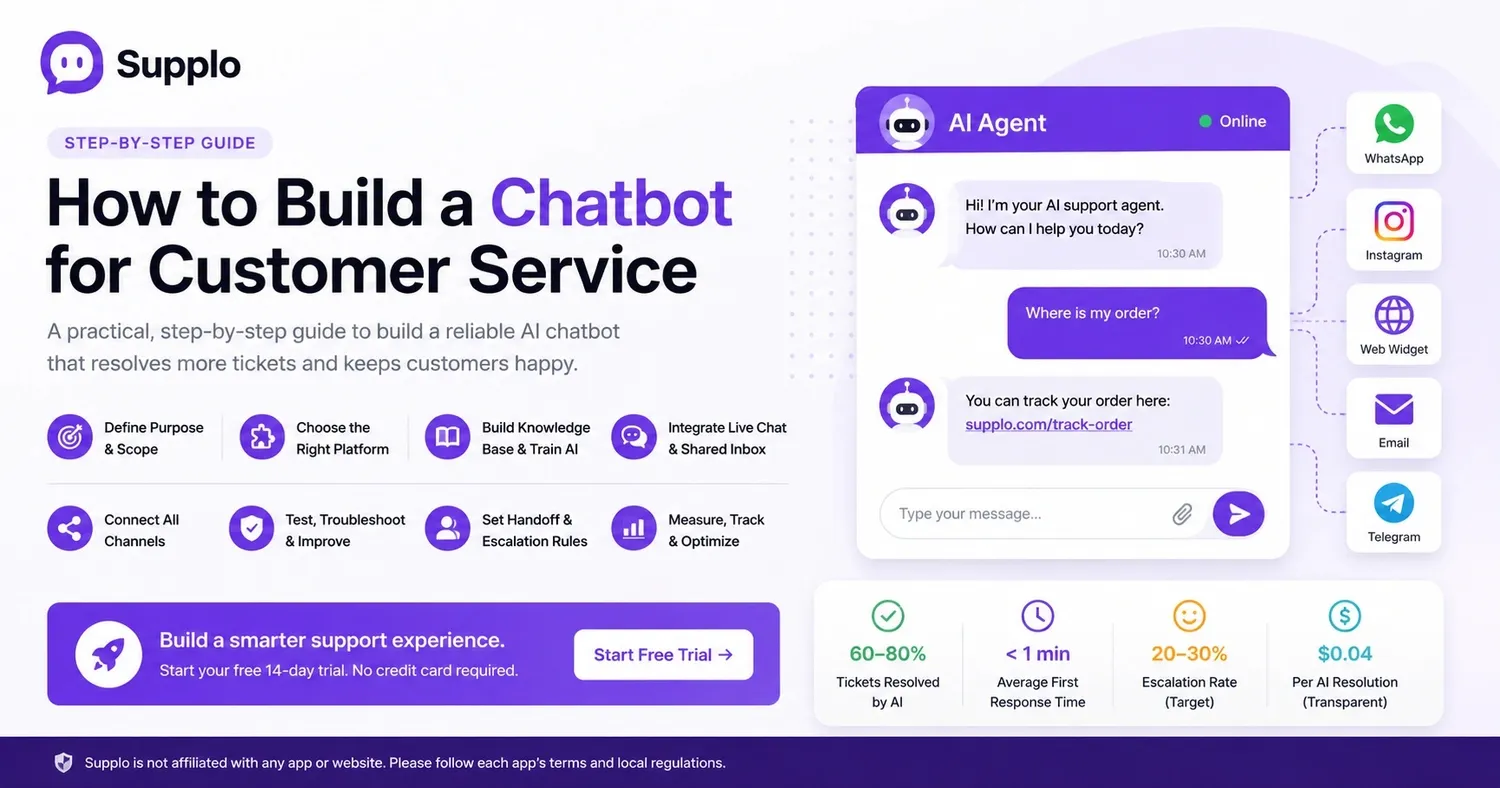
A dependable customer service chatbot isn't just a fancy gadget; it's a really practical tool for your business. It handles repetitive tasks, freeing up your team to focus on conversations that truly need human thought. Whether you're a solopreneur running a small shop or managing a support team of twenty, this guide will show you how to build a customer service chatbot step by step, without any unnecessary information—just clear, actionable advice.
Quick Guide
- Pinpoint your bot's exact responsibilities.
- Select a user-friendly platform.
- Provide it with a comprehensive knowledge base.
- Connect it to live chat and a shared inbox.
- Link all your communication channels (WhatsApp, Instagram, email, website).
- Thoroughly test everything before launching.
- Establish clear rules for human agent handoffs.
- Monitor crucial metrics for continuous improvement.
Why a Reliable Customer Service Chatbot Is More Important Than Ever
Customers today have very little patience. They expect immediate answers, not a three-hour wait. A consistently working chatbot is your best defense against support team burnout, instantly tackling frequent questions.
- Customers remember negative bot experiences. Just one confusing interaction can make them leave. A reliable bot, however, builds customer loyalty by effectively solving problems on the first attempt.
- The cycle of "bot failure, customer frustration, then human escalation" wastes a lot of time. Avoid this by creating a bot that works correctly from the start.
- A well-trained chatbot can manage 60–80% of your support volume. This is only true if it's accurate and doesn't constantly need manual adjustments.
- Trust is delicate. A single bad bot interaction could drive a customer to a competitor.
Define Your Chatbot's Purpose and Scope: Rule-Based vs. AI
Before you even think about writing code or configuring settings, decide what your bot is actually for. A rule-based bot works well for basic FAQs, store hours, or return policies. But if you need to handle complex inquiries or support multiple languages, an AI-powered bot is what you're looking for.
Most teams often use a hybrid approach: letting AI manage the complicated stuff while keeping rules in place for critical tasks like payments or refunds.
- Identify your top 10 support queries. These will be your bot's training material. If you don't know what customers ask most, you're just guessing.
- Rule-based bots are affordable but easily break. They fail the moment a customer asks something slightly unexpected.
- AI bots learn from your knowledge base and past conversations. They become smarter over time, eliminating the need for constant manual rewrites.
- The ultimate goal? Your bot should fully resolve issues without human intervention. When it can't, it needs a smooth handoff process.
Picking the Right Platform for Your Business: No-Code vs. Custom
Here's the great news: you don't need to be a developer to build an effective customer service chatbot. Modern platforms like supplo let you set up an AI agent in minutes, integrate your knowledge base, define response rules, and go live. For most small to medium-sized businesses, no-code solutions are faster, more cost-effective, and much more dependable than building something from scratch.
- Evaluate platforms based on their ease of setup, AI training capabilities, and multichannel support (web, WhatsApp, Instagram, email).
- Steer clear of tools that charge per resolution or per user. Look for flat, predictable pricing. Nothing erodes ROI faster than unexpected fees.
- Ensure the platform offers a shared team inbox so human agents can step in when necessary. (Spoiler: they will need to sometimes!)
- A custom-built bot gives you complete control but demands ongoing maintenance and developer time. Most teams don't need that kind of hassle.
Building Your Knowledge Base and Training Your AI Chatbot
Your chatbot's intelligence directly depends on the quality of its knowledge base. "Garbage in, garbage out" applies here. Collect your FAQs, product documentation, and past conversation logs, then organize them into clear, easy-to-read articles.
- Discover how supplo's knowledge base feature works → Supplo Knowledge Base.
- Use actual customer questions (not internal jargon) to structure your knowledge base entries. Your customers won't understand your internal acronyms.
- A good AI chatbot can learn from both uploaded documents and successful live conversations.
- Train the bot in the languages your customers actually use. Translation features can automatically bridge communication gaps.
- Weekly, review "bot didn't understand" reports. Add missing answers and improve coverage over time. This isn't a "set it and forget it" task.
Integrating Your Chatbot with Live Chat and a Shared Inbox
A chatbot without a live chat fallback is a risky gamble. You need a system where the bot handles simple inquiries, and when things get complex, it seamlessly transfers the conversation to a human agent, along with the full chat history. A shared team inbox ensures no support ticket goes unnoticed, whether it originated from email, WhatsApp, or your website widget.
- Learn more about our shared team inbox → Supplo Team Inbox
- The human agent handoff should be smooth. The agent should see everything the bot and customer have already discussed. Nobody likes repeating themselves.
- Don't let the bot "hide" from customers. Always display a clear "talk to a human" option.
- A unified inbox means your team can manage all channels from a single screen, eliminating the need for multiple browser tabs.
- Set rules: if the bot can't resolve an issue after three attempts, automatically route it to a human agent.
Connecting All Your Channels: WhatsApp, Instagram, Email, Widget
Customers expect to reach you on their preferred platforms, not just your website. An effective chatbot works across WhatsApp, Instagram DMs, Telegram, email ticketing, and your live chat widget. The crucial part is that all conversations feed into a single thread, so your team never has to switch platforms.
- Connect your WhatsApp channel here → Supplo WhatsApp Customer Support.
- See how Instagram DM support functions → Supplo Instagram DMs.
- WhatsApp and Instagram are essential for global customer service. Your bot needs to operate there.
- Email ticketing remains vital for more formal or detailed support requests.
- Your website widget should be the initial point of contact for customers with your bot; it should be fast-loading and not intrusive.
- Each channel might have slightly different bot behaviors. For instance, quick replies for WhatsApp, and more detailed answers for email. This makes sense, doesn't it?
supplo is independent of any specific app or website. Please adhere to each app's terms and local regulations.
Testing, Troubleshooting, and Improving Your Bot's Accuracy
Launching your bot isn't the final step; it's just the beginning. Run it through your team's most common support scenarios, then use "confidence score" reports to identify where it's making mistakes. A reliable bot improves over time, but only if you actively provide it with better data.
- Create a test script with 20–30 common customer questions. Test them with the bot before making it public.
- Weekly, review the bot's "unknown" responses. Add those answers to your knowledge base.
- A/B test different bot greetings and response styles to determine what leads to higher customer satisfaction.
- Track the resolution rate (bot-resolved vs. human-handled) as your key reliability metric.
Ready to test your AI agent? Start a free 14-day trial to experience how supplo's AI agent handles your actual customer questions—no credit card required.
Setting Up Human Handoff and Escalation Rules
Even the best AI bot can't manage every conversation. You need clear rules for when a human should take over, like when a customer asks for a refund, mentions a security issue, or types "talk to a person." The handoff should be immediate and include the complete conversation transcript so the agent doesn't ask the customer to repeat themselves.
- Set triggers: specific words (such as "complaint," "manager," "cancel") should automatically route to a human.
- Allow customers to request a human at any time, ideally with a single click.
- Your team inbox should display priority levels. Urgent escalations require quicker attention.
- After a handoff, the bot should disengage. Let the human agent take full control.
Why Most AI Chatbots Fail and How to Build One That Succeeds
The most frequent reason chatbots fail? They're built on faulty assumptions, like expecting the bot to "just figure it out" without proper training. Others rely on outdated pricing models that charge per resolution, making them too expensive as your volume grows.
- Bots fail when they try to answer everything instead of clearly defining their limitations.
- A bot that doesn't learn from its errors will continue to make the same mistakes.
- Hidden costs (per-seat pricing, per-resolution fees) destroy the ROI of automation.
- The best bots are transparent: "I'm an AI agent. If I can't help, I'll connect you with a person."
If your current bot is unreliable or too expensive, it might be time for a change. Get a flat $0.04 per resolution for AI-handled tickets, with transparent handoff. Start your free trial today.
Measuring Success: Key Metrics for a High-Performing Support Bot
You can't improve what you don't measure. Track your bot's resolution rate, average handling time (which should decrease for resolved tickets), and customer satisfaction scores. Also, monitor false positives—instances where the bot thought it answered correctly, but the customer still needed human help—because these quickly erode trust.
- Bot resolution rate: the percentage of tickets resolved without human intervention, a key performance indicator.
- Customer satisfaction for bot-handled vs. human-handled conversations.
- Average first response time: should be nearly instantaneous for bot answers.
- Cost per resolution: compare bot costs (flat fee) against human agent costs.
- Escalation rate: how frequently the bot transfers to a human. Aim for 20–30% initially.
FAQ
Is it legal to create a chatbot for customer service?
Yes, it is legal. supplo is independent of any specific app or website. Please adhere to each app's terms and local regulations. Generally, you own the bot and the conversations, but you must comply with privacy laws like GDPR or CCPA when handling customer data.
Why do some chatbot codes stop working after a few days?
Most "dirty" code is either stolen or poorly configured, leading to it being flagged by security systems. Reliable solutions use legitimate API keys and integrations that do not abruptly expire.
Should I build a one-time-use bot or a long-term rental bot?
Long-term rentals (like a SaaS platform) are much better because they include support, updates, and continuous training. One-time bots require you to manage maintenance and troubleshooting yourself.
What should I NOT use a customer service chatbot for?
Never use it to process payments without a secure payment gateway, or to provide medical, legal, or financial advice. Additionally, avoid using it as a substitute for human empathy in sensitive situations, such as complaints about billing errors.
How do I troubleshoot a chatbot that continuously gives incorrect answers?
First, check the quality of your knowledge base; vague or incorrect articles are the primary cause of bot errors. Then, review the bot's confidence threshold; if it's too low, the bot will guess too often. Increase the threshold to encourage it to hand off to a human more readily.
Can I build a chatbot without any coding expertise?
Absolutely! Platforms like supplo let you configure an AI agent with zero code; simply paste your knowledge base and set up handoff rules. It's designed for non-technical support teams. Artificial intelligence has made this much more accessible.
How do I know if my chatbot is actually saving my team time?
Compare the average handling time before and after implementing the bot. Also, track the ticket volume per agent; if it decreases, your bot is effectively managing some of the workload. The bot resolution rate is your strongest indicator of its return on investment (ROI).
Compliance line: supplo is independent of any specific app or website. Please adhere to each app's terms and local regulations.