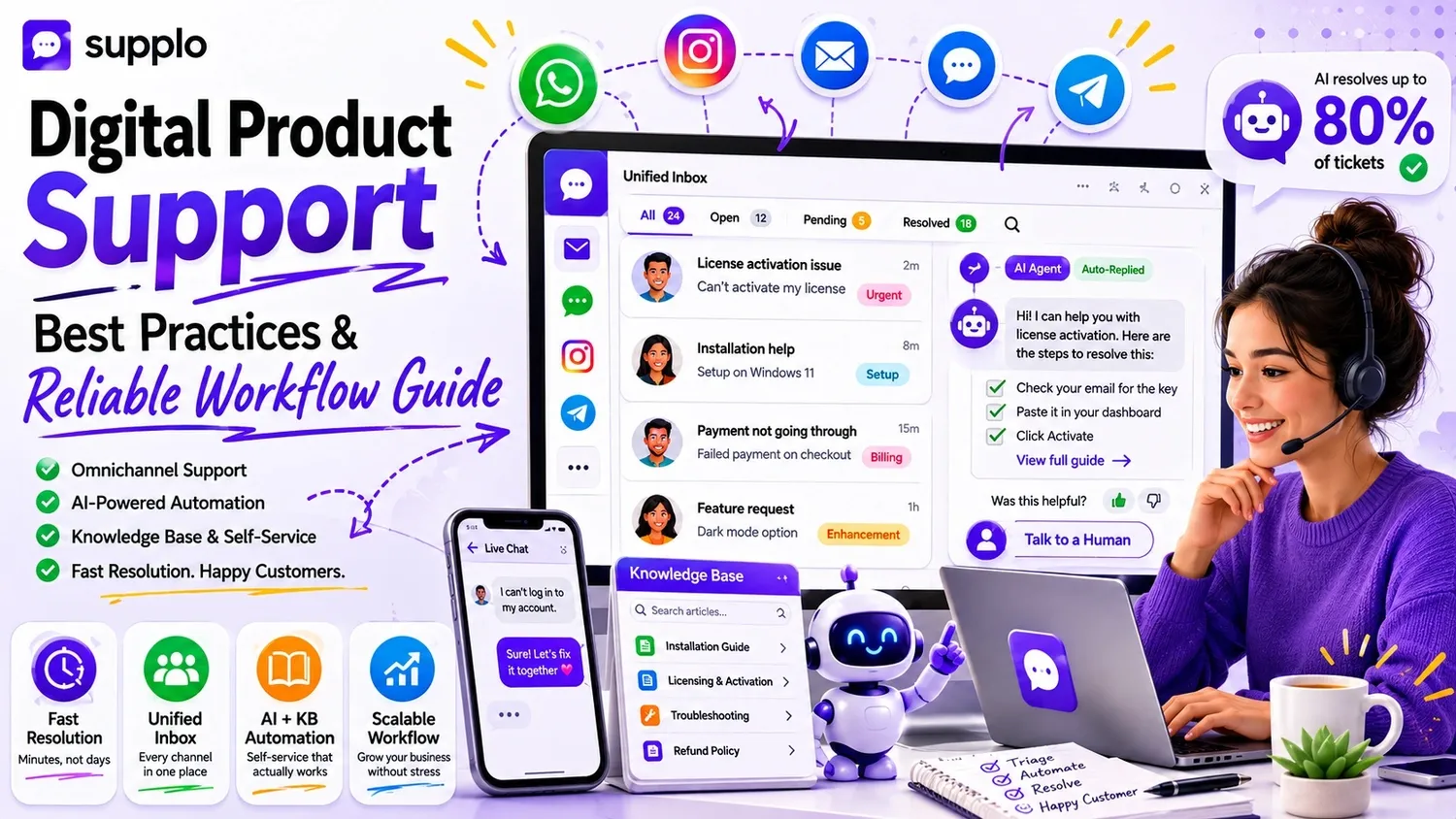
Digital products won't ever break in transit or show up damaged, but they can still fail. And when they do, customers expect a quick fix, not a prolonged wait. This is the core challenge of supporting digital offerings: you're solving hidden technical issues for users who've just paid for something they can't physically touch.
Here's how to craft a support system that grows with your business without overwhelming your team.
Why Supporting Digital Products Is Different from Physical Goods
Let's be real, supporting a software license is nothing like supporting a toaster. Digital items exist in a totally different space. Customers can't just return a faulty plugin to a store, and there's no "reset" button for a misconfigured account. Your support strategy needs to prioritize rapid troubleshooting and managing access, not dealing with shipping and inventory.
The stakes also feel unique. A $200 software license might cost less than a physical item, but the frustration is intense when someone can't log in after buying it. Often, the solution is just a click away, if your team can get to it quickly enough.
- Digital goods don't wear out, but they definitely run into issues due to updates, compatibility problems, or even simple user mistakes.
- Support requests almost always focus on installation, activation, licensing, or understanding features, not physical flaws.
- Instead of returns and refunds, you'll handle deactivations, license revocations, and trial extensions.
- Customer expectations for response times are much higher. People start using digital tools right after purchase; they don't wait around.
Key Parts of an Effective Digital Product Support Strategy
A robust support workflow for digital products begins with sorting issues and finishes with tracking their resolution. Many teams struggle with the middle part.
You need a shared inbox to centralize every inquiry, from email to chat to social media, ensuring nothing gets missed. Combine that with a knowledge base your team and AI can instantly reference, and you'll have a system that resolves technical issues before they become bigger headaches.
- Triage: Categorize requests by urgency and product version. Break-fix issues should always take priority over feature suggestions.
- Knowledge base: Develop a searchable library of how-to guides, FAQs, and troubleshooting steps. Self-service is a game-changer here.
- Automation: Use triggers to assign tickets to the right person or provide immediate answers directly from your library.
- Handoff: Clearly define when and how a conversation moves from an AI to a human agent. Make sure the full context is preserved so customers don't have to repeat themselves.
How to Offer Customer Support for Digital Products Across Various Channels
Your customers won't all reach out the same way. Some might email after a download fails. Others will message you on Instagram. A few might even DM you on Telegram because that's their preferred communication method.
A multichannel support approach means you're available on all the platforms your customers use. However, a unified inbox strategy means you manage every conversation in a single place without juggling multiple tabs. That makes the difference between chaos and control.
- Focus on the channels used by your most valuable customers first, not every platform out there.
- Email remains crucial for formal support and detailed discussions. Chat and social DMs often lead to quicker resolutions.
- WhatsApp and Telegram are vital for international digital product buyers who prefer messaging over email.
- A unified inbox consolidates everything into a single, easy-to-follow thread view. You'll never lose track of a conversation.
- Train your team to respond consistently across all channels; saved replies and shared notes make this much easier.
Supplo is not affiliated with any app or website. Please follow each app's terms and local regulations.
Digital Product Support Channels: Which Ones Truly Matter for Your Business?
Not every channel is worth your precious time. For most digital product businesses, email, live chat, and one popular messaging app (like WhatsApp or Telegram) will cover about 90% of customer interactions.
A widget-based chat directly on your product page or dashboard can be incredibly effective. It catches people exactly when they're having a problem, when they're most frustrated and likely to churn if ignored.
- Email ticketing: This is a must-have. You need it for in-depth troubleshooting and keeping detailed records. Check out Supplo's email ticketing system.
- Live chat widget: Ideal for immediate issues such as login problems or payment failures.
- Instagram DMs: Relevant if your business sells design assets, templates, or tools for creators. Instagram DM support can be very helpful here.
- Facebook Messenger: Still important for consumer-facing digital products like online courses or mobile apps.
- Telegram groups: Excellent for community-driven support and engaging with power users who seek faster answers.
How to Automate Digital Product Customer Support Without Losing the Personal Touch
Here's the secret: automation isn't about replacing your team. It's about letting AI handle repetitive tasks, freeing your agents to focus on complex issues that require human expertise and empathy.
For digital products, the most frequently automated tickets include password resets, license key requests, and basic troubleshooting like "Why isn't my download starting?" The key is setting up a clear escalation path so the customer always feels valued, not just shuffled around.
- Automate answers to your most common questions by training your AI agent using past conversations and your established knowledge base.
- Set up triggers for typical events: a new purchase, a failed payment, or a trial that's about to expire.
- Use AI to resolve tickets silently; the customer gets an answer without ever needing to create a formal ticket.
- Always include an option to "Talk to a human" at the end of every automated response. This builds and maintains trust.
Curious about how automation works in action? Start a free 14-day trial at Supplo and train your AI agent on your digital product knowledge base in less than an hour—no credit card required.
Using AI for Digital Product Customer Service: What to Automate and What to Keep Manual
Let AI manage predictable, recurring, and rule-based tasks. Think account verification, license activation, and looking up FAQs. Keep anything that demands careful judgment, legal disclaimers, or sensitive account alterations for human agents.
The best method? A hybrid approach where AI resolves up to 80% of inquiries and hands off the rest, with complete context, to your team.
- Automate: License key delivery, password resets, checking refund eligibility, and sharing setup guides.
- Keep manual: Account bans, complex refund disputes, new feature requests, and enterprise-level support.
- Train your AI using your actual product documentation and previous ticket resolutions. Accuracy is paramount.
- Monitor your AI's resolution rate weekly to spot any performance dips or gaps in coverage.
- Utilize AI conversation analytics to pinpoint areas where your knowledge base might be lacking.
Best Practices for Digital Product Support: Building a Seamless Omnichannel Approach
Omnichannel isn't just about being on every platform. It's about connecting those conversations so customers never have to repeat themselves.
If someone starts a chat on your website widget, sends a follow-up email, and then DMs you on Instagram, your agent should see the entire conversation history. This seamless continuity transforms a fragmented experience into a reliable one, embodying a core best practice for supporting digital products.
- Use a shared inbox that consolidates emails, chats, and social DMs into a unified timeline for each customer. This is crucial for excellent customer experience.
- Maintain comprehensive conversation history so agents don't have to ask, "What was your issue again?"
- Enable message translation to support global customers in their preferred language.
- Set up routing rules to ensure specific channel messages go to the most appropriate agent based on their skills or availability.
A Practical Digital Product Customer Service Strategy for Growing Teams
As your customer base expands, the volume of support tickets will inevitably grow faster than your hiring speed. That's just how it works.
A smart strategy prioritizes resolution with self-service tools and AI automation. This allows you to reserve your best agents for truly complex issues. It also means your pricing model should support this growth without penalizing you for adding agents; look for flat-rate workspaces instead of per-seat billing.
- Develop or enhance your knowledge base before you hire more support staff.
- Use an AI agent to automatically answer common questions and reduce incoming ticket volume.
- Establish clear escalation rules for your VIP customers or owners of high-value digital products.
- Review resolution times weekly to identify any bottlenecks before they start causing customer churn.
- Choose a support platform that can scale with your team without unexpected seat costs. Supplo's pricing is designed with this in mind.
Common Blunders in Digital Product Support (and How to Avoid Them)
What are the biggest mistakes digital product teams make? Often, it's viewing support as a cost to minimize rather than a tool for customer retention. Another common error is failing to unify their communication channels.
Another classic mistake: relying too heavily on automation without properly training the AI. This leaves customers frustrated when the AI can't help and they're forced to start over with a human.
- Pitfall 1: No self-service options. Customers might give up instead of waiting for an email reply.
- Pitfall 2: Siloed channels. Customers have to repeat their issue across email and chat, wasting everyone's time.
- Pitfall 3: Under-trained AI. The bot gives wrong answers, escalates poorly, and erodes customer trust.
- Pitfall 4: No escalation path. Customers get stuck in automated loops with no way to speak to a human.
If your current support tool isn't integrating your channels or your AI isn't performing well, it might be time for a change. Try Supplo's shared inbox and AI agent for free; see if your team can resolve tickets faster without needing to hire more people.
How to Gauge Success in Your Digital Product Support Workflow
Track metrics that truly reflect customer satisfaction, not just activity. First response time, resolution time, and your self-service rate are the critical three.
If your average resolution time decreases while your self-service rate climbs, your workflow is clearly effective. If your first response time is fast but you have many repeat tickets, your resolution quality needs improvement.
- First response time: Aim for under 5 minutes for chat inquiries and under 2 hours for emails.
- Resolution time: Track the median, not the average, to avoid skewed data from outlier tickets.
- Self-service rate: This is the percentage of issues resolved without any human agent involvement.
- Customer satisfaction score (CSAT): Follow up every resolved ticket with a brief survey.
- Ticket deflection: Measure how many potential tickets your knowledge base or AI agent addressed before they reached your inbox.
Scaling your digital product support workflow doesn't necessarily mean scaling your support team. A unified inbox, a well-trained AI agent, and a robust knowledge base can manage the majority of your tickets and keep your customers happy as you grow.
Ready to build a customer service strategy that delivers real results? Supplo's flat-rate pricing ensures your expenses don't balloon as your team expands. Start your 14-day free trial today.
Key Takeaways
- Digital product support needs fast, channel-agnostic workflows because issues are often time-critical and not tangible.
- A strong strategy begins with a unified inbox, an AI agent trained for deflecting common tickets, and a knowledge base for self-service.
- Automate routine issues like password resets and license key requests, but keep human agents for escalations and sensitive refunds.
- Measure success using first response time, resolution time, and self-service rates, not just the raw volume of tickets.
FAQ
What's the difference between multichannel and omnichannel support for digital products?
Multichannel means you're available on several platforms, but each operates independently. Omnichannel means these platforms are linked, so the conversation history moves with the customer across every point of contact. For digital products, omnichannel is superior because issues often involve multiple messages and various channels.
Can AI truly handle support for complex digital products?
Yes, but only if it's thoroughly trained on your product documentation and historical ticket data. AI excels at answering predictable questions like installation steps, activating licenses, and compatibility checks. For nuanced issues such as debugging a rare error or managing a sensitive refund, you'll still need a human.
What channels should I prioritize for my digital product support?
Start with email and a live chat widget on your product page or dashboard. Add one messaging app (like WhatsApp or Telegram) if your audience is global or prefers mobile communication. Only expand to Instagram or Facebook if your product has a strong social community there.
How do I train my AI agent to accurately answer questions about digital products?
Feed it your knowledge base, product guides, and at least 200–500 past support conversations. Then, manually review its first 50–100 automated answers to catch errors and refine its training. Most platforms let you mark responses as correct or incorrect to improve accuracy over time.
Is it safe to use AI for handling payment or refund issues?
AI can manage predictable tasks like checking refund eligibility or sending a failed payment link. However, you should manually review any refund decision that requires judgment, especially for high-value digital products. Always include a human approval step for escalations involving money.
What should I do if my digital product support tickets keep increasing?
That usually indicates either a product flaw that needs fixing or incomplete documentation. Analyze recurring ticket themes; if 40% of tickets are about the same problem, either resolve it in the product or create a clear FAQ and let your AI automatically handle those inquiries.
How do I support digital product customers who speak different languages?
Use a support platform that offers built-in message translation. This allows your team to respond in one language while the customer receives the answer in their own language. It's a pragmatic way to serve a global audience without needing to hire a fully multilingual team from day one.
Compliance line: Supplo is not affiliated with any app or website. Please follow each app's terms and local regulations.