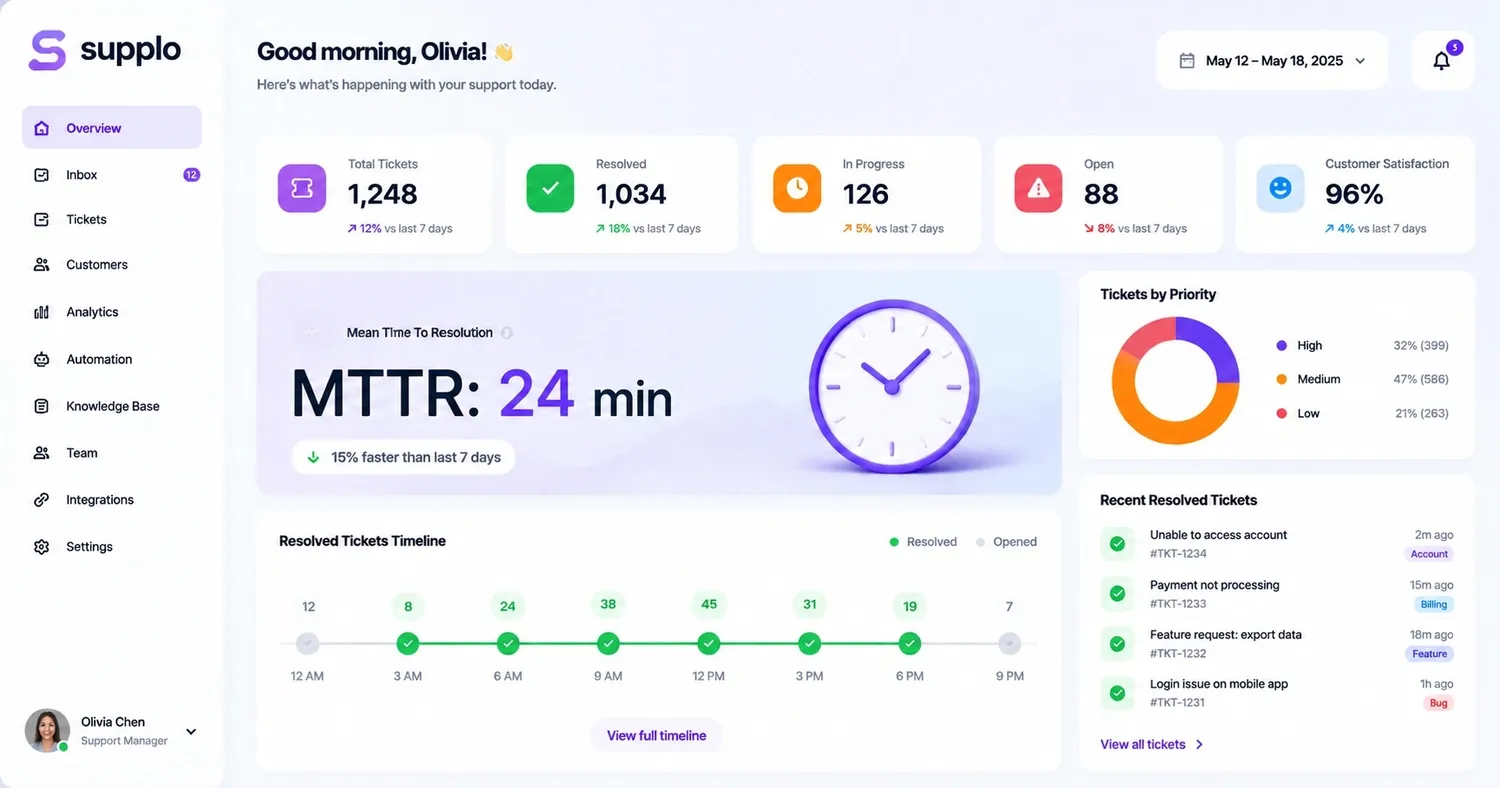
Ever been asked by a customer, "When will my issue actually be resolved?" That question hits on a key metric: mean time to resolution for customer support interactions. Let's dive into its true meaning, how to assess it fairly, and, most importantly, how to improve it without overwhelming your team.
What's Mean Time to Resolution (MTTR)? A Clear Look for Customer Support Teams
Simply put, Mean Time to Resolution (MTTR) tracks the whole duration it takes to completely fix a customer's problem. This starts the moment they submit their request and ends when the issue is officially closed.
It’s the number that tells you if you're truly solving problems or just sending quick replies and hoping for the best. Unlike First Response Time, which only counts the initial reply, MTTR covers the entire journey. This includes all the back-and-forth communication, escalations, research, and those tickets that somehow stretch over several days.
Here are some important points to remember:
- MTTR represents the total time to resolution, not just when someone says, "We're looking into it." The fix really needs to happen.
- Consider it your reality check. Quick first replies don't mean much if customers still wait hours or days for actual solutions.
- A high MTTR usually signals underlying problems, such as inefficient processes, poor documentation, or an overworked support team. This can also indicate issues with customer satisfaction or team efficiency.
- "Resolution" is key. It means the customer's problem is genuinely solved, not just acknowledged or passed to another department.
Why MTTR Matters: The True Impact of This Customer Service Metric
Here’s the deal: customers don’t care how quickly you answer the phone. They care about how quickly you solve their problem. MTTR is the metric that captures this crucial aspect of customer experience.
A low MTTR builds confidence. Customers notice when you fix things fast, which encourages them to stay. Let it rise, and you'll unfortunately see its effect on your churn rates.
- Slow resolution leads to unhappy customers. There's a direct link between high MTTR and poor CSAT scores. People just don't have patience for lengthy fixes.
- Speed can be your competitive advantage. In highly competitive sectors like SaaS or fintech, quickly resolving issues helps you stand out from slower teams.
- MTTR reveals operational weaknesses. If you see a sudden increase, you know exactly where to investigate, whether it's a knowledge gap, a routing problem, or a tool that's failing. Service level agreements (SLAs) can be impacted.
- Faster isn't always superior. The goal isn't to rush through tickets but to get it right the first time. Sometimes a slower, more thorough fix is better than a quick, partial answer.
How to Calculate MTTR: The Formula
The math is straightforward, but actually applying it? That's where many teams stumble.
The formula: Total resolution time for all resolved tickets ÷ Total number of tickets resolved
Let's use an example:
Imagine you handled 100 tickets this week, and their combined resolution time was 50 hours. That's 50 ÷ 100 = 0.5 hours, meaning your average MTTR was 30 minutes.
However, it gets tricky here: you need to agree on what constitutes the start and end of "resolution." Does it begin when the ticket arrives? When an agent picks it up? Or when someone replies? Choose one definition and stick with it consistently.
Supplo is not affiliated with any app or website. Please follow each app's terms and local regulations.
Tips for accurate tracking:
- Only include tickets that were truly resolved within your reporting period.
- Use a platform (like Supplo) that automatically tracks timestamps; manual tracking is prone to errors.
- Decide on a consistent unit (hours or minutes) and use it across all your reports.
What's a "Good" MTTR? Industry Benchmarks and Average Resolution Times
Honestly, there's no single magic number that works for everyone. A "good" MTTR depends on your product, your customer base, and the complexity of your offering.
That said, here are some general targets to consider:
- SaaS companies: Aim for less than 12 hours for standard tickets and under 1 hour for critical issues.
- E-commerce: Typically under 8 hours, though shipping complaints can sometimes extend this.
- Fintech and healthcare: For urgent matters, under 2 hours, sometimes even under 30 minutes for payment issues.
- Luxury brands: 24 hours might be acceptable if the customer experience is highly personalized.
- Payment processors: Often under 10 minutes, as every moment of downtime can be costly.
Don't just chase an industry average. First, compare against your own past performance. A luxury brand achieving a 24-hour MTTR might be doing great, while a fintech startup with a 4-hour MTTR could be facing problems.
Customer Support MTTR Benchmarks by Industry (SaaS, E-Commerce, Fintech)
Let's get even more specific. These figures are guidelines, not absolute rules, but they'll help you gauge your standing.
- SaaS: Most teams fall between 6-24 hours for standard tickets. Top performers often achieve under 4 hours, usually thanks to automation and robust knowledge management systems.
- E-commerce: Generally 8-16 hours, though shipping errors and payment issues can double that during busy seasons.
- Fintech: Under 30 minutes for transaction-related problems—every second counts when money is involved.
- Telecom and utilities: Expect 24-48 hours. Technical support for infrastructure problems is complex, and escalations take time.
- Travel and hospitality: A baseline of 4-12 hours, but anticipate spikes during holiday rushes.
- Healthcare: 12-24 hours is common due to compliance requirements and privacy concerns.
Remember: Your own progress matters more than any benchmark. If you're consistently improving week after week, you're on the right track.
Comparing Your MTTR Performance: How to Measure Against Industry Standards
So, you have your number. What's next?
Begin by segmenting your data. Don't compare your chat MTTR to your email MTTR; they're fundamentally different. Break it down by priority, channel, and ticket type. Then, consult credible industry benchmarks (not just random blog posts) within your specific vertical.
Some basic guidelines:
- Benchmarks fluctuate with team size. Smaller teams (3-5 agents) will naturally have a higher MTTR than a large 50-person support department.
- Use a unified inbox. A tool like Supplo's inbox displays resolution times across email, chat, WhatsApp, and social media DMs in one place. This is the only way to get an accurate comparison.
- Examine your longest-running tickets. The top 10% often expose the true bottlenecks. Even one complex issue can significantly inflate your average.
- Don't manipulate the metric. If you're drastically faster than the benchmark, evaluate your ticket complexity. Are you only handling easy tasks? Or are you genuinely efficient?
How to Reduce MTTR in Customer Support: 5 Practical Strategies
Bringing down MTTR isn't about working faster; it's about working smarter. Here’s what actually makes a difference:
Strategy 1: Let AI handle routine tasks. An AI agent can resolve up to 80% of common tickets without human intervention. This frees your team to focus on the complex issues that drive up your MTTR. This boosts agent productivity.
Strategy 2: Consolidate your inbox. When tickets are scattered across different channels (email here, chat there, WhatsApp somewhere else), things get missed. A shared inbox like Supplo's keeps everything visible, ensuring no ticket is forgotten.
Strategy 3: Build a useful knowledge base for your agents. If your team spends ten minutes searching for answers, your MTTR will suffer. A robust knowledge base gives them immediate access to solutions, improving first contact resolution.
Strategy 4: Automate ticket routing. Ensure billing questions go straight to the billing team, and technical issues are sent to engineers. Smart routing can cut resolution time significantly.
Strategy 5: Review your longest tickets weekly. Every Monday, dedicate 15 minutes to examining the five most time-consuming tickets from the previous week. What went wrong? What can you improve to prevent similar issues from recurring?
The Best Tools to Track and Lower Your Mean Time to Resolution
You can't improve what you don't measure. And you can't measure accurately without the right tools.
What to look for in an MTTR tracking tool:
- Multi-channel support. You need email, live chat, WhatsApp, Telegram support, Instagram DMs, and Facebook Messenger all visible in one dashboard. Isolated data leads to blind spots.
- Automatic time tracking. Manual tracking is error-prone and consumes energy your team could spend on assisting customers. Supplo's email ticketing tracks everything automatically.
- AI that genuinely resolves tickets. Not just a chatbot that deflects queries, but a self-learning AI that can handle common issues from start to finish.
- Flat per-workspace pricing. Supplo's pricing ensures you don't pay more as your team expands, offering transparent costs.
A quick reality check: If you're still tracking MTTR in a spreadsheet, your numbers are likely inaccurate. A unified platform accounts for edge cases, multi-day tickets, time zone differences, and "waiting on customer" pauses that spreadsheets can't catch.
Common Pitfalls When Measuring Ticket Resolution Time and How to Avoid Them
Teams often make predictable errors when tracking MTTR. Avoid these common mistakes, and your data will be much more useful:
Pitfall 1: No consistent definition for "resolution start." Is it when the ticket is created? When it's assigned to an agent? Or when the first reply is sent? Choose one and stick with it permanently.
Pitfall 2: Ignoring "waiting on customer" time. Should the clock keep running while you await a customer's reply? No, it shouldn't. Use a pause/resume feature in your support tool to stop the timer.
Pitfall 3: Not segmenting by channel. Chat tickets typically resolve faster than email tickets. Mixing them without segmentation will give you a meaningless average.
Pitfall 4: Focusing only on the average. A few difficult tickets can skew your entire dataset. Track the median (50th percentile) and 90th percentile to gain genuine insights.
Pitfall 5: Changing your calculation method mid-year. Whatever method you choose, document it clearly and don't alter it without a compelling reason.
A Quick-Start Action Plan to Drastically Reduce Your MTTR Today
Want to see improvements within the next two weeks? Here's your strategy:
Days 1-3: Review your current data. Track all resolution times for three days. Manual tracking is okay for now, but even better, start a free trial of a tool like Supplo to automate it from day one.
Days 4-7: Identify your top two ticket categories (password resets and billing questions are common examples) and develop fast-reply templates or AI automation for them. This alone can cut your MTTR by 20-30%.
Days 8-14: Measure the impact. Compare your MTTR from week 1 to week 2. Did it decrease? By how much? Adjust your knowledge base or escalation procedures based on your findings.
Set a goal: Aim to reduce your average MTTR by 10% in 14 days. Review progress every Monday morning with your support team.
Key Takeaways
- MTTR Definition: Mean Time to Resolution tracks the average time from ticket creation to complete resolution. It's the true measure of how quickly you solve problems for customers.
- The Formula: Total resolution time ÷ Total resolved tickets. Simple math, but demanding consistent tracking.
- Good Benchmarks: SaaS often targets under 12 hours; Fintech, under 2 hours; E-commerce, under 8 hours. However, your own historical performance is more important than industry averages.
- To Reduce It: Utilize AI for common tickets, consolidate all your support channels into a single inbox, and focus on the median rather than just the average.
- LSI Keywords: customer satisfaction, team efficiency, customer experience, service level agreements, knowledge management, technical support, agent productivity, and first contact resolution.
FAQ
Is MTTR a legal or compliance requirement in customer service?
No, MTTR is an operational metric designed for customer experience improvement, not generally a legal requirement in most industries. Nevertheless, in highly regulated sectors like finance or healthcare, a consistently high MTTR could attract scrutiny during audits if it leads to critical response delays.
Can a high MTTR ever be a good thing?
No, a high MTTR never indicates good performance. It signals that customers are waiting too long for solutions. If you observe a high MTTR, investigate factors like ticket complexity, agent productivity, or process inefficiencies.
How do I calculate MTTR for a single complex ticket?
For a single ticket, MTTR is simply the total duration from ticket opening to its complete resolution. If the ticket spans multiple days, only track working hours, or use a pause/resume feature in your support tool to exclude waiting periods for technical support.
What is the difference between MTTR and First Response Time (FRT)?
FRT measures the time it takes for a customer to receive the initial reply, whereas MTTR measures the total time until the problem is fully resolved. You can have a rapid FRT but a poor MTTR if your first reply is unhelpful and necessitates numerous follow-ups, impacting customer satisfaction.
Can I use MTTR to compare different support channels?
Yes, but you must segment your data by channel. Chat MTTR is typically under 1 hour, email MTTR is often under 12 hours, and social media MTTR can vary greatly. Comparing chat to email MTTR without proper context is misleading for service level agreements.
What tools can I use to automate MTTR tracking?
Supplo and other unified inbox platforms automate MTTR tracking across email, chat, WhatsApp, and social media DMs. Manual tracking with spreadsheets is error-prone, especially for multi-channel support scenarios and knowledge management.
How often should I review my MTTR data?
Review your MTTR data weekly for operational adjustments and monthly for trend analysis. Daily reviews are typically only necessary in high-urgency industries like payments or healthcare due to severe customer experience demands.
Compliance line: Supplo is not affiliated with any app or website. Please follow each app's terms and local regulations.