Most formulas for calculating chatbot ROI are either too simple or just plain wrong. They usually tell you to just subtract costs from savings and call it a day. But if you've ever tried to figure out the real return on investment for a customer support chatbot, you know it's a lot more complicated. This guide will walk you through the essential factors, such as the numbers your CFO truly cares about, the hidden benefits often overlooked, and how to create a calculation that stands up to close examination.
Quick Look
- To calculate customer support chatbot ROI, use this formula: (Total Savings – Total Cost) / Total Cost × 100. Just make sure you're using actual resolution rates, not just claims about deflecting tickets.
- The biggest unseen ROI comes from faster responses, round-the-clock availability, and agents having more free time, not just from reducing the cost per ticket.
- When it comes to CFOs, they're typically more interested in support costs as a percentage of revenue and the cost per agent ticket, rather than just deflection rates.
What's Customer Support Chatbot ROI Anyway?
Most ROI formulas treat chatbots as a simple give-and-take: you spend X, you save Y. But here's the truth: customer support chatbot ROI involves more than just deflecting tickets. It's also about how quickly you respond, resolving issues on the first contact, and the extra capacity your agents gain. A narrow formula completely misses the revenue benefits (like how faster support can lead to fewer abandoned shopping carts) and the true costs (such as setup, training, and the overhead from human handoffs). A truly accurate calculation needs to consider what your team gains, not just what they save.
- Many older vendors inflate chatbot ROI by ignoring the costs of human escalation. A 70% deflection rate means nothing if the remaining 30% that requires human intervention takes longer than a live agent would have.
- Improvements in average handle time (AHT) are often counted twice when calculating "savings." It's important to separate the chatbot's contribution from any existing efficiency gains made by agents.
- The revenue boost from quicker responses is measurable but rarely included in standard ROI templates. This is a blind spot that you definitely need to address.
- Platform fees per seat, common with many traditional tools, can eat up 20–40% of your gross savings. These costs are often hidden away on the "cost" side of the equation.
The True Cost: Live Support vs. Chatbot
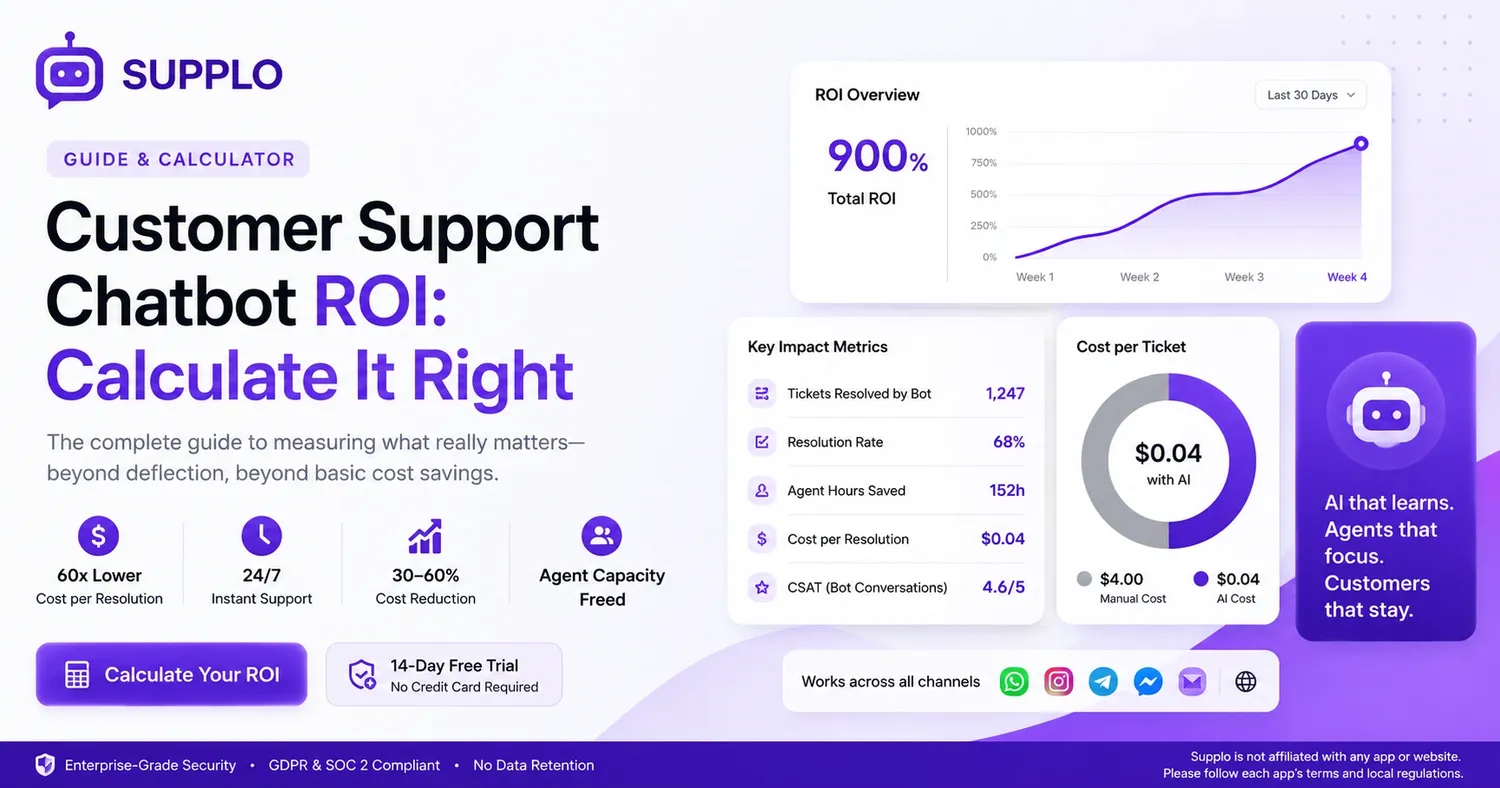
For a support team of ten people handling a thousand tickets weekly, live support typically costs between $2.50 and $6.00 per ticket. This includes salaries, taxes, tool subscriptions, and training overhead. In contrast, a modern AI customer support chatbot like Supplo can resolve tickets for a flat $0.04 per resolution, with no per-seat fees. That's about a 60-fold cost difference for the tickets handled by AI, which really frees up your team's capacity.
- The total cost of ownership for a live AI agent often exceeds expectations. Consider annual salary plus benefits ($45,000–65,000), support tool licenses ($100 per seat per month), and the time it takes for training (4–6 weeks at reduced productivity).
- The per-ticket resolution cost for a chatbot only includes API usage and platform fees — no vacation time, no employee turnover, and no overtime.
- Actual savings grow significantly as ticket volume increases. Agent costs are linear, while AI costs remain nearly flat (assuming a fixed or usage-based pricing model).
- Be cautious of tools that charge per seat; your bill can explode even if your team size stays the same. Platforms with flat pricing, like Supplo, help keep costs predictable.
- Offering support for crypto and alternative payments (such as Binance Pay, Payeer, and GCash) can help reduce payment-processing friction, particularly in growing international markets.
How Much Do Chatbots Really Save on Support Costs?
Real-world examples consistently show a 30–60% decrease in per-ticket costs within the first 90 days after implementing an AI chatbot,
as long as the bot is trained on your actual knowledge base and past conversations. The exact savings depend on how complex the tickets are. For simple FAQs and password resets, automation can reach over 80%. But for technical or account-specific issues, it might be closer to 40%. The key is a self-learning AI that improves with every interaction, without needing manual retraining.
- First, establish your current cost baseline: divide your total support spend by the total number of tickets resolved monthly. This gives you your "before" figure.
- Next, subtract the tickets resolved by AI from that total. If the bot handles 60% of tickets, the remaining ones go to agents, effectively boosting their capacity.
- Don't forget the savings from hiring and training. Support teams often experience 30–45% turnover annually; a chatbot reduces the need to replace staff.
- With a $0.04-per-resolution cap (like Supplo's), even high-volume teams benefit from predictable, stable costs.
- Supplo operates independently. Please ensure you adhere to each app's terms and local regulations.
The 6 Key Metrics for Measuring AI Chatbot ROI
If you're only tracking ticket deflection, you're missing out on a lot of the actual returns. A comprehensive AI chatbot ROI dashboard needs six metrics: the resolution rate (both full and partial), the escalation rate, the average handle time saved, how much agent capacity is freed up, the first-contact resolution (FCR) rate, and customer satisfaction (CSAT) for tickets handled by the bot. By monitoring these together, you'll see not only cost savings but also service quality improvements that drive repeat business.
- Resolution rate: This measures tickets fully handled by the bot versus those escalated. A well-trained AI typically achieves 50–80%, but anything higher in the first month usually means the bot is only tackling the easiest issues.
- AHT saved: Compare the time it takes to resolve bot-handled tickets with human-handled ones. Multiply this difference by the agent's hourly cost to determine the actual dollar savings.
- Agent capacity freed: Measure this in hours per week. If agents gain back over 15 hours, they can concentrate on more valuable interactions, such as upselling or handling complex cases.
- CSAT on bot conversations: A negative bot experience can harm customer retention, even if the cost savings look good. Track this metric every month.
- FCR rate: First-contact resolution improves when a bot instantly resolves common questions, avoiding back-and-forth communication.
Formula for Calculating Chatbot ROI
The formula is conceptually simple but requires accurate data: ROI = (Total Savings – Total Cost) / Total Cost × 100. To find your total savings, add up: (tickets resolved by bot × cost per ticket without bot) + (agent hours saved × hourly cost) + (revenue from faster support). Then, subtract the bot's platform fees, setup costs, and any overhead related to human handoffs. For example, if your bot handles 500 tickets at $4 each (manual cost) and your platform costs $200 per month, that's $2,000 – $200 = $1,800 in net monthly savings, which is a 900% ROI.
When you calculate customer support chatbot ROI with concrete data, the figures speak for themselves, but only if your starting point is accurate.
- Step 1: Determine your total monthly ticket volume and the average manual cost per ticket, including salaries, tool expenses, and overhead.
- Step 2: After a 30-day ramp-up, establish your bot's actual resolution rate; don't rely on initial sales claims.
- Step 3: Multiply the number of tickets resolved by the bot by the manual cost per ticket to find your gross savings.
- Step 4: Deduct the bot platform costs, setup fees, and any extra support overhead, such as training time.
- Step 5: Estimate the revenue increase from faster support. (For instance, studies often show that a one-hour quicker response can reduce churn by 3–5% in e-commerce).
- Step 6: Divide net savings by total cost and multiply by 100 to get your ROI percentage.
The Hidden ROI: Deflection, Speed, and 24/7 Coverage
Deflection helps reduce agent burnout, faster responses build customer loyalty, and 24/7 support captures after-hours revenue that would otherwise be lost. If you only focus on the cost per ticket, you're missing the cumulative effect: a chatbot that answers a customer at 2 AM not only saves $4 in ticket costs but could also prevent a $50 lost sale. Over a quarter, this "invisible ROI" can easily double or triple your calculated returns.
- After-hours ticket volume typically accounts for 20–30% of the total. If you lack coverage during these times, you're likely losing customers automatically.
- Response speed directly correlates with customer satisfaction (CSAT). The stark difference between bot responses in under 30 seconds and wait times of several hours creates a clear gap in customer retention.
- Deflection helps reduce escalation chains. A customer needing a simple password reset who spends 10 minutes navigating menus will churn faster than one who gets an immediate bot answer.
- Multichannel unification (like WhatsApp, Instagram DM, and Telegram) means customers don't have to repeat their story. This speed is a key retention metric that should be included in your ROI calculations.
Common Blunders That Skew Your Chatbot ROI Calculation
The biggest trap is mistaking "tickets automatically answered" for "tickets fully resolved." A bot might provide a quick reply but leave the customer unsatisfied, which leads to repeat contacts and higher churn. Another frequent mistake is comparing bot costs to a general agent cost that only includes salary, ignoring the full overhead of tools, training, and staff turnover. Your ROI is only as credible as your initial data, so meticulously review your "before" numbers.
- Pitfall 1: Overstating agent capacity: If agents were already underutilized, freeing them up doesn't create additional savings unless there's a plan to reallocate their time.
- Pitfall 2: Disregarding ramp-up time: Chatbots need 2–4 weeks of real traffic to achieve stable resolution rates. Projecting month-one ROI often leads to incorrect calculations.
- Pitfall 3: Not tracking partial resolutions: A bot that appears to deflect 70% of tickets but only fully resolves 30% still incurs costs from the 40% that require human follow-up.
- Pitfall 4: Using incorrect cost baselines: Your "agent cost per ticket" should include tool licenses, not just salaries. Many teams underestimate this by 25–40%.
- Pitfall 5: Overlooking customer satisfaction decline: If CSAT drops by 10 points, your cost savings might be canceled out by increased customer churn.
Key AI Chatbot ROI Indicators That Grab Your CFO's Attention
Your CFO isn't interested in deflection rates; they want three specific numbers: the impact on operating margins, the cash flow benefits from predictable support costs, and the boost in revenue retention. Frame chatbot ROI in terms of decreasing cost per resolution month-over-month, falling agent cost per ticket, and the positive effect on your Net Promoter Score. If you can show that support costs have decreased as a percentage of revenue (instead of increasing with headcount), you'll quickly secure budget approval.
- A top metric for CFOs is support cost as a percentage of revenue (CxR). A decreasing CxR clearly signals scalable and efficient support.
- Another key metric is agent cost per ticket (including all tools and overhead). As AI handles more interactions, this number should decline.
- The third metric is revenue retention directly linked to faster support. Use cohort analysis to compare customers who interact with the bot versus those who wait for agents.
- CFOs also care about the impact on capital expenditures (capex) versus operational expenditures (opex). Subscription-based AI is opex, predictable, and doesn't demand a large upfront capital investment (unlike building a custom bot).
- Bonus tip: Mention that platforms like Supplo offer flat workspace pricing, with no per-seat fees, which aligns perfectly with your CFO's goal of cost control.
How to Track and Report Chatbot ROI to Your Team
Create a monthly one-page report that includes: total tickets handled by the bot, the bot's resolution rate, cost per ticket (manual vs. bot), agent capacity recovered (in hours), and customer satisfaction scores for bot interactions. Don't hide the data; highlight the financial impact first, then present the quality metrics. Teams respond better when they hear, "The bot handled 600 tickets last month, saving the team 120 hours of repetitive work," rather than just an abstract deflection percentage.
- Use a shared dashboard, like Supplo's analytics, which automatically tracks resolution rate, escalation rate, and handle time for each channel.
- Report the "before and after" of agent workload: show how the average daily conversations per agent have decreased since the bot went live.
- Include qualitative feedback from agents: Do they feel less overwhelmed? Are they engaging in more valuable conversations?
- Keep it visual. A line graph showing declining cost-per-ticket month over month is far more impactful than a simple table of numbers.
- When presenting to leadership, link the numbers back to revenue and retention, not just general support metrics.
Get Started Today With a High-ROI AI Support Agent
The quickest way to prove chatbot ROI is by piloting a self-learning AI that integrates with your existing inbox. Begin with your most frequent, simple tickets (like password resets, order status, or shipping delays) and let the bot learn from your knowledge base and past conversations. Within 14 days, you'll have enough data to project your full-scale ROI. Supplo offers a free 14-day trial with no commitment; you can watch your cost-per-resolution drop from $4 to $0.04 in real-time.
- Select 10 frequently asked questions that your agents answer most often; this will be the scope of your pilot. Train the bot using your knowledge base documents and previous ticket threads.
- Set up a shared inbox (Supplo's Inbox unifies email, WhatsApp, Telegram, Instagram DMs, and Facebook Messenger) so the bot can operate across all channels from day one.
- After 14 days, apply the ROI formula mentioned earlier. You'll have solid data on resolution rate, handle time, and the agent capacity freed up.
- If your integration encounters issues or user adoption is low, consider an alternative provider or verify payment method compatibility. Supplo supports Binance Pay, Payeer, GCash, AmanPay, QIWI Wallet, DOKU, Nigeria/South Africa cards, Skrill, and Payoneer.
- Start free: no credit card is required, it's fully functional, and you can export your ROI report at the end of the trial.
Key Takeaways
- Customer support chatbot ROI = (Total Savings – Total Cost) / Total Cost × 100. It's crucial to use actual resolution rates, not just claimed deflections.
- The most significant hidden ROI stems from faster response times, 24/7 availability, and freeing up agent capacity, not merely from reducing the cost per ticket.
- CFOs are typically more interested in support costs as a percentage of revenue and agent cost per ticket than in deflection rates.
- Carefully audit your baseline data to avoid common calculation errors.
- Frame chatbot ROI by showing a downward trend in cost per resolution month-over-month, alongside positive qualitative feedback from your support team.
FAQ
Is using an AI chatbot for customer support safe for handling personal data?
Yes, as long as your chatbot platform complies with GDPR and SOC 2 standards. Always check the platform's data-handling policies and ensure you're not exposing sensitive information like credit card numbers or login credentials to the bot. Supplo is built with enterprise-grade security and neither retains nor shares customer data.
Why is my chatbot ROI calculation lower than I expected?
This usually happens for one of three reasons: you're using an inflated baseline cost per ticket, you're not factoring in the ramp-up period (which is typically 2–4 weeks), or you're measuring "auto-answered" tickets instead of "fully resolved" ones. Make sure to use actual resolved numbers and your real cost per ticket, including tool fees.
Should I buy a chatbot outright or subscribe to it monthly?
A monthly subscription (opex) is almost always preferable because it allows you to scale up or down, and the platform remains up-to-date. One-time purchases often lock you into outdated models that require expensive retraining. Flat workspace pricing, without per-seat fees, also helps keep costs predictable.
What should I NOT use a customer support chatbot for?
Avoid using a chatbot for account recovery, payment processing, legal disputes, or any situation that requires identity verification beyond basic email or username checks. These interactions demand human judgment and security protocols that a bot cannot reliably replicate.
How do I fix a chatbot that isn't resolving tickets effectively?
Check three main things: (1) Is your knowledge base current? (2) Has the bot engaged in enough real conversations to learn effectively? (3) Are you using the appropriate channel (e.g., WhatsApp versus a website widget)? Most resolution problems stem from poor training data or insufficient traffic volume during the learning phase.
What's the difference between a chatbot that defers tickets and one that resolves them?
Deflection means the bot provides a link or an answer that the customer must then act on. Resolution means the bot actually completes the task, such as processing a refund, updating order status, or resetting a password. Only true resolution generates genuine cost savings; deflection merely shifts the workload.
Can I track chatbot ROI per channel (WhatsApp vs. live chat vs. email)?
Yes. A robust multichannel inbox, like Supplo's, tracks resolution, handle time, and cost per ticket for each channel. This allows you to identify which channels yield the highest ROI and where human intervention is most often required.
Compliance reminder: Supplo operates independently and is not affiliated with any particular app or website. Please adhere to each app's terms and local regulations.