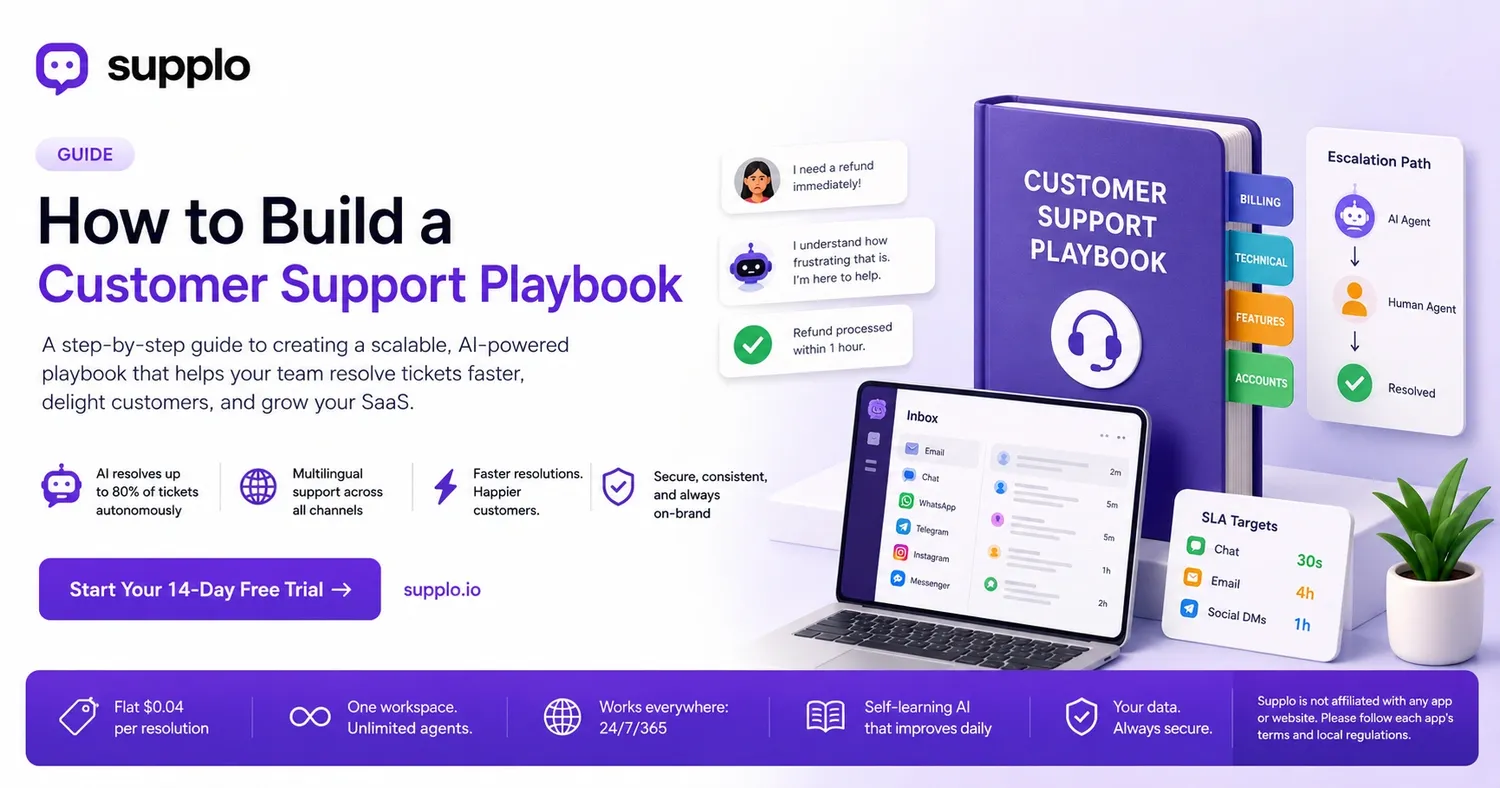
When your SaaS company grows, a messy inbox is the last thing you want. You need processes that make your team seem like mind readers: consistent, fast, and always helpful. That's exactly where a customer support playbook shines. It’s more than just a document; it’s your team’s ultimate guide for handling everything, from simple password resets to complex refund requests.
The best part? You don't have to start from scratch. We’ll show you step-by-step how to create a playbook that grows with your business, not against it. This will help your support operations become more efficient and structured.
What's a Customer Support Playbook?
A customer support playbook is a central, evolving document that outlines how your team should handle every kind of support ticket. It takes the guesswork out of customer interactions, guarantees consistent responses, and significantly lowers resolution times. For SaaS teams, this transforms a chaotic inbox into a predictable, scalable support system.
- It sets the tone, provides response templates, and defines when to escalate issues for all common scenarios.
- It serves as a core training manual, helping new hires become productive quickly, often in days, not weeks.
- It acts as the single source of truth that AI agents, like Supplo’s, use to resolve tickets automatically.
- It keeps support teams aligned across various communication channels, such as email, chat, WhatsApp, and social media DMs, preventing duplicated efforts.
Quick Overview
- What it is: A central guide for consistent customer service.
- Why it's crucial: It standardizes responses and speeds up issue resolution.
- Who benefits: SaaS teams that need scalable and reliable support.
- When to use it: When you need to ensure your support team is on the same page.
- When to skip it: If your team is too small to truly benefit from standardized processes.
Key Components of a Customer Support Playbook
Any effective playbook must include clear response scripts, definitions for ticket statuses (like open, pending, or resolved), guidelines for when AI should transfer to a human agent, and a method for logging customer feedback. Without these four essential elements, your playbook just becomes a static PDF no one uses. When done correctly, it transforms support from a cost into a major competitive advantage.
- Response scripts: These aren't rigid; they offer alternative phrasing based on the customer's mood (e.g., frustrated, confused, or loyal).
- Status definitions: Clearly outlines when a ticket should be marked as "waiting on customer" versus "resolved" to avoid unnecessary reopens.
- Handoff triggers: Specifies what cues (like a third mention of a manager or threats of legal action) require a human agent to step in.
- Feedback loop: Provides an easy way for agents to report when a script isn't effective, allowing the playbook to continuously improve.
- Accessibility notes: Guidance on how to handle screen readers, language barriers (Supplo automatically translates), and distinct time zones.
Organizing Your Customer Support Playbook by Ticket Type
Structure your playbook in a way that matches how your team thinks: by ticket category. Group scenarios into sections like billing, technical issues, feature requests, and account management. Each section should begin with a clear objective (e.g., "Verify identity before discussing account details") and end with a defined resolution or escalation path. This organization makes the playbook easily searchable for both human agents and AI.
- Billing & Payments: Includes templates for failed payments, refund requests, and resending receipts.
- Technical bugs: Provides troubleshooting steps for common issues (e.g., "Clear cache," "enable cookies," "try incognito mode").
- Feature requests: Offers a consistent approach to logging and acknowledging requests without making promises about timelines.
- Account management: Covers common tasks like password resets, plan downgrades, and data export requests.
Building an Escalation Path: From AI to Human
Your playbook needs to clearly define precisely when an AI agent should transfer a conversation to a human, and how smoothly that transfer happens. A poor handoff means the customer has to repeat themselves, which erodes trust. The playbook should include a "warm transfer" script where the AI summarizes the interaction, ensuring the human agent is immediately up to speed.
- Handoff triggers: These can be based on sentiment analysis (indicating repeated dissatisfaction), specific keywords ("lawsuit," "cancel immediately"), or failed verification attempts.
- Warm transfer script: An example might be: "I've brought in a teammate who specializes in this area to help. Here's what I understand so far..."
- Return path: How the human agent resolves the issue and then transitions stewardship back to the AI for follow-up actions (like sending a summary note).
- Training data capture: Each successful human resolution automatically becomes new training data for the AI's model, improving its handling of future interactions.
Your Must-Have Customer Service Playbook Checklist
Before you roll out your playbook, use this checklist to ensure everything is covered:
- Are response time goals defined for every communication channel?
- Are rules for language translation clearly established (especially if you support multiple languages)?
- Is there a strong security/privacy script for verifying customer identities?
- Are alternative contact methods listed (e.g., "If urgent, please call us at [phone number]")?
- Is a post-resolution survey integrated to gather immediate feedback?
Tick these off, and your playbook will be ready for prime time.
- Channel-specific SLAs (Service Level Agreements): For example, a 30-second target for chat, a 4-hour target for email, and a 1-hour target for social DMs.
- Translation trigger: Automatically detects the customer's language and responds in their native tongue (Supplo supports this natively).
- Security verification script: An example would be: "For security purposes, could you please confirm the email address associated with your account?" (Never ask for passwords or sensitive data directly.)
- Fallback contact methods: What to tell customers if, for example, the chat widget is temporarily unavailable (e.g., "Please email us at support@[yourcompany].com").
Crafting Playbook Responses That Sound Human
A playbook that sounds robotic will frustrate customers, even if the information provided is technically correct. Inject personality by using contractions, acknowledging their feelings ("I understand that's frustrating"), and adding optional "warm sign-off" lines (e.g., "Hope that helps, have a great day!"). Train your team to creatively use the scripts rather than simply copying and pasting.
- Contractions are helpful: "You're right" feels much more natural than "You are correct."
- Emotional mirroring: If a customer is clearly upset, use phrases like "I see why that's upsetting," rather than the generic "We apologize for any inconvenience."
- Optional micro-opinions: Include phrases like "Our personal favorite way to set this up is..." to build trust and demonstrate expertise.
- Script unlocking: Empower agents to use the playbook as a foundational guide and then adapt it to fit the specific context of each conversation.
Managing Difficult Customers: Integrating Soft Skills into Your Playbook
Your playbook should include a dedicated section for handling challenging situations, offering scripts for dealing with anger, confusion, and even distress (like account deletion requests). The primary goal isn’t to win an argument, but to de-escalate the situation and solve the problem. A simple framework to follow is: Acknowledge → Validate → Fix → Confirm.
- Acknowledge: "I hear you, and that's definitely not the experience we want you to have."
- Validate: "You're absolutely right to expect faster service, and I'm personally going to make sure this is resolved."
- Fix: Clearly state what you will do and when (e.g., "I'll process your refund within the next hour").
- Confirm: "Does that resolve everything for you? Is there anything else I can assist with?"
Integrating Your Playbook with AI: The Modern Approach
A playbook is only as fast as your team, unless you connect it to an AI agent that can actively read and execute its guidelines in real-time. Smart SaaS teams feed their playbook into a self-learning AI (like Supplo’s), allowing the AI to resolve up to 80% of routine tickets autonomously. This happens at a low cost of $0.04 per resolution, far less than the $0.99 charged by older tools. This approach keeps playbooks active 24/7 without overworking your human team.
- Flat pricing advantage: No per-seat fees mean you can have many agents defined in your playbook but only pay for a single workspace.
- Multichannel automation: The AI applies the same playbook rules across email, website chat, WhatsApp customer support, Telegram, Instagram DMs, and Facebook Messenger simultaneously. For more details, check out our Telegram support page.
- Self-learning loop: Every time a human agent corrects the AI, the playbook updates, leading to continuous accuracy improvements over time.
- Zero training cost: The AI learns directly from your existing knowledge base and past conversations, eliminating the need for manual tagging or extensive setup.
Supplo operates independently and is not affiliated with any specific app or website. Users should always adhere to each app's terms and local regulations.
Testing and Refining Your Playbook
A playbook that goes untouched for six months is worse than having no playbook at all; it creates a false sense of security for your team. Conduct a quarterly audit of your playbook: examine resolution times, CSAT scores, and the frequency of AI-to-human handoffs. Update scripts based on actual customer feedback and retire any outdated content.
- Key metrics to track: First response time, overall resolution rate, handoff rate from AI to human, and re-contact rate within 48 hours.
- A/B testing scripts: Try two different response variations for 100 tickets and adopt the one that performs better.
- Customer feedback integration: Implement a short survey (1-2 questions) after each resolved ticket, with responses directly influencing playbook updates.
- Release notes: Document changes to the playbook similar to software updates, noting what changed and why.
Common Blunders When Creating a Support Playbook
The biggest mistake is creating an enormous 200-page PDF that no one ever reads. Other errors include neglecting multilingual support, developing overly rigid scripts, and failing to plan for unusual "edge cases" (like a customer requesting a data export on a Saturday). Avoid these pitfalls by keeping your playbook digital, easily searchable, and organized by ticket type.
- Mistake 1: "Set it and forget it." Fix this with regular quarterly audits (as discussed in the "Testing and Iterating Your Playbook" section).
- Mistake 2: Insufficient language coverage. Resolve this by using an AI that provides automatic translation (Supplo offers this feature).
- Mistake 3: Too much corporate jargon. Improve by writing in a more natural, human-like voice (refer to the "Writing Playbook Responses That Sound Human" section).
- Mistake 4: Only designed for email. Expand its utility by creating rules for WhatsApp, Telegram, Instagram, and Messenger.
Tools and Software to Boost Your Playbook
You don't need an expensive enterprise suite to manage an excellent playbook. Look for platforms that integrate your inbox, automated responses, and knowledge management into one seamless system, priced per workspace instead of per agent. This allows your playbook to expand with your team without unexpected costs. Supplo fits this description, offering a practical alternative to traditional tools. For a quick comparison, see how we measure up against Intercom or Zendesk, or even Crisp.
- What to prioritize: An AI agent that trains on your playbook, a unified multichannel inbox, email ticketing, a comprehensive knowledge base, and smooth warm handoffs to human agents.
- Transparent pricing: Avoid tools that charge per resolution or per agent; instead, opt for a single workspace purchase for your entire team. Take a look at our pricing page to see the difference.
- No migration stress: The ideal tool should quickly import your existing knowledge base and support history in just minutes.
Keeping Your Playbook Dynamic and Relevant
A well-crafted customer support playbook is crucial for building a reliable and scalable business, but only if you actively use it and keep it updated. Integrate it with an AI agent that works effortlessly 24/7, ensure human empathy is woven into every response, and actively solicit feedback from both customers and agents. That's how support transforms from a chore into a powerful engine for business growth.
- Final checklist: Is it easily searchable? Does it support multiple languages? Is the AI agent fully integrated with it? Are your human teams properly trained on its contents? Can customers access a user-facing version through a knowledge base?
- Next step: Begin your 14-day free trial at Supplo.io to experience firsthand how your playbook performs when an AI agent executes it in real-time.
FAQ
What exactly is a customer support playbook?
A customer support playbook is a formalized collection of scripts, operational procedures, and escalation guidelines designed to direct your team in handling every incoming support ticket. Its purpose is to guarantee consistent responses, quick resolution, and accuracy across all customer support channels.
How do I build a playbook for a SaaS company?
Start by categorizing your common ticket types, such as billing, bugs, and feature requests. Develop a specific response script for each category, define criteria for when to hand off to human agents, and integrate these into an AI agent that can autonomously resolve tickets. Treat it as an evolving document that you continually update.
Can an AI agent follow a customer support playbook?
Absolutely! Modern AI agents, like the one offered by Supplo, are designed to be trained on your playbook and knowledge base. They can resolve routine tickets, seamlessly transfer more complex issues to human agents when necessary, and learn from every interaction to improve the playbook over time.
What should NOT go in a customer support playbook?
Avoid including rigid, script-only responses that don't allow for human judgment or flexibility. Also, steer clear of outdated processes, legal disclaimers that contradict your team's training, and never include sensitive customer personal data like full passwords or complete billing details. Always verify identity carefully before sharing account-specific information.
How often should I update my support playbook?
You should conduct a thorough audit of your playbook at least quarterly. Additionally, update it whenever you introduce a new product feature, alter a pricing tier, receive negative feedback about a specific script, or notice an increase in unresolved tickets.
What is the "handoff" rule in a support playbook?
A handoff rule precisely defines the conditions under which a ticket transfers from an autonomous AI agent to a human agent. Common triggers include: specific keywords spoken by the customer ("lawsuit," "cancel," "manager"), repeated expressions of customer frustration, or failures in identity verification. The handoff should always include the full context so the human agent doesn't have to start from scratch.
Does Supplo help with building a customer support playbook?
Yes, Supplo significantly assists with this process. Supplo’s AI agent trains on your playbook and past conversations to automatically resolve tickets. You get a unified inbox for various channels including email, chat, WhatsApp, Telegram, Instagram DMs, and Facebook Messenger, along with a knowledge base and multilingual support. Start your free trial at Supplo.io to see it in action.
Compliance note: Supplo is an independent platform and does not maintain affiliations with any external apps or websites. Users are expected to adhere to each application's specific terms and local regulatory guidelines.