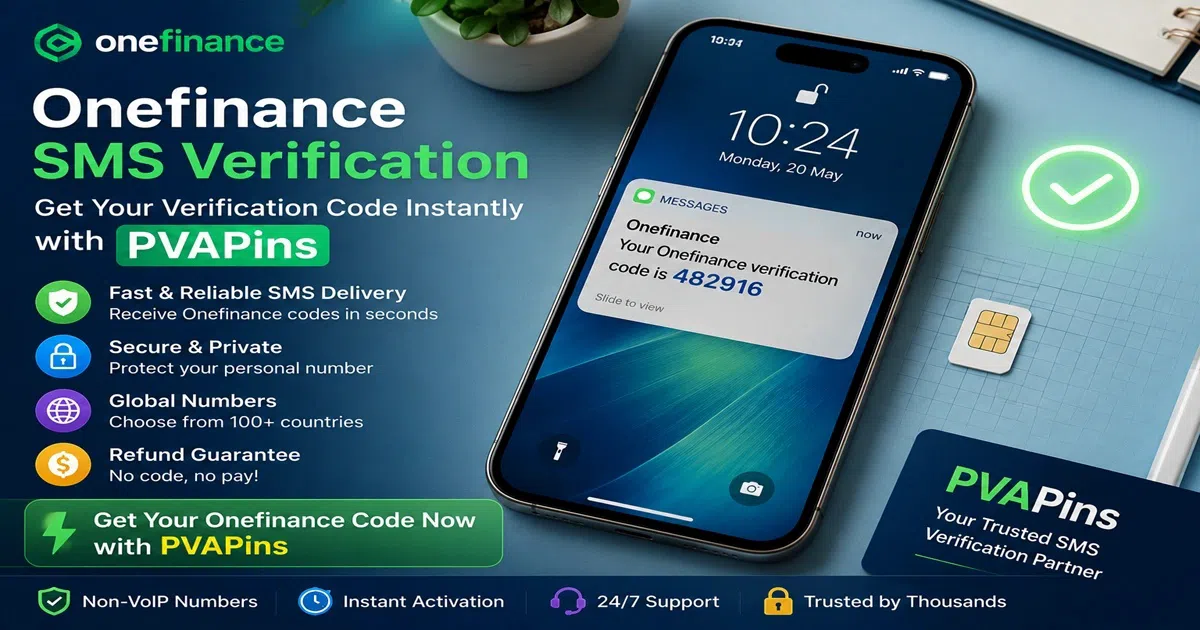
Ever been stuck staring at your screen, waiting for a OneFinance SMS verification code that just won't arrive? Yeah, we've all hit that wall. OneFinance relies on those one-time passcodes (OTPs) to keep your account locked down tight, but actually getting them can turn into a serious headache real quick. This guide is for anyone who needs a fast, dependable way to grab a text verification for OneFinance, especially if your personal number isn't cooperating or you'd just rather keep it under wraps. We'll break down why these codes matter, how to fix common hiccups, and the easiest route to get them delivered hassle-free (spoiler alert: temporary virtual numbers).
Quick Answer
OneFinance uses SMS verification for account setup, password resets, and transactions to keep your account secure.
"Verification code generators" are total scams; valid codes only come straight from OneFinance.
Grab a fresh, paid virtual number from a trusted service like PVAPins to receive codes without using your personal SIM.
If a code doesn't show up, check for blocked numbers or network lag, then switch to a different virtual number.
PVAPins gives you instant numbers, real-time code delivery, and refunds when an SMS doesn't land.
Why You Might Need a Onefinance SMS Verification Code
OneFinance is a digital lending platform that leans on SMS verification to confirm your identity before processing loans or account changes. It's pretty simple. You'll typically need a one-time passcode when you're signing up, resetting your password, connecting a new device, or approving a transaction. The platform zips a unique code to your registered number, and you've got a short window to punch it in. These codes are essential for your financial safety. When you're registering fresh, OneFinance sends an OTP to prove the phone number belongs to the person creating the account. If you ever get locked out, the platform double-checks your identity with an SMS code. And for big-money or sensitive moves? They'll demand a brand-new OTP. Even routine actions like linking or unlinking devices often trigger an SMS verification step. It's a pain when it glitches, but it's there to protect you.
"Onefinance Verification Code Generator": Real Talk vs. Fiction
Look, if you've been digging around, you might've stumbled onto sites claiming they can crank out OneFinance verification codes. Don't buy it. These are almost always scams or malware traps.
OneFinance creates its own unique codes on its own servers. No outside tool can whip up a valid OTP because the algorithm depends on time-sensitive, session-specific details that only OneFinance knows. If a site offers to generate codes for you, run the other way. Messing with one of these so-called generators usually means a failed verification attempt, and you could even get your account frozen. Plenty of these "generator" pages are built to sneak in malware or swipe your personal info. The only legit way to receive an SMS verification code is to request it directly from OneFinance and have it sent to a working phone number. That's it. Check our price list.
Common Reasons for OneFinance Verification Issues
OneFinance verification problems usually boil down to a handful of predictable culprits: an inactive SIM card, a number already attached to another OneFinance account, network delays, or the platform flagging a number it's seen used for abuse before. Sometimes it's as basic as weak signal or SMS filtering on your device. Nailing down the root cause is your first move toward solving it. Here are the usual suspects:
SIM card not active or lacking credit to receive texts
The number was previously banned or blocked from OneFinance
Carrier-level SMS filtering blocking shortcodes from OneFinance
Temporary network congestion causing delayed or dropped messages
Device SMS storage maxed out, or third-party SMS apps messing with delivery
How to Get a Onefinance SMS Verification Code Without Your Real Number
Using a temporary phone number from a service like PVAPins lets you receive a OneFinance verification code without exposing your personal SIM. You pick a number from a supported country, request the code from OneFinance, and the SMS pops up in your PVAPins dashboard in real time. That keeps your private number off OneFinance's marketing lists and shields your main line from potential spam. The process is straightforward:
Choose a virtual number from the available countries on PVAPins.
Copy that number and paste it into the OneFinance phone field when verification pops up.
Request the OTP from OneFinance, and the code will appear in your PVAPins inbox.
With PVAPins, you pay only per activation, usually starting around $0.10, with a refund if no code shows up.
No subscription required; you only buy when you need verification.
Try it out for free with our public numbers first. Head to our temp number page to test compatibility before you commit.
Troubleshooting OneFinance Not Receiving SMS on a Virtual Number
So, OneFinance isn't sending texts to your virtual number? First thing: check if the app actually supports receiving codes on non-mobile numbers. Some platforms block VOIP or virtual numbers outright. If OneFinance does accept them, try a different country code or grab a number from a batch that hasn't been overused. PVAPins automatically refunds your credit if no SMS arrives. Here's a troubleshooting checklist:
Confirm compatibility: Double-check if OneFinance explicitly allows virtual numbers in your selected country. Some apps filter these out.
Try a new number: Switch to a fresh virtual number, maybe from another country region PVAPins offers, if your first try flops.
Verify input: Make sure you're pasting the full number, including the proper country code, into the OneFinance form.
Patience is key: Wait 30-60 seconds for carrier routing. Some texts can take a little longer than others.
Request a refund: If nothing arrives after 2 minutes, request a refund through PVAPins and try a completely new number.
OneFinance SMS Verification Failed? Here's What to Do Next
A failed OneFinance SMS verification usually means the code expired, the free number got rejected, or the platform flagged something odd. First, double-check that you entered the number correctly with the right country code. Then request a new OTP and wait out the full timeout period. If it fails again, switch to a different virtual number. Sometimes it's just a bad batch that OneFinance is rejecting. Key causes and fixes:
Code expiration: OneFinance codes usually expire fast (2-5 minutes). Miss the window? Just request a fresh one.
Number rejection: The platform might have rules against certain virtual numbers. Try another country or a different provider.
Too many attempts: OneFinance might temporarily lock a number after 3-5 failed tries. Give it a break.
Refund policy: On PVAPins, if no code arrives after a reasonable wait, you get your credit back, so trying a new number costs you nothing.
Code still not showing up? Our refund policy has you covered, and a fresh number from a different country often fixes the issue. Start a new activation and get your code fast.
Getting a Onefinance SMS Code via PVAPins
Grabbing your OneFinance SMS code through PVAPins is quick and painless. No fluff, just results.
Log In: Sign up or log in at PVAPins.
Select Service: Navigate to "Services" or "Receive SMS" and search for "OneFinance" from the app list. We update our app coverage regularly.
Choose Country & Pay: Pick a country for your virtual number; activation rates start at around $0.10, and you can pay with Bitcoin, USDT, Binance Pay, Payeer, or other supported crypto gateways. View our current price list.
Get Your Number: It shows up instantly on your dashboard.
Use in OneFinance: Copy the provided virtual number and paste it into the phone field on the OneFinance platform. Request the SMS verification code from OneFinance.
Receive Code: The code appears in real time in your PVAPins inbox, ready to enter into OneFinance.
How to Get OneFinance Verification Code: The Reliable Method
Here's the truth: the most dependable way to get an SMS Verification code for OneFinance is to use a fresh, paid virtual number from a trustworthy service like PVAPins. Free number services get blocked quickly, leading to failed attempts. A paid number from an active pool gives you a much better shot at success. Here's why this method works:
Less frequent rotation: Paid numbers rotate less often than free ones, so they're less likely to get blocked by platforms like OneFinance.
Avoid flagged numbers: Stay away from numbers from free trial apps. Services like OneFinance flag those for constant suspicious usage patterns.
Rental options: If you need repeat verifications over several days or weeks, consider renting a temp number for 1, 3, 7, or 30 days. That saves you from buying a new number every time.
Developer API: For advanced users, there's a developer API for automated OTP polling, which streamlines the whole process.
Onefinance SMS Verification Service: Why Reliability Matters Most
An unreliable SMS verification service can burn your time and cash, especially when OneFinance codes expire fast or your number gets blocked. Reliability means swift delivery, clear refund policies, and access to fresh number pools that aren't already blacklisted. PVAPins is built around these principles: real-time delivery, refunds if no code lands, and no hidden subscriptions. That focus helps you snag your code without extra stress. Here's what makes for a reliable SMS verification service:
Real-time delivery: Codes appear in your dashboard almost instantly after OneFinance sends them, so you don't miss the expiration window.
Refund guarantee: You never pay for an undelivered code. That's peace of mind and cost-efficiency rolled into one. Check refund policy.
Fresh numbers: Number pools get replenished regularly to help dodge reuse restrictions and blocklisting.
Global coverage: Access numbers from over 200+ countries to bypass regional blocks or find numbers OneFinance accepts.
Transparent pricing: No monthly fees or hidden charges, you pay only for what you use.
Final Thoughts on Onefinance SMS Verification
OneFinance SMS verification doesn't have to be a nightmare. Whether you're wrestling with a blocked number, delivery delays, or just want to keep your personal line private, a virtual number from a reliable SMS service like PVAPins is your best move. Always use fresh numbers, respect each app's terms, and lean on refund policies if things go sideways. To maximize your success:
Choose a paid service over free ones for consistently higher success rates.
If a number fails, try another country or a different batch of numbers.
For ongoing needs, renting a number for 1-30 days can save you time and provide continuous access.
PVAPins offers an API integration for automated processes if you need it.
Need ongoing OneFinance access? Rent a number for 1, 3, 7, or 30 days and skip the hassle of buying a new one each time. Check rental options now.
FAQs
Quick answers people ask about OneFinance SMS verification.
Is it legal to use a virtual number for Onefinance SMS verification?
Yes, in most places. However, you must not use virtual numbers to break OneFinance's terms of service or commit fraud. Always check local laws and the app's terms before diving in.
Why do Onefinance verification codes sometimes fail?
Common reasons include blocked numbers, expired codes, or the platform blocking virtual numbers from certain providers. Trying a fresh number from a different country pool often clears it up.
What's the difference between a one-time number and a rental number for Onefinance?
A one-time number receives a single OTP and then expires. A rental number (available for 1, 3, 7, or 30 days) stays active for repeat verifications, which is handy if OneFinance sends multiple codes over time.
Can I use a temporary number for Onefinance account recovery?
Possibly, but only if OneFinance allows SMS verification for recovery on that number. If your original number is lost, a virtual number used during setup may still receive recovery codes if it's still active.
What should I NOT use a temporary Onefinance number for?
Never use temporary numbers for illegal activities, loan fraud, identity theft, or anything that violates OneFinance's terms. PVAPins does not support fraudulent use cases.
What do I do if my Onefinance verification code doesn't arrive?
Wait at least 2 minutes, then request a new code. If nothing shows up, check that you entered the number correctly. If it still fails, request a refund on PVAPins and try a fresh number from another country.
Can Onefinance block my virtual number permanently?
Yes, if the number gets flagged for suspicious activity or repeated failed attempts. The fix is to grab a completely new virtual number that hasn't been used on OneFinance before.
Compliance note: PVAPins is not affiliated with any app or website. Please follow each app's terms and local regulations.