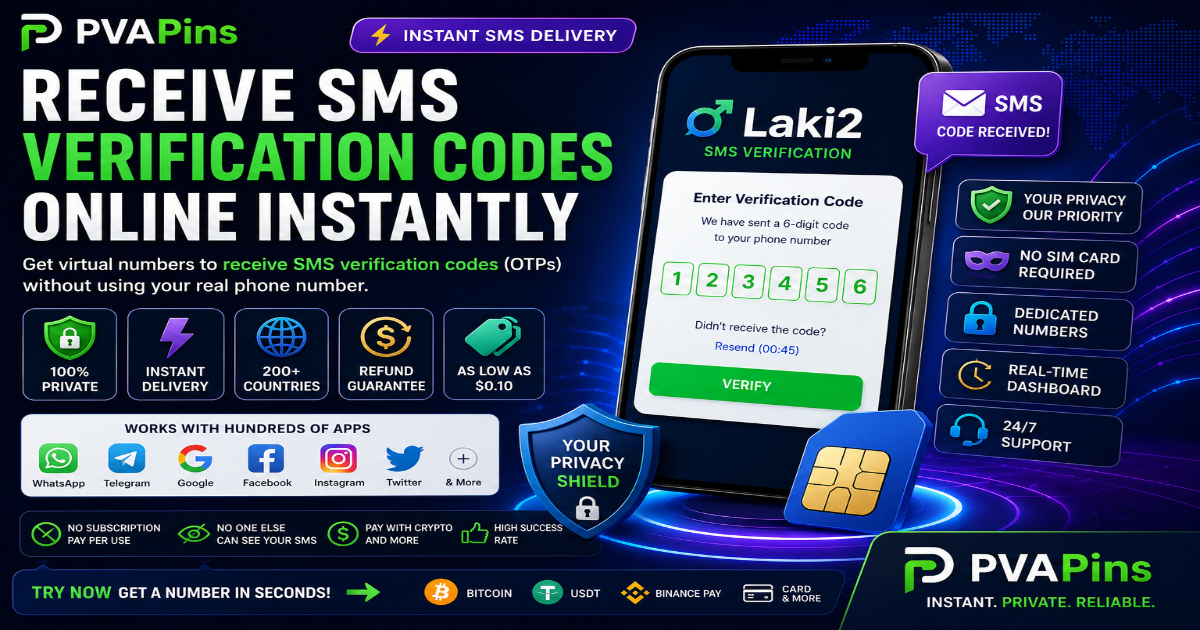
You know that moment when you're ready to sign up for something, and suddenly they want your phone number? You pause, because you already know what's coming: endless spam calls, annoying marketing texts, and your personal digits getting shared around like a party invite. A temporary phone number changes all of that. It lets you receive SMS verification codes (OTPs) online without ever revealing your real number. It's your privacy shield, pure and simple.
This guide is for anyone who cares about their privacy, wants to explore new apps safely, or needs to juggle multiple accounts without any strings attached. We'll show you how to get a dependable virtual number, steer clear of common mistakes, and make sure your verification codes show up right away.
Quick Answer:
Reliability matters: Free “receive SMS online” services often let you down because numbers are shared and flagged. Paid, dedicated numbers work every single time.
Instant delivery: Real-time dashboards push OTP codes to your screen within seconds—no refreshing required.
Refund guarantee: If your verification code never shows up, you get your money back. No questions asked.
Privacy first: Your temporary number is yours alone. Nobody else can see your SMS messages.
Affordable: Get a number for as little as $0.10 per activation, only paying for what you actually use.
What Exactly Is a Temporary Phone Number (And Why Do You Need One)?
A temporary phone number is a virtual number that isn't connected to a physical SIM card. You use it to receive SMS online for a short period, usually for a one-time OTP, and then toss it aside. Think of it as a burner phone, but digital, cheaper, and way more convenient.
These virtual numbers are perfect for app sign-ups, trial accounts, and even testing your own software's SMS flows. Since no physical SIM is required, the numbers are cloud-based and delivered instantly to your dashboard. You can use them to activate services across hundreds of apps and 200+ countries, from WhatsApp to Google. This solution is ideal for privacy-conscious users who don't want to share their real phone number.
Stop Using “Receive SMS Online Free” Services – Here’s Why They Let You Down
Let's be honest for a second. Free virtual SMS services are tempting, but they're notoriously unreliable. Because hundreds of people share the same number, apps like Telegram and Google quickly flag them as “already used” or suspicious. You end up wasting time refreshing a page, only to get a “number not available” error.
Free numbers are often recycled, meaning the app you want to join has already seen that number. There are no refunds, no support, and zero guarantee you'll receive the code. If you're rushing to "receive SMS online free," you're likely to miss the verification window entirely. Paid services, like PVAPins, provide a clean, private number reserved just for you, with a refund if no code arrives.
How to Get a Virtual Phone Number That Actually Works for SMS Verification Codes
Getting a reliable virtual number is straightforward: choose a trusted provider, pick the country and app you need, and pay a small fee per activation. The number is delivered instantly to your dashboard, and you wait for the SMS code to arrive in real time. No subscription, no hidden fees.
Here's how it works:
Select Your Service: Choose the app (e.g., WhatsApp, Telegram, Google) and country from the provider's list. We offer numbers for hundreds of services.
Complete Payment: Pay a small fee starting around $0.10 via cryptocurrency or other fast gateways.
Receive Your Number: Copy the provided temporary number into the app you're trying to verify.
Request & Retrieve OTP: Request the OTP from the app, and watch the code populate on your dashboard in real time.
Refund/Replacement: If the code fails to arrive, most providers offer a refund or a replacement number.
Ready to test it out? Try a Free Number to see how it works—no commitment needed.
You can also learn more about our developer API for programmatic number requests.
The Top 5 Reasons SMS Verification Codes Fail on Disposable Numbers (And How to Avoid Them)
OTPs fail on temporary numbers for a few common reasons: the number has been blocked by the app, the app detects a VoIP provider, the number is shared across multiple users, or the activation window is too short. The fix is to use a provider that offers clean, dedicated numbers from specific countries that apps trust.
Here are the top reasons and how to avoid them:
Blocked Numbers: Many free public numbers are quickly blocked by apps. Avoid free pools; use a paid provider that rotates numbers frequently and ensures clean lines.
App-Specific Bans: Some apps (like Uber or some banking services) block known virtual number ranges or detect Voice over IP (VoIP) providers. Always check the app's terms of service.
Timeout Issues: If you don't request the code within a few minutes of receiving the number, or if the code itself has a short validity window, it may expire. Act quickly.
Country Mismatch/Availability: Some apps are more forgiving with certain country codes. Use a number from a country where the app is widely accepted (e.g., US numbers for WhatsApp often have higher success rates).
Shared Numbers: Free services usually provide public, shared numbers where your code is visible to others. Dedicated, paid numbers ensure your privacy and unique access.
To ensure success, always use a reputable paid service that provides a dedicated number for your verification.
OTP Verification: How to Receive a Verification Code Instantly and Reliably
To receive an OTP verification code instantly, you need a number that's fresh, clean, and dedicated to you. The moment you request the SMS from the app, the code should appear on your provider's dashboard within seconds. Services like the PVAPins Android app use real-time polling to push the code to your screen without you having to refresh.
To receive codes instantly and reliably:
Choose a Provider with Real-time Dashboard: Look for services that offer a real-time dashboard or API integrate for instant code retrieval. This avoids delays.
Ensure Active Number: Verify that the number you receive is "active" and reserved for the duration of the verification window (usually 5–10 minutes).
Consider Rental Numbers for Critical Accounts: For accounts you'll access frequently, consider renting a number for 1–7 days so you don't lose access after a single OTP. For a deeper dive, read our guide on how to receive SMS.
Avoid Conflicts: Don't use the same temporary number for multiple apps simultaneously; it can lead to conflicts and failed verifications.
Temporary SMS vs. Rental Numbers: Which One Should You Use for Your App?
Temporary SMS numbers are perfect for one-time verifications, like signing up for a trial or testing a new service. Rental numbers, which last 1, 3, 7, or even 30 days, are better for ongoing access to apps that require periodic re-verification or for managing multiple accounts. Choose based on how long you need the number.
Here's a breakdown to help you decide:
Temporary SMS (One-time Use):
Cost: Low, pay-per-activation.
Use Case: Single OTP verification, quick sign-ups, trying out new services, testing.
Lifespan: Active for a short window, then discarded. Economical for short-term needs.
Rental Numbers (Longer Term):
Cost: Slightly higher, flat fee for the rental period (e.g., 1, 3, 7, or 30 days).
Use Case: Apps like WhatsApp or Telegram that periodically ask for re-verification, developers testing SMS flows over a longer period, maintaining continuous access to an account.
Lifespan: Remains active for the chosen rental duration.
Benefit: No need to worry about number expiration mid-session, ensuring stable access.
Explore our rental plans for 7–30 days if you need a number that lasts.
How to Verify a Phone Number on WhatsApp, Telegram, and Google Without Using Your Real SIM
Each app has a slightly different process, but the core steps are the same: enter the temporary number, request the OTP, and retrieve the code from your provider's dashboard. WhatsApp and Telegram are generally the most reliable with virtual numbers, while Google may require a few retries if the number is flagged.
WhatsApp: For the highest success rate, use a US or UK number. Be aware that WhatsApp's terms of service apply.
Telegram: Often accepts virtual numbers directly; rental numbers (lasting 1+ days) work best here for ongoing access.
Google: Google's verification can be pickier. It may sometimes request a phone call instead of an SMS; ensure your provider supports voice calls if this is a critical service for you. You can try a different country code or a rental number if you encounter issues.
General Rule: If the code doesn't arrive, consider trying a different country code or a rental number to see if that improves your chances.
The Real Cost of a Virtual SMS Number: What to Expect When You Pay to Get SMS Online
Paid virtual SMS numbers are surprisingly affordable. Activating a number typically costs between $0.10 and $0.50, depending on the country and app. Rental numbers for 7 days might run $2–$5, and 30-day rentals are under $10 in most cases. You pay only for the SMS you receive, and if no code arrives, you get a refund.
No Monthly Subscription: You pay per activation or per rental period, not a recurring subscription fee. This makes it a cost-effective solution for occasional use.
Private Payments: Cryptocurrency payments (Bitcoin, USDT, and others) keep the transactions private and fast.
Refund Policy: A reliable provider will offer a refund if the OTP doesn't arrive within a reasonable time, ensuring you only pay for successful verifications.
Value for Money: Compared to frustrating free services where you waste time, paid services save you significant frustration and offer peace of mind.
Is It Safe to Use a Free Virtual SMS Number? Privacy, Security, and the Reality of “Free”
Sms received for free are a privacy nightmare. Because they're public and shared, anyone can see the SMS messages that come in, including your OTP codes. This means your account can be compromised instantly, leading to potential account takeovers. Paid, private numbers are the only safe way to receive verification codes without exposing yourself to hackers.
Data Exposure: Free services often log your IP address and may sell your data to third parties.
Public Codes: Shared numbers mean your verification code is visible to anyone refreshing the same page, making your account vulnerable.
Enhanced Security: Paid services encrypt your session and keep your number exclusively yours, protecting your privacy.
Compliance: PVAPins is not affiliated with any app or website. Please follow each app's terms and local regulations. Using virtual numbers responsibly is key to maintaining digital privacy and security.
How to Troubleshoot a Failed OTP on a Temporary Number
If your OTP fails, don't panic. First, check if the app supports the country you selected. If it does, try requesting the code again after 30 seconds. If it still fails, request a new number from your provider. Most paid services offer a replacement or refund if the original number is blocked.
Here's a step-by-step troubleshooting guide:
Step 1: Check App Compatibility: Verify that the app's terms of service support virtual numbers from the country you selected (e.g., some apps block VoIP numbers in certain regions).
Step 2: Wait & Retry: Sometimes, the first attempt is a timing glitch. Wait 60 seconds and retry requesting the code from the app.
Step 3: Request a New Number: If the code still doesn't arrive, request a new number from your provider. Reputable services like PVAPins will usually offer a replacement for free if the previous one failed.
Step 4: Consider Voice Call: If the app offers a “call me” option for verification, and your provider supports voice calls, try that instead of SMS.
Step 5: Opt for Rental: For persistent issues or critical accounts, consider renting a number for 24 hours or more to ensure stability and increase the chance of success.
If your code still fails, don't waste time. Get a Reliable Number Now with a higher acceptance rate. We'll refund you if it doesn't work.
Key Takeaways
Temporary phone numbers are crucial for privacy and avoiding spam.
Free services are unreliable and risky; paid providers offer dedicated, clean numbers.
Ensure your provider offers instant code delivery and a refund policy.
Understand the difference between one-time temporary numbers and longer-term rentals.
Always follow app terms of service and local regulations when using virtual numbers.
Need a number that lasts? No problem. Rent a Number Now for 1, 3, 7, or 30 days. Perfect for ongoing access to apps that require repeat OTPs.
FAQs
Quick answers people ask about Laki2 SMS verification.
Is it legal to use a temporary phone number for SMS verification?
Yes, it's legal in most countries as long as you're not using it for fraud, spam, or violating an app's terms of service. Always check the app's terms before using a virtual number. PVAPins is not affiliated with any app or website. Please follow each app's terms and local regulations.
Why do some SMS verification codes fail on virtual numbers?
Codes fail because the app's system may have blocked the number range, or the number was previously used by another user. Paid services that offer clean, fresh numbers (like PVAPins) have much higher success rates, but no service guarantees 100% success.
What's the difference between a one-time temporary number and a rental number?
A one-time temporary number is used for a single OTP and then discarded. A rental number lasts 1, 3, 7, or 30 days and is ideal for apps that require repeat verification codes (like WhatsApp or Telegram). Rental numbers are more reliable for ongoing access.
What should I NOT use a temporary phone number for?
Do not use temporary numbers for banking, financial accounts, healthcare portals, or any service that requires a permanent, verified identity for security. They are best for privacy-focused sign-ups, app testing, and trial accounts.
What do I do if the OTP code doesn't arrive?
First, wait 60 seconds and try again. If it still fails, request a new number from your provider. Most paid services offer a refund or replacement if no code is delivered. Also, check if the app is supported in the country you selected.
Can I use a free temporary number for WhatsApp verification?
You can try, but WhatsApp often blocks free numbers because they've been reported as spam. Paid, dedicated numbers have a much higher chance of success. Rental numbers (24 hours or more) are the most reliable for WhatsApp.
How do I receive SMS online without a SIM card?
You use a virtual phone number service. You pay for the number; it's delivered instantly to your online dashboard, and you request the OTP from the app. The code appears in your dashboard without needing a physical SIM card.
Compliance note: PVAPins is not affiliated with the app/website or platform. Please follow each app/website’s terms and local regulations.