In this age of digital transformation, the convenience of cashless transactions extends far beyond ordinary retail purchases. For vehicle owners in India, the inception of FASTag has revolutionized the way toll payments are made. In just a few simple steps, you can breeze through toll plazas without fumbling for cash, saving significant time on your journeys. If you're ready to experience the benefits of FASTag, you're in the right place. This comprehensive guide will walk you through how to buy FASTag online, ensuring a smooth and quick purchase process.
What is FASTag?
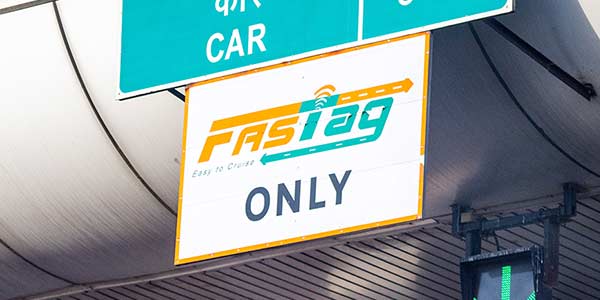
Before diving into the purchase process, let's quickly recap what FASTag is. FASTag is an electronic toll collection system introduced by the National Highway Authority of India (NHAI). It uses Radio Frequency Identification (RFID) technology to automatically deduct toll charges while your vehicle keeps moving, eliminating the need for stopping at toll booths. Affixed to the windscreen of your vehicle, it offers a seamless toll payment experience.
Why Should You Opt for FASTag?
- Time-Saving: Swift passage through toll plazas without halting.
- Ease of Use: Avoids hassle of cash payments.
- Online Recharge: Recharge your FASTag from the comfort of your home.
- SMS Alerts: Receive instant alerts on toll transactions and low balance.
- Transparency: Detailed statements of toll transactions available.
How to Buy FASTag Online? A Step-by-Step Guide
Purchasing FASTag online is an easy and quick process. Here’s how you can do it for your FASTag buy:
1. Choose Your Issuing Entity
Numerous banks and payment service providers issue FASTag. Some of the popular ones include:
- ICICI Bank
- HDFC Bank
- State Bank of India (SBI)
- Paytm Payments Bank
- Airtel Payments Bank
Visit the official website of any of these issuers to begin the purchase process.
2. Provide Necessary Details
Here’s what you’ll typically need:
- Vehicle Registration Number: Ensure you have your vehicle registration certificate.
- Identification Proof: A valid ID proof such as your Aadhaar card, driving license, or passport.
- Address Proof: Residential address proofs like utility bills or a passport.
3. Apply Online through the Issuer’s Website
- Go to the official website of the chosen issuer.
- Find the 'Buy FASTag' option on their portal.
- Fill in the required details such as vehicle registration number, owner’s personal details, and addresses.
- Upload scanned copies of your KYC documents. Different issuers may have varying sets of required documents, so ensure to check the specifics on their portal.
4. Payment and FASTag Issuance
- Proceed to the payment section where you’ll be asked to pay for:
- Tag Deposit: Refundable security deposit that varies by the vehicle category.
- Minimum Balance: Required amount for activating the FASTag.
- Complete the payment using your preferred method: net banking, debit/credit cards, or UPI.
5. Delivery and Activation
Upon successful payment, your FASTag will be shipped to your registered address. Once received, affix the FASTag to the windscreen of your vehicle as per the instructions. Most of the time, FASTag is pre-activated, but in some cases, you might need to activate it using the issuer's mobile application or website.
Activating Your FASTag
In some cases, if the FASTag isn't pre-activated, follow these steps:
- Log in to the issuer's mobile app or website.
- Enter the necessary details about your vehicle and the 16-digit RFID number mentioned on the FASTag.
- Once submitted, your tag will be activated.
Recharging Your FASTag
One of the significant advantages of FASTag is the ease of recharging it online. Most issuers provide multiple channels for recharging your FASTag account, such as:
- Mobile Applications
- Net banking
- UPI (Unified Payments Interface)
- Digital Wallets (Examples: Paytm, Amazon Pay)
Common FAQs:
1. Can I buy FASTag for a second-hand vehicle?
Yes, you can buy FASTag for a second-hand vehicle. Ensure the previous owner’s FASTag is deactivated to avoid confusion during new enrollment.
2. How can I check the balance on my FASTag?
You can check your FASTag balance through the issuer’s mobile app, website, or by logging into your FASTag account dashboard.
3. What if my FASTag isn’t working?
If your FASTag isn’t working, contact the issuer’s customer care for assistance. They will guide you through troubleshooting steps or processing a replacement if necessary.
Conclusion
Buying FASTag online is straightforward, quick, and offers numerous advantages, making your travels more seamless and efficient. By following the steps outlined above on how to buy FASTag online, you are well on your way to enjoying a hassle-free, cashless toll payment experience. Happy and safe travels!