This might seem like a settled debate. It isn't. Across Indian manufacturing, Excel remains deeply embedded in daily operations — not because plant teams prefer it, but because the alternatives haven't been properly explained or justified.
Let's look at this honestly: where Excel works, where it fails, and what manufacturing reporting software actually solves.
Why Is Excel Still Used in Manufacturing Reporting?
Excel is familiar, flexible, and free. Engineers can build custom reports without IT involvement. Managers can share files instantly. For a single shift, a single plant, and a single analyst — it works well enough.
The problem is that manufacturing doesn't operate at that scale for long.
Where Does Excel Fail in Manufacturing Reporting?
• No real-time data: Excel reports are snapshots, not live views
• Manual entry errors: human input introduces inaccuracy at every step
• No audit trail: version control across shared files is practically impossible
• Reconciliation burden: three people comparing three spreadsheets to find one number
• Scalability ceiling: adding a second plant doesn't double your Excel problem — it multiplies it
• No event linking: a downtime event in SCADA and a production shortfall in Excel exist in separate universes
Why Excel fails in manufacturing reporting isn't about the tool. It's about the gap between what the tool was designed for and what manufacturing operations actually require.
What Does a Real-Time Manufacturing Reporting System Actually Do?
A proper manufacturing reporting software platform:
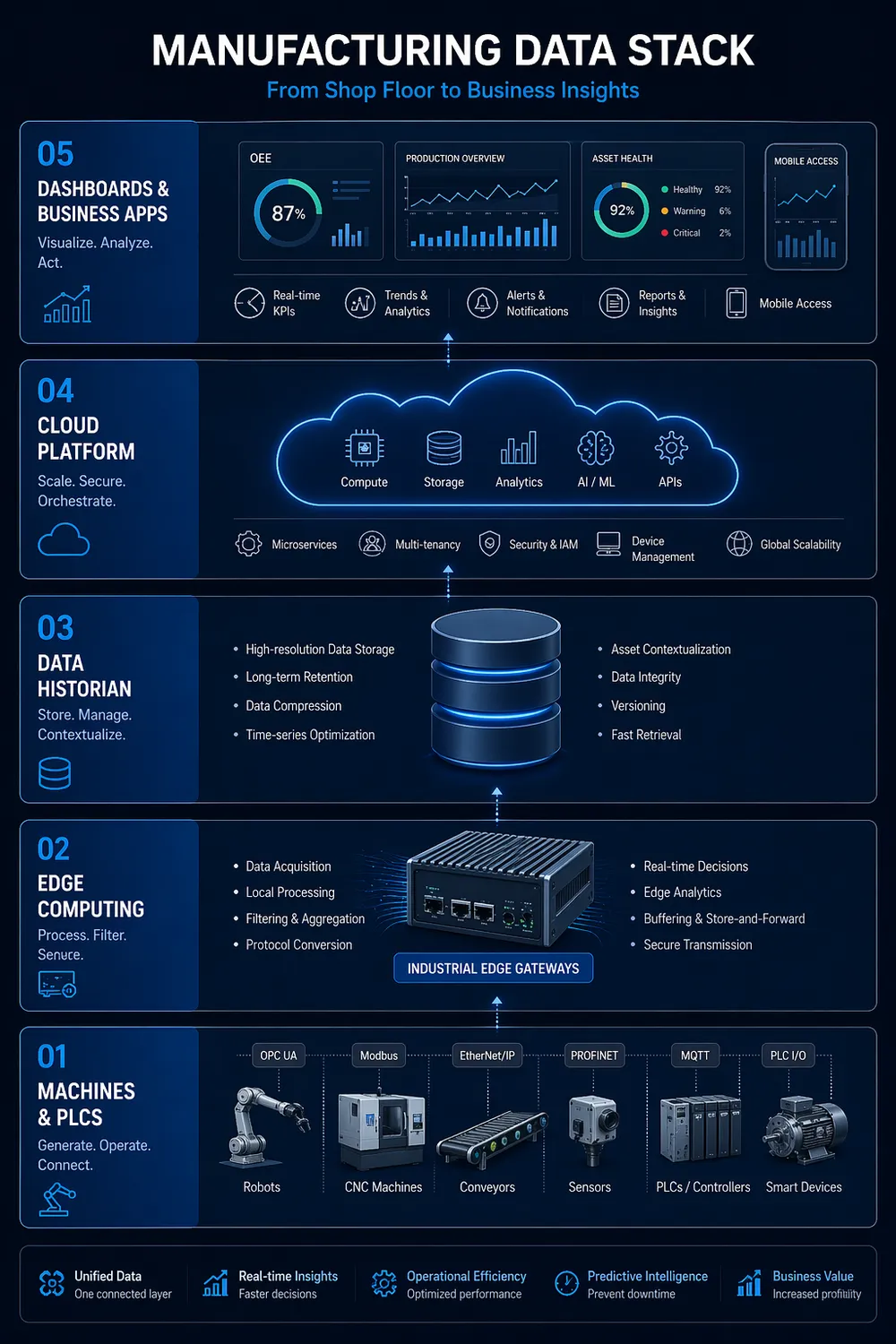
• Pulls data directly from PLCs, SCADA, and historians — no manual entry
• Applies structured context: asset hierarchy, shift time, product code
• Updates dashboards in real time — or near real time
• Links events across systems: a fault code with a production dip with an energy spike
• Generates reports automatically at shift end, day end, or on demand
• Provides role-based views: operator, supervisor, plant head, and CFO each see what they need
Is There a Middle Ground?
Yes and this is where most plants start. The best alternative to Excel for factories is not an immediate full-platform replacement. It is:
• Automating the data pull from PLCs into a structured format
• Using an IoT visualisation platform for live dashboards
• Gradually reducing manual Excel steps as confidence in the system builds
Production reporting tools work best when they solve a specific pain first — energy, OEE, or downtime — before expanding across the plant.
How Do You Justify the Transition?
Calculate what Excel costs you today:
• Hours per week spent on manual data collection and reconciliation
• Errors caught (and not caught) in manual entry
• Decisions delayed because data wasn't ready
That number is your baseline. Any production reporting tool that reduces it by 50% pays for itself quickly.
💡 For a complete picture of how your data stack should be structured, read: 'From PLC to Profit: Rethinking Your Manufacturing Data Stack'
FAQ
Is Excel good for manufacturing?
For analysis and one-off reporting, yes. For operational reporting at scale, no — the manual dependency creates too much risk and delay.
What's the best alternative to Excel for factories?
An integrated IoT visualisation platform connected directly to plant data sources, with automated report generation and role-based access.
How long does it take to replace Excel in manufacturing reporting?
A phased approach over 3–6 months is typical. Pilot one use case first, validate, then expand.
If Excel is still driving your reporting, the next step isn’t replacing it overnight; it’s understanding what a connected data stack should look like, something Ketsol Manufacturing Suite focuses on through a structured, real-time approach.