In this post, I explain what email marketing segmentation is, how to segment your email database, and what best practices to follow. I also show you many examples from my personal inbox. So if you want to engage your subscribers with highly relevant, personalized messages that strengthen brand loyalty and increase ROI, keep on reading.
What is email list segmentation
Email list segmentation is the practice of dividing your subscribers into smaller, targeted groups based on specific characteristics or features. This allows you to create and send highly relevant messages that generate significantly more engagement than generic emails.
Common characteristics used in digital marketing to segment email lists include gender, location, age, occupation, purchase history, engagement level, etc. For a complete list, click here.
Compare these two emails:
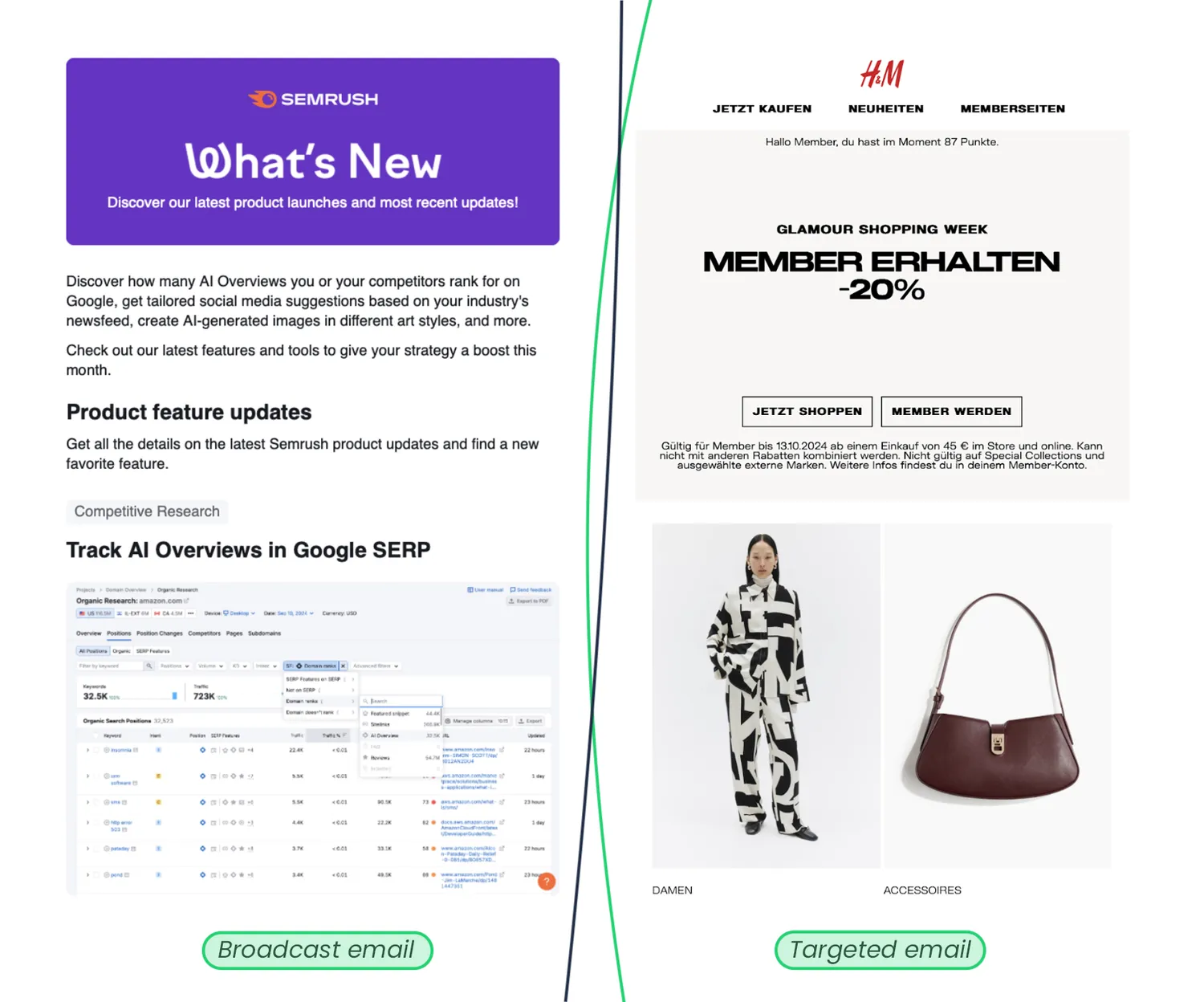
The email from Semrush, an SEO marketing platform, is an example of a broadcast email typically sent to all or nearly all email subscribers.
In contrast, the email from H&M is an example of a targeted email, sent exclusively to a specific audience segment — registered members only.
Email list segmentation examples
There are many approaches marketers use to segment emails. In retail, businesses send different emails that nudge customers to go back to their website, view more products, or reopen their abandoned shopping cart.
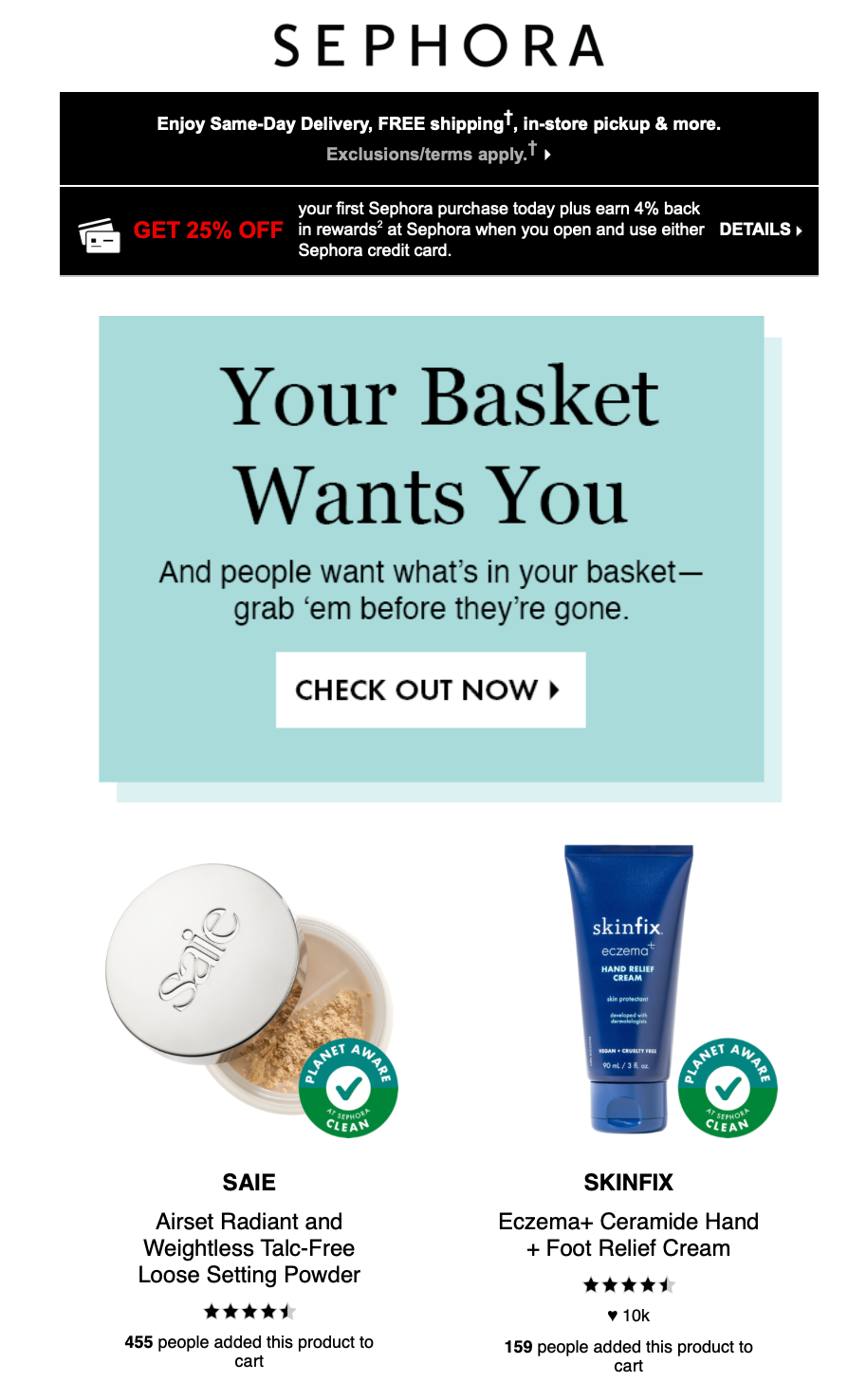
Sephora abandoned cart reminder
Mobile apps and SaaS companies segment users based on their usage of the product and its features. For instance, Strava, a fitness app, sends welcome emails to new users after they sign up, along with additional emails that help them in onboarding and maximizing their experience with the app.
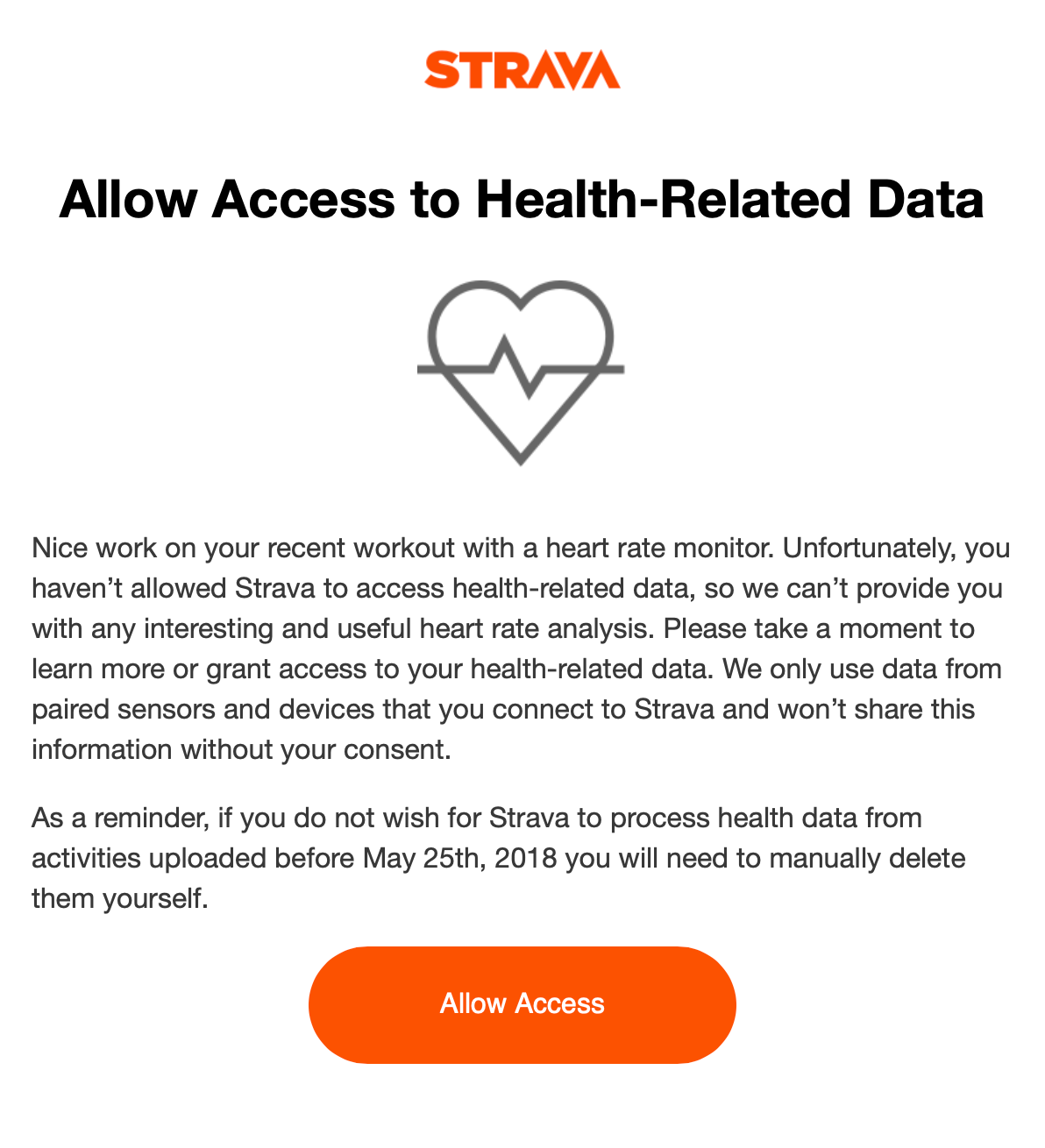
The Strava app requests health-related data from a new user to complete the onboarding
Among the most effective targeted emails are ones that offer bonuses, coupons, special deals, or discounts to loyal customers or clients who make frequent purchases.
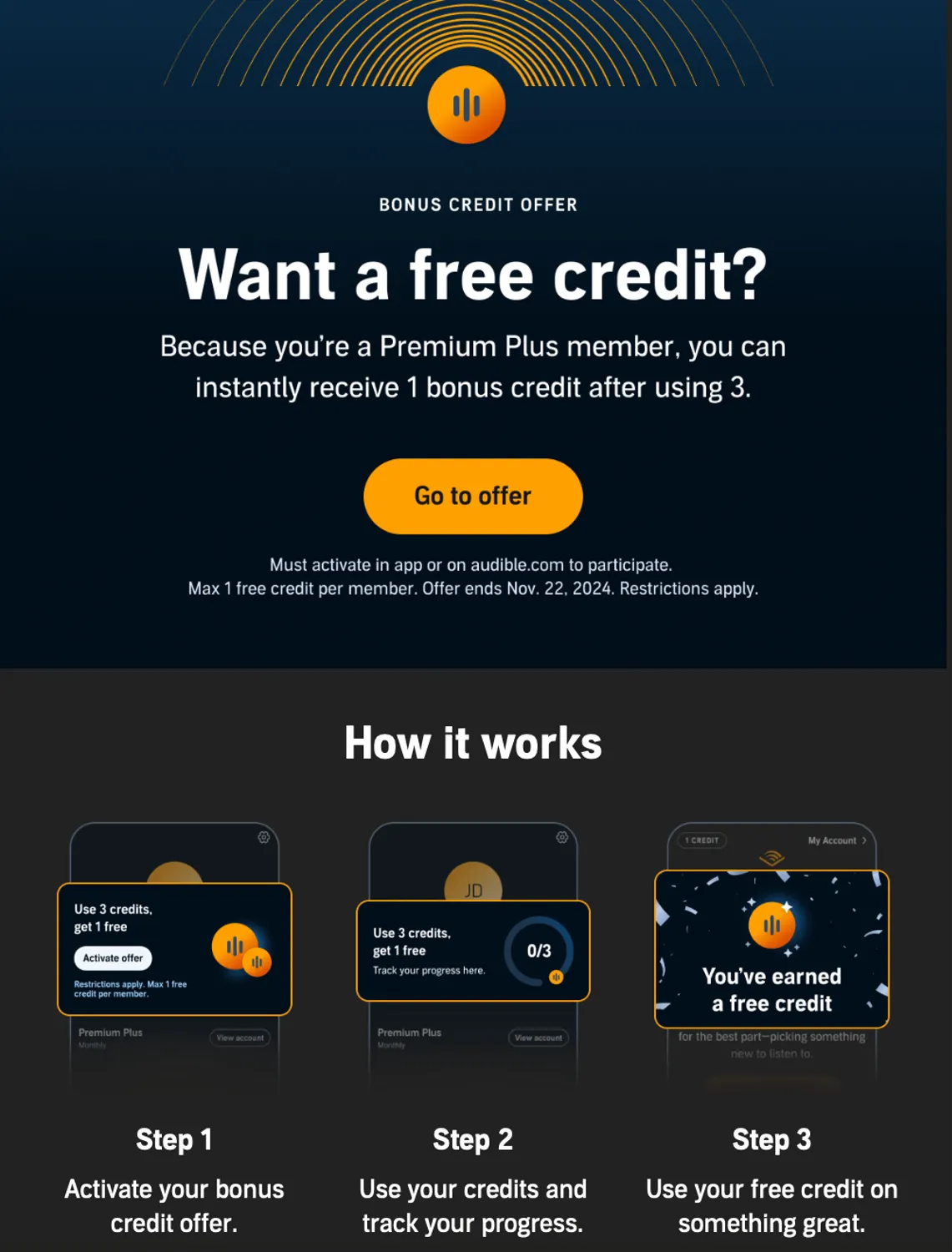
Audible special offer to a loyal customer
Why should you segment your email marketing contact list?
- Engaged subscribers. When you have segmented lists, tailored content that’s actually relevant, and added inspiring call-to-actions, you’re taking people, who have shown some interest in your business (“warm” prospects), and making them even more engaged using personalized content.
- Satisfied customers. Tailored email content that directly addresses clients’ desires or problems helps them fulfill their needs and achieve their goals.
- Lower unsubscribe rate. When customers see their name in an email subject line or when they get educational materials, tools, or goods they were looking for, they are incentivised to click and discover more rather than unsubscribe, unless you bombard your subscribers with highly personalized emails too often, which can give them a feeling that you’re stalking them.
- Better conversions. Relevant emails, product recommendations, and personal offers capture more attention and drive higher conversion rates than generic messages, which often miss the mark.
- Higher deliverability. A lower unsubscribe rate and high engagement (open and click-through rate) with your emails positively impacts your sender’s reputation and deliverability rate.
- Better campaign results. Higher email open rates, more clicks, and better engagement—all help improve your overall email performance. And by tracking what works best for each segment, you can fine-tune your future campaigns for even better outcomes.
How to segment your email list
Any email list can be segmented in a few straightforward steps, either manually or automatically. To do this effectively, it’s important to have clear objectives for your email campaign, as these will guide you in dividing your audience and tailoring messages for specific results. So the first step should be:
Define your email campaign goals and metrics
Begin by clearly defining your goals and the metrics you’ll use to evaluate whether you’ve achieved them. Goals like “I want to improve engagement,” or “I want to reduce unsubscribe rates” are too vague. They have to be specific, measurable, achievable, relevant, and time-bound (SMART).
For example, imagine you have an e-commerce business and you want to increase conversions. Now let’s make this goal SMART:
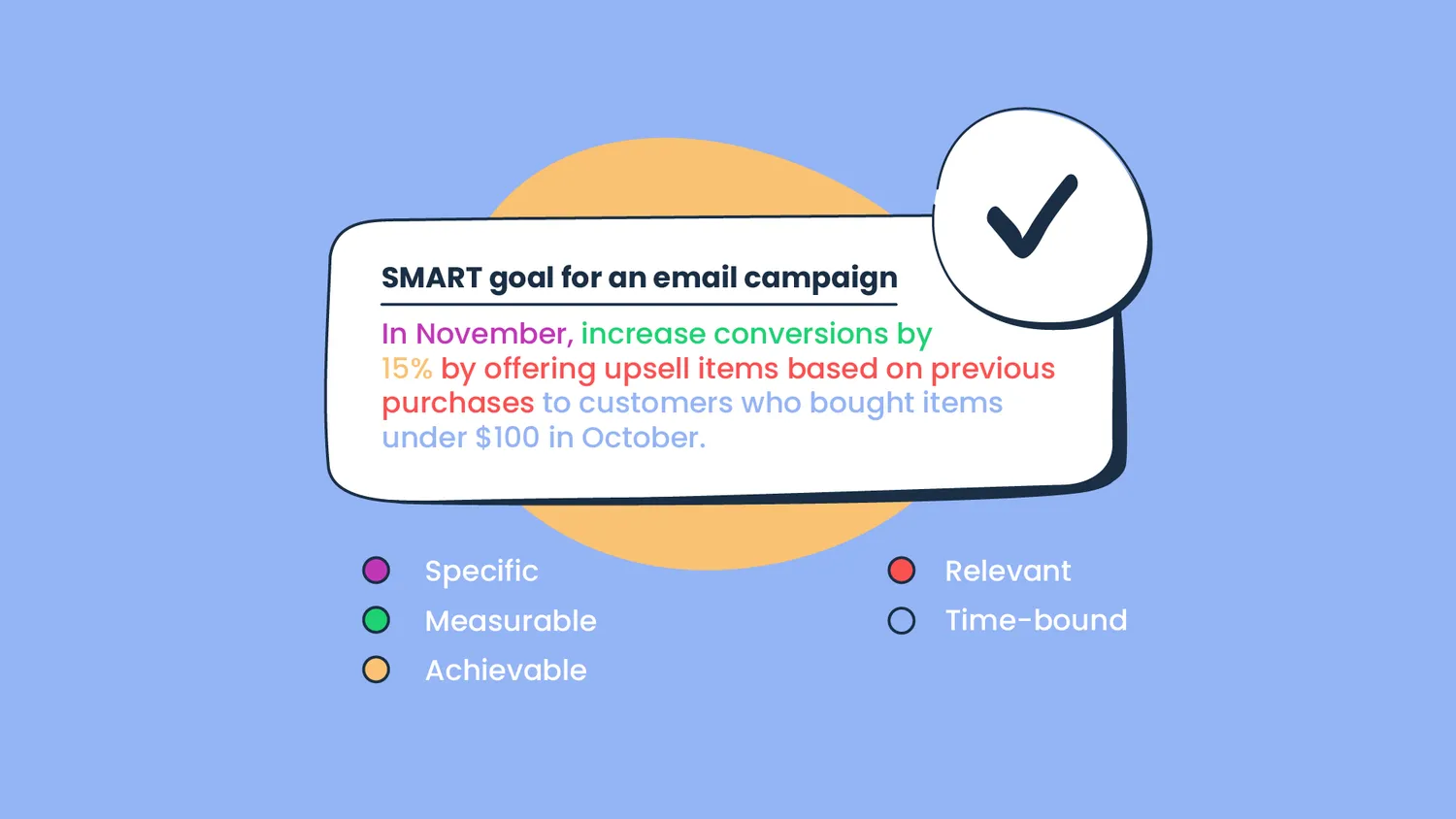
The metrics that can help you track your results include:
- conversion rate,
- click-through rate (CTR),
- average order value (AOV) in November to measure the impact of upsell offers.
Gather necessary data
I assume you have begun collecting data through your subscription forms, such as names, email addresses, or even location of your subscribers. This basic data is typically easy for people to share and allows for simple segmentation.
To gather more data, you need to solve two main challenges associated with data collection these days:
Problem 1 – Trust
After so many data breaches, customers are more cautious than ever about sharing personal information. To gain their trust, it’s essential to build transparent relationships and be honest about why you need certain data and how you intend to use it.
Solution
Begin with a clear privacy policy that outlines how the data will be used. Ensure that you only ask for the necessary information to avoid overwhelming your subscribers.
Problem 2 – Data privacy regulations
With regulations like GDPR (EU), CAN-SPAM (US), CASL (Canada), and PDPA (Singapore, Malaysia), and other international privacy laws, you must ensure that your data collection and email marketing activities are legally compliant. This can limit the kind of information you can collect and how you handle it.
Solution
Learn about the laws that are applicable in your region and your subscribers’ regions and consider how you will manage them.
Once you have these two points figured out, you can ask your subscribers for more information.
Also, over time, their interactions with your landing page / website / app and emails will grow and give you valuable behavioral data.
This data will help you create even more segments — such as identifying those who have opened your last five emails, or those who consistently click on certain types of offers or products.
Segment your list
Let me show you how to manually segment a small email list in Google Sheets, so you get the idea.
Take a look at my email list that I created with ChatGPT (it would have taken me ages to come up with so many fake names and emails). My table also has columns for Location, Age, and Latest purchase.
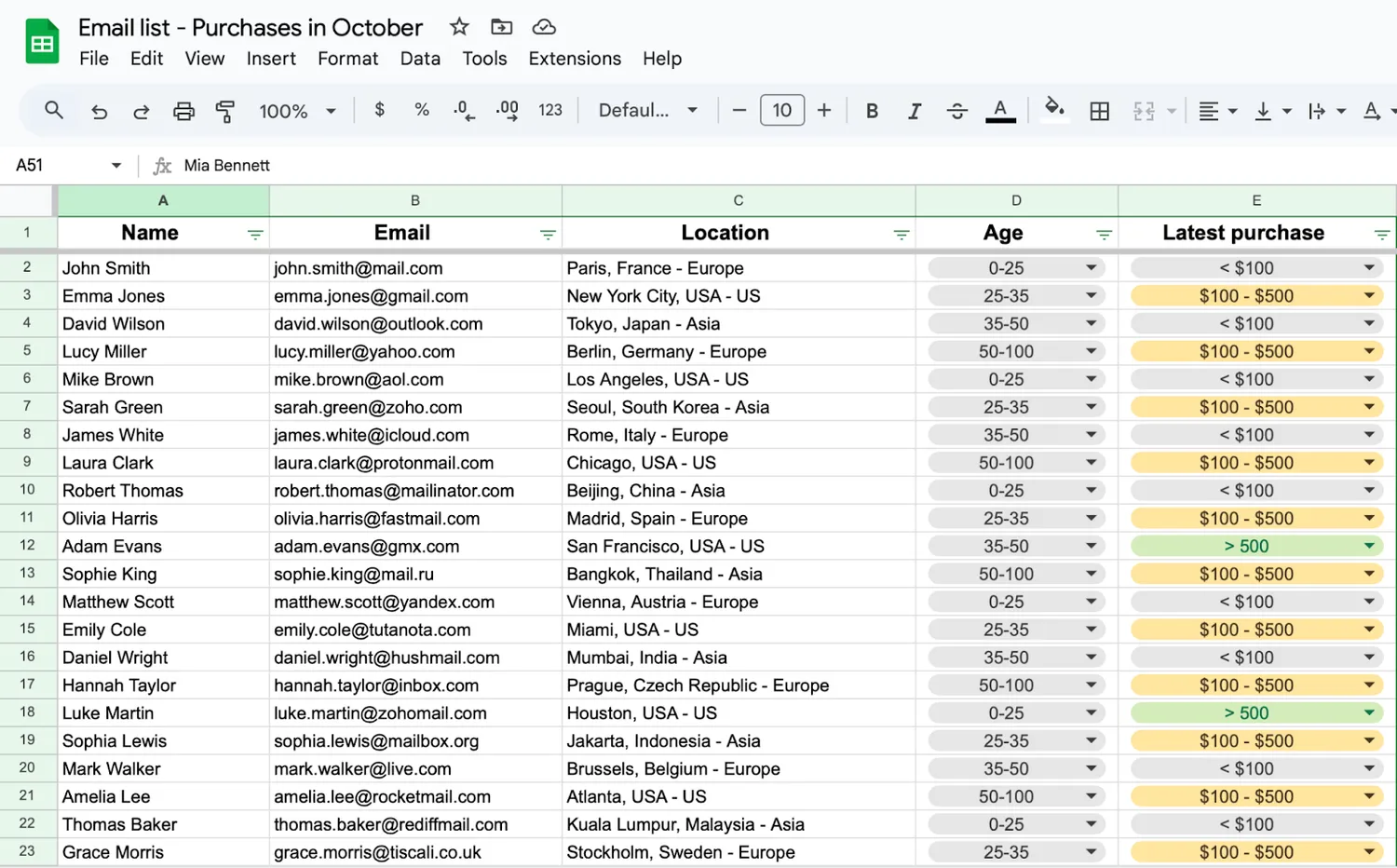
Now, let’s filter the email addresses by the sum of the last purchase. I’m looking for people who spent under $100 in October. All I need to do is add a filter to the corresponding column and select “< $100” to display only those entries.
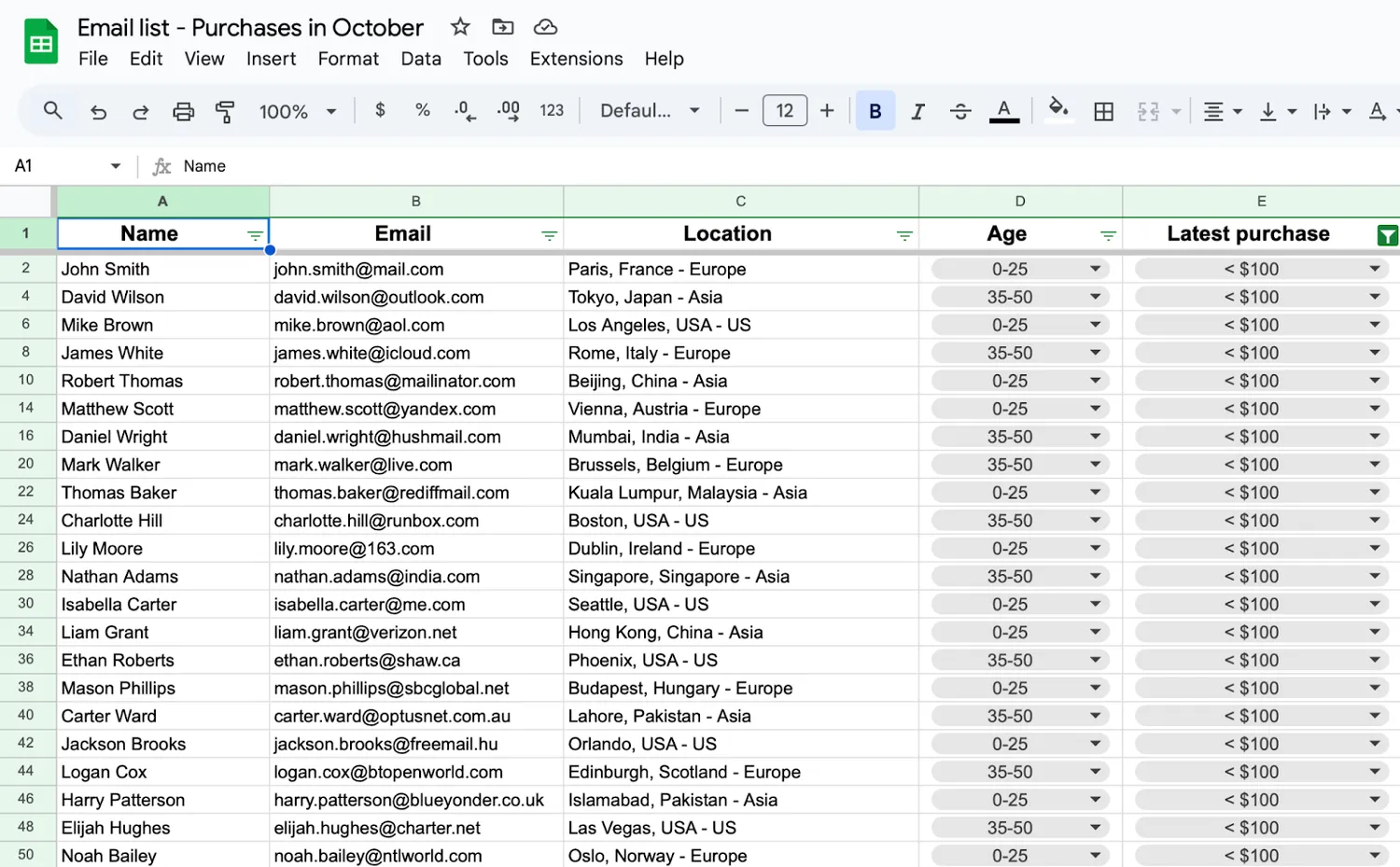
The same process happens when you use software but with more advanced filtering. For example, you can create a segment of subscribers who have clicked on any promotional link in your last few campaigns, interacted with specific product categories, or abandoned their shopping carts.
To achieve the goal of my imaginatory targeted email campaign — increase conversions by 15% in November, I will also need data on the exact purchased item and similar or complementing items I can offer to upsell to each person. Doing it manually for a segmented email list of 21 people is possible, however, in the future (when my theoretical business flourishes), I would rather use automation.
Email segmentation tools make it easy to create segments by automatically tracking customer interactions, purchase history, and engagement. These tools enable you to build dynamic segments that automatically update as customer behavior changes. You can read more about them in this section.
We appreciate you chose this piece of the article to know abot email list segmentation strategies. Read full article to find out email list segmentation best practices!