
Want better deliverability rates? Try verifying the email addresses on your contact list!
For that, you’ll need the help of email verification tools.
I took it upon myself to give 6 of them a test drive and, with that, help you pick one from the many available options.
So, if you’re looking for reviews and comparisons between some of the leading email verification solutions (which also double as email validation tools 🙌🏻), keep on reading!
The best email verification tools: Quick overview
As I know some of you might be looking to make a quick pick and start cleaning your email list ASAP, I’ll first provide you with a quick recap of how 6 of the best email verification tools stack up against each other.
Best accuracy
During my test drives of the 6 email verification tools covered in this article, I can safely say that all have near-perfect accuracy, so it’s hard to pick one as the “most accurate”. That being said, as you’ll see in the table below, as well as the tool’s website, NeverBounce promises the highest accuracy of 99.9%.
Best speed
If your email lists are quite large, a fast email verification tool is a must. And with an impressive verification speed of 0.012 seconds/email, Emailable significantly stands out among the tools I reviewed, making it the fastest of the bunch.
The largest number of integrations
Emailable not only beats the competition in terms of speed but in terms of the number of integrations as well, as it offers 90+ covering a range of email service providers (ESPs), customer relationship management solutions (CRMs), eCommerce platforms, and marketing platforms.
Most number of features
Plenty of features is what you’ll get with each tool on my list. Still, if you really want to get the most bang for your buck, then you should consider giving Hunter a go. The comprehensiveness of this tool is truly impressive and, for some, might justify Hunter’s pretty high price (spoiler alert).
Biggest number of resources
The team behind a tool should equip you with different kinds of resources along with reliable customer support in case you need help, especially as a new user. I found that Bouncer handles this aspect the best by providing not one, not two, but four types of resources.
Most affordable
If you want to save money on email verification tools, the good news is that all the tools mentioned in this article, except NeverBounce, offer a free plan. So, if you want to test out a few solutions before making any financial commitment or use a tool long-term without any costs, then you have plenty of options to choose from. On the other hand, if you’re ready to invest in your email verification efforts by paying for extra features/credits, Clearout will provide you with the most budget-friendly option, whether you choose a pay-as-you-go plan or a monthly subscription. The runner-up in terms of affordability is ZeroBounce, with its monthly subscription.
Comparison criteria to keep in mind
For this round of reviews, I used 6 criteria to help me pick out email verification solutions worth giving a try. Let’s take a loot at each one now!
Accuracy
To truly clean a list, an email verification tool should be able to accurately decipher between invalid email addresses, such as those with syntax errors/typos, spam traps, and so on. If the tool lacks in the accuracy department, that opens the door for bounces, deteriorated sender reputation, and lower deliverability for email campaigns.
Speed
Along with removing the task of verifying emails manually from my hands, I want the tool of my choice to be able to get the job done quickly, regardless of email list size. This way, I can see results fast and get my email deliverability back in shape even faster.
Integrations
As email marketing, cold outreach, and other types of platforms are used by my team and me on a daily basis, the email verification tool we go for needs to have integrations with said platforms or at least support Zapier so we can create our own integrations. This way, we streamline our workflow and boost overall productivity.
Reporting
Just as important as knowing that an email verification tool is doing its job is knowing what exactly the tool did after the email list cleaning is done. For that, I like to rely on reports and analytics provided by the tools, thus making them must-have features.
Pricing
To make sure a tool doesn’t exceed my financial limits, I look for transparent and fair pricing. An added bonus is a free email verification tool trial or free credits/free plan. This way, I can get a sense of what using the tool is like before committing to any yearly or monthly subscriptions.
Solid and honest reviews
While one email verification tool might be a gem in my book, in someone else’s, it might be a total failure. That is why, in order to make the reviews in this article a bit more objective, I also took into consideration the reviews left by other users and, with that, their experience using a specific tool. That being said, even when simply assessing whether an email verification tool is good, reliable, and, most importantly, right for me, plenty of positive and non-paid-for reviews from users are what I look for.
Now, onto my experience using 6 great email verification tools!
NeverBounce
First on this list is a platform with a primary function to help you clean lists quickly and when necessary. With NeverBounce’s Clean feature, you can do a quick initial check and know in an instant whether you need to clean up your entire list or not, thus saving time and effort.
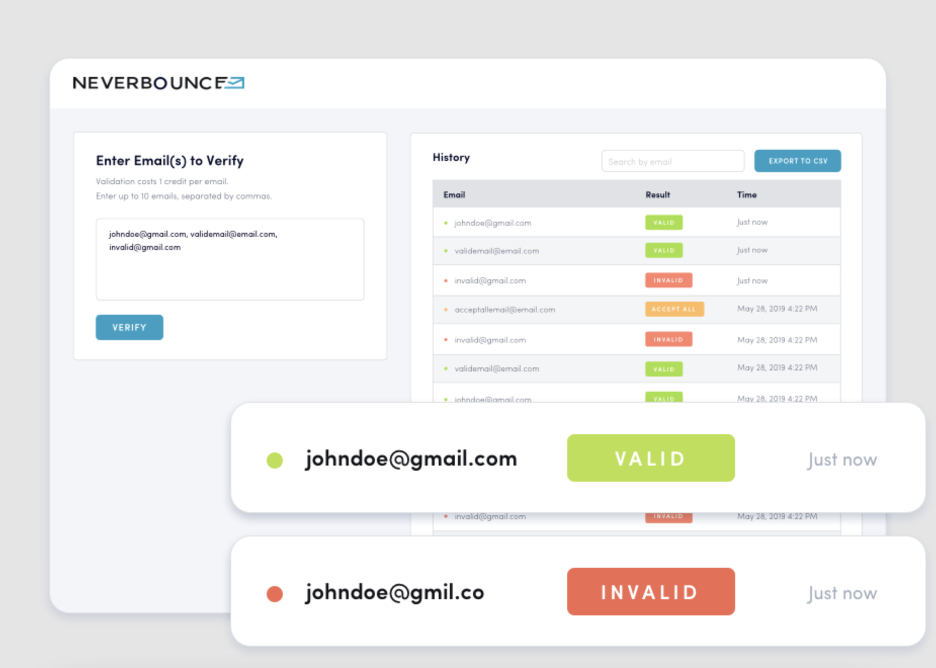
Source: https://www.neverbounce.com/verify
Overview:
Along with the Clean feature, NeverBounce also offers services to help you achieve pristine email list cleanliness. One such service is recognizing an excessive number of dubious email addresses and alerting the NeverBounce team to come in and do personal quality assurance. And while I haven’t tested this service out myself, its potential handiness is evident.
Rating:
- Capterra 4.4 (41 reviews)
- G2 4.4 (136 reviews)
Best for:
- Nonprofits (they receive a 20% discount)
- Enterprises and startups wanting to adhere to strict email provider guidelines
Pros:
- Industry-leading detection capabilities: The tool excelled in detecting disposable emails and catch-all emails. Its efficiency in this area stood out to me as one of the best.
- User-friendly interface: I found the software very easy to navigate and understand. Its intuitive interface made the process of managing a list of emails straightforward, which actually came in handy for demonstrating the value of list cleaning to my superiors.
Cons:
- Challenges in CRM integration: When attempting to integrate the tool with our CRM system, I found the process quite challenging. The integration was not as seamless as expected, which posed a hurdle in efficiently streamlining the email verification process within our existing workflow.
Pricing: Pay-as-you-go plans start at $0.008 per email.
Support: Email, phone, and live chat support
Emailable
When doing email list verification on a regular or even semi-regular basis, chances are you won’t be uploading lists from the same source. For that reason, a tool such as Emailable comes in handy as it allows you to choose between uploading from a computer in CSV (.csv), Excel (.xlsx), or Text (.txt) format or connecting to an email marketing platform.
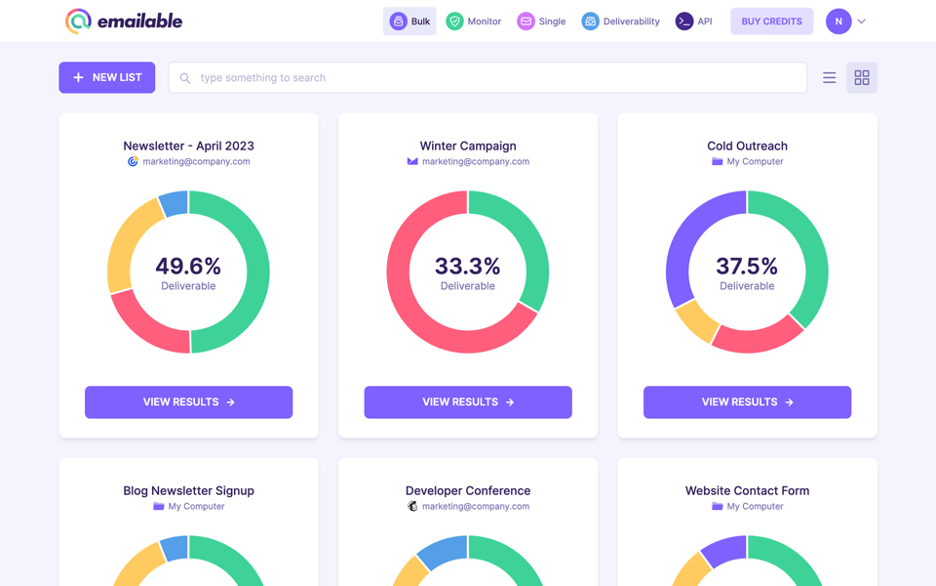
Source: https://emailable.com/
Overview:
Time efficiency is something you can expect to improve as an Emailable user, thanks to its bulk email verification and real-time verification features offered alongside single email verification. For me, the list-cleaning process using this tool usually took only a few minutes, after which I got to examine a detailed report generated by Emailable.
To save even more time, I didn’t shy away from trying Emailable’s automated email verification directly inside my team’s database.
Rating:
- Capterra 4.8 (331 reviews)
- G2 4.8 (244 reviews)
Best for:
- Marketers looking to improve deliverability and email marketing campaign ROI
- Developers looking for an email verification tool with production-ready integrations
Pros:
- Flexible import options: The tool offers the convenience of directly importing email lists from a device or integrating with platforms like Mailchimp, making it very useful for marketers such as myself who deal with a range of different projects and have lists stored in multiple locations.
- Simple installation process: The installation process was straightforward and quick. I really appreciated the ease with which I could get the tool up and running without any technical hurdles.
Cons:
- Occasional missed hard bounces: I noticed that the tool sometimes missed flagging a few undeliverable emails. And while this only occurred with a small number of emails each time, it’s an area where the tool could improve.
- Complexity in understanding verification status: At times, I found it challenging to decipher the status of verified email addresses. The interface or the reporting system could be more intuitive to make this aspect clearer and more user-friendly.
Pricing: Free version with limited credits available. Subscription plans start at 25,50€/month, while pay-as-you-go plans start at 0,006€ per credit.
Support: Email and chat support
Clearout
The easy-to-use and well-known email verification tool, Clearout, is great at ensuring an accuracy of 98%+. The tool does over 20 comprehensive validation checks to verify email addresses. Along with that, it checks for greylisting, detects spam traps, verifies MX records, and does much more.
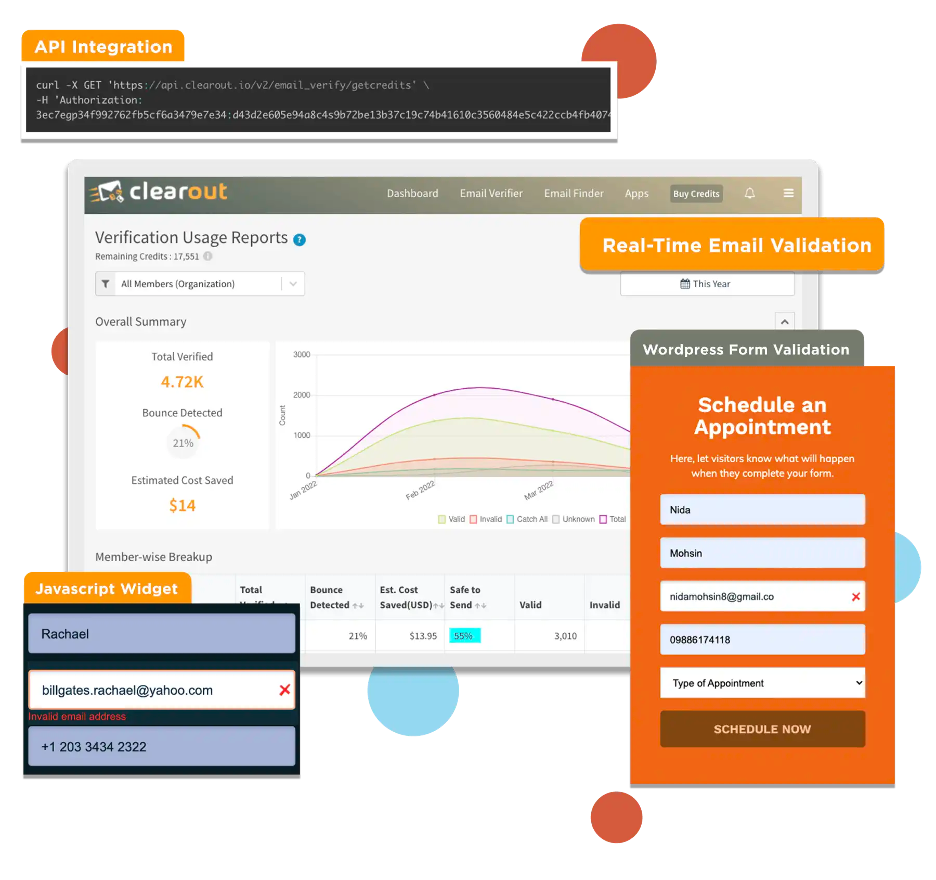
Source: https://clearout.io/email-verifier/
Overview:
Whether it’s a small number of email addresses or large lists, Clearout has both an instant email verifier and a bulk email verifier to check them. All you have to do is upload your email lists in .CSV or .XLSX format. Exporting files in .CSV format is also possible!
Besides its instant and bulk email verifiers, Clearout does have a Google Sheets add-on to quickly verify email addresses directly in your spreadsheets without having to juggle between lists or multiple uploads and downloads.
Another cool feature I found in Clearout is its API for instant and bulk email validation. This allows for high flexibility as the API can be integrated into software written in a range of programming languages.
Rating:
- Capterra 4.7 (82 reviews)
- G2 4.7 (160 reviews)
Best for:
- Email marketers looking to clean their email list and improve email deliverability
- Sales/marketing professionals who do not want to ruin their domain sender reputation while doing outreach
- Lead generation companies who are looking for verified contact details of target B2B professionals
Pros:
- Seamless integration with HubSpot chat flows: Whether they come from customer support or an interactive marketing chatbot, Clearout ensures emails are validated right at the point of capture.
- More than just email verification: Clearout doesn’t just verify emails; it also has an email finder for quick and large-scale email searches. Additionally, it offers a LinkedIn prospecting Chrome extension along with in-app search, helping you extract pre-verified contact information from the LinkedIn platform.
- Quick resolve time: Clearout’s customer service team is always on their feet, ready to answer any questions you may need assistance with.
Cons:
- Doesn’t support campaign scheduling: Lacks support for sending, automating, and scheduling email campaigns right after cleaning a list.
- Limited CRM integrations: While Clearout integrates directly with almost all forms, most CRM integrations are done through Zapier or Make. A direct integration would have saved me time and effort.
Pricing: Free version with limited credits available. Subscription plans start at $31.5/month, while pay-as-you-go plans start at $0.007 per credit.
Support: Email and chat support
-----------------------------------------------------------------------------------------------------
I appreciate your interest! If you'd like to learn more about email verification, you can check out the Mailtrap blog post. We've got some great insights to share!