The world of mobile content creation is no longer a trend — it’s the standard. Whether you’re capturing moments on the go, vlogging your daily routine, or creating behind-the-scenes content for your brand, your smartphone is now your most powerful tool. But as smartphones become more capable, so do the expectations of your viewers. That’s where the magic of a gimbal, specifically a phone gimbal or a gimbal for iPhone, comes into play.
In short: if you're serious about video quality, even on a mobile device, using a gimbal is no longer optional — it's essential.
What Is a Gimbal and Why Does It Matter?
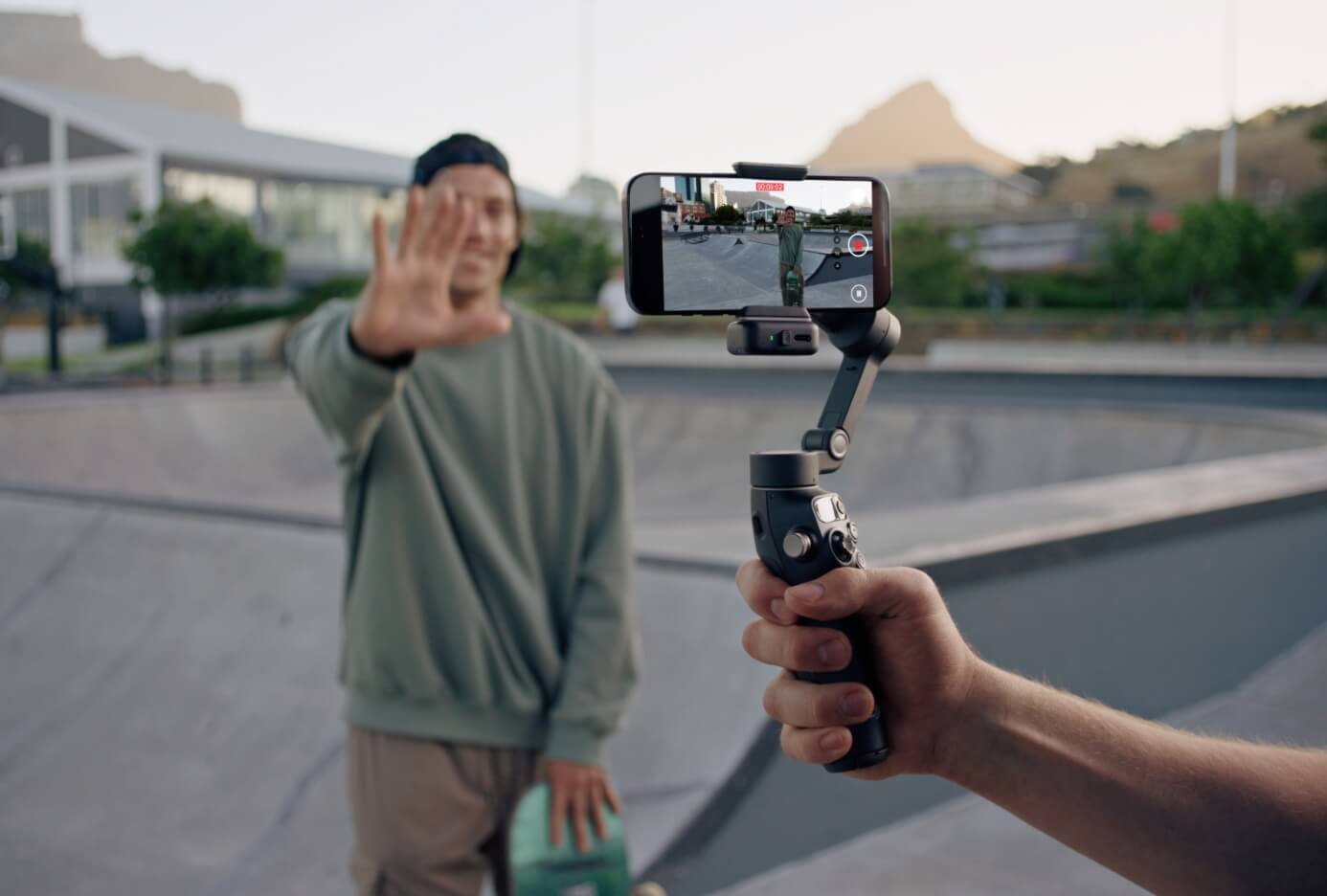
A gimbal is a stabilizing device that eliminates unwanted camera shake, allowing you to capture smooth, cinematic footage. Whether you’re walking, turning, or even running, the gimbal’s motorized axis compensation ensures your shot remains steady and visually appealing.
And it’s not just about shake reduction. Gimbals are designed to help creators unlock new levels of creative control. Want to shoot an effortless panning shot or track a subject with smooth motion? The gimbal does the heavy lifting, letting you focus entirely on composition and storytelling.
So, why is this particularly important for mobile content creators?
Because handheld smartphone shooting, while convenient, is full of micro-movements. Even with built-in optical stabilization, your hand naturally shakes, especially during long takes. A gimbal for your phone smooths all of that out — and makes your smartphone feel like a pro-level filmmaking rig.
The Rise of the Phone Gimbal
Smartphones have come a long way in terms of camera capabilities. Many now offer 4K recording, multiple lenses, and impressive dynamic range. But one area where phones still struggle is motion stability. Enter the phone gimbal — a handheld stabilizer built specifically for mobile devices.
A phone gimbal doesn’t just steady your footage. It opens doors to dynamic movement-based shots: sweeping pans, dolly zooms, follow shots, time-lapses, and more. These techniques used to require bulky equipment and editing finesse. Now? You can shoot them with your smartphone and a gimbal in hand.
Most modern phone gimbals also come with intuitive mobile apps that offer smart features like:
- Object tracking (perfect for solo creators),
- Gesture control (great for hands-free recording),
- Shot presets (to replicate complex camera movements), and
- One-tap editing and sharing options.
This makes them incredibly beginner-friendly, while still powerful enough for seasoned creators.
Gimbal for iPhone: Designed for Apple’s Powerhouse
iPhones are known for their camera quality — especially in the Pro models. They shoot crisp video, handle low light impressively, and support cinematic mode. But to fully unlock this potential, pairing your iPhone with a gimbal built for iPhone is the secret sauce.
Why a dedicated gimbal for iPhone? Because many of them are optimized for iOS, meaning tighter app integration, real-time syncing, and better accessory compatibility. These gimbals often support:
- Direct control of the iPhone camera through the gimbal handle,
- Seamless connection to Filmic Pro or DJI Mimo for advanced filming options,
- Compact folding designs perfect for travel or on-the-go recording.
The result? A mobile filming experience that’s not only smooth but smart. You can shoot cinematic content in a matter of minutes — no professional rig, no crew, just you and your iPhone with the right gimbal in hand.
Real-World Scenarios Where Gimbals Shine
Still wondering where a gimbal fits into your workflow? Consider these common scenarios:
- Vlogging while walking: No one wants to watch jittery video as you narrate your day. A gimbal keeps your face centered and stable, letting your voice and story take center stage.
- Filming fast-moving scenes: Whether you're capturing your kid’s soccer game, a street performance, or a travel adventure, a gimbal ensures your motion doesn’t ruin the footage.
- Creating product videos or reels: A smooth pan around a product or setup shot feels professional — and grabs attention far better than shaky, static footage.
- Shooting solo content: With object tracking and gesture control, you can film yourself with dynamic camera motion, no help needed.
Final Thoughts
You don’t need a cinema camera or a full production crew to make stunning content. With just your smartphone and a gimbal — especially a phone gimbal or a gimbal for iPhone — you’re ready to shoot videos that feel polished, engaging, and ready for any platform.
It’s not about replacing your gear — it’s about enhancing it. The gimbal transforms your mobile setup from casual to cinematic. It doesn’t just stabilize your footage — it elevates your storytelling. And in a world where every second of screen time counts, that kind of upgrade isn’t just helpful — it’s necessary.