If you’ve ever filmed a video with your iPhone and cringed at the shaky footage, you know how frustrating it can be. Whether you’re capturing a family outing, a travel vlog, or a quick social media clip, smooth visuals are key to keeping your audience hooked. That’s where a camera stabilizer, specifically an iPhone gimbal or camera gimbal, comes in—a tool that turns your iPhone into a professional-grade filmmaking device. Let’s explore why a gimbal is a game-changer for content creators and how it can elevate your videos to the next level.
What Is a Camera Gimbal?
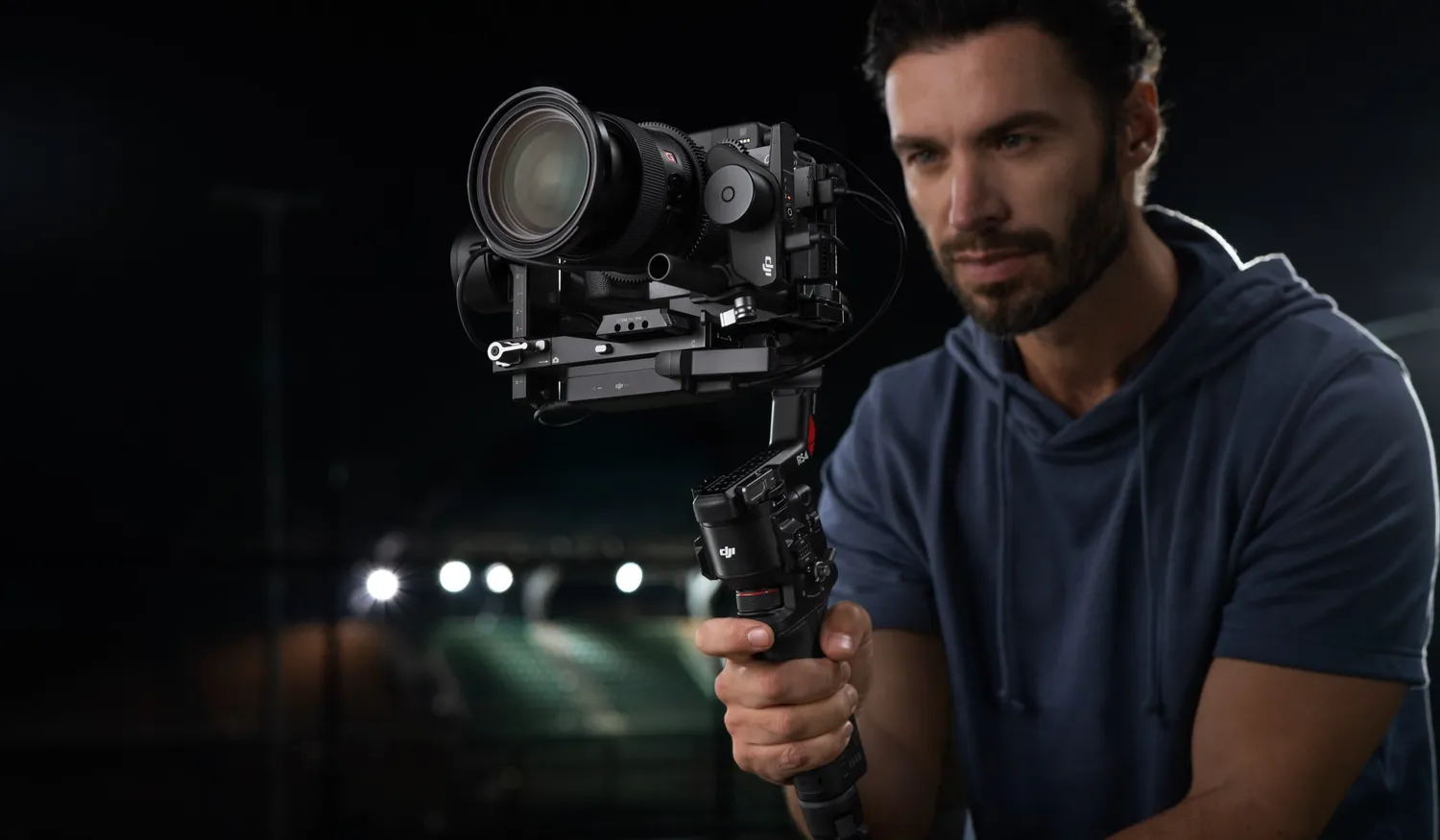
A camera gimbal is a handheld device that uses motorized axes (typically three: pan, tilt, and roll) to stabilize your iPhone, eliminating shakes and jitters. Unlike your phone’s built-in stabilization, which can falter during fast movements or low light, a camera stabilizer ensures silky-smooth footage, even while walking, running, or panning. Top models like the DJI Osmo Mobile 7P or Insta360 Flow 2 Pro offer features like AI-powered tracking, built-in tripods, and companion apps for creative modes like timelapse or hyperlapse. These gimbals are lightweight, foldable, and perfect for creators on the go.
Why an iPhone Gimbal Is a Must-Have
Your iPhone’s camera is already impressive, but a camera gimbal unlocks its full potential. The DJI Osmo Mobile 7P, for example, uses a magnetic clamp to securely hold your iPhone (from iPhone 13 to 16 Pro Max) and delivers 3-axis stabilization for flawless footage. Its ActiveTrack 6.0 keeps subjects in frame, making it ideal for solo vloggers or filming moving objects like kids or pets. With an extendable rod for selfie shots and a battery life of up to 10 hours, it’s built for long shoots and travel.
The Insta360 Flow 2 Pro takes it further with Apple DockKit integration, syncing seamlessly with your iPhone’s native camera app for intuitive control. Both gimbals are compact, weighing around 350 grams, and fold down to fit in your pocket or bag, making them perfect for spontaneous filming.
Benefits of Using a Camera Stabilizer
- Cinematic Smoothness: 3-axis stabilization ensures shake-free videos, even during dynamic shots like running or panning.
- Smart Features: AI tracking, like the DJI’s ActiveTrack or Insta360’s Deep Track 3.0, keeps subjects in focus effortlessly.
- Creative Versatility: Modes like timelapse, slow-motion, and panorama add flair to your videos.
- Portability: Lightweight and foldable, gimbals are easy to carry for travel or daily vlogging.
- Multi-Use Design: Use as a tripod, selfie stick, or even a power bank to charge your iPhone on the go.
How to Choose the Right iPhone Gimbal
Picking the perfect iPhone gimbal depends on your needs:
- Compatibility: Ensure it supports your iPhone model and case. The DJI Osmo Mobile 7P fits most recent iPhones with magnetic or clamp mounts.
- Stabilization: Look for 3-axis stabilization for the smoothest footage, as found in the Insta360 Flow 2 Pro.
- Features: Prioritize AI tracking, creative modes, and app support for editing, like the DJI Mimo or Insta360 app.
- Battery Life: Choose a gimbal with 8–10 hours of runtime for all-day shoots.
- Ease of Use: Opt for intuitive controls and quick setup to avoid a learning curve.
Pairing Your Gimbal with Accessories
To maximize your setup, pair your camera stabilizer with a wireless mic, like the Rode Wireless Go II, for clear audio, or a portable LED light for better low-light shots. These additions enhance your iPhone’s capabilities, creating a compact yet powerful filmmaking kit. For example, use the Osmo Mobile 7P for a smooth vlog shot, then switch to its tripod mode for a steady interview, all while capturing crisp sound.
Create Videos That Stand Out
A camera gimbal like the DJI Osmo Mobile 7P or Insta360 Flow 2 Pro transforms your iPhone into a cinematic powerhouse. Whether you’re a vlogger, a parent capturing memories, or a social media creator, an iPhone gimbal delivers smooth, professional footage with ease. Start filming stunning videos that captivate your audience today—no heavy gear required.