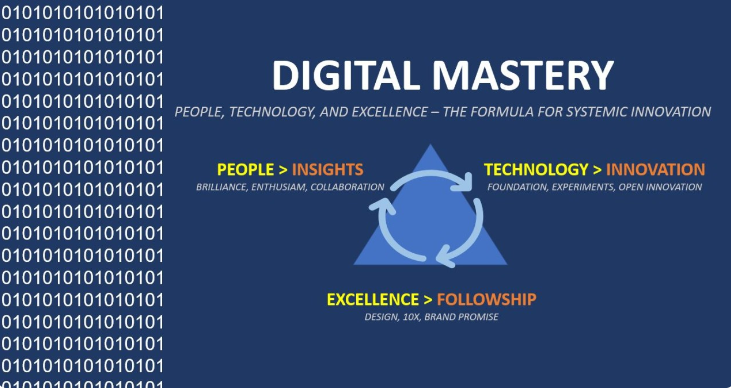
Mastering Digital Tools for Collaborative Work in Remote Teen in the same location requires a high level of digital fluency. Here’s an in-depth exploration of how mastering digital tools for collaborative work can significantly enhance productivity and teamwork in remote settings.
1. Importance of Digital Tools for Remote Team Collaboration
Remote teams face unique challenges compared to traditional, in-office teams. Key challenges include:
- Geographical barriers:Team members are scattered across various locations and time zones.
- Communication gaps: Without face-to-face interaction, miscommunication or delayed responses can become problematic.
- Coordination issues: Managing workflows and tracking progress without centralized oversight can lead to inefficiencies.
Mastering digital tools helps overcome these barriers by enabling seamless communication, collaboration, and project management. Effective use of technology ensures that all team members remain on the same page, regardless of location, which ultimately improves productivity and fosters a sense of connection within the team.
2. Core Digital Tools for Remote Collaboration
To successfully navigate the complexities of remote teamwork, mastering the following digital tools is crucial:
A. Communication Tools
Clear communication is the cornerstone of remote collaboration. Without face-to-face interaction, the right communication tools ensure teams stay connected and informed.
- Slack: Slack is a widely-used messaging platform that supports real-time communication through channels, direct messages, and file sharing. It’s great for informal chats, quick updates, and group discussions. Integrations with other tools like Google Drive, Trello, and Zoom allow for a comprehensive collaboration environment.
- Microsoft Teams: Teams is a collaboration hub within Microsoft 365 that integrates chat, meetings, file sharing, and document collaboration. It’s particularly effective for teams already using Microsoft tools (Word, Excel, PowerPoint).
- Zoom/Google Meet: Video conferencing tools like Zoom and Google Meet have become indispensable for remote teams. They enable face-to-face meetings, webinars, and one-on-one interactions, improving engagement and understanding.
B. Project Management Tools
These tools help teams plan, organize, and track work, ensuring projects move forward smoothly and deadlines are met.
- Trello: Trello uses a simple board and card system to visually organize tasks. It’s ideal for smaller teams or projects and allows for task assignments, progress tracking, and due date reminders.
- Asana: Asana is a robust project management tool that supports task tracking, project timelines, dependencies, and team collaboration. It’s great for more complex projects that require detailed tracking and collaboration.
- Monday.com: Monday.com offers customizable workflows, task assignments, progress tracking, and integrates with various apps. Its flexible boards cater to different types of workflows, making it versatile for a variety of team needs.
C. Document and File Sharing Tools
Remote teams need easy access to shared documents and resources. These tools allow for secure file storage, sharing, and collaborative editing.
- Google Workspace: Google Docs, Sheets, Slides, and Drive provide a cloud-based suite of tools for document creation and real-time collaboration. Multiple users can edit documents simultaneously, making it ideal for teamwork.
- Dropbox: Dropbox is a file storage and sharing platform that allows teams to store documents in the cloud, ensuring easy access and file management. It’s often used for larger files and as a backup for critical documents.
- OneDrive: For teams using Microsoft tools, OneDrive integrates with the Microsoft ecosystem, enabling seamless storage and file sharing across the team.
D. Collaboration and Whiteboarding Tools
Visual collaboration is particularly important for brainstorming, problem-solving, and ideation, which can be more challenging in remote settings.
- Miro: Miro is an online whiteboarding platform where teams can collaboratively create mind maps, flowcharts, diagrams, and sticky notes in real time. It’s excellent for brainstorming sessions and visualizing complex ideas.
- MURAL: Similar to Miro, MURAL allows remote teams to engage in collaborative, visual thinking. It’s widely used for design thinking, strategy sessions, and remote workshops.
E. Time and Productivity Management Tools
Keeping track of time, managing tasks, and maintaining productivity levels is a challenge for remote teams. These tools help ensure that deadlines are met and work is completed efficiently.
- Toggl: Toggl is a time-tracking tool that allows individuals to track time spent on various tasks. This helps with workload management, ensuring that no team member is overburdened and that projects are progressing on schedule.
- RescueTime: RescueTime helps individuals track their digital habits by providing insights into how time is spent on different apps and websites. It’s useful for maintaining focus and avoiding distractions.
3. Best Practices for Using Digital Tools in Remote Teams
Mastering these tools requires more than just learning how to use them; it involves integrating them into the team’s workflows and adopting best practices to maximize efficiency.
A. Establish Clear Communication Guidelines
- Set expectations for response times (e.g., how quickly team members should reply to messages or emails).
- Use appropriate channels for different types of communication (e.g., Slack for quick chats, Zoom for more complex discussions, email for formal communication).
- Encourage asynchronous communication where possible, allowing team members in different time zones to contribute without the need for everyone to be online simultaneously.
B. Implement a Centralized Hub for All Resources
A single source of truth ensures that all team members have access to up-to-date information. Use project management tools like Asana or Monday.com as the central hub for tasks, deadlines, and resources, ensuring that nothing is lost or forgotten.
C. Foster Team Engagement
Remote teams can sometimes feel isolated, so it’s important to keep everyone engaged:
- Schedule regular check-ins and virtual team-building activities to maintain morale.
- Use video calls for face-to-face interactions and to create more personal connections.
- Celebrate achievements and milestones publicly to encourage a sense of share success.
D. Embrace Flexibility and Work-Life Balance
Remote work allows for flexible hours, but it also brings the challenge of balancing personal and professional life. Encourage employees to manage their own schedules within reasonable limits. Tools like Slack’s “Do Not Disturb” feature or setting work hours in calendar apps can help create boundaries between work and personal time.
4. Overcoming Challenges in Remote Team Collaboration
While digital tools offer great potential for remote team collaboration, there are still challenges to address:
- Time Zone Differences: Remote teams spread across various time zones may struggle with coordinating meetings. Use scheduling tools like Doodle or World Time Buddy to find overlapping times that work for everyone. Asynchronous communication helps to mitigate this issue.
- Team Cohesion: Physical distance can lead to feelings of disconnection. Use collaboration and communication tools to maintain informal channels where team members can chat casually (e.g., Slack channels for non-work-related discussions).
- Security and Privacy: When working remotely, securing digital assets is crucial. Ensure the team uses secure platforms for communication, file sharing, and collaboration. Implementing two-factor authentication (2FA) and using VPNs (Virtual Private Networks) adds extra layers of protection.
5. Future Trends in Digital Collaboration Tools
As remote work continues to evolve, several trends in collaboration tools are emerging:
- AI Integration: Many collaboration tools are integrating AI to automate tasks, provide insights, and enhance productivity. For example, AI-driven project management tools may automatically assign tasks based on workload or predict potential project delays.
- Virtual and Augmented Reality: Tools that incorporate VR and AR will provide more immersive collaboration experiences, allowing remote teams to interact in virtual spaces.
- Integrated Ecosystems: We will continue to see the development of more integrated platforms where multiple tools (communication, file sharing, project management) are available within a single interface, making workflows smoother and more efficient.
Conclusion
Mastering digital tools for collaborative work in remote teams is essential for ensuring productivity, effective communication, and successful project outcomes. By selecting the right tools, establishing clear processes, and fostering a collaborative and supportive environment, remote teams can work seamlessly, despite physical distance. The key to success is not just using digital tools but integrating them effectively into team workflows, adopting best practices, and adapting to evolving technologies.