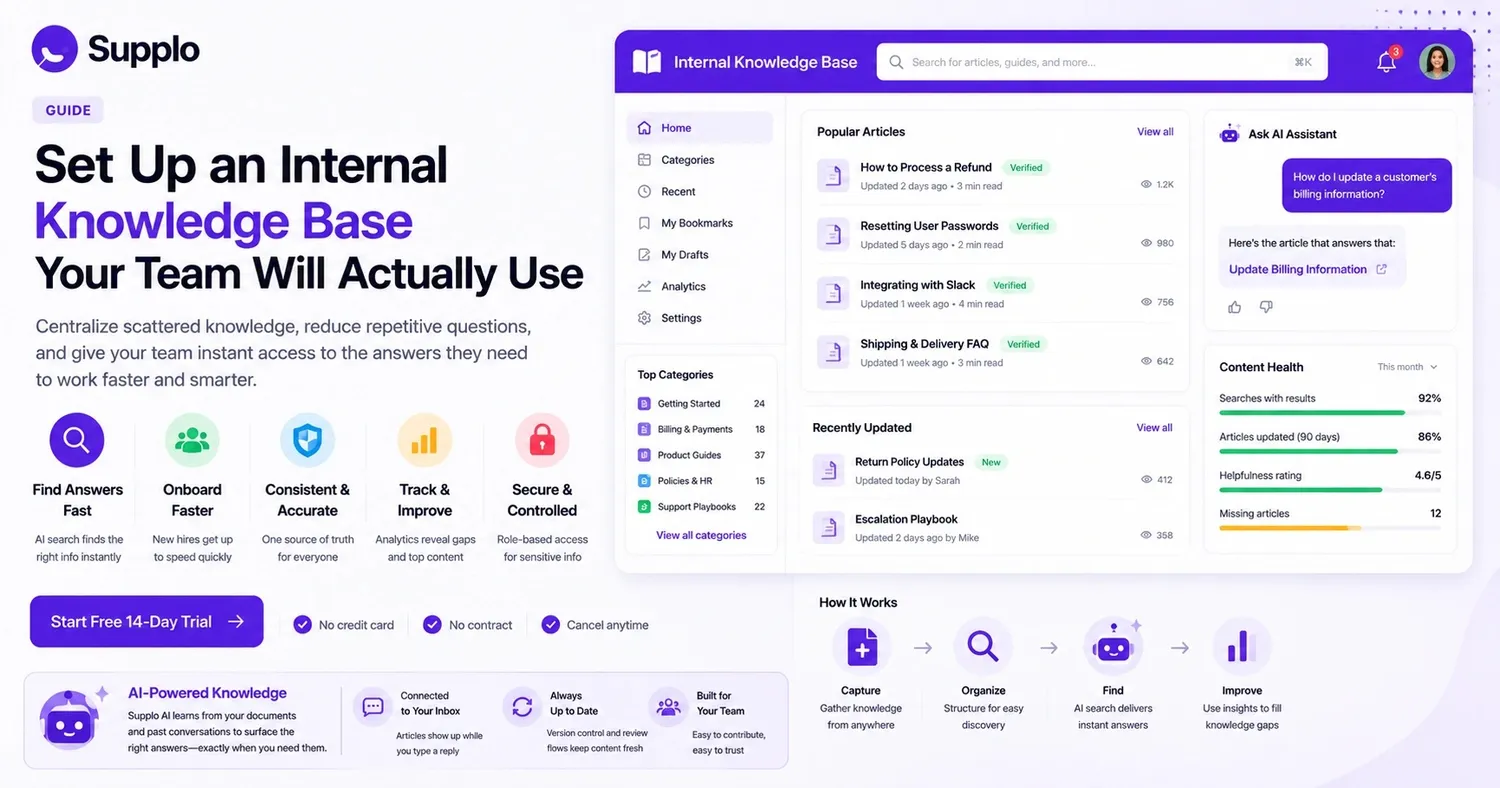
Let's be honest for a moment. Every team has that one go-to person who seems to know everything. People constantly hit them up on Slack or other channels, asking how to handle a refund or find the latest product specifications. This is what we call tribal knowledge, and it often creates a bottleneck.
A centralized internal knowledge base solves this problem. It gathers all that valuable information scattered across old emails, chat threads, and people's minds, putting it into one easily searchable location. What's the payoff? Faster onboarding for new hires, fewer repetitive questions, and a customer support team that delivers consistent answers.
This article is for anyone who's tired of answering the same questions over and over. Team leads, operations staff, and support managers—you know who you are.
Quick Answers
- An internal knowledge base brings all your fragmented information together into a single, searchable spot. This helps reduce how often you answer the same questions and speeds up the onboarding process.
- The best way to implement one is to start small: review your existing content, pick a knowledge management platform with AI search capabilities, and assign specific content owners to keep things updated.
- The top internal knowledge management software integrates seamlessly with your current tools (like supplo's shared inbox) and offers analytics to point out where your content has gaps.
- Steer clear of common mistakes such as a lack of content ownership, overwhelming users with too much information at launch, or poor integration into daily workflows.
Why Your Team Needs a Centralized Internal Knowledge Base
Here’s the deal with tribal knowledge: it doesn't scale well. When you have a small team of five, everyone might know exactly who to ask for help. But what happens when your team grows to fifty? Good luck with that!
A centralized internal knowledge base transforms how your team operates. It becomes the reliable source of truth for all critical information.
- Onboarding accelerates. New team members won't have to chase down senior staff for basic operational details. All the information they need is readily available.
- Information silos vanish. That one person who holds all the key information? They can finally take a vacation without impacting productivity.
- Compliance becomes simpler. Polices, product requirements, and communication scripts—everything lives in one place, complete with version control and clear review processes.
Internal Knowledge Base Implementation
Review Your Current Information: Don't start from scratch; use what you already have.
Before setting up an internal knowledge base, you need to understand your existing resources. Go through your documents, FAQs, standard operating procedures (SOPs), onboarding guides, and all those support tickets you've already answered countless times.
- Chat with team leads to pinpoint crucial knowledge gaps. Ask them, "Which question do you get asked most often?"
- Get rid of outdated or duplicate information before you import anything. There’s no point in organizing a mess.
- Focus on content that addresses the highest number of recurring questions first.
Select the Right Internal Knowledge Base Software: Your software should be easy to search, update, and fit into your team's workflow.
The best internal knowledge base software does more than just store documents; it makes them easy to find. Look for features like instant publishing, version history, and role-based access. This allows your team to contribute without causing chaos. Platforms like supplo simplify this by directly linking your knowledge base to your customer conversations.
- Assess software based on its search speed and how well its AI-powered retrieval works. No one has time to click through endless folders.
- Make sure it offers analytics so you can spot articles that are frequently searched for but don't exist yet.
- Prioritize tools that allow even non-technical team members to update content easily.
Want to see how an internal knowledge base integrates with a shared team inbox? Start your free 14-day trial at Supplo.io (no credit card needed). Experience how AI search instantly brings up the right article the moment your team types a question.
Structure Content for Simple Discovery: Organize content based on how your team thinks, not just by who wrote it.
Arrange your internal knowledge base by department, a specific process, or product category. Use clear, consistent naming conventions for categories and tags. This makes searching feel intuitive, not like a scavenger hunt.
- Create a straightforward tiered system: Category → Sub-category → Article.
- Use descriptive titles that reflect how your team actually asks questions.
- Add tags for common synonyms and industry terms to improve search results.
Write and Maintain Accurate Articles: Keep it clear, concise, and focused on action. That's the winning formula.
Assign ownership for each article category. Plan quarterly reviews to update or remove outdated content. An old article can be worse than no article at all, as it actively misleads your team.
- Include step-by-step instructions, screenshots, or short video tutorials when they’re helpful.
- Avoid using jargon unless it’s standard terminology within your team.
- Add a "last reviewed" date to indicate its freshness and relevance.
Integrate with Existing Tools: If it’s not where your team already works, they probably won't use it.
Your internal team knowledge base needs to be accessible within the tools your team uses daily. Connect it to your chat platforms, email clients, or customer support inbox. supplo's inbox proactively suggests relevant knowledge base articles as an agent types a reply. That's the type of seamless integration you want.
- Link your knowledge base with your customer support software.
- Embed search widgets into your intranet or team dashboards.
- Enable API access if you require custom integrations for unique workflows.
Key Features of the Best Internal Knowledge Base Software
The top internal knowledge base software does more than simply host documents; it actively helps your team find the answers they need.
- AI search that understands natural language, not just exact keywords. Your team asks questions like real people.
- Role-based access to protect sensitive HR, legal, or financial information.
- Analytics dashboards showing search trends, missing content, and article popularity.
- Version history and approval processes for published articles.
- Multi-language support if your team is globally distributed.
It's a bonus if the platform features an AI agent that learns from your knowledge base and automatically provides correct answers as your documentation grows.
How to Make Sure Your Internal Team Knowledge Base is Reliable
Reliability comes from two main things: accurate content and consistent updates. Assign a content owner for each major section and require a quarterly review. A "verified" badge on recently reviewed articles builds team trust much faster than any official announcement.
- Set up a simple "request a correction" button for team members to flag issues instantly.
- Track content health with metrics like "articles not reviewed in 90 days."
- Create a quick-start checklist so new team members can verify if the documentation is complete.
Internal Knowledge Base Platform vs. Traditional Intranet
Let's call things as they are. A traditional intranet is fine for company announcements and HR policies, but it's generally terrible for quick, direct answers. A dedicated internal knowledge base platform is specifically designed for quick search, structured articles, and real-time updates.
You probably need both: an intranet for company culture and an internal knowledge base for operational answers.
- Intranets are often static, often needing IT involvement for updates. Knowledge bases, however, empower any team member to contribute.
- Internal knowledge base search is optimized for "how do I..." questions, rather than general browsing.
- A knowledge base provides usage analytics, which an intranet usually doesn't.
How to Choose Internal Knowledge Base Software for Your Company
Begin by considering your main use case. Are you ditching old wikis? Supporting a remote workforce? Trying to reduce customer support ticket volume by enabling agents to help themselves?
Prioritize software that balances user-friendliness with powerful search capabilities, integrates with your existing tools, and has clear pricing that won't unexpectedly increase as your team expands.
- List all your essential integrations (e.g., Slack, email, help desk platforms).
- Decide who can create and edit content, and whether you prefer an open contribution model or managed publishing.
- Compare different pricing structures: per-seat versus a flat workspace fee. Models like supplo's flat per-workspace pricing prevent your costs from spiraling.
If you've had trouble getting people to adopt a knowledge base in the past, the software itself might be the problem, not your content. Platforms that separate documentation from customer interactions create unnecessary hurdles. supplo connects your knowledge base directly to your support inbox, so relevant articles appear automatically. Give it a free try.
Common Pitfalls When Setting Up an Internal Knowledge Base and How to Avoid Them
Most internal knowledge base projects fail due to poor adoption, not because the software is bad. Here's what often goes wrong:
- Pitfall: No one owns the content, leading to outdated articles. Fix: Assign a "content champion" for each category.
- Pitfall: Launching with too much structure overwhelms the team. Fix: Start simple and add hierarchy as it becomes necessary.
- Pitfall: No integration means the team forgets it exists. Fix: Embed search functions directly into your daily workflow tools.
The solution is straightforward: launch with 10 high-impact articles, keep them concise, and assign a clear owner to each one.
Measuring Success: Is Your Internal Knowledge Base Effective?
If your internal knowledge base is working well, you'll see it in the data. Expect to see a decrease in support tickets for common questions, shorter onboarding times, and high satisfaction ratings in search logs.
- Monitor monthly "search queries with zero results." These indicate your content gaps.
- Track article views versus "was this helpful?" ratings.
- Measure the average time it takes your support team to answer questions before and after implementation.
Key Takeaways
- An internal knowledge base centralizes scattered information into one searchable place, reducing repetitive questions and speeding up onboarding.
- Implementation works best when you start small: audit existing content, choose a knowledge base platform with AI search, and assign content owners for regular updates.
- The best internal knowledge base software integrates with your existing tools and includes analytics to track content gaps.
- Avoid common pitfalls: no ownership, too much content at launch, and poor integration with daily workflows.
- An internal knowledge base is a dynamic asset that requires consistent maintenance and updates to remain effective.
An internal knowledge base isn't a one-time project; it's a living resource. supplo helps you maintain it with AI that learns from your past conversations and a shared inbox that keeps your team in sync. Set up your internal knowledge base today and ensure your entire team stays informed, all without worrying about per-seat fees. Start your free trial.
FAQ
Is it safe to store confidential information in an internal knowledge base?
Yes, as long as the software supports role-based permissions and data encryption. Always check your provider’s security certifications and limit access to sensitive articles to specific roles or departments.
Why do some internal knowledge base implementations fail?
Most failures stem from a lack of content maintenance and poor search functionality. If your team can't find answers quickly, they'll stop using it entirely.
Should we build our own internal knowledge base or buy software?
Buying specialized software is almost always quicker and more dependable than building a custom solution from scratch. You get features like AI search, analytics, and integrations right out of the box.
How often should we update our internal knowledge base?
Schedule a full content audit quarterly. High-traffic articles (like policies, product changes, or support scripts) should be reviewed monthly or whenever their underlying processes change.
Can an internal knowledge base entirely replace onboarding documentation?
While it should centralize your onboarding information, you still need a structured onboarding process. The knowledge base serves as a continuous reference that new hires can consult after their initial training.
What is the difference between an internal knowledge base and a wiki?
A knowledge base emphasizes quick, accurate search and answer retrieval. A wiki is often more free-form and better suited for collaborative, long-form documentation.
How do we get our team to actually contribute to the knowledge base?
Make it part of their regular workflow. For instance, require a brief documentation step when closing a support ticket, or assign rotating "content duty" each development sprint. Lead by example to encourage participation.
supplo is not affiliated with any particular app or website. Please adhere to each app's terms and local regulations.