TikTok is undoubtedly one of the online software that young people around the world love. Thousands of users spend time on TikTok every day, and a large number of wonderful videos are watched by users. As a result, more and more users are looking for ways to download TikTok videos or audios. If you are one of them, please read on, I will show you the solution to download TikTok video or audio on your phone or computer, you can solve it completely free and fast.
What are TikTok videos?
As a diversified video social platform, TikTok has a very rich variety of videos. Different users can find their favorite categories and become fans of their favorite TikTokers. According to statistics, funny highlights, lip-synching music, beauty and fashion videos are the most popular among TikTok users, and they always get hundreds of thousands or even millions of likes.
TikTok video creators can set download permissions for their own videos. If others are allowed to download their videos, users can find the download button from the share button and download the video to their own devices, but each video will have a TikTok watermark , which are small logos or text that appear in the lower right and upper left corners of the video.
What are TikTok audios?
TikTok audio is the soul of TikTok, and if you've used TikTok, you'll find that every video shows the audio used by the publisher. Clicking on an audio will see all video content that uses that audio, meaning it's either trending or viral.
Video creators on TikTok gain more followers and views by using Trending Sounds or creating great original soundtracks to push their content to a wider audience. Many current TikTok creators are known for using or creating popular audio.
How to download TikTok videos or audios on Mobile?
Closer to home, for great TikTok video content, viewers may want to download it for offline viewing, and video creators may want to move their TikTok videos that they don’t have backups to other video platforms, such as YouTube. If so, then they face a problem, the TikTok watermark or the non-downloadable soundtrack.
For these problems, there are already solutions, just follow the following tutorials:
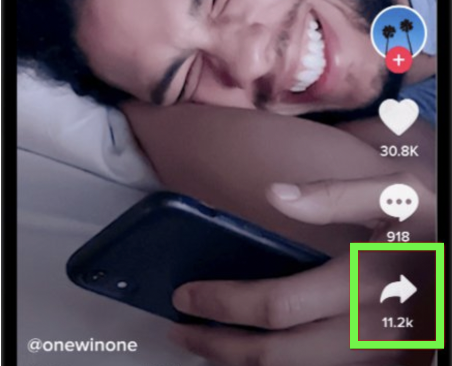
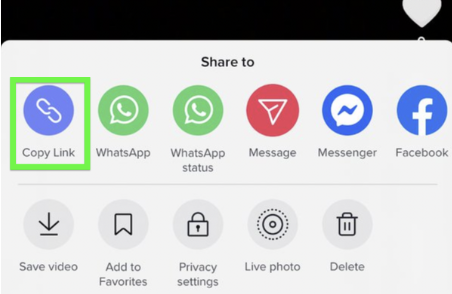
Step 1 Copy the link of the video you want to download.
For mobile users, the way to get the video link is to click the three-dot button in the lower right corner of the video and select [Copy Link].
Step 2 Open the TikFast online downloader website with your mobile browser;
Type in your browser input box: https://tikfast.net/.


Step 3 Paste the obtained video link into the input box and click the [Download] button.
You will be faced with three options: 【Save without watermark】, 【Save original video】【Save video audio】, choose any one to complete the download.

Step 4 After clicking Download, the file will be automatically downloaded to your device folder.
Above are the ways to get TikTok watermark-free video or audio on your phone.
How to download TikTok videos or audios on PC?
In fact, if you have different usage habits from most users and are used to viewing TikTok videos on your computer every day, you can also use the same method to save the video or audio to your computer device.
Let me demonstrate again, please follow me.
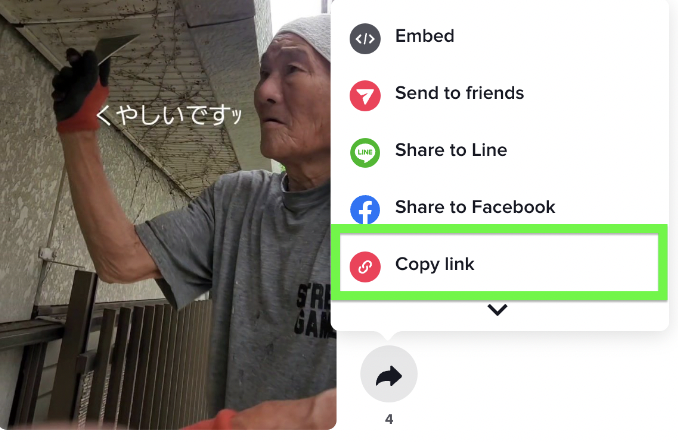
Step 1: Get the video link on TikTok on your computer.
Similar to on mobile TikTok, you also need to tap the bottom right corner of the video, but this time it's the arrow button. After clicking, you will see [Copy link].
Step 2 Open TikFast with a computer browser.
Enter https://tikfast.net/ in the computer browser URL input box.

Step 3 Paste the link into the input box.
Familiar interface right, let's do it again. Or you can use other TikTok downloaders like Snaptik, Tikmate or SSStik.
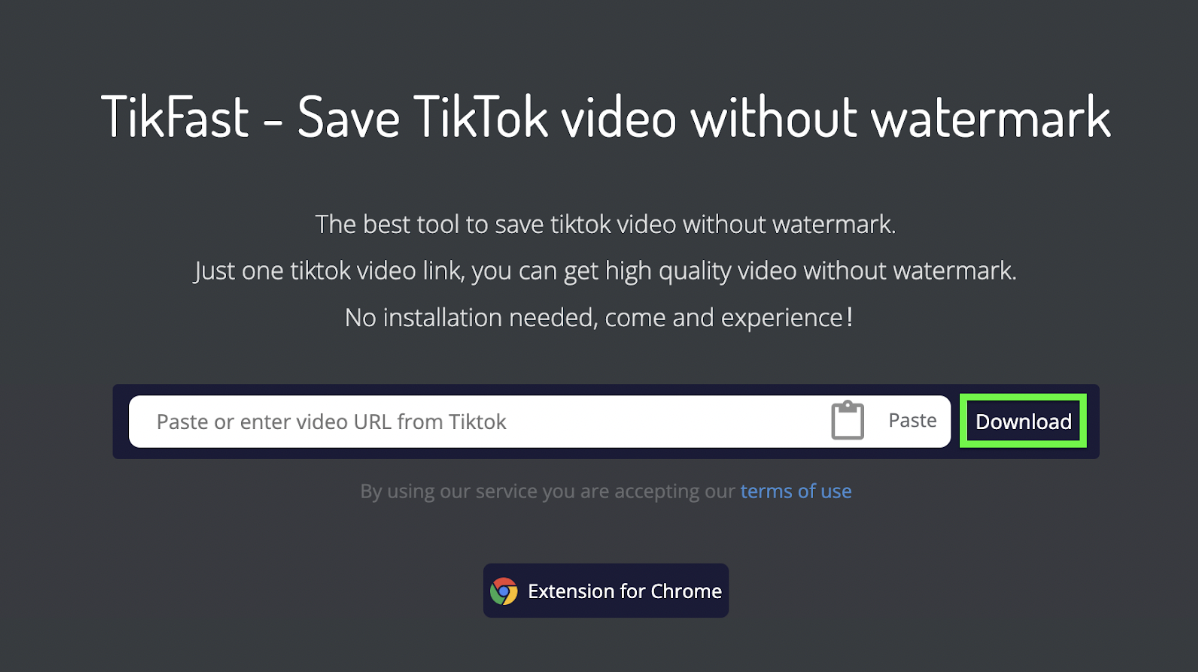
Step 4 Click the Download button and select one of the download types.
Now, you done!
Alternatives to Online TikTok Downloaders in 2022
TikTok online downloaders are one of the best ways to save TikTok watermark-free videos or audios, but their advantages and disadvantages are also very obvious:
Advantages of Online TikTok Downloader
- Free and unlimited downloads;
- Easy to use;
- Universal equipment;
- No registration is required, no memory space is required, and privacy is protected.
Disadvantage of Online TikTok Downloaders
- There is no download record, and the downloaded files will not be recorded in the website.
Alternatives to Online TikTok Downloader - Downloader App
Apps that can download TikTok videos like SnapTik for Android phones, SaveTok for IOS, and 4K Video Downloader for computers are among the best alternatives.
Advantages of Downloader App
- Has download history
- High-quality video download, multiple file format conversion
- High adaptability to devices
- Lots of downloaders for multiple video platforms
Disadvantages of Downloader App
- Occupies device memory
- Downloader for multiple video platforms need to pay to unlock more downloads
Alternatives to Online TikTok Downloader - Browser extension
In addition to online downloaders and downloader applications, there is another method that is only used on the computer, that is, to install the application extension in the browser, and users can complete the download in their own browser.Downloader extension such as TikFast, TikMate and other well-rated downloaders will be the best choice.
Advantages of Browser extension
- Browser compatible, easy to use
- Batch download video or audio
- Free to use, no download limit
Disadvantages of Browser extension
- Compatible with computer browsers only
How to batch download TikTok videos/audios?
You may know of some tool websites that download videos or audios in batches by copying multiple videos, but in fact, there are more convenient and effective ways to solve it. Want to learn more? Read on.
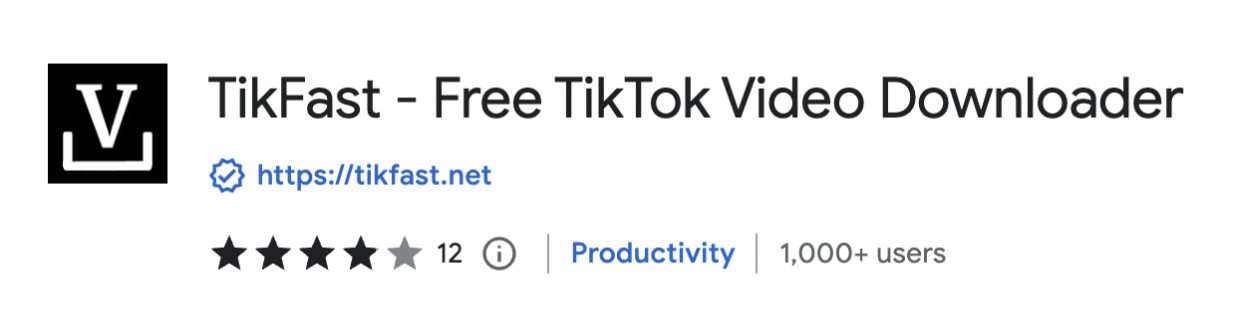
Step 1: Install the extension TikFast in your browser
Step 2: Go to the homepage of TikTok's official website or the homepage of any influencer
Step 3: Enable TikFast, you will see a download button embedded in each video
When TikFast is just enabled, you may need to refresh the page to see the download button.
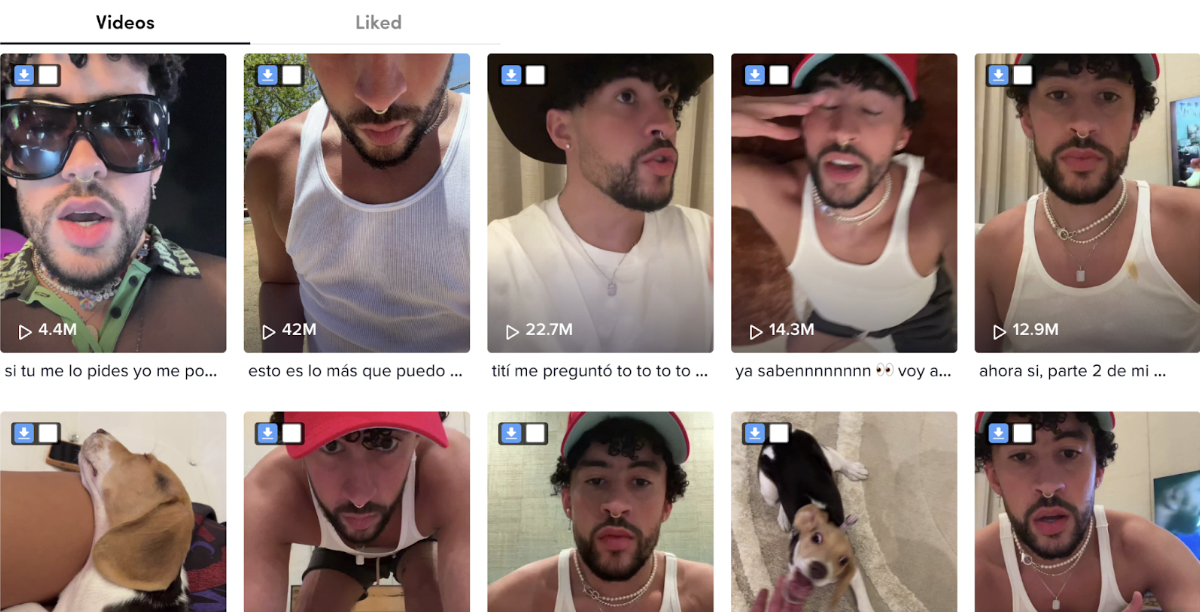
Step 4: Click the box button, you can select up to six videos to download their watermark-free version or audio.
You can confirm the video you want to download on the operation panel, click [Bulk downloads] or directly click [Bulk] on the right side of the box selection button.
Step 5: The page jumps to the TikFast site, there are still three download options.
Conclusion
That's it. You have now learned the easiest and free way to download TikTok watermark-free videos and original audio, and you can permanently save your favorite videos on your device or publish your own video content on other platforms.
Go ahead and try it!