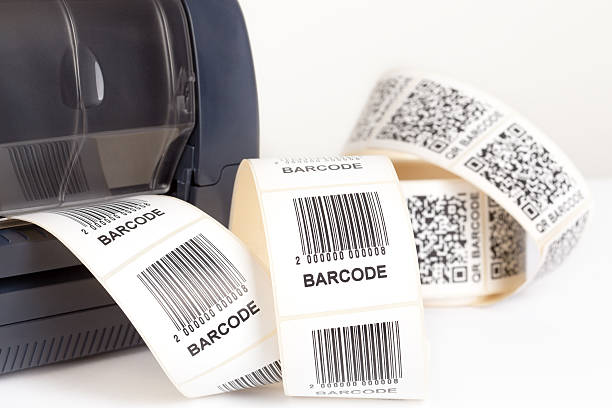
When it comes to business operations, a barcode printer from a reputable barcode printer supplier is important. Barcode labels–as straightforward as they may seem–can play key roles in the flow as well as tracking of goods.
But what if you own a start-up company with limited funds, which means that purchasing fancy equipment with cutting-edge features is not within your budget. Don’t push the panic button just yet because you can always turn to a barcode printer that has everything you need and nothing you don’t.
Read on for tips and pointers on how you can purchase the right one.
Printing method
Both desktop and industrial barcode printer equipment can use direct thermal and thermal transfer printers. Compared to laser or inkjet printers, thermal transfer labels are more fade-resistant and may be printed on a larger variety of substrates.
Direct thermal printers are other worthwhile options for printing barcodes. Because they don't need ribbons, ink, or toner, these printers are less expensive, but they need specialty labels to function properly. They are best utilized for printing receipts, tickets, shipping labels, and so on. It should be noted, though, that if used to create images, the images may have a short lifespan and may be prone to fading.
Label capacity
Label capacity as well as volume are, say, diametrically opposed. Industrial printers employ label rolls that may hold three to four times as many labels as a desktop printer (depending on label size).
As a result, there will be fewer roll/media changes and reduced line outages. Also, it’s important to note that cost savings may be achieved, if they’re used for labeling purposes with high volume.
Printing Type
There are two types of printing that are performed by a barcode printer: on-demand and batch printing. Both varieties of printing are appropriate for on-demand applications, in which labels are printed only as needed for certain objects.
However, industrial printers offer the unique capability to rewind the pre-printed labels onto a core if the warehouse wants to batch-print a lot of identical or serialized labels.
Volume
Low-volume applications could be better suited for a barcode printer (a couple of hundred labels on a daily basis). On the other hand, if you're going to print thousands of labels each day, an industrial printer that’s backed by cutting-edge features and enhanced durability is ideal.
Display
The majority of desktop printers are tiny and small, and they create labels by joining a network or a computer. At present, a vast majority of industrial models feature color touch screens that make it simple to calibrate and modify printer settings without a PC. These displays can also be utilized for basic maintenance and troubleshooting, label type changes, media usage tracking, and troubleshooting.
Work environment
Where will you use the printer? A plastic barcode printer from a tried and tested barcode printer supplier is durable enough in a relatively orderly, controlled office setting. Most warehouses don’t fall under that category. Here, industrial printers offer the correct amount of toughness and efficiency to guarantee dependable performance in filthy, dusty settings where printers are running close to heavy machinery.
Summing up
By taking note of the aforementioned factors, you can obtain a barcode printer that can help you address business needs in an effective and efficient manner without burning a hole in your pocket.