Streaming has changed the way people watch television. Instead of depending only on traditional channels, viewers now use platforms such as Netflix, YouTube, Prime Video, Disney+ Hotstar, and other OTT services for movies, web series, sports, documentaries, and entertainment. Because of this shift, choosing the right television for streaming requires more than simply checking the screen size.
A Smart TV 32 Inch can be a practical choice for bedrooms, compact living rooms, guest rooms, apartments, and personal entertainment spaces. Its compact size can fit comfortably into smaller areas while still providing access to a wide range of online content. However, not every 32-inch smart TV provides the same streaming experience.
Before buying one, it is important to look at features such as smart operating system, internet connectivity, display quality, sound, app support, processing performance, and connectivity options. Here are the key features to consider when choosing a 32-inch smart TV for streaming.
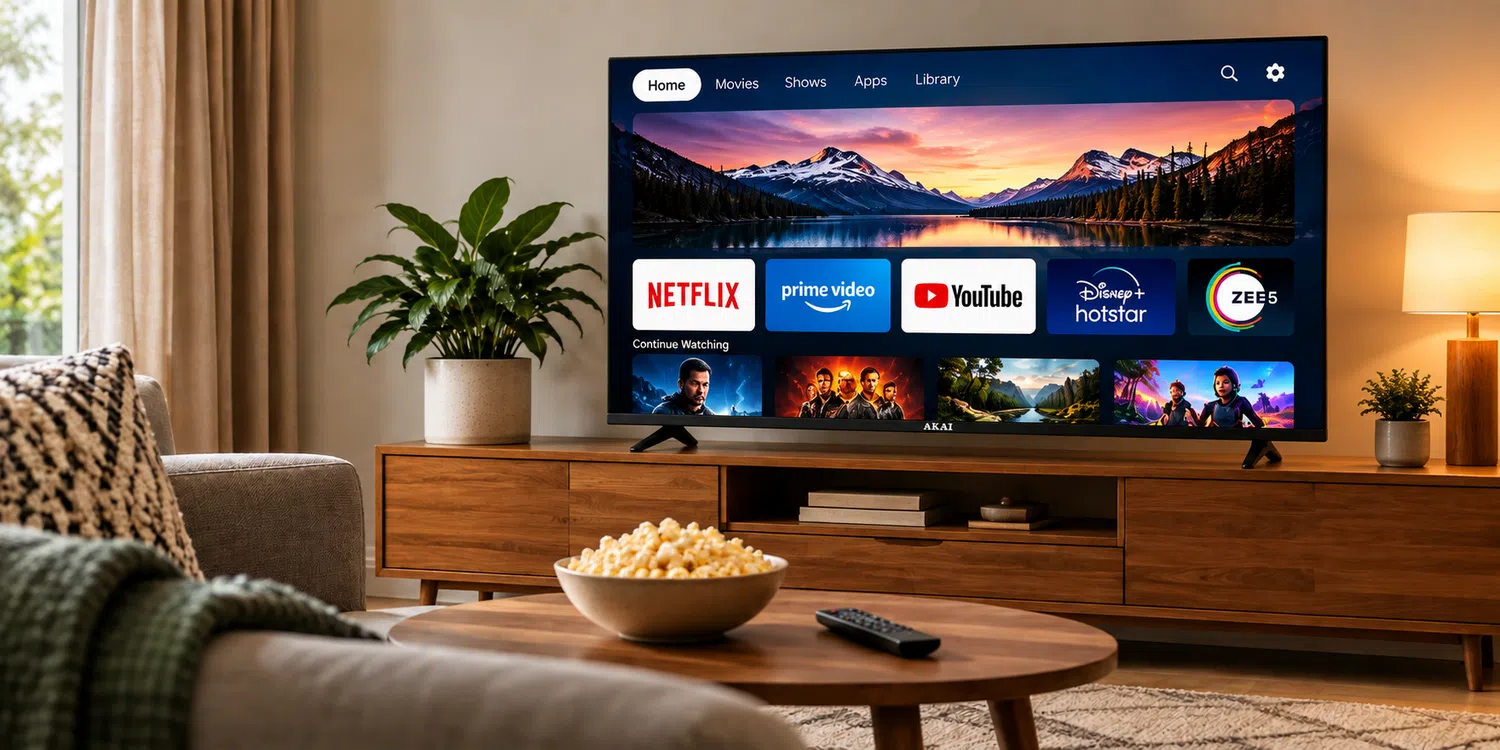
1. Check the Smart TV Operating System
The operating system is one of the most important features of a smart TV. It controls the interface, applications, settings, content recommendations, and overall user experience.
When selecting a 32-inch smart TV, check whether the operating system supports the streaming services you regularly use. A good platform should provide access to popular OTT applications and receive software updates when required.
The interface should also be simple enough to navigate without unnecessary steps. If you frequently switch between YouTube, streaming applications, live TV, and other services, an easy-to-use interface can make everyday viewing much more convenient.
2. Look for Reliable Wi-Fi Connectivity
Streaming depends heavily on your internet connection. Even a high-quality display cannot provide a smooth experience if the television has poor connectivity.
A 32-inch smart TV should have dependable built-in Wi-Fi so it can connect easily to your home network. Check the supported Wi-Fi standard and consider the location of your router before installing the TV.
For example, if the TV is placed far from the router, a weak signal may result in buffering or interruptions. In such cases, improving your home network can be just as important as choosing the television itself.
A stable connection is particularly important when watching high-quality video or streaming live content.
3. Consider the Display Resolution
Screen resolution determines how much detail you can see on the screen. On a 32-inch television, resolution becomes especially relevant because viewers may sit relatively close to the screen.
Depending on your viewing requirements and budget, you may find different resolution options. A higher-resolution display can provide sharper text, cleaner images, and better detail in supported content.
However, resolution should not be considered in isolation. Panel quality, brightness, contrast, colour reproduction, and viewing angle can also influence the overall picture.
If you primarily watch movies and web series, look for a display that produces clear images with good contrast and natural colours.
4. Check OTT App Compatibility
One of the biggest reasons to purchase a smart TV is convenient access to streaming applications. Therefore, app compatibility should be checked before making a purchase.
Make a list of the services you currently use and verify whether they are supported by the TV's smart platform. This is particularly useful if you regularly watch content across multiple streaming services.
Also check whether the television allows applications to be updated. Streaming platforms regularly change their software, and continued app support can help maintain compatibility over time.
A smart TV with a broad app ecosystem can reduce the need for additional streaming devices.
5. Pay Attention to Processing Performance
Streaming involves more than displaying a video. The TV needs to process applications, menus, images, audio, and network data.
A television with suitable processing performance can make applications open more smoothly and menus respond more quickly. This becomes especially noticeable when switching between apps or navigating large content libraries.
If a TV takes several seconds to respond to basic commands, the streaming experience can become frustrating. Therefore, look for information about the processor or smart platform performance when comparing different models.
6. Choose a TV With Good Picture Processing
Streaming content comes in different resolutions and quality levels. Some videos may have excellent image quality, while others may be compressed or recorded at a lower resolution.
Good picture processing can help improve how different types of content appear on the screen. Features such as noise reduction, contrast enhancement, colour processing, and image optimisation can contribute to a more consistent viewing experience.
You should also consider the types of content you watch most often. Someone who primarily watches movies may have different picture-quality priorities from someone who watches news, sports, or YouTube videos.
7. Do Not Ignore Sound Quality
A good streaming experience needs both good visuals and clear audio.
Since 32-inch TVs are compact, their built-in speakers may have limited physical space. Check the speaker output and available sound modes before buying.
Clear dialogue is particularly important for movies, web series, interviews, and documentaries. Look for features designed to improve voice clarity and provide a balanced sound experience.
If you want stronger bass or a wider soundstage, check whether the TV supports external speakers, soundbars, or Bluetooth audio devices.
8. Check HDMI and USB Ports
Connectivity becomes important when you want to expand your entertainment setup.
HDMI ports allow you to connect devices such as gaming consoles, streaming sticks, set-top boxes, Blu-ray players, and soundbars. If you plan to use more than one external device, having multiple HDMI ports can be useful.
USB ports can also be helpful for connecting compatible storage devices or other accessories.
Before buying a 32-inch smart TV, think about the devices you already own and those you may purchase in the future. Choosing a TV with suitable connectivity can prevent the need for adapters or additional accessories later.
9. Look for Bluetooth Support
Bluetooth can make a smart TV more flexible for personal entertainment.
With compatible Bluetooth support, you may be able to connect wireless headphones, speakers, keyboards, or other supported devices. This can be particularly useful when watching television late at night and you do not want to disturb other people in the room.
If wireless audio is important to you, check which Bluetooth profiles and devices are supported by the specific TV model.
10. Consider Voice Control
Voice control can make searching for content faster and easier. Instead of typing long movie or show names using an on-screen keyboard, you can use supported voice commands.
Depending on the smart platform, voice control may also help with opening applications, searching for content, adjusting certain settings, or controlling compatible smart-home devices.
This feature can be especially useful for households where multiple people use the television.
11. Check Remote Control Design
The remote may seem like a small detail, but you will use it every time you watch television.
A well-designed remote should provide easy access to important functions such as volume, navigation, home, settings, and streaming applications. Dedicated app buttons can also make frequently used services easier to access.
Look for a remote that feels comfortable in your hand and has clearly arranged controls. Simple navigation can make the entire smart TV experience more enjoyable.
12. Think About Your Viewing Distance
A 32-inch screen is generally suited to relatively compact spaces. Before buying, consider where the television will be installed and how far you will sit from it.
For a bedroom or small room, a 32-inch television can provide a comfortable viewing experience without occupying too much wall or furniture space.
If the viewing distance is significantly larger, you may want to compare the experience with a larger screen size before making your final decision.
13. Check Software Updates and Long-Term Support
Smart TVs are increasingly dependent on software. Applications, security features, user interfaces, and compatibility can change over time.
Therefore, check whether the manufacturer provides software updates for the model you are considering. Regular updates can help maintain compatibility with supported applications and improve the overall functionality of the television.
It is also useful to check the manufacturer's customer support and warranty terms before purchasing.
14. Choose Features Based on Your Streaming Habits
The best 32-inch smart TV for one person may not be the right choice for another. Your streaming habits should determine which features matter most.
If you mainly watch OTT movies and web series, prioritise display quality, app compatibility, Wi-Fi performance, and sound. If you watch YouTube frequently, a responsive interface and convenient search options may be more important.
For gaming, pay closer attention to HDMI connectivity, input response, refresh-related specifications, and supported gaming features. For bedroom use, compact design, clear dialogue, and Bluetooth audio may be more useful.
The goal is to choose features that improve the way you actually use the television rather than paying for specifications you may never need.
Final Thoughts
A Smart TV 32 Inch can provide a convenient streaming setup without requiring a large amount of space. However, screen size should not be the only factor you consider. The smart operating system, OTT app support, Wi-Fi connectivity, display quality, sound, processing performance, HDMI and USB ports, Bluetooth, voice control, and software support can all influence your viewing experience.
Before buying, make a simple checklist based on the streaming services you use, your room size, viewing distance, preferred picture quality, audio requirements, and external devices. This approach can help you select a 32-inch smart TV that fits your entertainment needs and remains practical for everyday streaming.