Email workflow automation takes over administrative tasks such as following up on sales inquiries, sending targeted promotions, and requesting feedback after a purchase. This helps teams save time, enhance productivity, and retain consistency across all communications.
As you can imagine, this type of automation streamlines lead nurturing processes, increases conversion rates, and boosts engagement. Moreover, teams can focus more on crafting persuasive messages and building efficient pipelines.
Let’s dive deeper into email workflow automation, explore popular tools, and discuss best practices that will help you get the most out of your campaigns.
What is email workflow automation
Email workflow automation is the process of leveraging software to send pre-defined emails based on user actions or specific events.
User action is something that your visitors or customers may do while interacting with your brand. This includes downloading content from your platform, subscribing to the newsletter, or requesting a demo.
To that, specific events are holiday seasons or industry breakthroughs that necessitate sending offers or updates to the recipients.
The key components of email workflow automation include:
- Triggers: These are the events and user actions that initiate the workflow, like a user signing up.
- Actions: The automated task that the trigger executes, like sending a welcome email.
- Conditions: Rules that define the criteria that need to be met before a mail is sent, like “if a new user signs up, send them the welcome email.”
- Sequences: A series of emails sent over time that nurture emails, like a quick start guide email after the welcome message.
This is great for lead nurturing, post-purchase follow-ups, onboarding sequences, and more. It allows teams to complete a lot of tedious, repetitive tasks in minutes or even seconds.
Additionally, efficient email workflow automation can support revenue recognition by ensuring timely communication and fulfillment updates that meet the conditions required to recognize revenue. For example, automated emails confirming product delivery or service completion help businesses promptly recognize revenue in line with accounting standards.
Email workflow automation templates and examples
Templates, as pre-built frameworks, help set the foundations of email workflow automation while still allowing room for customization.
The four popular email workflow automation templates include:
1. Welcome email series
The welcome email series is triggered when an interested prospect joins a mailing list or a customer makes their first purchase. These messages are crucial for introducing yourself, setting expectations, and engaging the new recipient.
It establishes initial contact with your prospect or customer and provides them with resources they might need to learn about your offerings. This includes a quick thank you for choosing you, an introduction to the offerings and their configurations, and support content.
In some cases, you can also send over a special offer to encourage the first purchase.
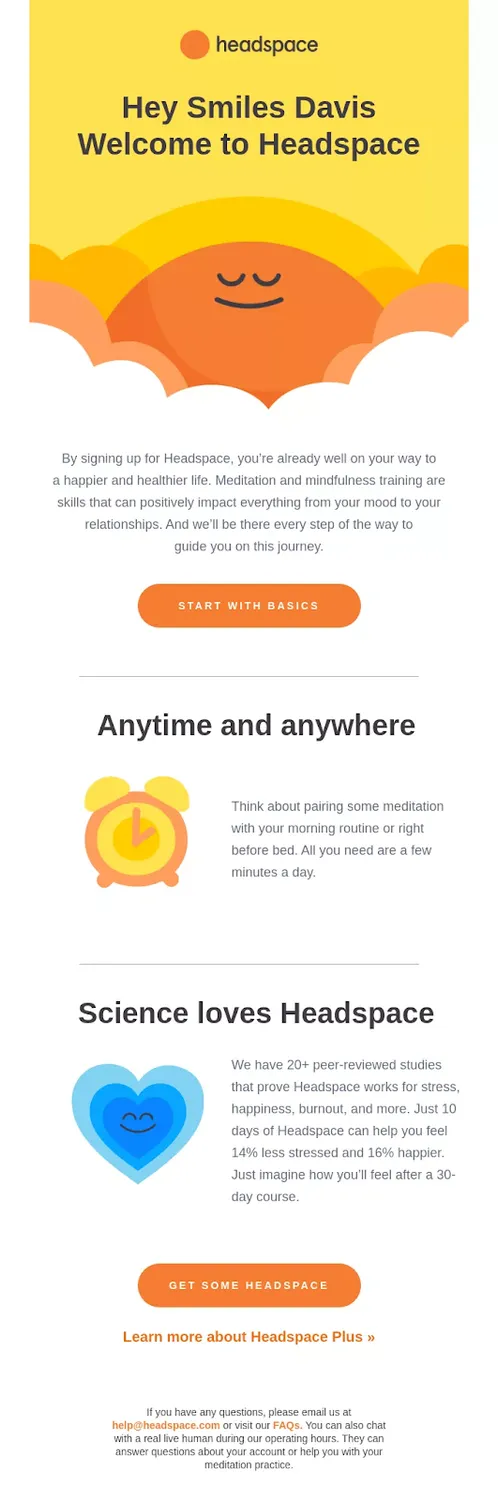
Headspace, a mental health company, sends a warm welcome email that sets user expectations from the get-go:
2. Abandoned cart emails
The abandoned cart emails remind your potential customers that they have chosen products or services they want to motivate them to complete the purchase. There can be several messages in such a campaign, such as regular reminders and offer notifications.
This assists businesses in recovering lost sales by encouraging users to finish the checkout process.
These emails contain a clear call-to-action (CTA) — a direct link to the cart, making it easier for the recipient to complete the purchase.
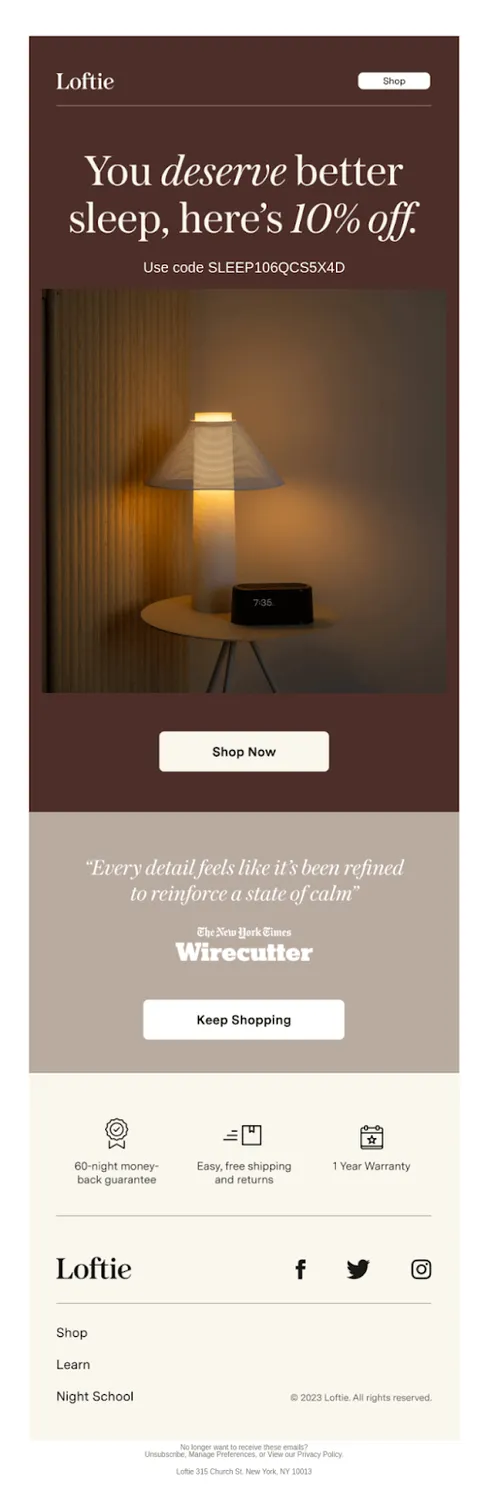
Loftie, a wellness company that creates products to rest and relax, sends a coupon to encourage customers to complete the purchase:
3. Re-engagement campaigns
Re-engagement campaigns are triggered when a subscriber hasn’t interacted with your brand or an existing customer hasn’t purchased in a while. The key objective is to pique the interest of the prospects again and ultimately reduce churn rates.
These email workflow automation campaigns are designed to win back leads or buyers’ attention. And it’s essential for teams to personalize the re-engagement emails if they’re to be impactful.
Additionally, you can include a survey to learn why they have been inactive for a while.
Duolingo, a popular app to help you learn new languages, motivates you to get back to work when you take a few days off:

Notice how they have incorporated various engaging elements such as a direct CTA to get back to your lessons, what other learners have achieved when you were away to create a sense of FOMO, and an encouraging message to push you to act.
4. Post-purchase follow up
As the name suggests, the post-purchase follow-up email automation workflow is initiated when a customer completes a purchase. The messages may include questions that reveal insights about the checkout experience and feedback on the products or services leveraged.
You can also offer product usage tips to enable the buyers to get the most out of their investment.
The given actions bring the customers closer to your brand because they send empathetic signals. Such follow-ups can play a pivotal role in improving retention and boosting customer lifetime value (CLTV).
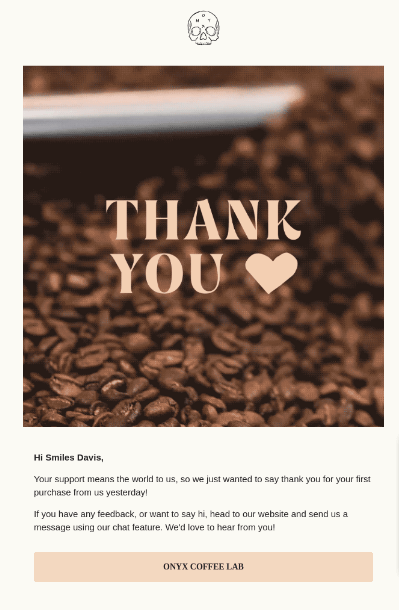
Coffee Lab, a premium roaster, sends a heartfelt message after a customer makes a purchase and requests their feedback. Plus, there’s an option to get in touch via a chat feature.
How to create an automated email workflow
I won’t dwell too much to lead you in but focus on a stepped approach you can immediately follow to create your workflow. So, here it is.
1. Define your goal
The objectives of your automated email workflow can range from nurturing leads, educating current customers, and re-engaging inactive prospects. This informs the types of triggers you need to set and messages you need to send.
2. Identify triggers
Determine the events that initiate your email sequences on a tangible level. These are usually IF-THEN statements. For instance, “if a visitor downloads a whitepaper, then send them a thank you email and offer a demo.”
3. Segment your audience
The leads in your pipeline might not be ready to buy now. Moreover, each of them may want a different value from your brand. Therefore, it’s vital to group all the contacts in your database based on criteria like pain points, demographics, or purchase history.
Doing that enables you to personalize your automated email workflow which increases its efficiency in making a sale.
4. Create and map out the email sequence
Once the trigger is set, outline the email sequence for a particular audience segment. In the case of a new subscriber, for example, this could include a first welcome email, a follow-up to include additional resources, and a personalized offer.
It’s crucial to be mindful of the timing here. You do not want to overwhelm your recipients with too many promotional messages.
5. Set conditions and actions
The conditions are the email triggers and the actions are what your email automation software is pre-programmed to do. As indicated earlier, these are the “IF” statements that determine the course of action in your email automation workflow when the conditions are met or unmet.
For instance, “if the welcome email isn’t opened within three days, send a gentle reminder and decrease the lead score by 5 units.” Alternatively, “if the welcome email is opened in three days, send a follow-up with more resources and increase the lead score by 3 units.”
6. Test the workflow
As there are a lot of moving parts in a typical email automation workflow, teams should evaluate it in all aspects before setting it live. Testing also help spot areas of improvement, such as message enhancements.
7. Monitor and optimize
Key performance indicators (KPIs) include open rates, click-through rates, and conversions. Keep in mind that the data is tracked with the permission of your prospects and customers to avoid legal fines and reputational damage.
We appreciate you chose this part of the article to know about email workflow automation. To know the best practices while setting up email workflow automation, click here!