When it comes to digital design, ensuring that your content is accessible to all users—including those with visual impairments—is not just good practice, it's a requirement. One of the most frequently asked questions in the accessibility space is, “wcag smallest font size”—what is it, and how do you stay compliant?
What is WCAG and Why Font Size Matters
The Web Content Accessibility Guidelines (WCAG) are an internationally recognized set of standards designed to make web content more accessible. These guidelines help developers and designers create websites that cater to people with various disabilities, including those related to vision, hearing, cognitive function, and motor skills.
Font size is a critical component of accessibility. Small text can be difficult to read, especially for users with visual impairments, the elderly, or individuals accessing content on low-resolution screens. That's why WCAG outlines best practices for minimum text size and readability.
So, What is the WCAG Smallest Font Size?
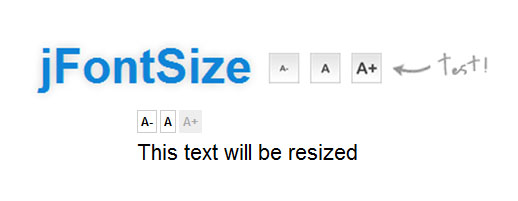
While WCAG doesn't strictly define a specific “minimum font size,” it emphasizes legibility and recommends that text should be resizable up to 200% without loss of content or functionality. However, for practical purposes and compliance with contrast ratios, a font size of 14pt (approximately 18.66px) bold or 18pt (24px) regular is often considered the baseline for accessible text.
This sizing also plays a key role in color contrast requirements. For example, text smaller than 18pt must meet a contrast ratio of 4.5:1, while larger text (18pt or 14pt bold) can comply with a slightly lower contrast ratio of 3:1.
Best Practices for Accessible Font Sizes
Here are a few actionable tips to ensure your font size complies with WCAG standards:
- Stick to Relative Units: Use relative sizing like
em,rem, or%instead of fixed pixels. This allows text to scale naturally with user preferences. - Enable Zooming: Make sure users can zoom in up to 200% without breaking the layout or hiding content.
- Test Readability: Use screen readers, browser zoom features, and accessibility testing tools to validate usability.
- Avoid Ultra-Small Text: Steer clear of fonts smaller than 12px unless absolutely necessary, and ensure adequate contrast when smaller text is used in legal disclaimers or footnotes.
Conclusion
Ensuring accessibility doesn’t mean sacrificing design. Understanding the wcag smallest font size allows you to strike the perfect balance between aesthetic appeal and universal usability. By adopting WCAG-aligned typography practices, you make your digital content inclusive, compliant, and user-friendly.
Remember, accessibility is not a one-time checkbox—it’s an ongoing commitment. So the next time you're styling body text or footnotes, consider not just how it looks, but how it reads for everyone.