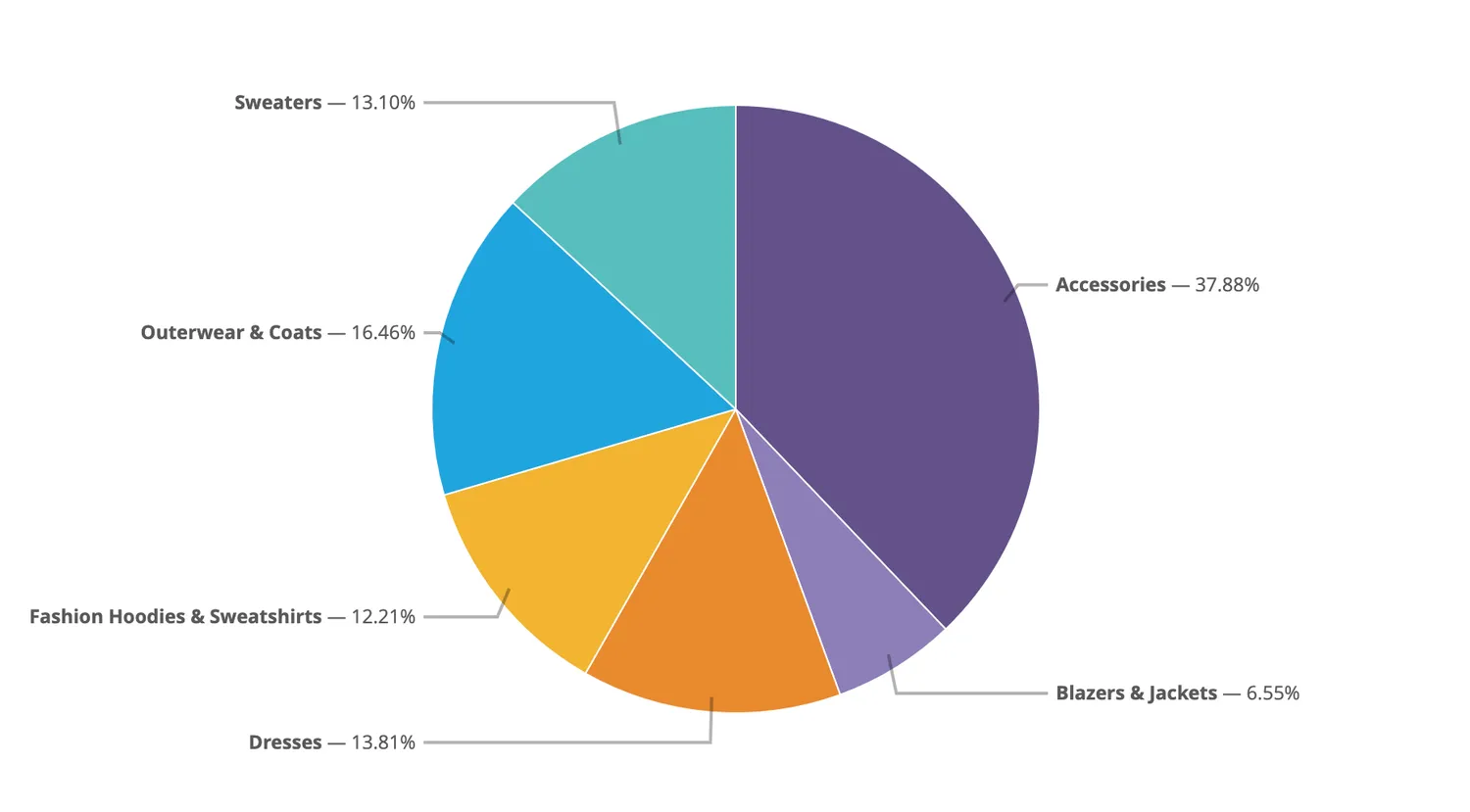
Data visualization plays a crucial role in how we interpret and communicate information. Pie charts, in particular, are a popular tool for representing proportions and percentages. However, while pie charts are widely used, not all of them are designed with accessibility in mind. Ensuring that pie charts are accessible means making them usable by people of all abilities, including those with visual impairments, color blindness, and cognitive disabilities. This article delves into the principles and practices for creating accessible pie charts.
Why Accessibility Matters
Accessibility is about making information usable by as many people as possible. In the context of pie charts, this means considering users who may have difficulty seeing colors, distinguishing between similar shades, or understanding the chart's layout. By making pie charts accessible, you ensure that your data is communicated effectively to a broader audience, including those with disabilities. This not only enhances user experience but also ensures compliance with legal standards like the Americans with Disabilities Act (ADA) and the Web Content Accessibility Guidelines (WCAG).
Key Principles of Accessible Pie Charts
- Color Contrast: One of the most critical aspects of accessible pie charts is ensuring sufficient color contrast. Users with color blindness or low vision may struggle to differentiate between segments with similar colors. To address this, use high-contrast colors and avoid using red and green together, as these are common problem areas for color-blind individuals. Tools like the Color Contrast Analyzer can help you check whether your chart's colors meet accessibility standards.
- Use of Patterns and Labels: Relying solely on color to distinguish segments can be problematic. Instead, consider adding patterns or textures to the different sections of the pie chart. This provides an additional visual cue that helps all users, including those with color vision deficiencies. Additionally, labels should be clear, concise, and placed close to their corresponding segments. Including percentages or actual values in the labels can further enhance understanding.
- Alternative Text Descriptions: For screen reader users, visual pie charts are not directly accessible. Therefore, providing a detailed text description is essential. The alternative text should describe the chart's purpose, the data it represents, and any key insights. For example, "This pie chart shows the market share of different smartphone brands in 2024, with Brand A leading at 40%, followed by Brand B at 30%, and others at 30%."
- Simplify the Chart: Overcomplicating a pie chart with too many segments or excessive details can make it challenging to interpret, particularly for users with cognitive disabilities. Aim for simplicity by limiting the number of segments and focusing on the most critical data points. If you need to represent complex data, consider breaking it down into multiple charts or using a different visualization method, such as a bar chart, which may be more accessible.
- Interactive Elements and Keyboard Navigation: For web-based pie charts, it's essential to ensure they are navigable via keyboard, not just a mouse. This is particularly important for users with motor disabilities who rely on keyboard navigation. Interactive elements should also be screen reader-friendly, providing clear instructions and feedback as the user interacts with the chart.
Conclusion
Creating accessible pie charts is not just a matter of good design practice; it's a step towards inclusivity and equal access to information. By considering factors like color contrast, the use of patterns and labels, and providing alternative text descriptions, you can make your pie charts more accessible to a wider audience. Remember, the goal of any data visualization is to communicate information clearly and effectively. By prioritizing accessibility, you ensure that your message reaches everyone, regardless of their abilities.