Introduction
IT teams handle many repetitive activities every day. Tickets need to be assigned, approvals have to be collected, users need status updates, tasks must be created, and records often need to move through predictable stages. If every action depends on someone remembering the next step, work can slow down and errors may increase.
A ServiceNow Course in Telugu can help beginners understand how automation simplifies these routine IT tasks. ServiceNow can use rules, flows, notifications, approvals, and integrations to move work automatically while people focus on decisions and technical activities that still require human judgment.
What Does IT Automation Mean?
IT automation means allowing the platform to perform predictable actions based on defined conditions.
For example, when a password reset request is submitted, the system might:
Create the request.
Check required information.
Route it to the correct process.
Send confirmation.
Update the status.
Close the request after successful completion.
The exact level of automation depends on the organization's process, security requirements, and integrations.
How Can Tickets Be Assigned Automatically?
Manual assignment can consume time, especially in busy service desks.
Rules can route tickets based on information such as:
Category.
Subcategory.
Service.
Location.
Configuration item.
User group.
For example, a database issue can be routed to Database Support, while a laptop hardware problem goes to Desktop Support.
How Can Priority Be Automated?
Organizations may define rules that calculate priority using impact and urgency.
Suppose one user experiences a minor issue while an entire department loses access to a critical service.
These situations should not receive the same attention.
Automation can help apply consistent priority logic instead of relying entirely on individual interpretation.
How Do Notifications Reduce Manual Follow-Up?
Users want to know what is happening with their tickets.
ServiceNow can send notifications when:
A ticket is created.
An approval is required.
A ticket is assigned.
More information is needed.
A request is completed.
An incident is resolved.
Automated notifications reduce repeated communication work and create consistency.
How Are Approvals Automated?
Many IT requests require authorization.
Examples include:
Paid software.
Privileged access.
High-cost hardware.
Production changes.
A flow can identify the appropriate approver and generate the approval request automatically.
If the request is approved, the process continues.
If rejected, the record can follow another path.
How Can Tasks Be Created Automatically?
One service request can require work from multiple teams.
Consider employee onboarding.
The process may need:
Laptop preparation.
Email creation.
Application access.
Security-group assignment.
Building access.
Automation can create the required tasks, assign them to appropriate groups, and track their completion.
What Is Flow Designer Used For?
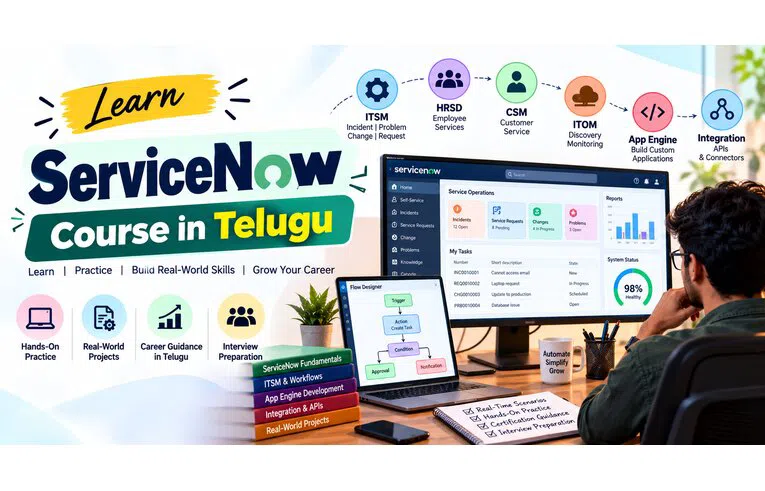
Flow Designer provides a visual way to build automated processes.
A flow generally includes:
A trigger.
Conditions.
Actions.
Decisions.
For example:
Trigger: New software request.
Condition: Does it require approval?
Action: Request manager approval.
If approved: Create fulfillment task.
After completion: Notify requester.
How Can Automation Help Incident Management?
Incident processes can also use automation.
For example, the platform can:
Assign incidents based on category.
Apply priority rules.
Start SLA tracking.
Send escalation notifications.
Create related tasks.
Notify users about resolution.
How Does Automation Support Change Management?
Change processes may contain repeated control steps.
Automation can help route changes for approval, create implementation tasks, notify stakeholders, or update states based on completion.
However, important technical changes still require human planning and judgment.
Automation should support governance, not bypass it.
Can Automation Work Across Systems?
ServiceNow may interact with external platforms through integrations.
For example, an approved request could trigger an action in another system, depending on available integrations and permissions.
Potential uses include:
Account provisioning.
Software access.
Cloud operations.
Notifications.
Data synchronization.
Cross-system automation can remove repeated manual data entry, but it should include proper security and failure handling.
What Happens When Automation Fails?
A good automated process also considers the unsuccessful path.
Suppose a request is approved, but an external system is unavailable.
The process should define what happens next.
Possible responses include:
Retry.
Create a manual task.
Notify support.
Pause the flow.
Record the error.
Automation without failure handling can create silent problems that are harder to detect than manual work.
Why Should Processes Be Simplified Before Automating?
Automating a confusing process can make the confusion happen faster.
Before building a flow, teams should understand:
What starts the process?
Which steps are required?
Who makes decisions?
Which information is needed?
What exceptions exist?
What marks completion?
Once the process is clear, automation can support it more effectively.
A Practical Automation Example
Consider a temporary application-access request.
The employee submits a request.
The manager approves the business need.
The application owner approves the access level.
A fulfillment task is assigned to IT.
IT grants access.
The user receives confirmation.
The access expiry date is recorded.
Automation can coordinate this sequence and reduce manual tracking.
What Should Beginners Learn First?
Start with a small process containing one trigger, one condition, and a few actions.
For example:
When a hardware request is submitted, create a support task and notify the requester.
Then gradually add:
Approval.
Conditional routing.
Additional tasks.
Error handling.
This makes troubleshooting easier.
Frequently Asked Questions
Does automation remove IT support jobs?
Automation mainly reduces repetitive process work. Troubleshooting, design, exception handling, communication, and technical decision-making still require people.
Can incidents be automated?
Parts of incident management such as assignment, priority, SLA tracking, and notifications can be automated based on defined rules.
Is Flow Designer only for developers?
No. It provides a visual approach that can be used to build many process automations, although more complex solutions may require technical skills.
Why is failure handling important?
External systems, data, or conditions can fail. A reliable process defines what should happen when an automated step cannot complete.
Conclusion
Automation simplifies IT tasks by reducing repeated administrative work and moving predictable processes forward automatically.
A ServiceNow Course in Telugu can help learners understand how assignment, priority, approvals, notifications, task creation, flows, and integrations can support service management.
The strongest automation begins with a clear process. Teams should know the trigger, required decisions, responsible groups, expected output, and exception paths before automating.
When designed carefully, automation improves consistency and visibility while allowing IT teams to spend more time on troubleshooting, planning, and service improvement rather than repetitive coordination.