Introduction
Salesforce skills become more practical when learners understand how CRM features solve real business problems. Organizations use Salesforce differently, but common scenarios include lead management, opportunity tracking, customer support, approvals, data imports, user access, and automation.
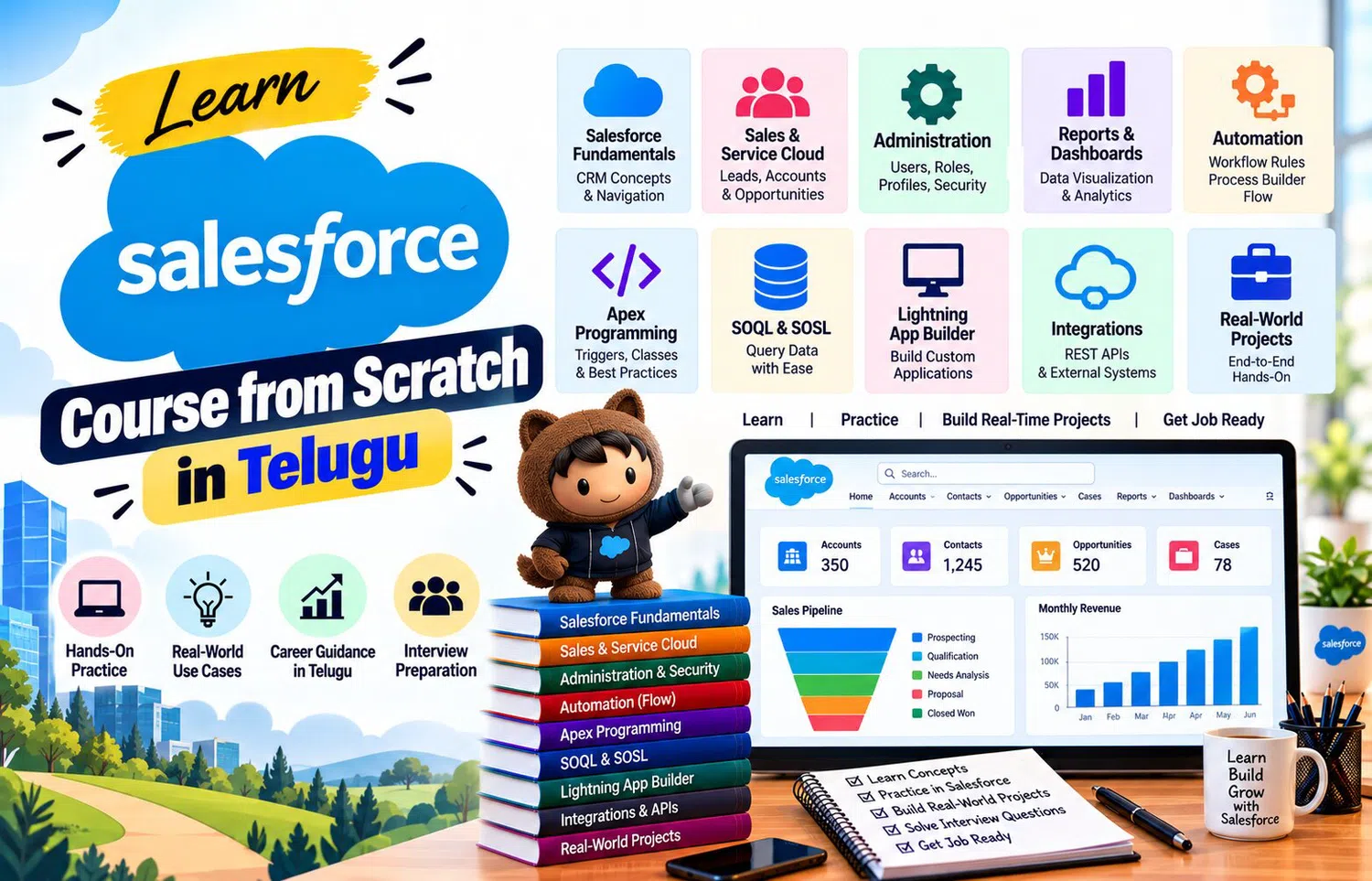
A Salesforce Course from Scratch in Telugu can help learners connect objects, security, reports, Flow, and development concepts with realistic business situations.
The goal is not to memorize one company's exact process. Learners should understand how to analyze a requirement, identify the records involved, decide who needs access, and choose the simplest Salesforce feature that can support the process.
Scenario 1: Website Lead Management
Suppose a company receives enquiries through a website.
A new Lead may contain:
Name.
Email.
Phone.
Product Interest.
Lead Source.
Status.
The business wants every website enquiry assigned to the correct sales queue or user and followed up quickly.
A Flow can update fields or create a follow-up task when the Lead meets defined conditions.
Reports can later show Leads by Source, Status, or Owner.
What Should Be Checked?
Before automating the process, clarify:
How is the owner selected?
What counts as a new Lead?
When is the follow-up due?
Can duplicate enquiries occur?
Which fields are mandatory?
A good Salesforce solution begins with these questions instead of immediately building automation.
Scenario 2: Lead Qualification
A sales team may not want every enquiry to move directly into the main sales pipeline.
The company can define qualification criteria such as:
Interest confirmed.
Valid contact details.
Suitable requirement.
Expected timeline.
Once qualified, the Lead may be converted according to the organization's Salesforce process.
Consistent qualification rules make reporting more meaningful.
Scenario 3: Opportunity Tracking
Suppose a sales team manages potential deals through Opportunities.
Important fields may include:
Account.
Amount.
Stage.
Close Date.
Owner.
A manager wants to know which deals are likely to close soon.
A report can filter open Opportunities by Close Date and group them by Stage or Owner.
The report is only useful when sales users maintain the records accurately.
Scenario 4: Discount Approval
A salesperson can provide standard discounts independently, but larger discounts require management approval.
The requirement may be:
Discount up to 10% → no approval.
Discount above 10% → manager review.
Salesforce can support this with an approval process or another suitable controlled automation design.
The solution should clearly define:
Who approves?
What happens after approval?
What happens after rejection?
Can the request be edited and resubmitted?
Scenario 5: Customer Support
A support team may use Salesforce to track customer issues.
A Case or suitable service object may store:
Customer.
Issue Type.
Priority.
Status.
Assigned Agent.
Created Time.
The company may want high-priority issues routed quickly and unresolved requests highlighted.
List views, reports, automation, and service configuration can support this process.
Scenario 6: User Access by Responsibility
Imagine three user groups:
Sales.
Support.
Finance.
Sales users need Leads and Opportunities.
Support users need customer-service records.
Finance users need selected billing information.
Profiles and Permission Sets can define baseline and additional access. Record visibility may require sharing configuration.
The objective is to give each group only the access required for its work.
Scenario 8: Data Import from a Spreadsheet
A business moves existing customer information into Salesforce.
The source file contains:
Duplicate emails.
Different city spellings.
Missing required values.
Old owners.
The administrator should not upload immediately.
First:
Clean the file.
Standardize values.
Review duplicates.
Confirm field mappings.
Choose correct import operation.
After import, review failed records and sample successful records.
Scenario 10: Sales Dashboard
Management wants a view of sales activity.
Possible dashboard metrics include:
New Leads.
Qualified Leads.
Open Pipeline.
Opportunities by Stage.
Upcoming Closures.
The dashboard should use reports with defined filters.
A dashboard with attractive charts but poor source data is not useful.
Data quality and metric definitions matter more than decoration.
Scenario 12: Course Enrollment Application
A training business uses custom objects:
Course.
Batch.
Enrollment.
A learner can be enrolled into a Batch.
The Enrollment record may contain:
Student.
Batch.
Enrollment Date.
Status.
Automation may check duplicate enrollment or update related information.
Reports can show enrollments by course, batch, or status.
This scenario demonstrates custom data modeling.
Scenario 13: Apex for Custom Logic
Suppose a requirement becomes too complex for a simple declarative solution.
A developer may use Apex to process records, query related information with SOQL, and perform DML.
However, the code should respect:
Governor limits.
Bulk processing.
Security.
Testing.
Apex should be chosen because the requirement needs code, not simply because coding is possible.
Scenario 14: Custom User Interface
A business needs a tailored interface for selecting courses and viewing batch information.
Lightning Web Components can provide:
Search.
Cards.
Filters.
User actions.
The component may retrieve standard Salesforce data or call Apex when custom server-side logic is required.
The interface should still respect the user's Salesforce access.
How Should Learners Approach a Scenario?
For every requirement, ask:
What business outcome is needed?
Which objects are involved?
What fields are required?
Who should have access?
What should happen automatically?
What reports are needed?
Can standard configuration solve it?
Is custom code actually necessary?
This sequence prevents unnecessary complexity.
A Practical Scenario Exercise
Design a small sales process.
Start with a website Lead.
Add qualification.
Convert the Lead.
Create an Opportunity.
Require approval for a large discount.
Create a report showing Opportunities by Stage.
Add access for a manager.
Then document why each Salesforce feature was chosen.
This exercise connects several platform concepts in one business flow.
Frequently Asked Questions
Are Salesforce business processes the same in every company?
No. Salesforce is configured according to each organization's requirements and operating model.
Should every requirement use Flow?
No. Use the simplest appropriate standard, declarative, or programmatic solution.
Why are business scenarios useful for beginners?
They show how objects, security, automation, reports, and code work together.
When should Apex be considered?
When the requirement needs custom logic that is not appropriately handled by simpler platform features.
Conclusion
A Salesforce Course from Scratch in Telugu can help learners understand Salesforce by connecting platform features with realistic business situations.
A website enquiry may involve Leads and Flow. A sales pipeline may use Opportunities and reports. A discount may require approval. A custom process may use custom objects, Apex, or Lightning Web Components.
The strongest learners start with the business problem, then choose the Salesforce feature that solves it without unnecessary complexity. That problem-solving approach is more valuable than memorizing isolated features.