Introduction
Python full stack development combines programming, frontend technologies, backend frameworks, databases, APIs, authentication, testing, and deployment. Trying to learn everything at the same time can make web development feel confusing. A structured learning path allows beginners to build confidence gradually while giving experienced learners a clear way to strengthen weak areas.
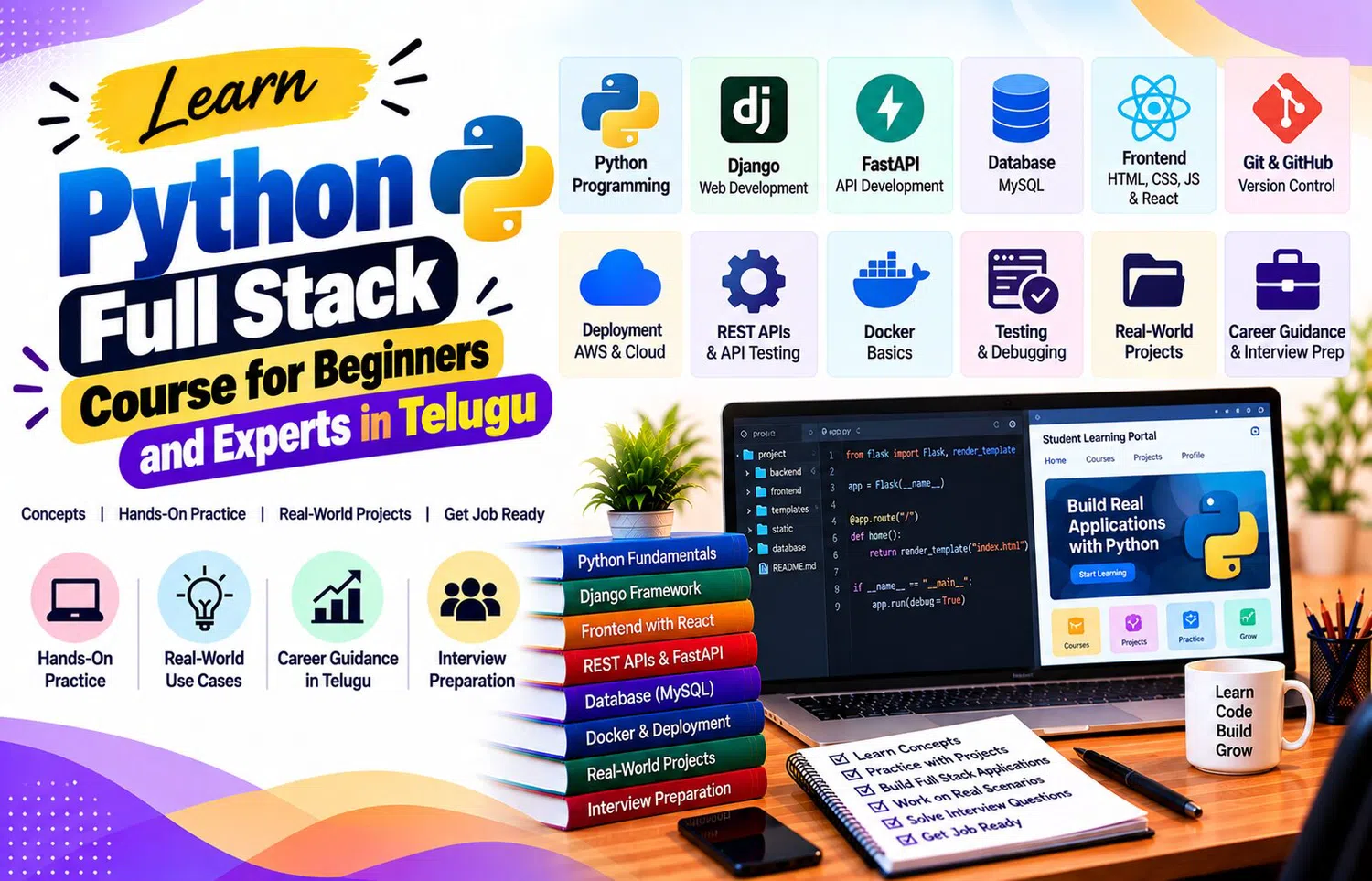
A Python Full Stack Course for Beginners and Experts in Telugu can help learners move from Python fundamentals to complete web application development through a practical sequence.
The goal is not to memorize every library or framework. Learners should understand how each technology contributes to a complete application and how data moves from the user interface through the backend to the database.
Step 1: Learn Programming Logic
Before web development, understand programming thinking.
Practice:
Variables.
Conditions.
Loops.
Functions.
Collections.
Input and output.
Solve small problems.
Examples:
Calculate bill.
Find largest value.
Process student marks.
Filter records.
Strong programming logic makes every later framework easier.
Step 2: Learn Python Data Types
Understand:
String.
Integer.
Float.
Boolean.
List.
Tuple.
Set.
Dictionary.
Each structure has different uses.
For example:
List:
Store products.
Dictionary:
Represent one product.
Set:
Store unique values.
Choosing appropriate data structures improves code clarity.
Step 3: Learn Functions
Functions help divide programs into reusable units.
Practice:
Parameters.
Return values.
Default arguments.
Scope.
Examples:
calculate_discount().
validate_email().
get_total().
Reusable functions prepare learners for structured backend development.
Step 4: Learn Object-Oriented Python
Study:
Classes.
Objects.
Attributes.
Methods.
Inheritance.
Encapsulation.
Exceptions.
Django itself uses object-oriented concepts heavily.
Models, forms, class-based views, and framework components become easier to understand when Python OOP is familiar.
Step 5: Learn Exception Handling
Applications need to respond to unexpected situations.
Practice:
try.
except.
finally.
Custom exceptions where useful.
Examples:
Invalid number.
Missing file.
Failed conversion.
However, exception handling should not hide bugs silently.
Errors should be handled according to their meaning.
Step 6: Learn HTML
Move into frontend development.
Understand:
Document structure.
Headings.
Paragraphs.
Links.
Images.
Forms.
Tables.
Semantic elements.
Build several static pages before adding backend logic.
HTML provides the structure for web interfaces.
Step 7: Learn CSS
Practice:
Selectors.
Box Model.
Spacing.
Colors.
Typography.
Flexbox.
Grid.
Responsive Design.
Build layouts that work on both desktop and mobile.
The goal is not only visual appearance.
Usability and consistency are equally important.
Step 8: Learn JavaScript Fundamentals
Study:
Variables.
Functions.
Arrays.
Objects.
Conditions.
Loops.
DOM.
Events.
JavaScript makes pages interactive.
Practice:
Form validation.
Button clicks.
Search filter.
Dynamic content.
This prepares learners for frontend-backend API communication.
Step 9: Learn Asynchronous JavaScript
Understand:
Promises.
async/await.
Fetch API.
Learn how browser code communicates with a server without blocking the interface.
Practice:
GET request.
POST request.
Loading state.
Error handling.
This becomes essential when working with REST APIs.
Step 10: Understand Web Fundamentals
Before Django, understand:
Client.
Server.
HTTP.
Request.
Response.
URL.
Status Code.
Cookie.
Session.
JSON.
Knowing these concepts prevents framework features from feeling magical.
Learners should be able to explain what happens after entering a URL in the browser.
Step 11: Start Django
Learn:
Project creation.
Apps.
Settings.
URLs.
Views.
Templates.
Static files.
Begin with a small application.
Example:
Simple Blog.
Avoid building a large project before understanding Django's request flow.
Step 12: Learn MVT Architecture
Understand:
Model.
View.
Template.
URL routing.
Trace one request:
Browser.
URL.
View.
Model.
Template.
Response.
This structure helps learners know where code belongs.
Step 13: Learn Django Models
Models represent database data.
Practice creating:
User-related record.
Product.
Course.
Task.
Understand fields such as:
Text.
Number.
Date.
Boolean.
Foreign Key.
Relationships are essential for real applications.
Step 14: Learn Database Fundamentals
Study:
Tables.
Rows.
Columns.
Primary Keys.
Foreign Keys.
Relationships.
Normalization.
Indexes.
Transactions.
Even when using Django ORM, database understanding remains essential.
Step 15: Learn SQL
Practice:
SELECT.
INSERT.
UPDATE.
DELETE.
WHERE.
ORDER BY.
JOIN.
GROUP BY.
Aggregate functions.
SQL makes developers better at understanding ORM behavior and performance.
Step 16: Learn Django ORM
Practice:
Create.
Get.
Filter.
Exclude.
Order.
Update.
Delete.
Relationships.
Understand QuerySets.
Later explore performance concepts such as:
select_related.
prefetch_related.
This connects Python directly with relational data.
Step 17: Learn Migrations
Understand how model changes become database schema changes.
Practice:
Create migration.
Review migration.
Apply migration.
Add field.
Modify field.
Understand why production migrations need care.
This is an important part of application lifecycle management.
Step 18: Learn Django Templates
Practice:
Variables.
Loops.
Conditions.
Template inheritance.
Includes.
Build:
base.html.
Navigation.
Reusable components.
Keep complex business logic outside templates.
Templates should mainly present prepared data.
Step 19: Learn Forms and Validation
Build forms for:
Registration.
Product creation.
Task creation.
Profile editing.
Understand:
GET.
POST.
Validation.
Errors.
Cleaned data.
ModelForm.
Backend validation should always protect important business rules.
Step 20: Learn CRUD
Build full CRUD for one model.
Create.
Read.
Update.
Delete.
Add:
Search.
Filter.
Pagination.
Authorization.
CRUD combines many foundational Django skills.
A Task Manager is a good first CRUD project.
Step 21: Learn Authentication
Study:
User registration.
Login.
Logout.
Password hashing.
Sessions.
Protected views.
Password management.
Use Django's established authentication mechanisms.
Never design password storage manually.
Step 22: Learn Authorization
Authentication asks:
Who is the user?
Authorization asks:
What can the user do?
Practice:
Owner-only editing.
Admin-only pages.
Instructor permissions.
Student permissions.
Backend authorization is essential for application security.
Step 23: Learn Django Admin
Use admin for:
Managing models.
Testing data.
Internal operations.
Customize:
List display.
Search.
Filters.
Admin is powerful but should not automatically replace all user-facing interfaces.
Step 24: Learn REST APIs
Understand:
REST.
Resources.
Endpoints.
HTTP methods.
JSON.
Status codes.
Build APIs for existing models.
Example:
Task API.
This reinforces CRUD through a different interface.
Step 25: Learn Django REST Framework
Study:
Serializers.
API Views.
Generic Views.
ViewSets.
Routers.
Permissions.
Authentication.
Pagination.
Filtering.
Begin with explicit code, then use abstractions once the underlying flow is understood.
Step 26: Learn Frontend-Backend Integration
Use JavaScript Fetch.
Call Django API.
Display JSON.
Submit form.
Handle errors.
Add loading state.
This step connects separate frontend and backend skills into one full stack workflow.
Step 27: Learn Security Fundamentals
Understand:
CSRF.
XSS awareness.
Authentication.
Authorization.
Input validation.
Secure passwords.
Secrets.
HTTPS.
Never trust user input.
Never rely only on frontend restrictions.
Security should be part of application design from the beginning.
Step 28: Learn Testing
Practice tests for:
Models.
Views.
Forms.
APIs.
Permissions.
Business rules.
Examples:
Duplicate enrollment blocked.
Unauthorized update rejected.
Invalid price rejected.
Automated tests make applications safer to modify.
Step 29: Learn Git and Version Control
Use Git for:
Tracking changes.
Branches.
Commits.
Collaboration.
Rollback.
Maintain meaningful commits.
Avoid committing:
Passwords.
Secret keys.
Environment credentials.
Version control is essential for professional software development.
Step 30: Build a Beginner Full Stack Project
Example:
Expense Tracker.
Features:
Register.
Login.
Add Expense.
Edit.
Delete.
Categories.
Monthly Summary.
Search.
Filtering.
This project combines:
Frontend.
Django.
Database.
Authentication.
CRUD.
Step 31: Build an Intermediate Project
Example:
Course Enrollment Platform.
Models:
Users.
Courses.
Enrollments.
Features:
Student login.
Course search.
Enrollment.
Instructor management.
Permissions.
REST API.
This introduces more complex relationships and role-based access.
Step 32: Build an Advanced Project
Example:
E-Commerce Platform.
Features:
Products.
Categories.
Cart.
Orders.
Inventory.
Authentication.
REST API.
Search.
Payments through an approved provider if required.
Testing.
Deployment.
This helps learners understand larger application architecture.
Step 33: Learn Deployment Basics
Study:
Production settings.
Application server.
Database.
Static files.
Media.
Environment variables.
Domain.
HTTPS.
Deploy one project.
Deployment exposes practical issues that local development may not reveal.
Step 34: Learn Environment Variables
Move sensitive configuration out of code.
Examples:
Secret key.
Database credentials.
API keys.
Do not commit production secrets.
This is one of the simplest but most important security practices.
Step 35: Learn Logging and Monitoring
A live application needs visibility.
Learn:
Application logs.
Error logs.
Performance monitoring.
Health checks.
After deployment, users may encounter problems that did not appear locally.
Monitoring helps identify them.
Step 36: Learn Performance Basics
Understand:
Database query count.
Indexes.
Caching.
Pagination.
N+1 queries.
Large responses.
Do not optimize blindly.
Measure first.
Then improve actual bottlenecks.
Step 37: Learn Real-Time Concepts
After mastering standard full stack development, explore:
WebSockets.
Django Channels.
Notifications.
Chat.
Live dashboard.
These features introduce persistent communication and additional deployment complexity.
They should be learned after normal HTTP architecture is clear.
Step 38: Learn Background Tasks
Some work should not delay user requests.
Examples:
Sending email.
Generating report.
Processing image.
Long-running integration.
Advanced applications may use task queues and worker processes.
Learners should understand the concept before introducing additional infrastructure.
Step 39: Learn API Documentation
Document:
Endpoint.
Method.
Authentication.
Request fields.
Response.
Errors.
Clear documentation helps:
Frontend integration.
Teamwork.
Testing.
Future maintenance.
Even solo developers benefit from documenting their own APIs.
Step 40: Learn to Design Before Coding
Before starting a larger project, define:
Users.
Roles.
Features.
Entities.
Relationships.
Routes.
APIs.
Permissions.
This prevents unnecessary redesign.
Planning does not need to be overly complicated.
A simple data model and user-flow sketch can save substantial development time.
How Can Beginners and Experts Use the Same Learning Path?
Beginners can focus on:
Fundamentals.
Small projects.
Clear request flow.
Experts can revisit the same topics with deeper goals.
For example:
Beginner Django ORM:
Basic filters.
Expert Django ORM:
Query optimization and transactions.
Beginner authentication:
Login.
Expert authentication:
Advanced permissions and API security.
The same roadmap supports different depth levels.
How Can Telugu Learners Follow This Roadmap?
Learners from Telangana, Andhra Pradesh, and other Telugu-speaking regions can understand concepts in Telugu while retaining professional technical terms in English.
Important terms include:
Python.
Django.
HTML.
CSS.
JavaScript.
SQL.
REST API.
Authentication.
Deployment.
This helps learners understand lessons clearly while becoming comfortable with documentation and development terminology.
A Final Full Stack Portfolio
A balanced portfolio may include:
Project 1:
Expense Tracker.
Shows:
CRUD and authentication.
Project 2:
Course Enrollment.
Shows:
Relationships, roles, APIs.
Project 3:
E-Commerce or Job Portal.
Shows:
Larger architecture, testing, deployment.
For each project, learners should be able to explain:
Problem.
Database design.
Request flow.
Security.
API.
Challenges.
Deployment.
This is more valuable than simply showing screenshots.
Frequently Asked Questions
What should learners study first for Python full stack?
Start with Python programming and web fundamentals, then move into HTML, CSS, JavaScript, Django, databases, and APIs.
Is Django enough for full stack development?
Django provides the backend framework, but frontend technologies, databases, security, and deployment are also important.
Do beginners need to learn deployment?
Yes. Even basic deployment experience helps learners understand how web applications work beyond localhost.
What is the best way to become confident in full stack development?
Build complete projects, debug problems, understand every layer, and gradually increase project complexity.
Conclusion
A Python Full Stack Course for Beginners and Experts in Telugu can help learners follow a complete path from Python fundamentals to real web application development.
The journey includes:
Python.
HTML.
CSS.
JavaScript.
Django.
SQL.
ORM.
Authentication.
REST APIs.
Testing.
Security.
Deployment.
The strongest full stack developers do not define their skill by the number of technologies they know.
They understand how the technologies work together.
They can take a user requirement, design the data, build the interface, implement the backend, secure the feature, test it, and deploy it.
That end-to-end understanding is the real foundation of Python full stack development.