You are a skilled photographer editing a photo. Suppose you need a specific preset to elevate the mood of this image. You can see it in your mind’s eye but you don’t know where it is. You end up wasting your time browsing through files and even buying new cinematic Lightroom presets. But the next time, the same issue repeats. Find this relatable?
Creating stunning visuals with cinematic flair is an art that requires careful attention to detail. A skilled photographer will know how important every second is, right from shooting to editing.
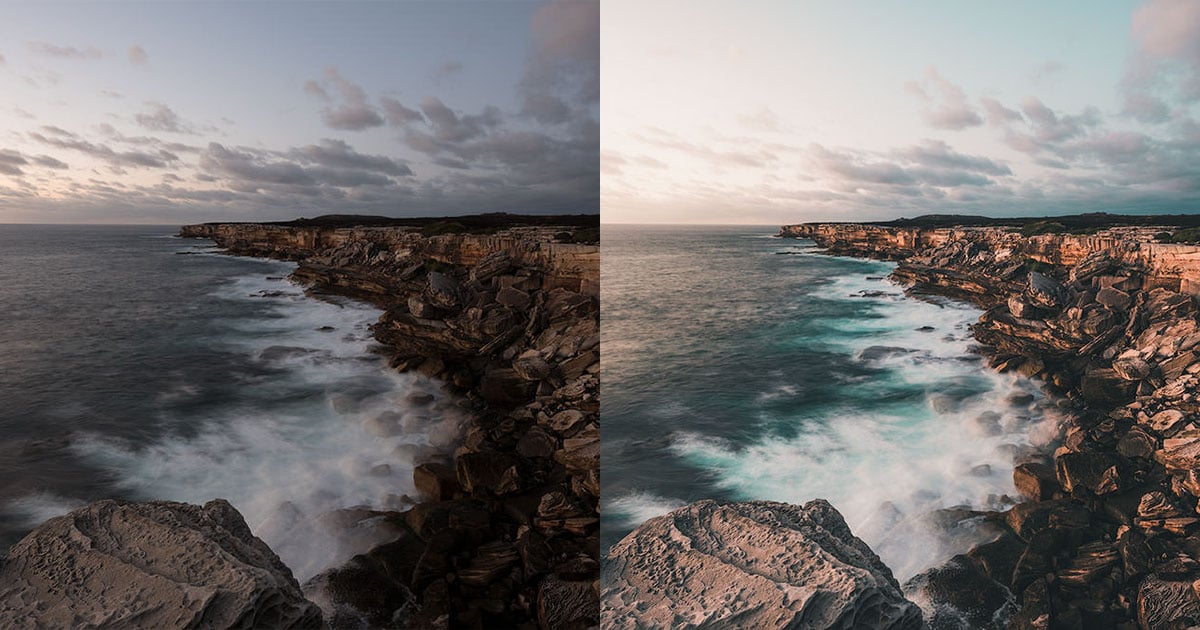
Cinematic Lightroom presets play a pivotal role in elevating your photos to cinematic heights. They can help you bring out the drama, mood, and atmosphere reminiscent of the silver screen. Even a simple shot can be enhanced to make a bold statement.
However, with a growing collection of presets, keeping them organized becomes essential for creative editing. Let’s learn how to organize your presets to streamline your workflow.
Why Should You Organize Your Presets?
As a photographer or content creator, your cinematic preset library can quickly expand to include a variety of effects. You may have a large array of presets, each tailored to different moods, genres, and lighting conditions.
Without proper organization, finding the right cinematic Lightroom preset for a particular image can be time-consuming. Organizing your cinematic presets ensures quick access, efficient editing, and the ability to focus on the creative process.
How to Organize Your Presets
Now that you know why you need to organize your presets, let’s figure out how. Here are some common ways to keep your folders organized:
Name Your Presets Accurately
Start by categorizing your cinematic photo presets into folders based on themes, styles, or moods. Assign descriptive and consistent names to these folders. When you are editing an image, you can find the right preset with exactly the terms you have in mind.
For instance, you can have folders like "Vintage Cinema," "Film Noir Drama," "Blockbuster Action," or "Mystical Fantasy." Naming conventions that reflect the essence of each preset group make navigation effortless.
Sort by Intensity or Mood
Within each thematic folder, further sort your Adobe Lightroom cinematic presets based on intensity and mood. Arrange them from subtle to intense or from soft to dramatic.
This arrangement helps you quickly identify the right preset based on the level of cinematic impact you want to achieve. For example, you might have subfolders like "Subtle Elegance," "Dramatic Grunge," or "Intense Action."
Try Labels and Tags
Assigning labels and tags to your cinematic presets enhances their searchability. Use labels to indicate specific attributes such as color grading, mood, or special effects. For example, labels like "Warm Tones," "Vintage," or "High Contrast" provide instant insights into the preset's characteristics.
Use Keywords You Search With
Utilize keywording to associate your cinematic presets with relevant terms. Incorporate keywords like "cinematic," "dramatic," "moody," and "film-inspired" to quickly locate presets that align with your creative vision.
The more specific and relevant your keywords, the easier it becomes to narrow down your choices. It will help you always find the perfect preset for each image and spend more time editing.
Clean and Update Your Collection
Periodically review and update your cinematic preset library. Remove presets that you no longer use or that no longer align with your style. This practice ensures that your library remains streamlined and clutter-free, making it easier to locate the presets that matter most.
Tips for Streamlining Workflow
Here are some tips to keep your workflow streamlined. Regularly back up your preset library to avoid losing your organized structure.
Utilize cloud services to sync presets across different devices, ensuring access whenever and wherever you need it. Try to adapt your organizational structure to match your specific workflow and shooting styles. This will help you tailor your approach to what makes sense for you.
In Conclusion
Organizing your Lightroom presets is an investment in your creative process. With a well-structured library, you can swiftly locate the perfect preset for any image.
It will also help you experiment with different effects and maintain a consistent cinematic aesthetic. With an organized preset library at your fingertips, you'll be well-equipped to bring the magic of the cinematic world to your photographs.