Comfort and adjustability often receive the most attention when people shop for an office chair, but build quality is equally important. A chair may look comfortable and offer several adjustment features, yet its long-term performance depends heavily on how well its frame, base, mechanisms, seat, backrest, and moving components are constructed.
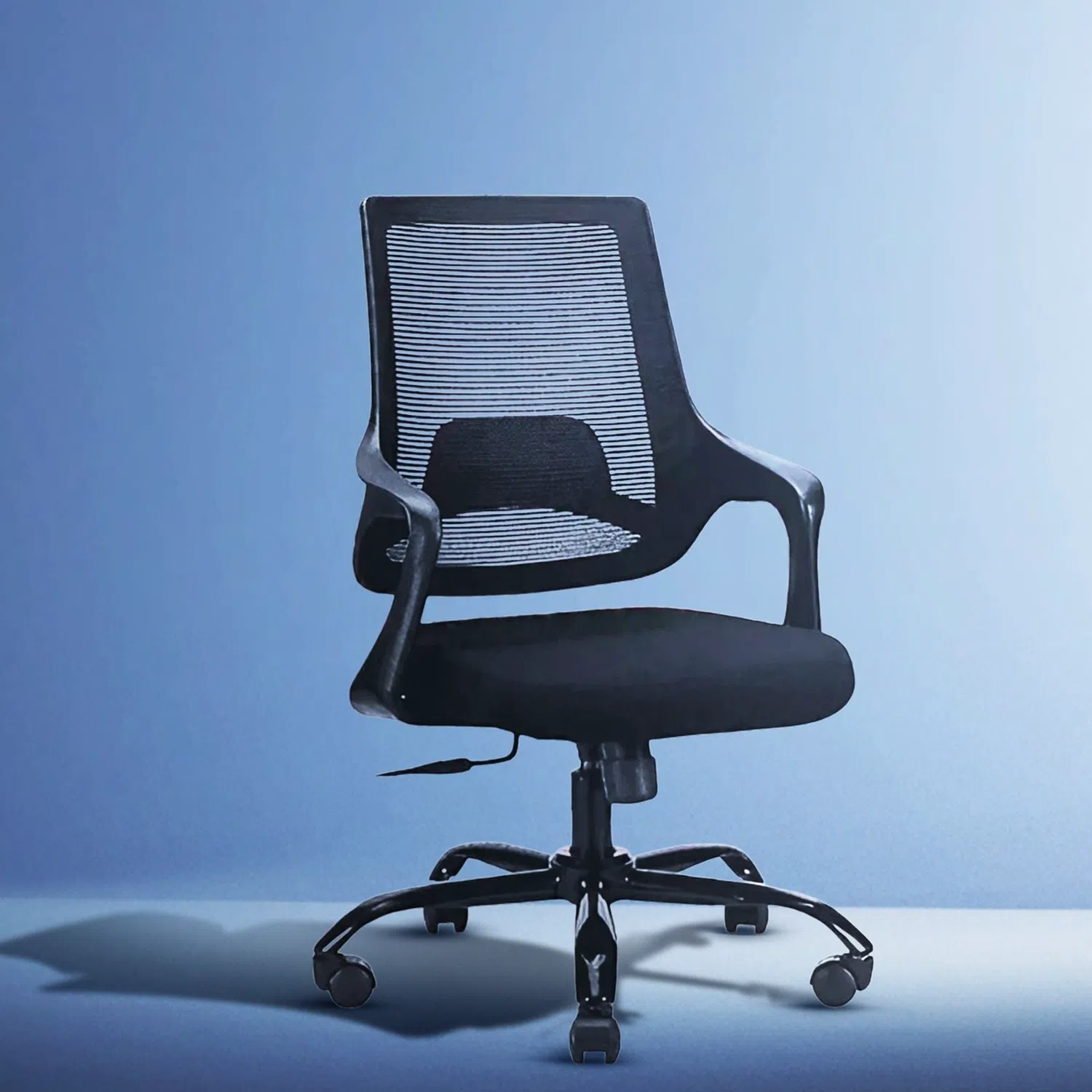
Evaluating ergonomic office chairs before buying requires looking beyond appearance. Understanding a few practical indicators of construction quality can help you identify seating that is better suited to regular workplace use.
Start With the Overall Frame Construction
The frame forms the structural foundation of the chair. It connects the seat, backrest, adjustment mechanisms, and base, so it needs to remain stable during normal movement.
When evaluating a chair, look for signs of solid construction. The backrest should connect securely to the seat, and the chair should not feel unusually flexible or unstable when you lean or shift your position.
For online purchases, examine product descriptions and images carefully to understand how the major components are constructed and connected.
Check the Stability of the Base
The base supports both the chair and the user, making it an important indicator of overall build quality. A well-designed base should distribute weight evenly and remain stable when the user turns, reclines, or moves around the workstation.
When comparing ergonomic office chairs, consider the base material, overall construction, and number of supporting points. The wheels should also be positioned securely and move smoothly without making the chair feel unstable.
A strong base contributes to both everyday usability and long-term performance.
Examine the Adjustment Mechanisms
Adjustability is one of the defining characteristics of ergonomic seating, but the number of adjustments alone does not determine quality. The mechanisms should also operate smoothly and remain securely in the selected position.
Depending on the design, chairs may allow adjustments to seat height, backrest position, armrests, lumbar support, headrest, tilt, or reclining functions.
Controls should feel straightforward to operate rather than stiff or unpredictable. When evaluating ergonomic office chairs, consider both the range of adjustments and the quality of the mechanisms controlling them.
Look at the Backrest Construction
A backrest experiences repeated pressure whenever the user sits, leans back, or changes position. Its construction therefore deserves careful attention.
Check whether the backrest appears firmly connected to the chair and whether its design provides consistent support across the intended areas of the back.
Mesh, upholstered, and other backrest designs can all perform well when properly constructed. Rather than assuming one material automatically offers better quality, evaluate the supporting structure and how securely the material is integrated into the chair.
Evaluate the Seat and Cushioning
The seat experiences continuous pressure during working hours, making its construction another important factor.
Good cushioning should provide support without feeling excessively soft or immediately compressing under body weight. At the same time, an overly firm seat may not suit every user's comfort preferences.
When comparing ergonomic office chairs, consider the seat dimensions, cushioning, upholstery quality, and how well the seat is attached to the supporting structure. The goal is to find a seat designed for regular use while remaining comfortable for your expected working duration.
Inspect the Armrests
Armrests are frequently used when sitting down, standing up, typing, or changing position. Poorly constructed armrests may become loose or unstable with repeated use.
If the armrests are adjustable, check how securely they remain in position after adjustment. Movement should feel intentional rather than loose.
Also consider how the armrests connect to the chair. Stable construction is particularly important because users may unintentionally place significant pressure on them during daily use.
Pay Attention to the Wheels
Wheels may appear to be a minor component, but they experience frequent movement and support part of the chair's overall load.
Good castors should roll smoothly across the intended floor surface without excessive resistance or wobbling. They should also connect securely to the base.
When assessing ergonomic office chairs, consider whether the wheels appear appropriate for your workspace. Smooth movement is particularly important in work environments where users regularly move between different parts of a desk.
Check the Weight Capacity
Weight capacity provides useful information about the chair's intended usage. It should be suitable for the person who will regularly use the chair.
However, weight capacity should not be considered in isolation. A high stated capacity does not automatically mean that every component offers superior construction.
Instead, evaluate the capacity alongside the frame, base, seat, adjustment mechanisms, and overall stability. This provides a more complete understanding of how the chair is designed for everyday use.
Consider Material Quality and Finishing
Materials influence durability, comfort, maintenance, and appearance. Mesh should feel properly tensioned and securely attached, while upholstered surfaces should appear neatly finished.
Check stitching, edges, joints, and connection points where possible. Uneven finishing, poorly aligned components, or visibly loose sections can indicate inconsistent construction.
For ergonomic office chairs purchased online, close-up images, detailed descriptions, warranty information, and verified customer feedback can provide useful additional insight when physical inspection is not possible.
Test for Unnecessary Movement and Noise
A chair naturally moves when swivelling, reclining, or rolling, but excessive wobbling can indicate loose components or poor connections.
If you can test the chair before buying, sit normally and change positions several times. Adjust the height, move the armrests, recline if applicable, and roll the chair slightly.
Listen for unusual clicking, grinding, or persistent squeaking. Some minor sound may occur during normal operation, but excessive noise combined with instability deserves closer attention.
Look Beyond the Number of Features
More features do not necessarily mean better construction. A simpler chair with well-built mechanisms can sometimes provide more dependable everyday performance than one offering numerous poorly constructed adjustments.
When comparing ergonomic office chairs, focus on whether the features you actually need feel stable, useful, and easy to operate.
Prioritize the quality and relevance of the adjustments rather than choosing solely according to the longest feature list.
Consider Warranty and After-Sales Support
Build quality is not always completely visible at the time of purchase. Some problems may only become noticeable after extended use.
Warranty coverage can therefore be another factor worth checking. Understand what parts are covered, how long the coverage lasts, and what the process is for addressing manufacturing issues.
This is particularly important when ergonomic office chairs will be used for several hours every working day.
Final Thoughts
Evaluating build quality requires looking at the chair as a complete structure rather than judging it by appearance or features alone. Frame stability, base construction, adjustment mechanisms, backrest support, seat quality, armrests, wheels, materials, and weight capacity all deserve attention.
Before choosing ergonomic office chairs, consider how these elements work together and whether they appear suitable for your expected usage. A careful assessment can help you choose seating that not only feels comfortable initially but is also better prepared for the demands of regular, long-term workplace use.