A website can look perfectly healthy at 10 a.m. and become unavailable by lunchtime. A domain renewal can be missed, a plugin update can break a page, an email account can be compromised, or a backup can turn out to be incomplete when someone finally needs it. Small organizations often assume that keeping a backup is the same as being prepared. In practice, recovery depends on several connected things: knowing what must be restored, knowing who has access, keeping copies in a separate place, and testing whether the recovery procedure actually works.
A continuity plan does not have to be a large corporate document. For a small business, it can be a short, practical record that answers five questions: what are the important services, who is responsible, where are the backups, how is access recovered, and what is the first action when something fails? The value lies less in the document's length than in whether a person can use it during a stressful incident.

Start by listing what the business depends on
The public website is only one part of the system. A small business may depend on its domain registration, DNS provider, hosting account, email service, payment provider, booking system, image library, and content management system. These pieces may be managed in different dashboards and may use different login credentials. If one account is inaccessible, other services can remain technically healthy but still become difficult to manage.
Create a simple inventory with the service name, what it does, the account owner, renewal date, recovery contact, and where the relevant documentation is stored. Do not put passwords or secret keys in the inventory itself. Instead, record the approved password manager or credential-recovery process. The inventory should help an authorized person find the right place without exposing credentials to everyone who can read the document.
This inventory also makes costs and dependencies visible. A business might discover that an old form plugin sends leads to an email address nobody checks, or that a domain is registered under a former contractor's account. These are not necessarily server failures, but they are continuity weaknesses because they can interrupt normal work when a person leaves or an account changes.
Separate the backup from the recovery procedure

A backup is a copy of data. A recovery procedure describes how to restore a useful service from that copy. Those are different things. A database backup may exist but require a compatible database version. A website archive may omit uploads, configuration, or environment settings. A cloud snapshot may protect a disk but not preserve the credentials needed to access the cloud account.
For each important service, write down what is backed up, how often the backup runs, how long copies are retained, and how to verify that a copy is usable. Keep at least one recovery copy separated from the primary account or location where practical. If an attacker can delete both the live data and every backup using the same compromised account, the copies do not provide as much protection as expected.
Recovery planning is also connected to the hosting environment. Before choosing among hosting options, identify what the website needs: storage, server resources, software compatibility, support, and a realistic recovery process. The correct choice depends on the workload and the business's ability to manage it, not simply on the largest advertised resource number.
Decide what must be restored first
Not every website component has equal importance. A local shop may need its opening hours and contact form restored before an old blog archive. A small service company may consider the booking system and inquiry form essential, while a portfolio site may prioritize its project gallery and contact page. This does not mean less important data can be ignored. It means recovery can be organized in a sensible order when time is limited.
Write two targets for important services. The first is the acceptable amount of lost recent work, often called the recovery point objective. The second is the acceptable time before service should be restored, commonly called the recovery time objective. These targets should be realistic. A business that updates product stock every few minutes needs a different backup approach from a site whose articles change twice a month.
For example, imagine a small business that receives orders through a website form. If submissions are emailed but not stored in a database, restoring the website alone may not recover the requests already received. The business should understand where form submissions are stored, how they are exported, and whether a temporary contact method is available while the site is being repaired.
Keep domain and DNS access in the plan
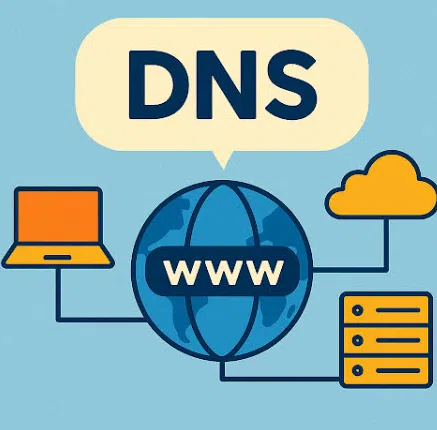
A website can remain healthy on its host while visitors cannot reach it because the domain has expired or DNS records were changed incorrectly. Record the registrar, renewal date, account recovery method, and the purpose of important DNS records. Avoid copying a long list of values without explaining them; a short description of each record helps an administrator know which values are expected.
DNS changes may not appear everywhere at once because resolvers cache responses for a period of time. If a record changes, a few users may see the new destination while others continue to use an older cached answer. This is not automatically evidence that the change failed. A careful plan records the intended change, the time it was made, the previous value, and the checks used to validate it.
If email depends on the same domain, record its MX and authentication-related DNS configuration as well. Website recovery should not accidentally break business email, verification records, or third-party services. A domain migration checklist should therefore consider the whole domain, not only the home page.
Assign access and responsibility before an incident
An emergency is a poor time to discover that the only person who knows the hosting account password is unavailable. At least two trusted people should understand the approved recovery route, even if only one normally performs technical work. Use individual accounts where the service supports them, enable multi-factor authentication, and remove access that is no longer required after a contractor or staff member leaves.
The plan should distinguish between emergency access and day-to-day access. Not everyone who writes content needs permission to change DNS, delete databases, or modify billing. Least privilege reduces the damage a mistaken action or compromised account can cause. It also makes audit trails easier to interpret because the action is associated with a specific user.
Support contacts should be recorded in the continuity inventory. When choosing a support route, understand its coverage, hours, verification requirements, and the information it may ask for. Keep account identifiers available, but do not place authentication secrets in shared notes or public documents.
Test restoration instead of assuming it works

A backup that has never been restored is an untested assumption. Schedule a small recovery exercise. Restore a copy to a staging environment, verify that pages load, test important forms, check uploaded files, and confirm that the database content is present. The goal is not to interrupt the live website. Use a separate environment and protect any personal information included in the copy.
Record how long the exercise took and what was missing. Perhaps a theme was unavailable, a plugin required a license, or a configuration file had not been included. These are useful findings because they turn a vague concern into a list of concrete improvements. Test the recovery steps again after major changes to hosting, software, or account ownership.
A useful maintenance plan combines this practice with routine site maintenance: updates, checks for broken forms, review of administrator accounts, and confirmation that backup jobs completed. Maintenance is not simply updating every component as soon as a notification appears. It includes reviewing changes, testing on a suitable schedule, and keeping a way to reverse an update that causes a problem.
A practical first-hour response
When a website becomes unavailable, resist the urge to change every setting at once. Record the time and the visible symptom. Check whether the problem affects all pages or only one path. Test the hostname and the server response from a separate connection if possible. Review recent changes to DNS, hosting, plugins, themes, certificates, or application configuration. If a provider reports an incident, preserve the details rather than repeatedly changing a configuration that may already be correct.
A small-business continuity plan should also include a tested restore procedure and a clear owner for each dependency. Record the result of the latest recovery tests alongside the date and any gaps found.
Next, decide whether the incident affects data, access, or availability. A suspected compromise calls for different steps from a failed theme update. If credentials may have been exposed, follow the approved account-security process and revoke affected sessions or keys. If data may have been deleted, avoid running cleanup actions that overwrite recoverable copies. When a restoration is necessary, use the documented restore point and verify the result before announcing that the service is fully recovered.
After recovery, hold a short review. Identify what happened, which evidence supported the diagnosis, what restored the service, and what would make the next incident shorter. Keep the review factual. The purpose is to improve the plan, not assign blame to the person who first noticed the fault.
Conclusion
A small-business website needs more than an archive of files. It needs a recovery process that connects backups, domain ownership, access control, service dependencies, and practical testing. The most effective plan is short enough to use, specific enough to follow, and tested often enough to expose gaps before a real emergency.
Start with an inventory, identify the most important service, test one restoration, and record what you learn. Over time, these small steps make a website easier to maintain and give the business a clearer path through an unexpected outage. A continuity plan cannot prevent every failure, but it can reduce confusion and help people recover without making the problem worse.