Let’s be honest for a second. Have you ever typed in a password on your Linux terminal—something like password123 or letmein!—only for the system to coldly reject it, throw an error, or scold you for not being secure enough?
It’s frustrating, right? You just want to create a user account, install a package, or get back to work, and suddenly your computer is acting like an overly strict security guard at an exclusive club.
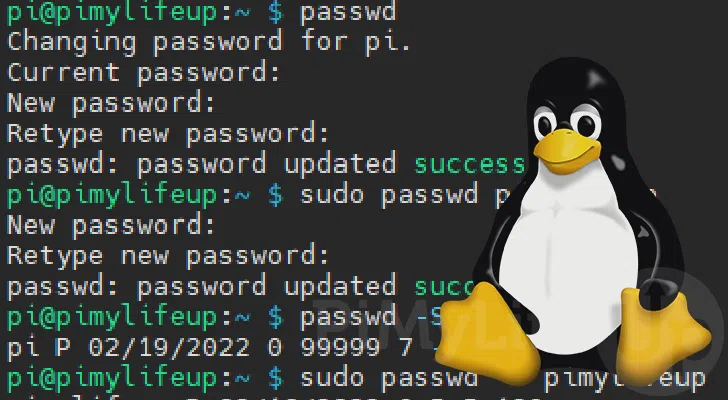
Behind that strictness lies one of the most unsung heroes of Linux system administration: Pluggable Authentication Modules (PAM) and security libraries like libpwquality (or the older pam_cracklib). Together, they act as the digital bouncer deciding whether your password makes the cut.
If you’ve ever wondered where Linux gets its rules, why it hates simple passwords, and how you can customize its standards without losing your mind, grab a cup of coffee. Let’s break down Linux password rules in plain, human English.
Who Makes the Rules? Meet PAM and libpwquality
Linux doesn't just guess whether a password is strong; it uses a modular framework called PAM (Pluggable Authentication Modules). Think of PAM as a plug-and-play security checkpoint. Whenever you try to change your password using commands like passwd, the system routes your input through a set of configured rules before writing it to disk.
For password strength specifically, modern Linux distributions rely heavily on a library called libpwquality. This is the brain behind those picky error messages. It looks at your password and runs it through a checklist to ensure it isn't easily guessed by humans or cracked by automated scripts.
The 5 Golden Rules Linux Cares About
When libpwquality evaluates your password, it isn't just looking for random keyboard smashing. It checks specific metrics to make sure your key is genuinely secure:
1. Minimum Length (minlen)
Length is security's best friend. Computers can guess short passwords in seconds through brute-force attacks. By default, many modern Linux distributions enforce a minimum length (often 8 to 12 characters). Even if a password is complex, if it's too short, Linux will slam the door.
2. Character Classes (minclass)
Linux likes variety. Instead of just making a long string of lowercase letters, libpwquality can require you to mix up to four character classes:
Uppercase letters (A-Z)
Lowercase letters (a-z)
Digits (0-9)
Special characters or symbols (!, @, #, $, etc.)
If your setting requires at least 3 classes, a password like correcthorsebatterystaple might pass on length, but a password like batterystaple might get flagged if it lacks numbers or symbols.
3. Palindromes and Reversals
Did you think you were clever by spelling your pet's name backward? Linux is smarter than that. The validation checks often look for whether your new password is just a palindrome or a direct reversal of your old password. If it's too similar to what you had before, it gets rejected.
4. The Dictionary and Username Check
This is the big one. Linux checks your password against common dictionary words, simple patterns (like 123456 or qwerty), and—crucially—your own username or real name. If your username is shivendra and you try to set your password to shivendra2026, Linux will instantly reject it for being far too personal and guessable.
5. Credit (or Penalty) for Simplicity (badness)
The system assigns a score to your password based on how predictable it is. It penalizes sequential characters (like abc or 789) and rewards chaotic randomness.
Where Do You Find and Change These Rules?
If you are a system administrator and want to adjust how strict or relaxed these rules are on your server or local machine, you don't have to guess. The configuration lives in a couple of clear text files:
/etc/security/pwquality.conf: This is the main control center forlibpwquality. Inside, you can tweak settings like:Plaintext
minlen = 10 minclass = 3 maxrepeat = 3/etc/pam.d/common-password(on Debian/Ubuntu-based systems) or/etc/pam.d/system-auth(on RHEL/Fedora-based systems): This tells PAM when and how to call the password quality checker.
Warning: If you're managing a multi-user environment or a server, resist the urge to turn these security settings off completely just to make password creation "easy." Those rules are the only thing standing between your system and automated bots scanning the web for weak SSH credentials.
The Takeaway
Linux password rules aren't designed to annoy you; they are there to protect your data from automated threats and human oversight. By understanding how libpwquality and PAM look at your credentials, you can stop guessing what the system wants and start crafting secure, memorable, and uncrackable passwords on the first try.
Have you ever been locked out or frustrated by a stubborn Linux password policy? How do you usually remember your complex passwords? Let’s talk about it in the comments below!